AnnotationTool
General
The annotation tool can be configured with regard to the following functions:
-
Annotation tools → buttons visibility is configured here
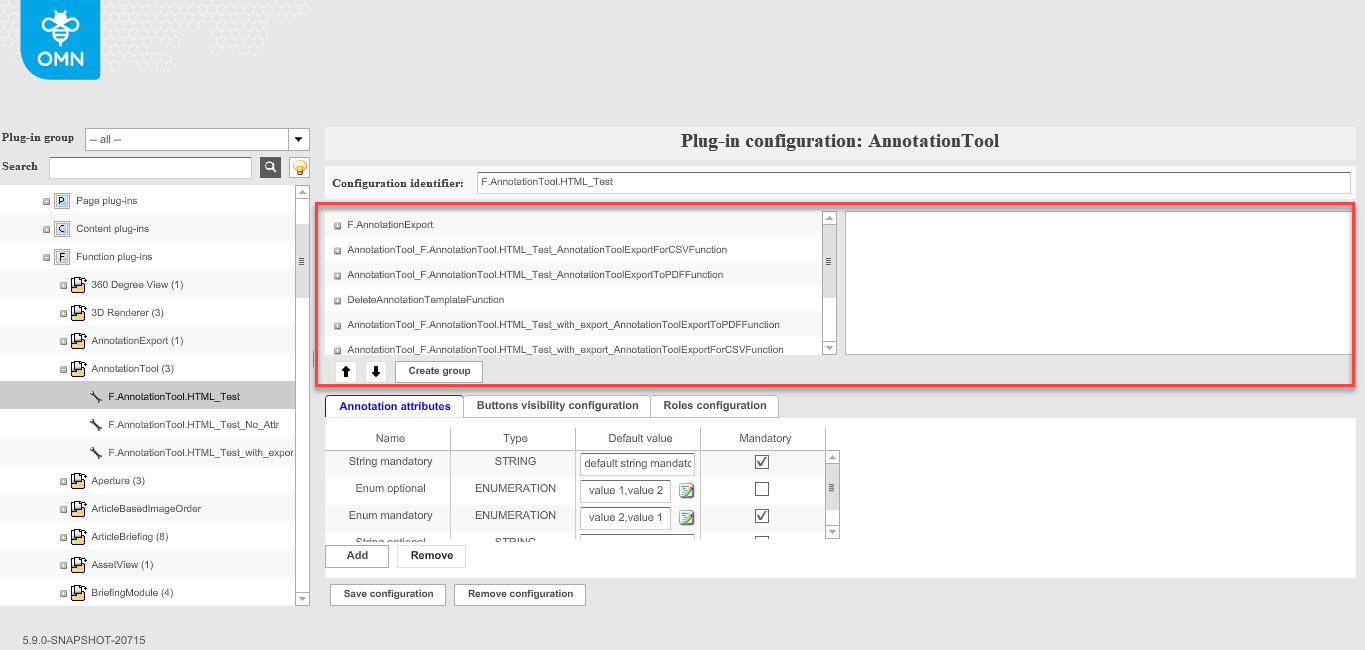
Toolbar functions configuration
Allows you to configure functions of the AnnotationTool, which will be available in the toolbar of AnnotationTool (please, refer to this page to see frontend part).
Toolbar functions can be organized into groups.Both the groups and toolbar functions can be localized.
The following functions are available:
-
DeleteAnnotationTemplateFunction → will allow the user to delete annotation on the canvas
-
ExportForCSVFunction → will export annotations on the canvas into CSV file
-
ExportToPDFFunction → will export annotations on the canvas into PDF file
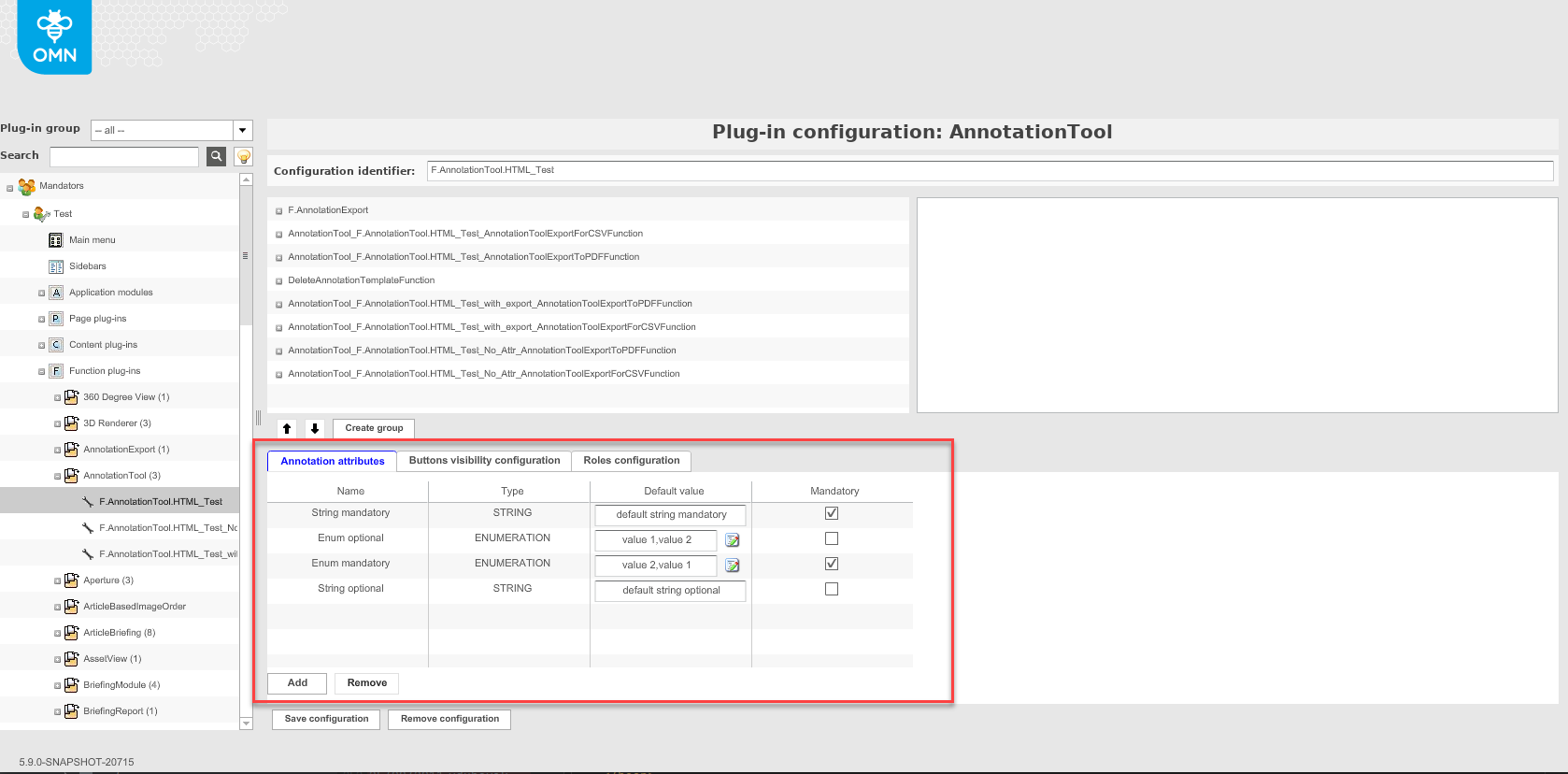
Annotation attributes tab
In this area you can create your own properties, which are editable for annotation in the frontend.For example, you can add additional properties, such as URL or rectangle annotation.
| The functionality is not yet available in the new HTML5 client. |
Buttons visibility configuration
This area allows you to control which annotation tools are available in the toolbar in the frontend.
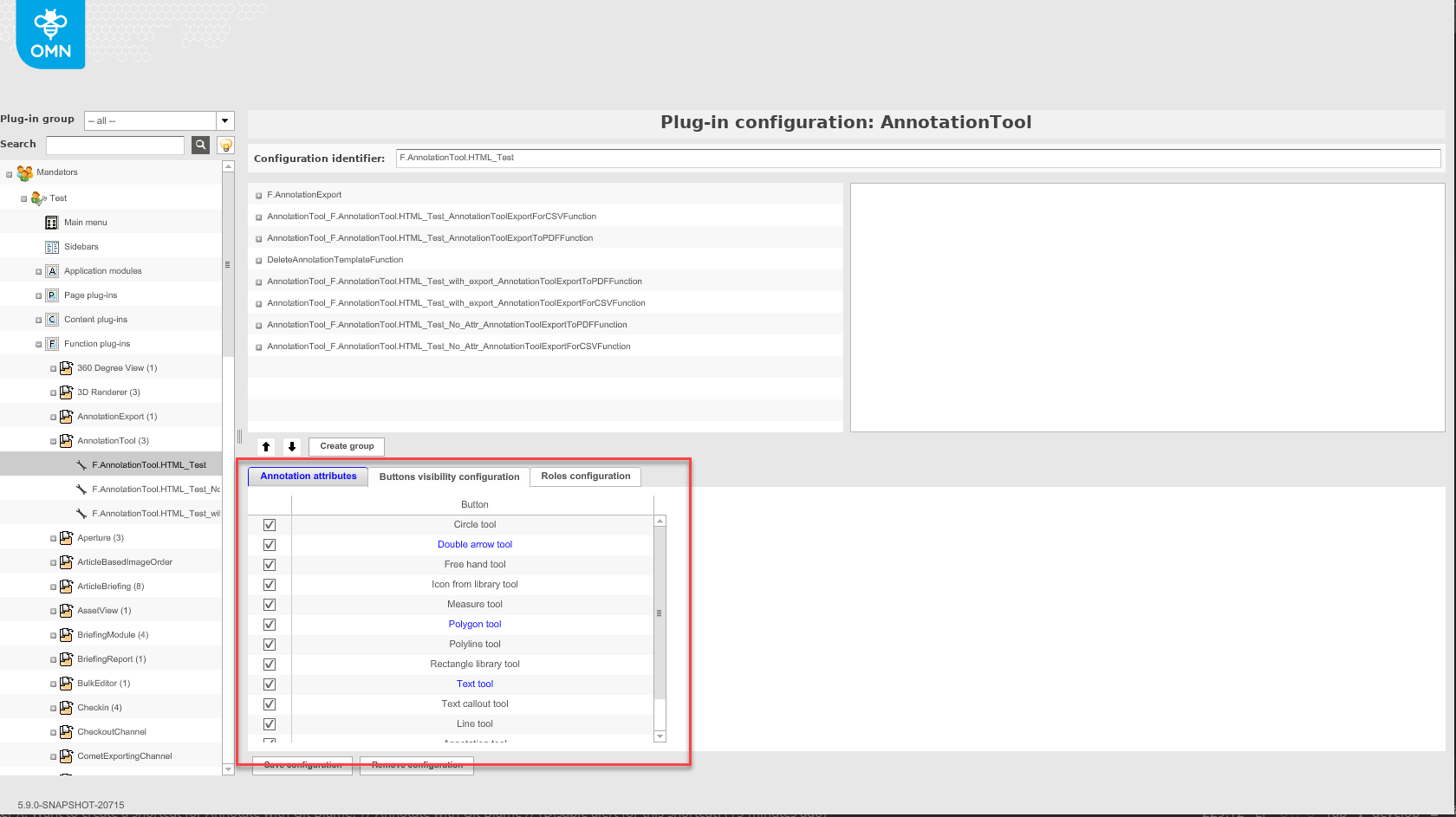
In the table below you can see how the functions looks like:
| Icon in frontend | Function’s name |
|---|---|
|
AnnotationTool |
|
Textcallout Tool |
|
Line Tool |
|
Arrow Tool |
|
Circle Tool |
|
Rectangle Tool |
|
Freehand Tool |
|
Polyline Tool |
|
Measure Tool |
|
Text Pointer Tool |
|
Icons from library Tool Important note: In order to use this function, a path must be stored in addition to the Annotations application plugin, under which the icons are stored.More information is available here. |


The following types are no longer supported:
-
Double Arrow Tool
-
Polygon Tool
-
Text Tool
Roles configuration tab
In this area, roles available for the OMN client can be activated for the annotation tool.
This allows comments to be given a property for which role the annotation is relevant to.
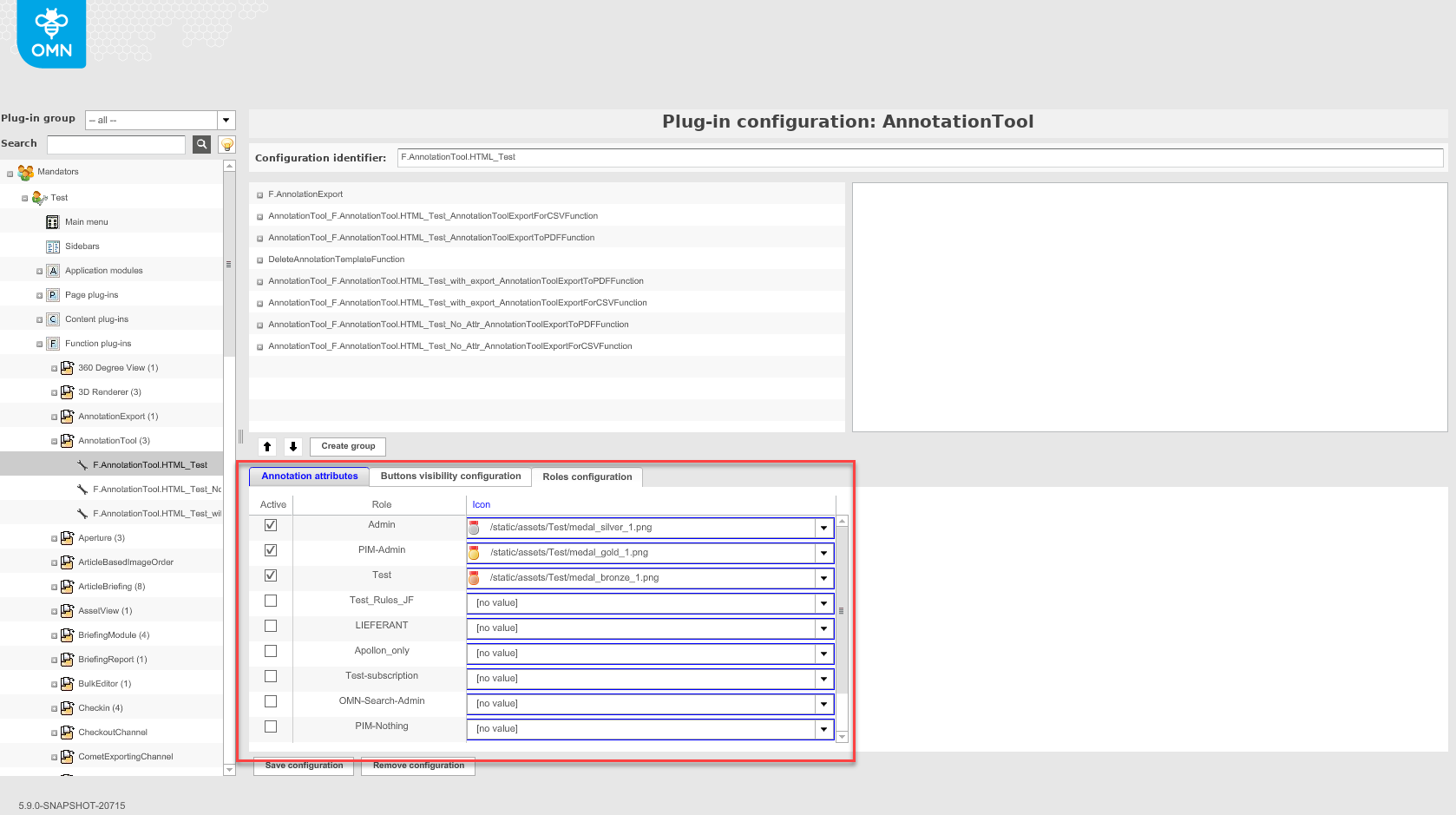
| The icon configuration area for roles is no longer supported, as standard icons for roles are used in the new HTML5 client. |
How to configure Annotation URLs
When executing the "Export as PDF"-function in AnnotationTool, a download link is generated in the HTML5-UI and uses the java property Mail.ExternalURL. The property must be the FQDN including protocol.
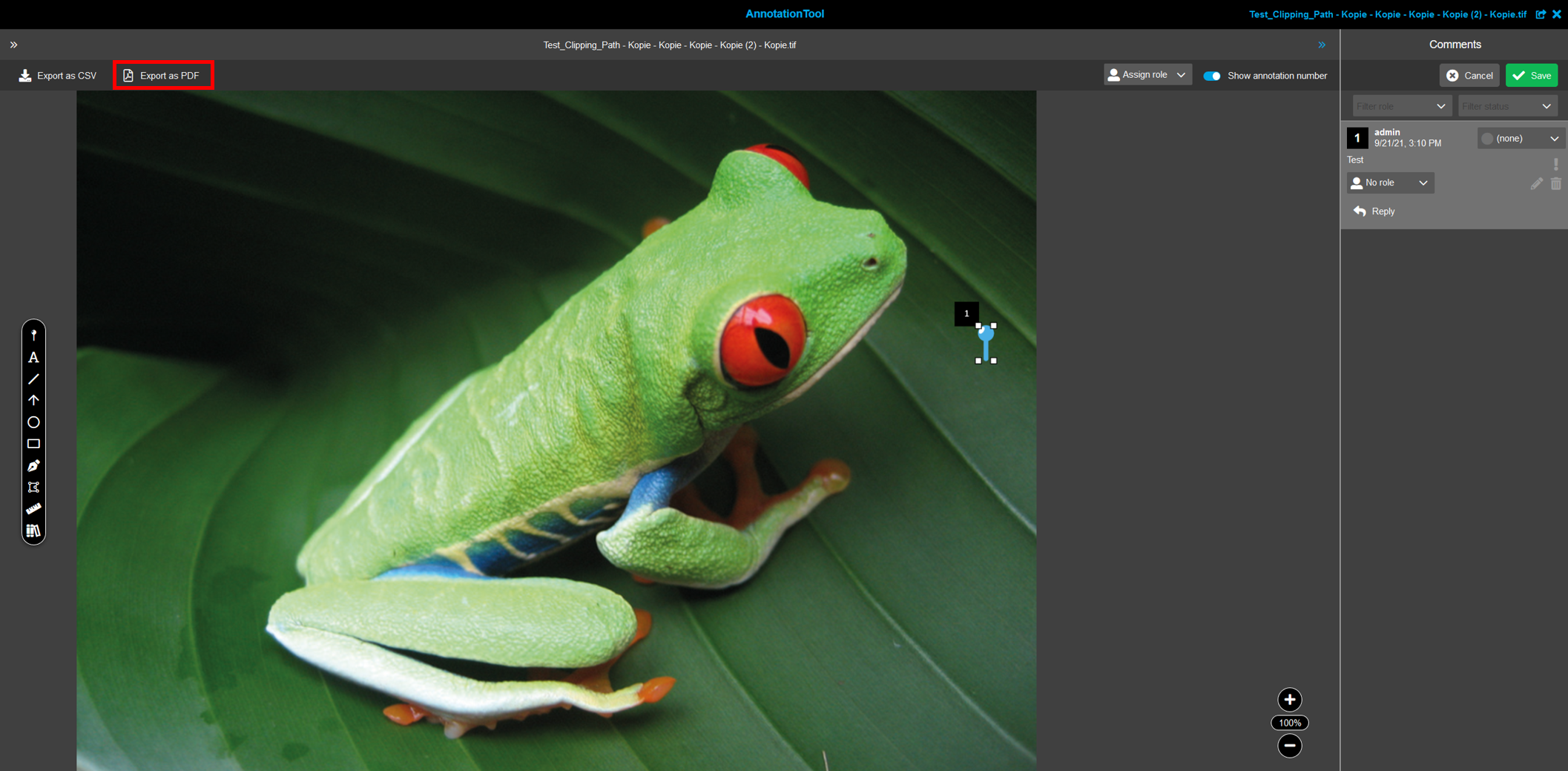
If there is a problem with a wrong download link, go to
/usr/local/omn/config/omn_mail.properties
and set the correct URL:
e.g. Mail.ExternalURL=https\://test09.pd.apollon.de
Afterwards restart the omn-web service.
Now the "Export as PDF"-function should use the correct download link.
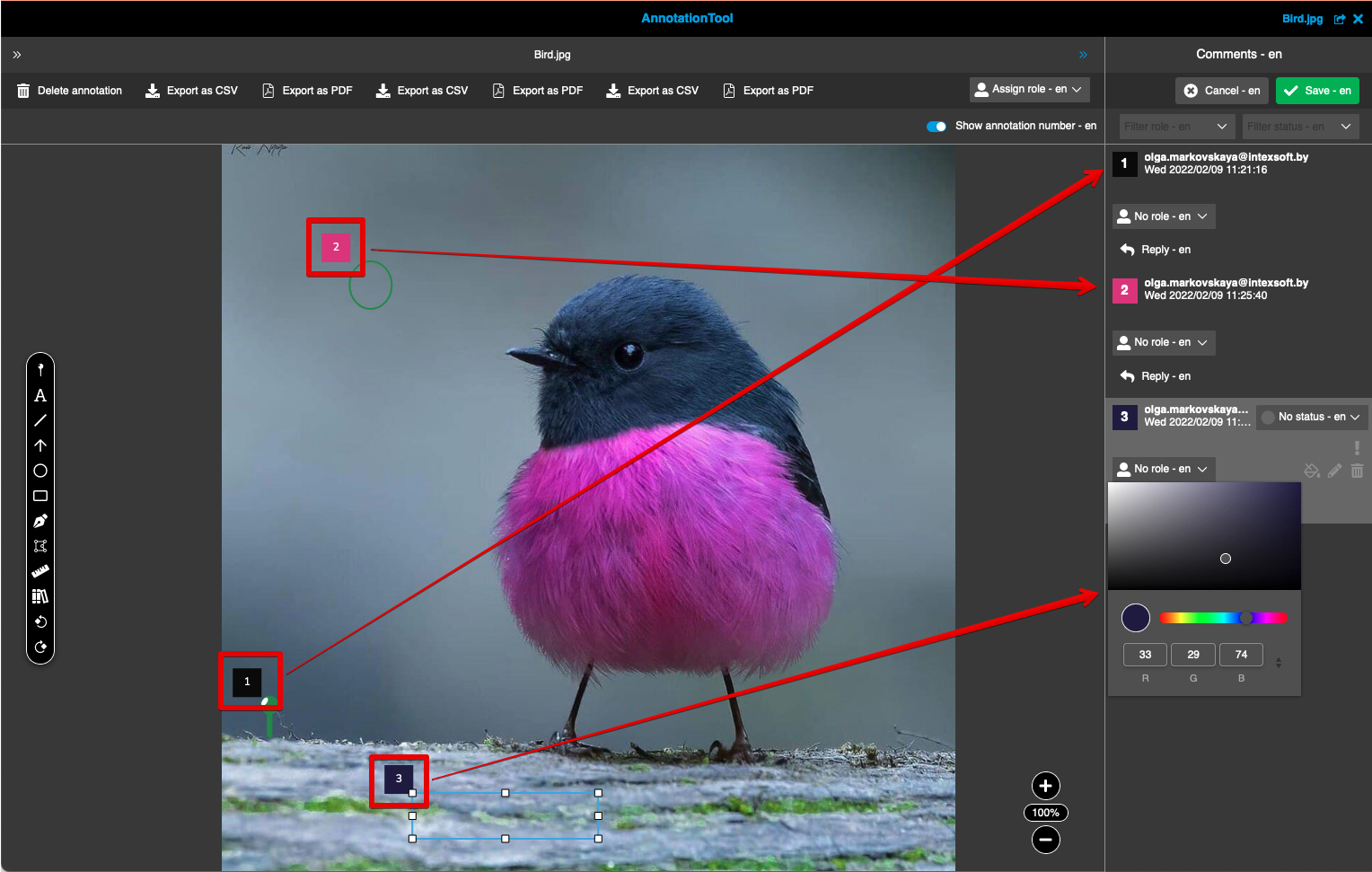
How to configure a color picker
The color picker can be configured and used in AnnotationTool to define custom colours for every single element of annotations.
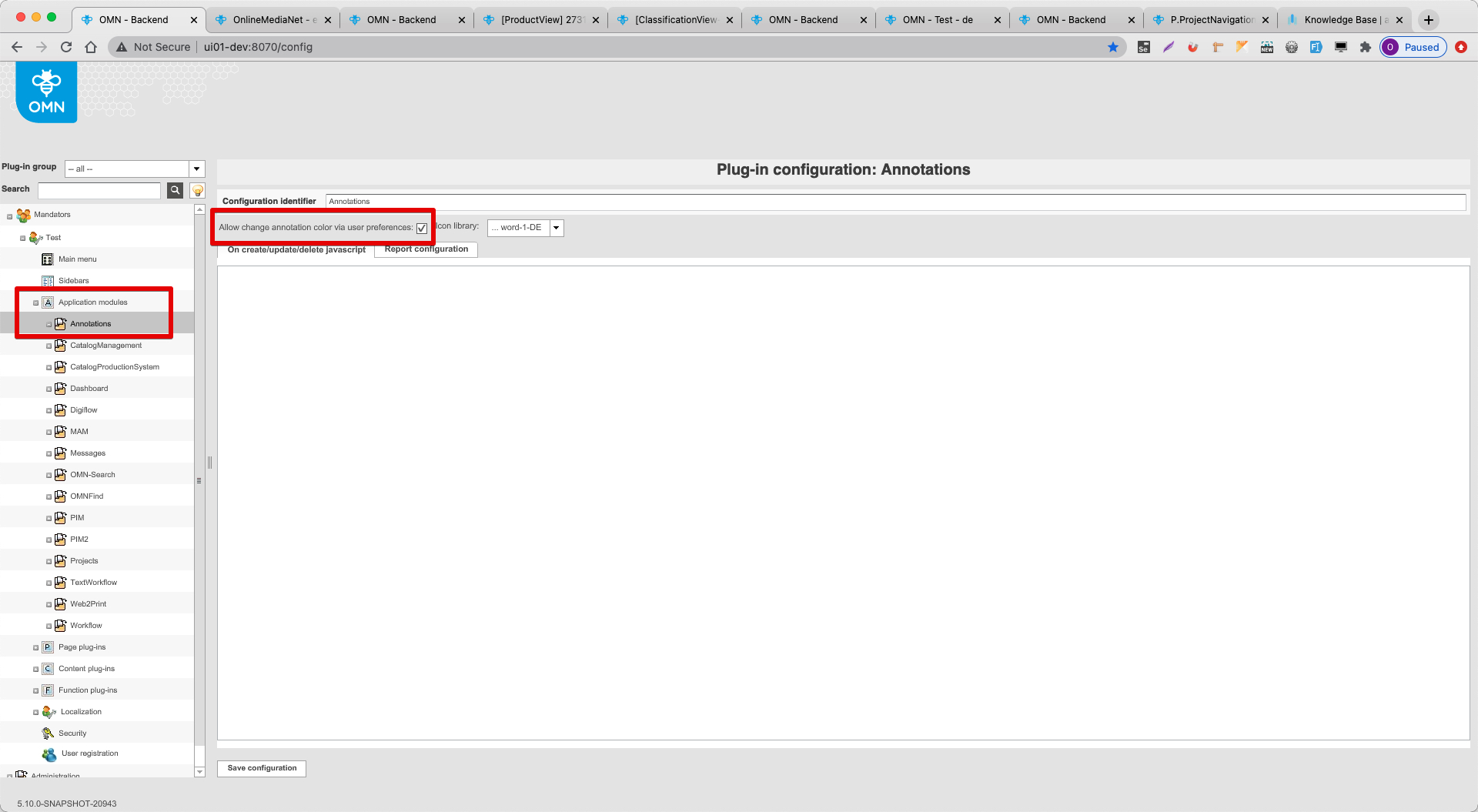
"Allow change annotation color via user preferences" option should be ticked in the config client in Application modules → Annotations
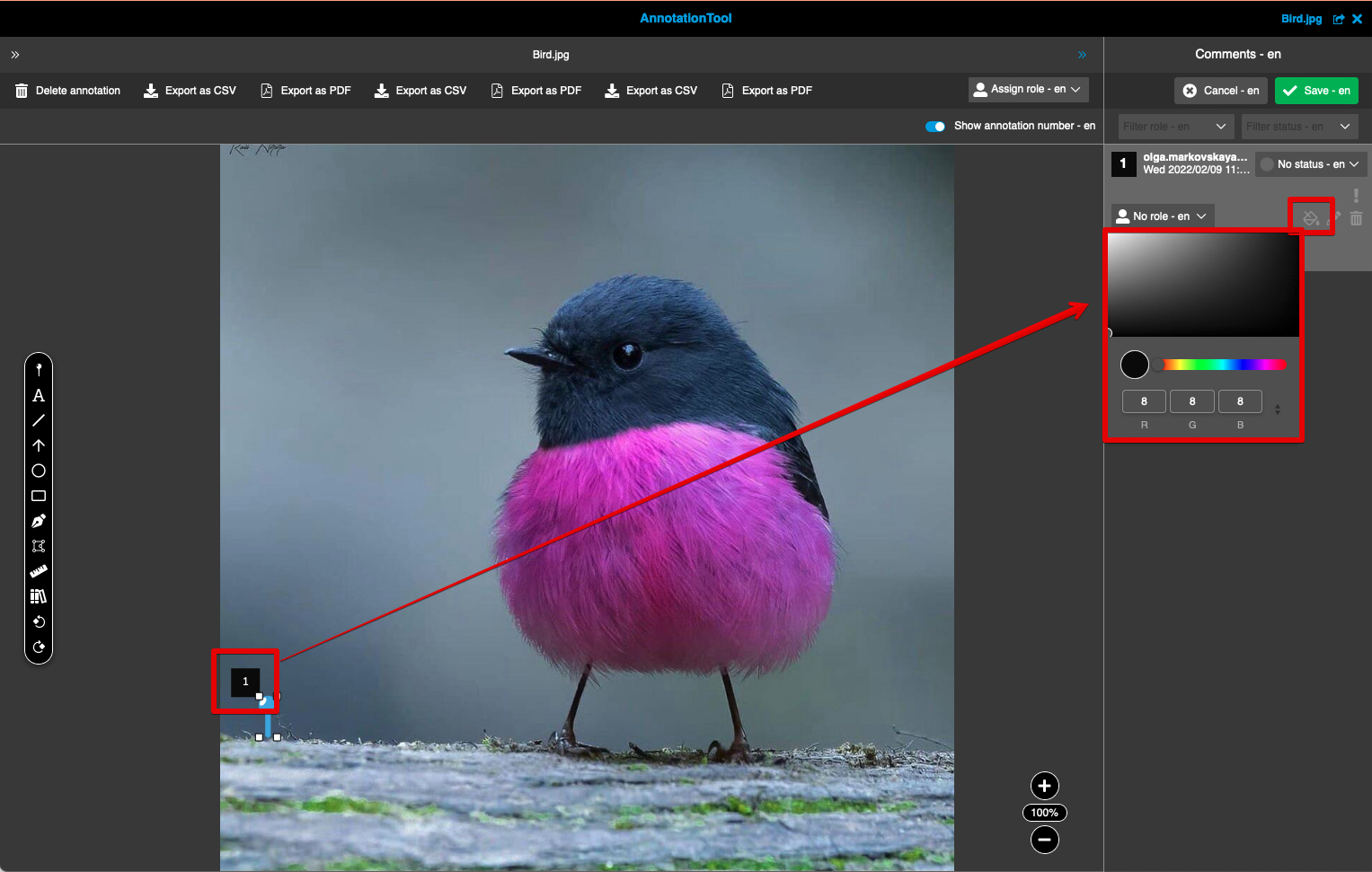
A color picker icon is available on the frontend in AnnotationTool for every annotation.
By default 'black' color is used.
To change the default color you need to open UserSettings on the frontend: Editor settings → AnnotationTool and select another one in the color picker.
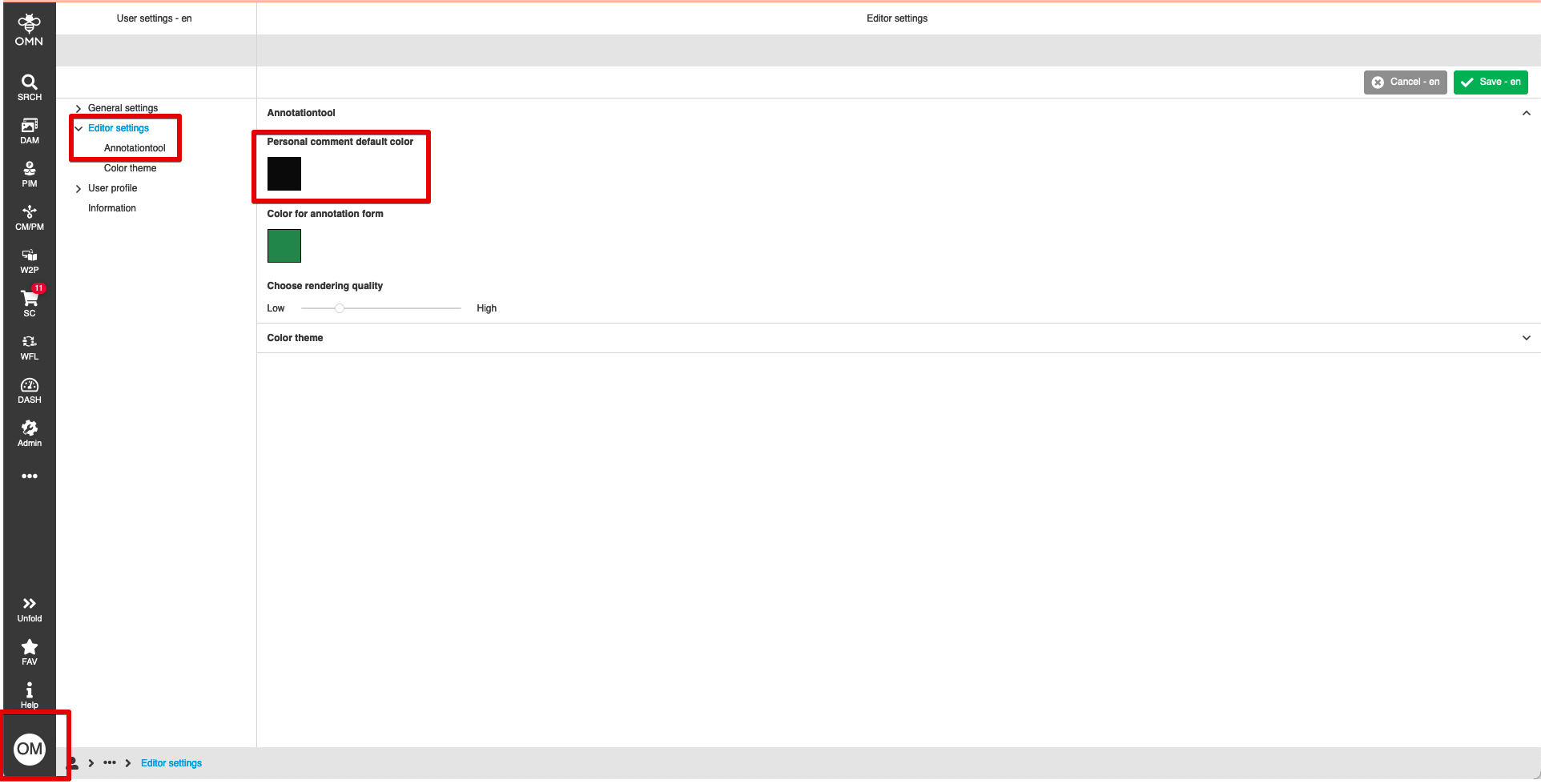
Different colors can be set for every element of an annotation