DeepL Glossary Deletion
Description
Manage Your DeepL Glossaries within the Workflow
The AI DeepL Glossary functionality allows you to not only export your OMN glossaries to DeepL, but also delete any previously exported glossaries you no longer need. This gives you complete control over the glossaries used in your AI DeepL translations.
To use the DeepL Translator and DeepL Glossaries in the OMN context, a paid DeepL API Pro subscription must be purchased.
All information about DeepL API Pro can be found here.
API URL
Access to the following URL is needed:
General Parameters
Workflow-Name: ai-translation-glossary-deletion
| Key (* = required) | Type | Default | Description | Example |
|---|---|---|---|---|
ext.ai-translation-glossary-deletion.deepl.apiKey* |
string |
API Key for the DeepL service. |
||
ext.ai-translation-glossary-deletion.deepl.apiUrl |
string |
Base URL of the DeepL API. Note that this needs to be set to the base url only: https://api.deepl.com/v2 |
||
ext.ai-translation-glossary-deletion.deepl.keepLatest |
boolean |
false |
If set to true the Workflow will delete all exported DeepL Glossaries corresponding to the selected OMN Glossary. If set to false, the Workflow will delete all but keep the latest one |
|
ext.ai-translation-glossary-deletion.audit.attribute.modificationDate |
string |
The Glossary attribute identifier where to store the date and time the DeepL Glossary was deleted |
DEEPL_MODIFICATION_DATE |
|
ext.ai-translation-glossary-deletion.audit.attribute.status |
string |
The Glossary attribute identifier where to store the last status of the deleted Glossary |
DEEPL_EXPORT_STATUS |
Example configuration
The following image shows what a sample configuration for DeepL Glossary Deletion might look like.
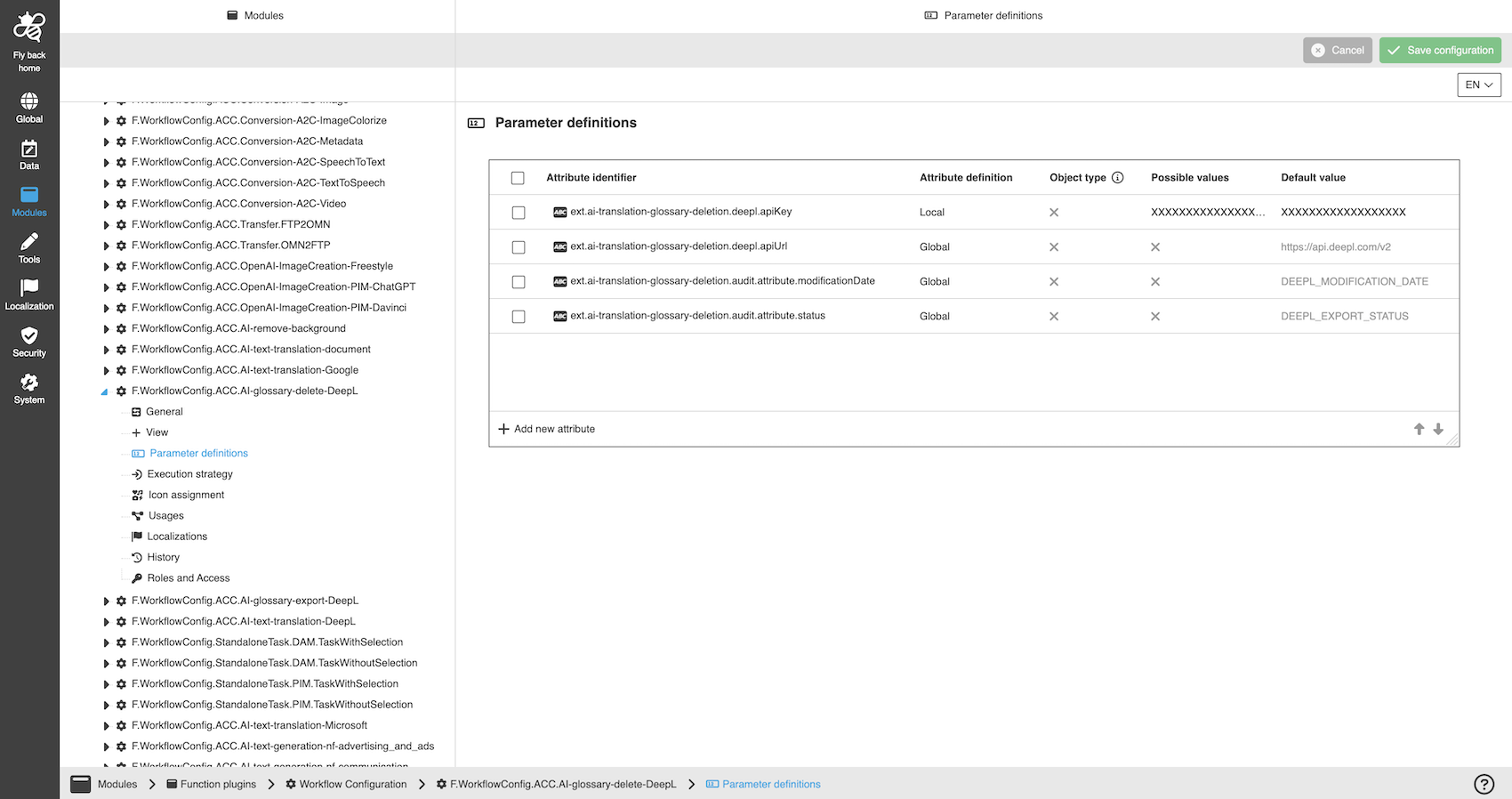
A detailed step-by-step guide to the configuration of the Workflow Config Function plug-in can be found on this page.
Support
For questions users can directly contact the DeepL Help Center.