CI HUB
Core Features
CI HUB facilitates the use of assets stored in OMN from desktop applications.
The general core features of the plugin include:
-
Connect - connect to OMN DAM system, but also to other asset sources e.g. GoogleDrive, Dropbox, OneDrive etc
-
Navigate - within the familiar structures of your asset repository in OMN
-
Search and filter - to quickly find the assets you need
-
Metadata - access and use metadata
-
Versions - access / use of versions
-
Drag+Drop - place assets in the application
-
Upload - for restoring changed data
The availability of CI HUB features is generally dependent on the CI HUB integration level.
OMN has an extended integration that also allows data to be written back, thus enabling bidirectionality and is constantly being expanded.
Application examples
The following screenshots show application examples in different desktop applications with which CI HUB can be used.
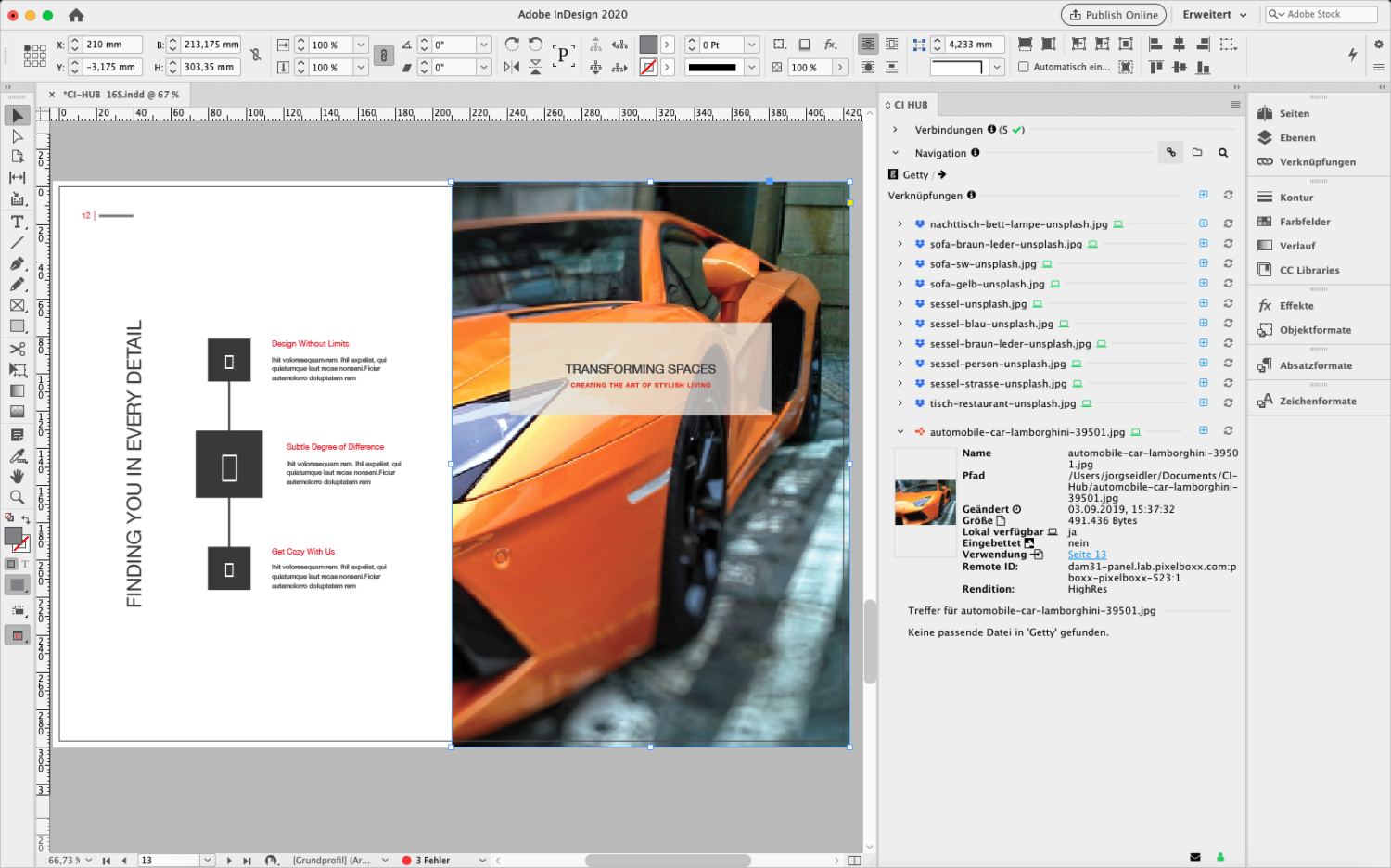
Image 1 Using CI HUB plugin from Adobe InDesign
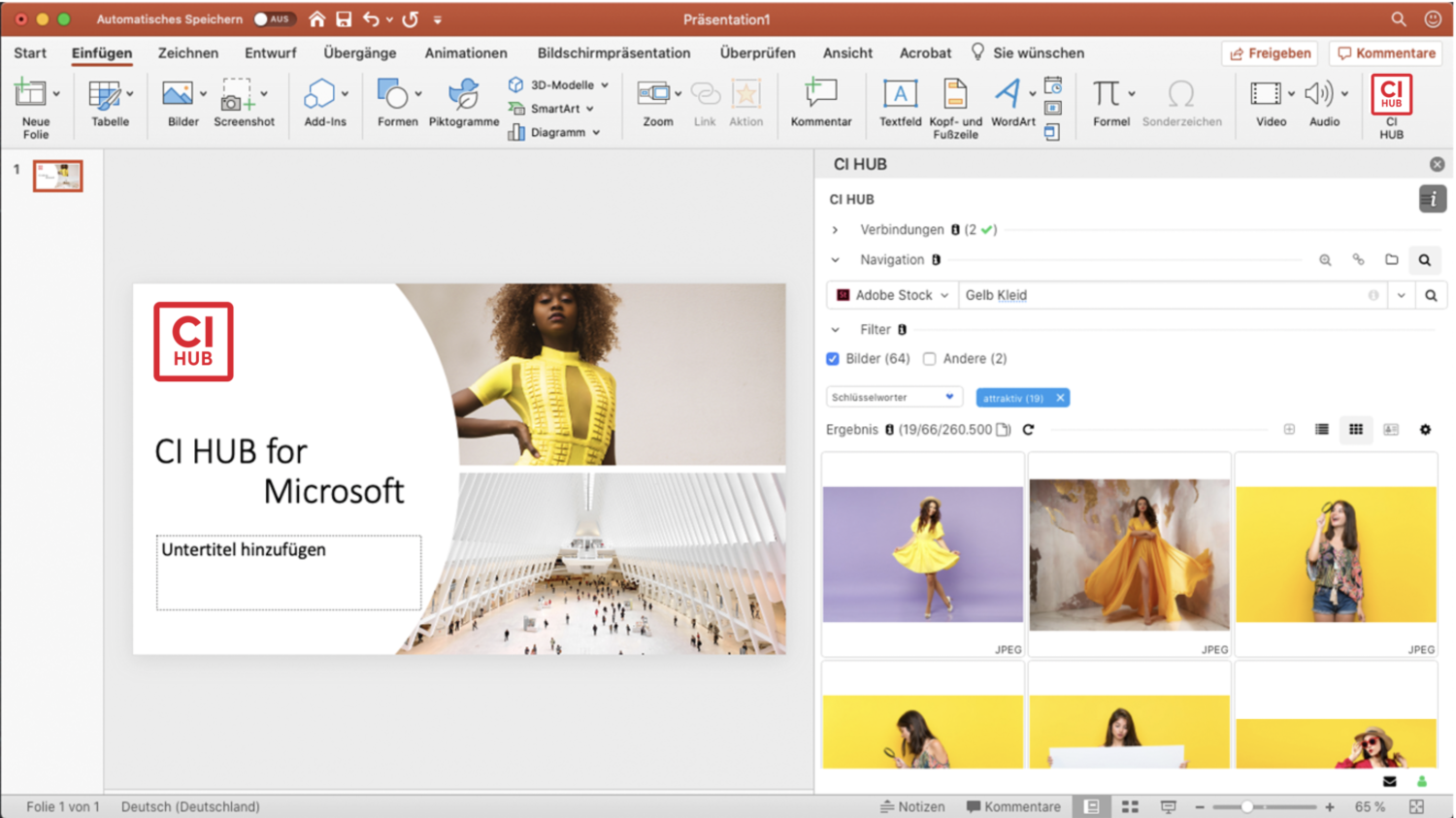
Image 2 Using CI HUB plugin from Microsoft Powerpoint
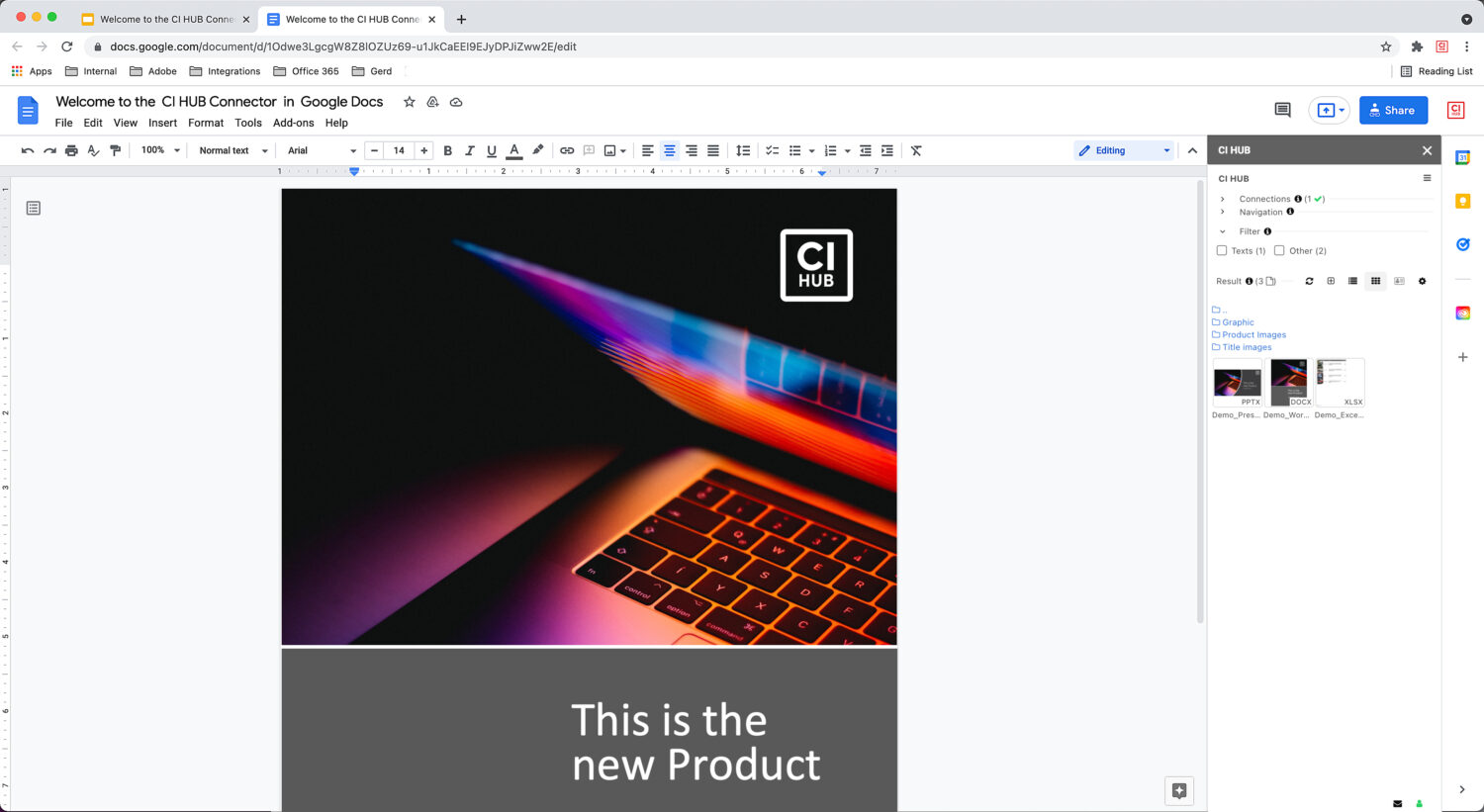
Image 3 Using CI HUB plugin from Google Docs
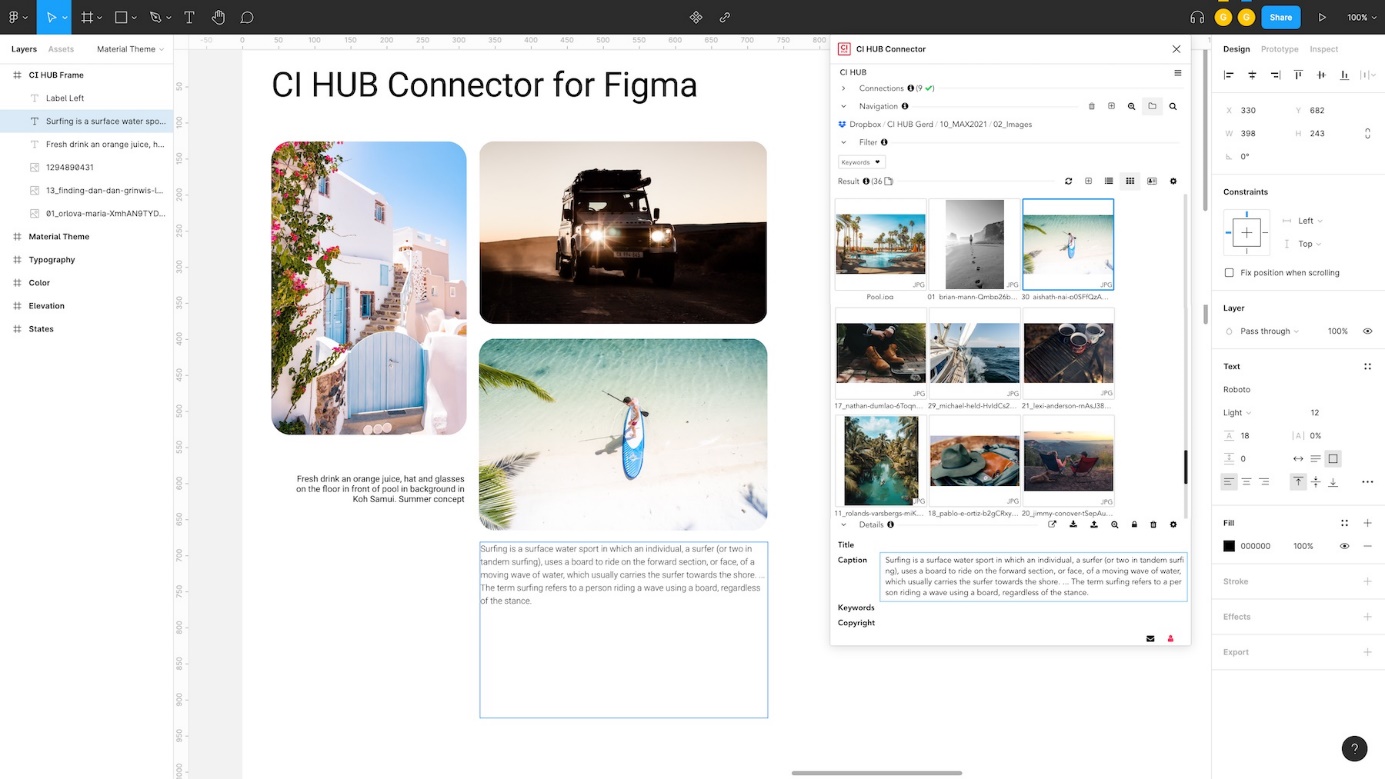
Image 4 Using CI HUB plugin from Figma
Requirements for use
To use CI HUB with OMN, the following requirements must be met:
-
OMN installation as of version 5.11
-
OMN CI HUB Connector (licensed once, per OMN productive installation)
-
CI HUB user subscriptions monthly, per named user
-
Subscription is required for each end-user to use the CI HUB Desktop Plugin in combination with the OMN CI HUB Connector and different desktop applications
-
Subscription fees are charged per user monthly
-
Subscription prices depend on the specific desktop applications used (for more information on prices, see the Pricing section).
-
User subscriptions can be ordered via apollon or via CI HUB
-
Further information
General information about the CI HUB Desktop Plugin as well as the OMN CI HUB Connector can be found here:
-
Official CI HUB webpage
Prices
To use CI HUB for OMN, users need access to OMN DAM (a login/user account), the new OMN CI HUB Connector and the corresponding CI HUB plug-in licenses depending on the application.
For questions around the topics OMN CI HUB Connector and CI HUB PlugIn licenses users can notify the following contact.
For more information about the CI HUB PlugIn license prices please refer to the official CI HUB price list.
If users already have the CI HUB PlugIn licenses, they can use them directly in combination with the OMN CI HUB Connector.
CI HUB Plugin
Production-Version
For productive use of CI HUB, a monthly subscription is required for each named user and application (see the Prices section). You will receive the plugin installation file(s) with your activated subscription.
Trial - Version
To obtain a temporary trial license and try it out in conjunction with OMN, you must complete the registration form at CI HUB under the "Start your free trial" section.

As Connector enter OMN

Note: using CI HUB with OMN requires a connector installed and licensed on the OMN instance and a corresponding OMN version (see section Prerequisites)
Demo-Version (for distributors)
For sales partners there is a special plugin installation, which is not limited in time, but may not be used productively.
To obtain this version, registration in the CI HUB Sales Club is required using the following registration form.
Under Distributed System enter OMN

Manual
The official manual for the CI HUB plugin can be downloaded here: CI HUB Connector User Guide v1.1.pdf
Notes:
-
the document is currently only available in English language
-
The availability of CI HUB features generally depends on the CI HUB integration level (OMN has an extended integration that also allows writing back data and thus bidirectionality) i.e. the manual may describe features that are not available in your plugin version due to the integration level
Tips+Tricks and FAQ
Tips+Tricks as well as FAQs about the CI HUB plugin can be found with short explanatory videos at the following links
CI HUB Release information
Official release information of the CI HUB plugin is available via the following link:
Suggestions and FeatureRequests
Improvement suggestions and FeatureRequests can be submitted directly to CI HUB using the form below:
Support
The following options are available for support regarding CI HUB:
Support request directly at CI HUB for plugin specific questions + problems
Support request at apollon for OMN specific questions + problems in context of usage CI HUB:
-
Via email to ci-hub-support@apollon.de
-
Via contact form directly in CI HUB plugin