ProjectAssetView (Content Plugin)
The plug-in is needed for projects only and shows all linked folders and assets in the file system.
-
Access the plug-in via Mandators → <Mandator name> → Content plug-ins → ProjectAssetView
Make sure that you have at least one of the following plug-ins available:
✓ Content plug-in “FSDetail”
✓ Content plug-in “FSTable”
✓ Content plug-in “Lighttable”
✓ Content plug-in “FSSingleObject”
You can use the plug-in as follows:
-
Page plug-in “FSNavigation”
-
Function plug-in "AssetView"
Here you can see how the configuration of ProjectAssetView content plugin looks like:
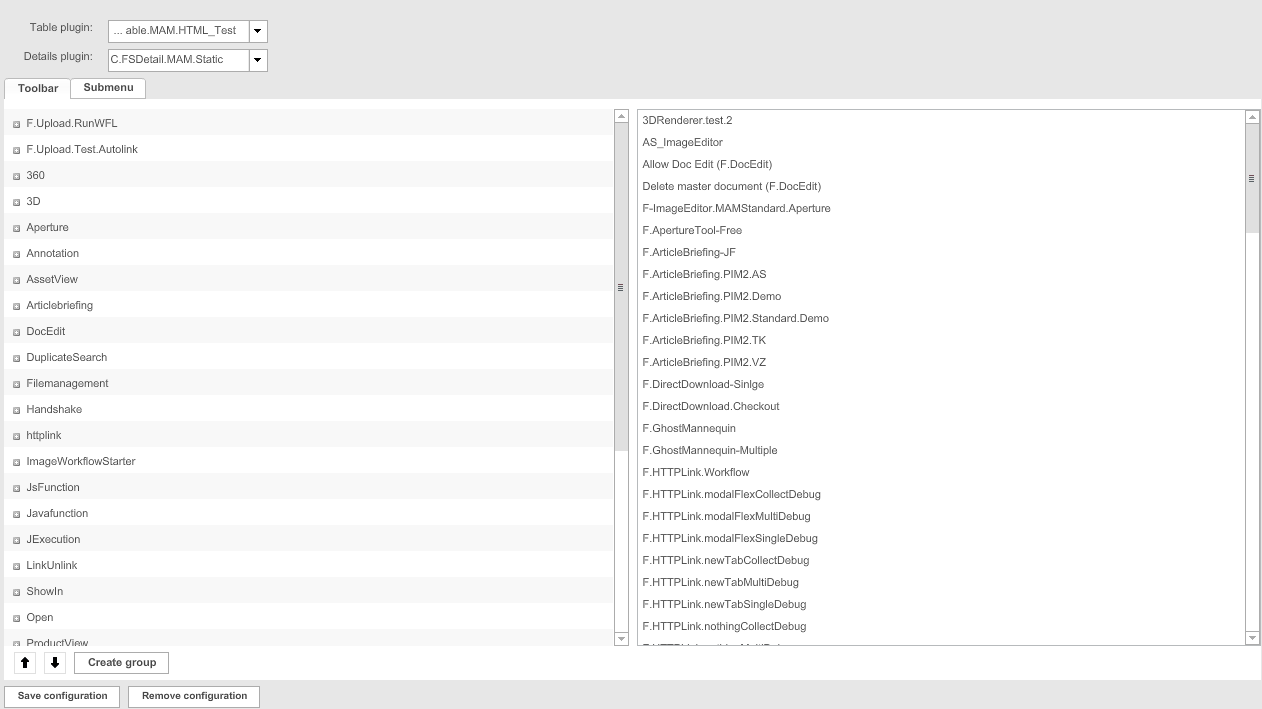
| Field | Description | Notice |
|---|---|---|
Configuration Identifier |
Name of the specific configuration of the plug-in |
|
Table plugin |
For choosing a suitable table view |
|
Details plugin |
For choosing a suitable detail view |
|
Toolbar |
>> Activate the checkbox to add functions to the toolbar in the Frontend |
|
Submenu |
>> Activate the checkbox to add functions to the sub-menu in the Frontend |