Troubleshooting related to Keycloak, Login and MFA
All about MFA
I have lost my security key or device with authentication app. How can I access OMN, if MFA (multi-factor authentication) is activated then?
If you lost your security key or device with authentication app and cannot log in anymore, you have to reset your MFA.
To do that, you have to contact or be an administrator and must follow these steps:
-
Open the Keycloak Administration Console.
-
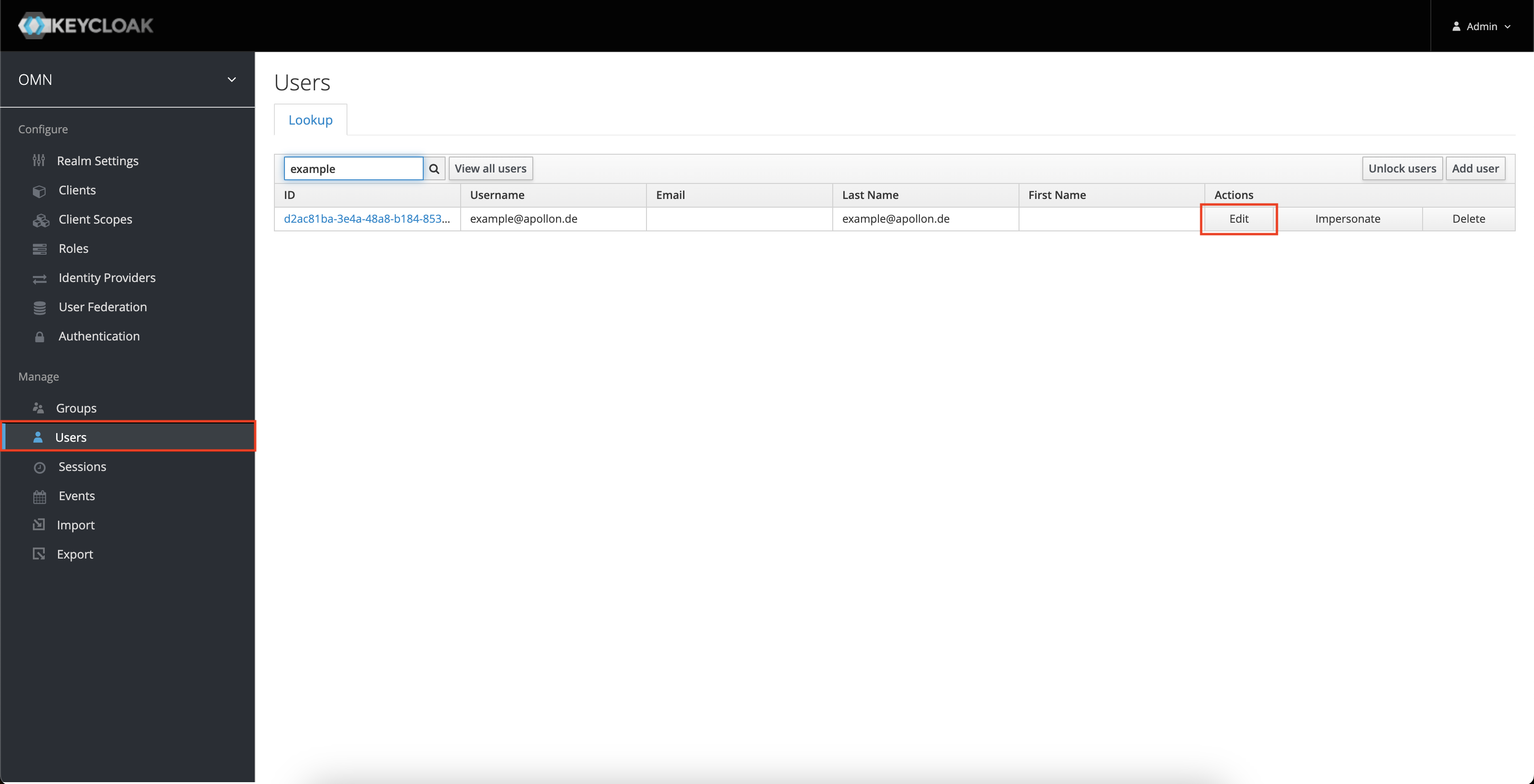
Go to the Users page and search for the desired user. Open the user settings by click on Edit (or just click on the row).
-
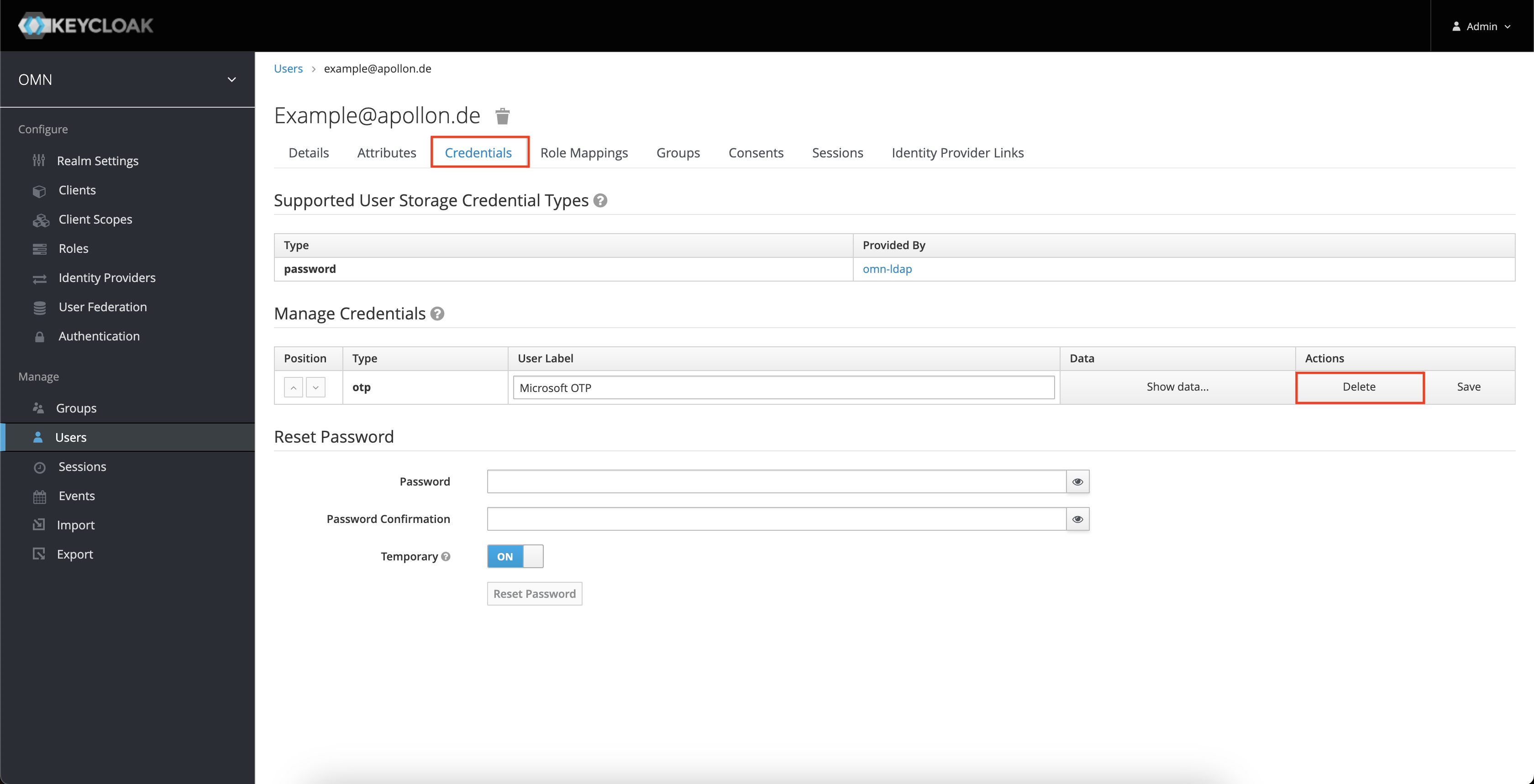
Open the Credentials tab. In the Manage Credentials you will find the set authentication apps or security keys. Just click on the Delete button of the corresponding rows to be reset MFA.