Table Widget
General
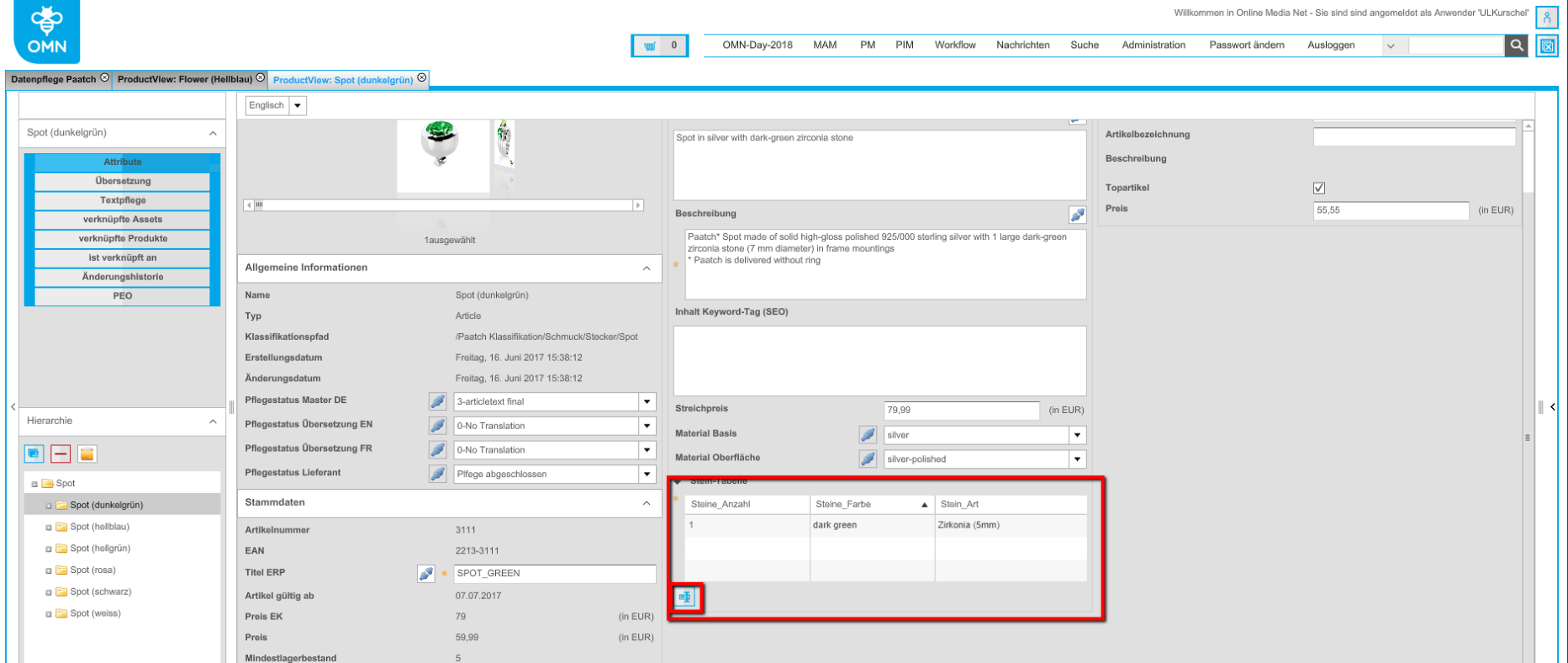
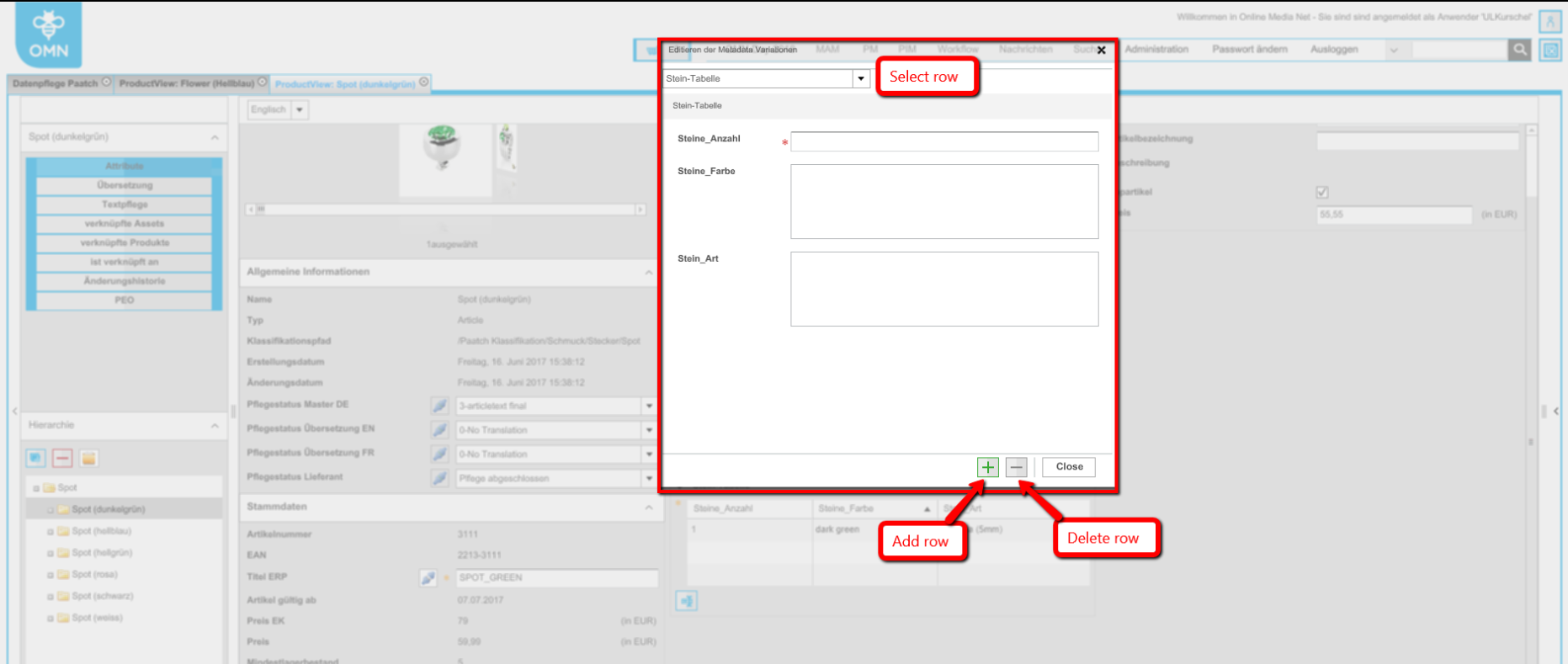
How to configure
Now there is no need to configure FSDetails with Table Widget information type and specific MetadataVariation plugin for it. Everything is being configured directly in FSDetail config
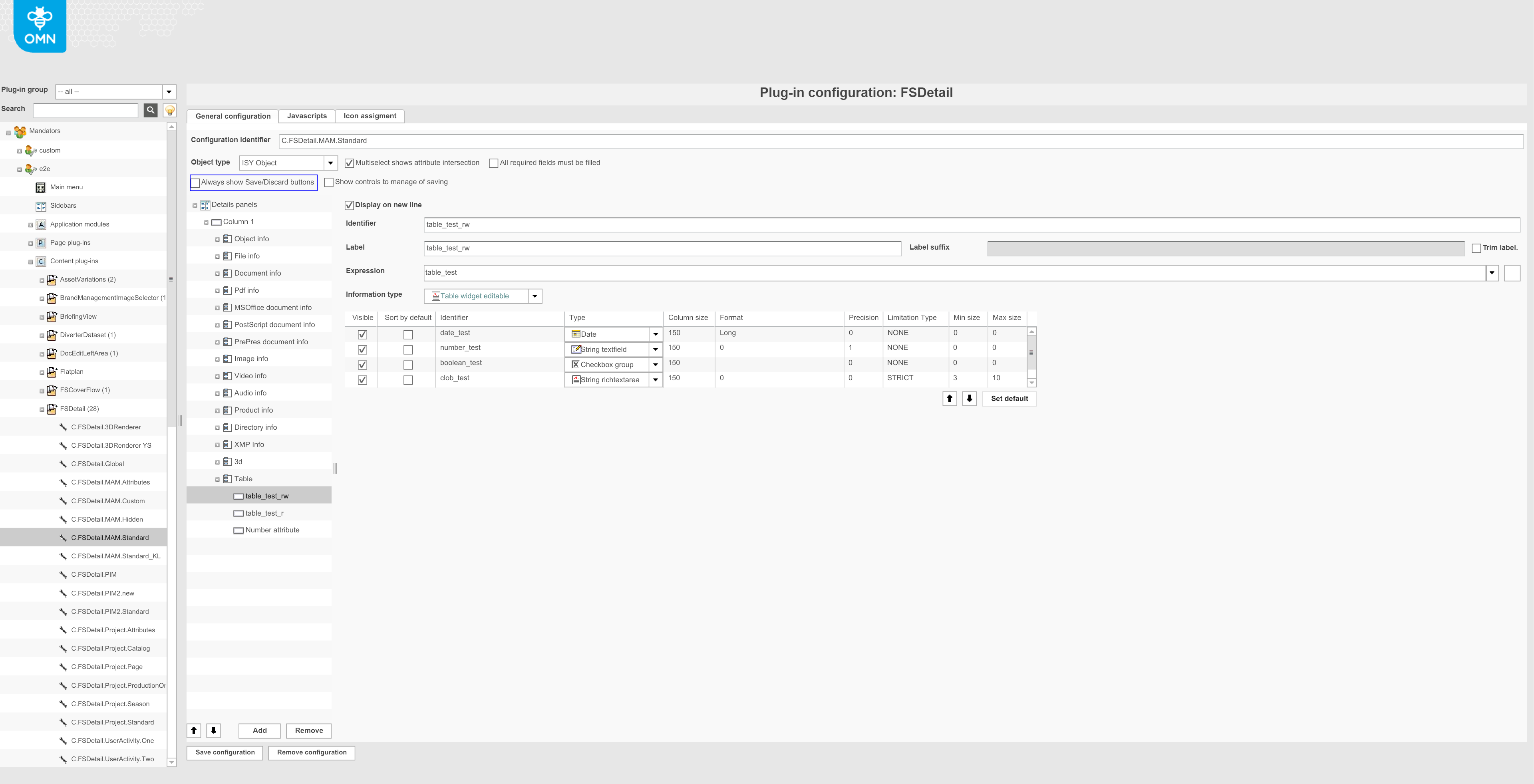
New configuration contains the next columns to configure:
-
Visible: visibility flag for column in table widget;
-
Sort by default: can be set only for one column, which will be sorted by default in table widget;
-
Identifier: string identifier of column (metadata attribute stored in table);
-
Type: information type for column. Determines which editor will be used for concrete column (or it can be read only if "Label" is set);
-
Column size: size of a column in px;
-
Format: format of displaying value. Used only for dates;
-
Precision: precision of numeric values;
-
Limitation type: type of validation, which will be applied to column: STRICT means non-ability to save data (marked as error), LAZY means warning user with the possibility to save (marked as warning);
-
Min size: min length of provided value. Used for string and clob types only;
-
Max size: max length of provided value. Used for string and clob types only;
Localization
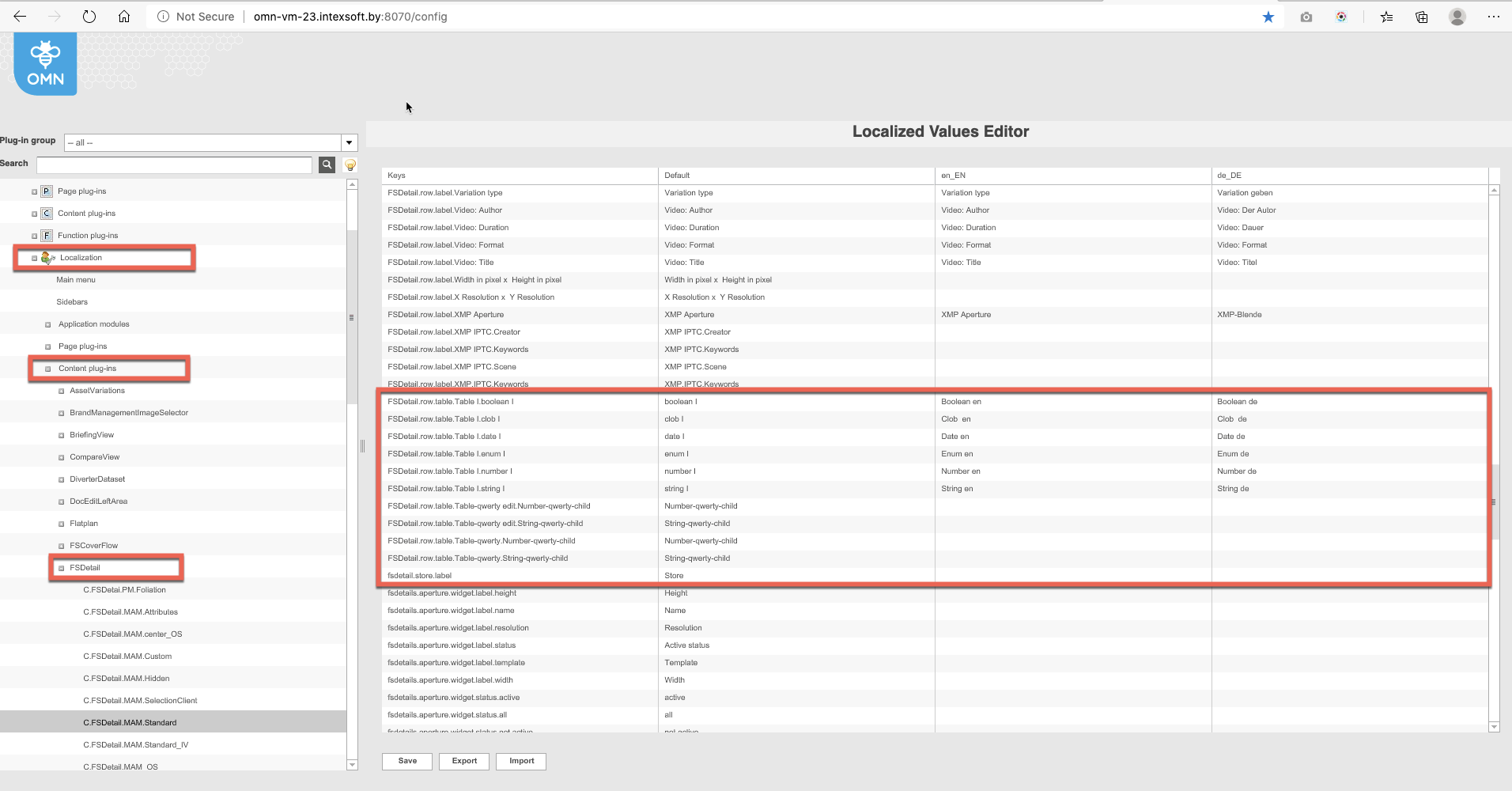
Path localization for columns: Localization → Content plug-ins → FSDetail → name of the plug-in → keys: FSDetail.row.tabel.xxx
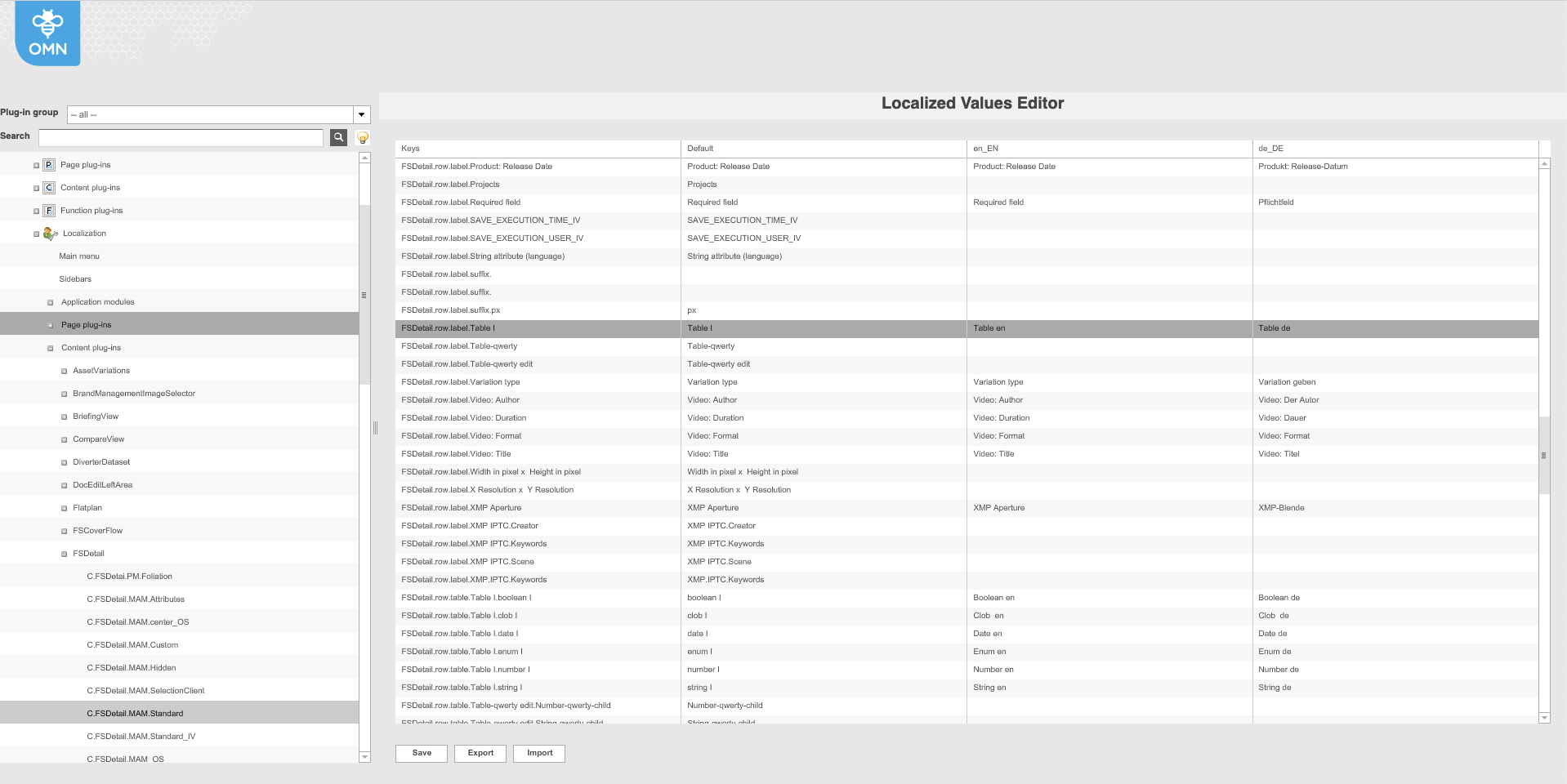
Path localization for the name of the table widget: Localization → Content plug-ins → FSDetail → name of the plug-in → keys: FSDetail.row.label.xxx
The same for PM and PIM2 modules
What to consider when migrating from MDT
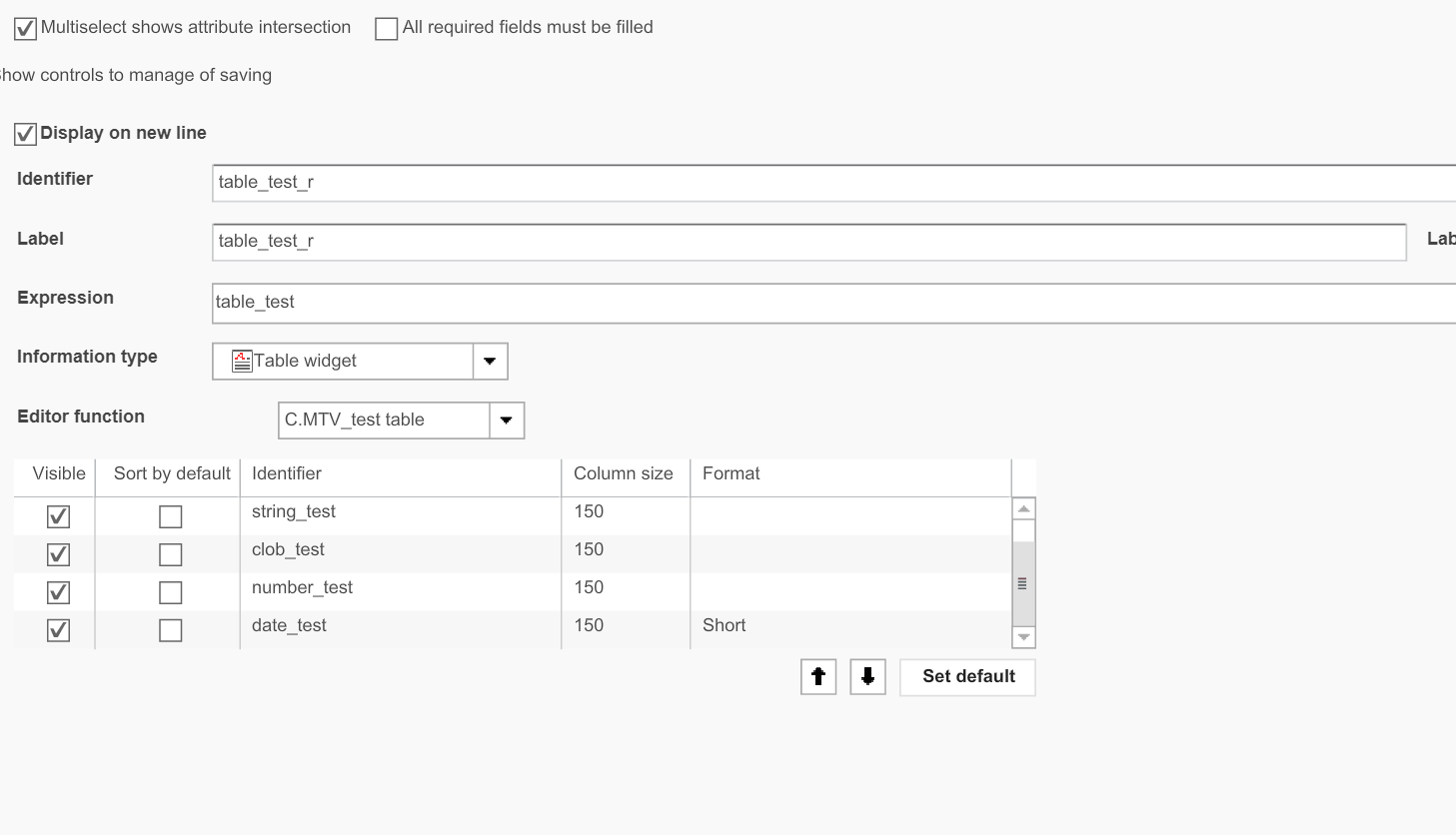
When migrating from MetadataVariations plugin you need to change information type of row in FSDetail from "Table widget" to "Table widget editable"
Before:
After:
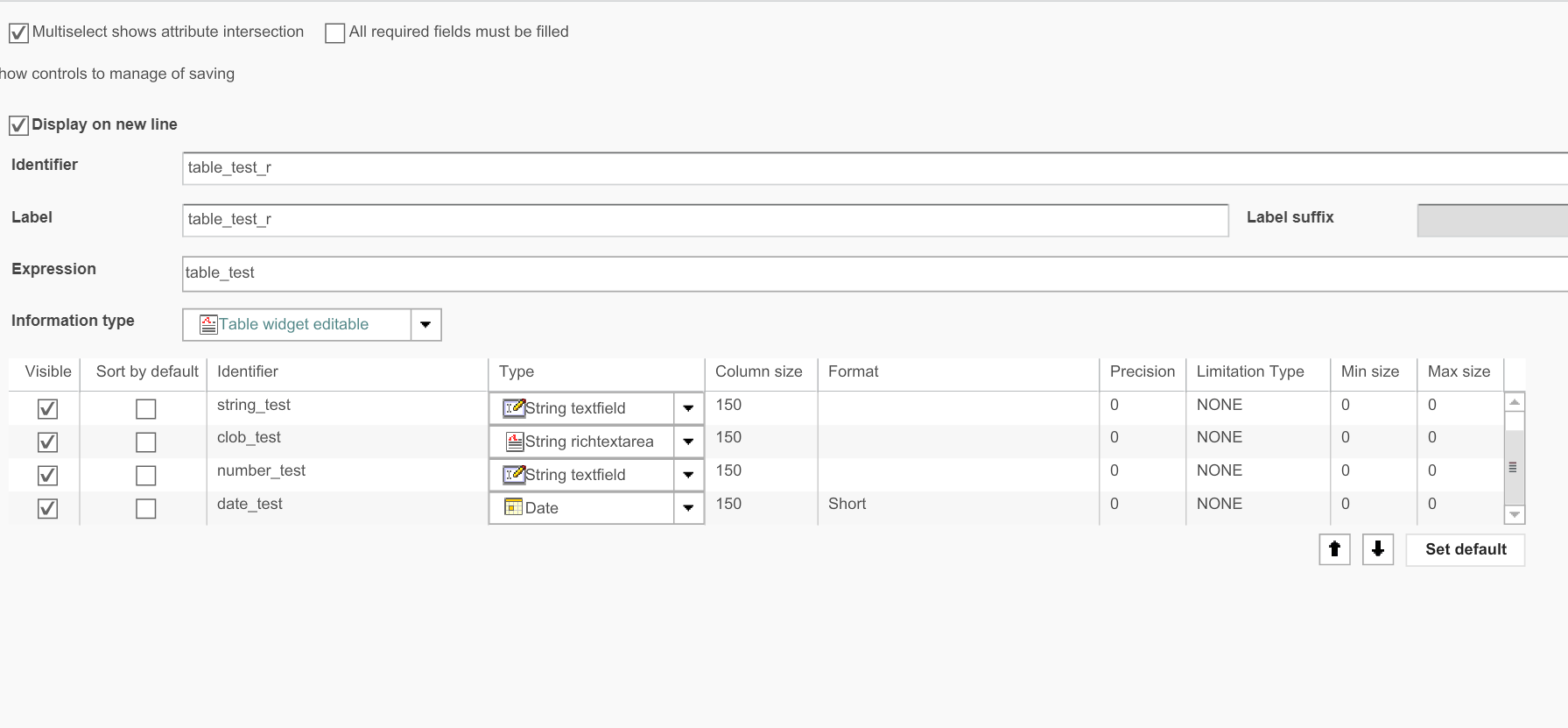
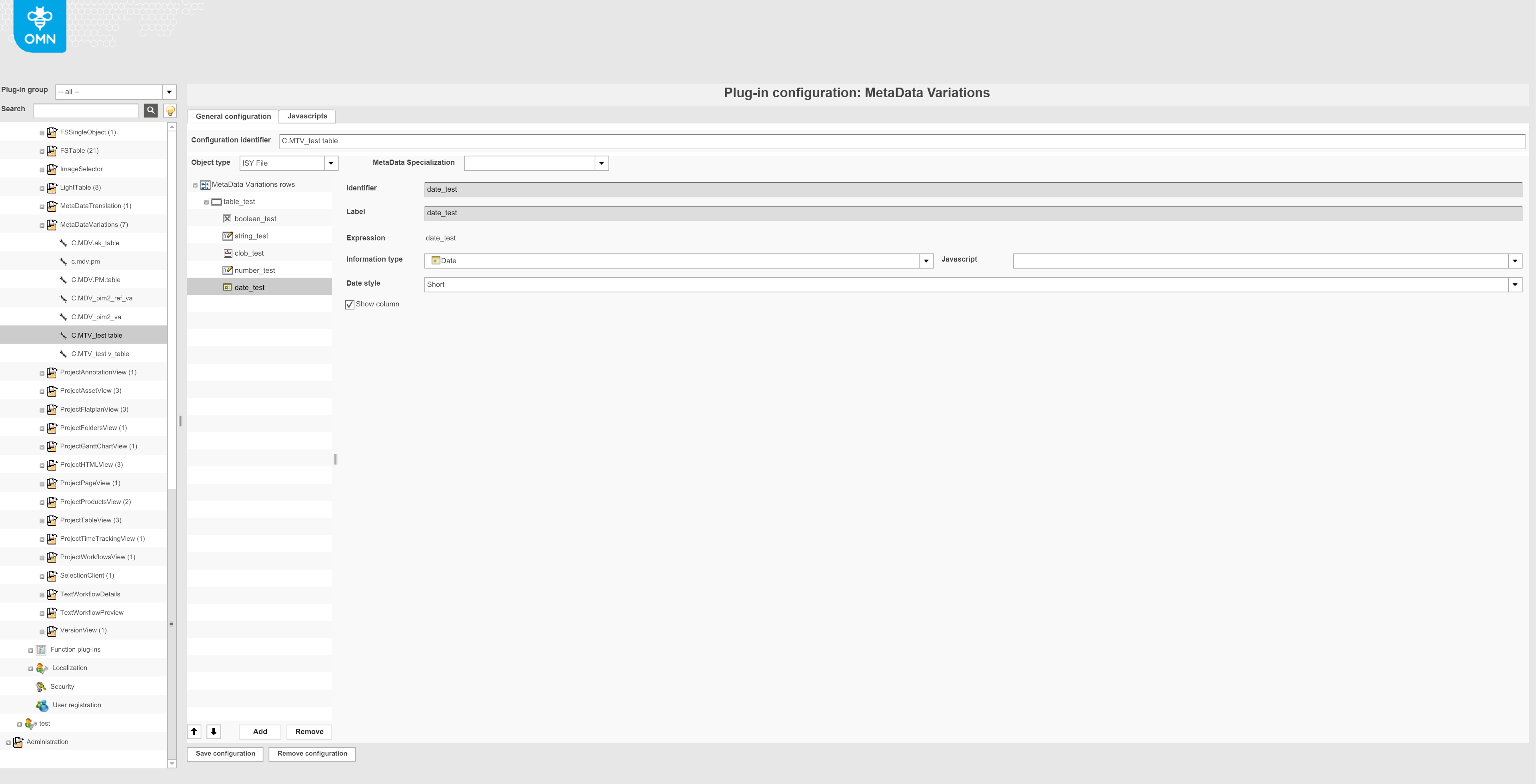
As MetadataVariation plugin is not used anymore, all it’s configuration is moved into the configuration of FSDetail. So, as an example, information types for editors should be configured directly in FSDetails. Example of old implementation in MetadataVariations: