Authentication
The OMN REST APIs use JSON Web Tokens (JWT) to secure the access. You have to provide a valid JWT in the authorization header to access the OMN API resources. If the API requires also authorization, related information must also be sent via this token.
To generate or debug JWTs you can use jwt.io.
curl -H 'Authorization: Bearer <JWT-TOKEN>' ...
Assuming your jwt_filter.properties looks like this:
api.secrets={ cmis: 'secret_text_cmis', workflow: 'secret_text_workflow' , frontend: 'secret_text_frontend' }
jwt.expire.max=72000000
Open jwt.io and generate a token by using algorithm "HS512". You can use the following token as template and just adjust the fields to your environment (just copy the token into the "Encoded" window):
eyJraWQiOiJjbWlzIiwidHlwIjoiSldUIiwiYWxnIjoiSFM1MTIifQ.eyJtYW5kYXRvciI6IkJpbGRlcndlbHRlbiIsInN1YiI6ImFkbWluIiwiaXNzIjoiV29ya2Zsb3dDb21wb25lbnQiLCJleHAiOjE2MzA4MDM4MTYsInVzZXJuYW1lIjoiYWRtaW4iLCJhY2Nlc3NBbGxDb25maWd1cmF0aW9uIjoidHJ1ZSJ9.qSfy_VjMaIlvzm1gxjVksZpA6AdeCy0nuA6hdJO-caG29hVNF6ZtWeNuzHIPJYeTUgbH8VW_xPe45gi_TCgS3g
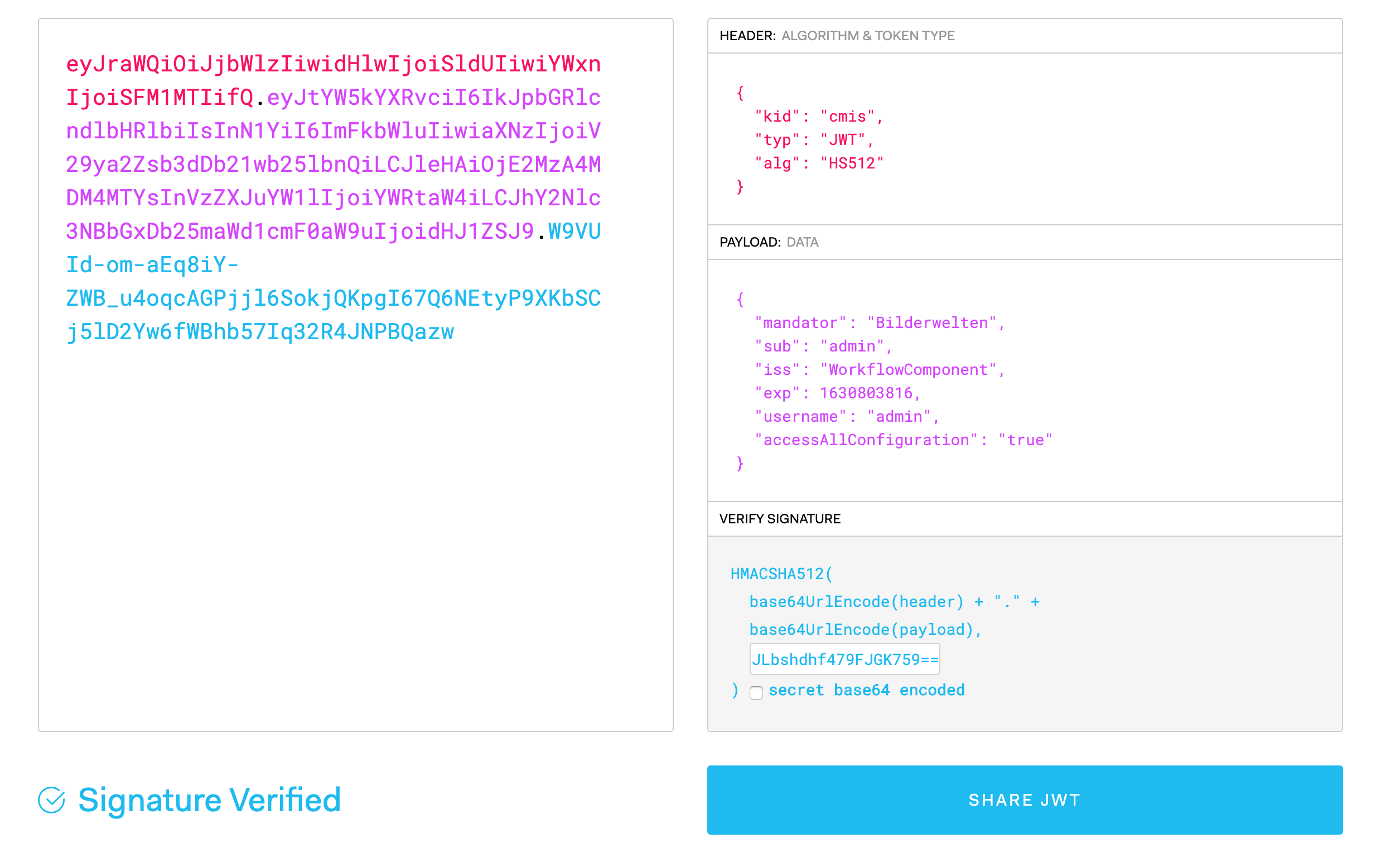
Adjust the following fields:
-
"kid" should match a key in api.secrets, in the example file cmis, workflow or frontend.
-
"mandator" should match your OMN mandator
-
make sure the expiration date "exp" is in the future. "exp" should not be too far in the future, the maximum time span is set in the 'jwt.expire.max' value in jwt_filter.properties. In our example it is set to 72000000 seconds. These are 2 years and 4 months. So the exp date has to be within this time range (You can hover with the mouse over the exp-field and it will show you a human readable format for that timestamp)
-
enter the secret from your jwt_filter.properties into the textfield in the "Verify Signature" window.
Voila! The generated key should be your key to access the OMN-API