Installation OMN Page Preview Plugin for InDesign
General information
Online Media Page Preview Plugin is an Indesign Plugin which can be used with local indesign Installation. Further information about the Plugin itself can be found in Knowledge Base | apollon
In order to Install the plugin with your currently installed Indesign Version please follow the installation guide.
Mac Version Installation Guide
-
Download the Preview Plugin
-
Your InDesign application should be closed
-
Change directory on your local machine to "Programs/[Adobe Indesign]/Plug-Ins"
-
Delete the old indesign plugin
| InDesign shouldn’t be open |
-
Move the new pkg to the directory
-
Start and check version of InDesign under "Additional Modules/OMN/About"
Windows Version Installation Guide
-
Download the Page Preview Plugin
-
Unzip the file and start the installer
-
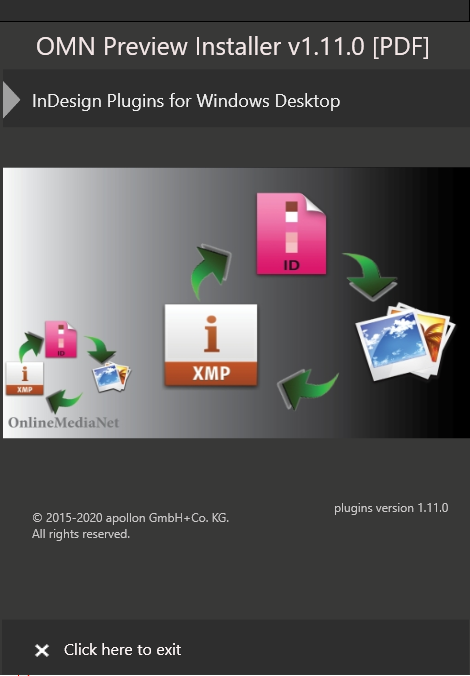
Click on "InDesign Plugins for Windows Desktop"
-
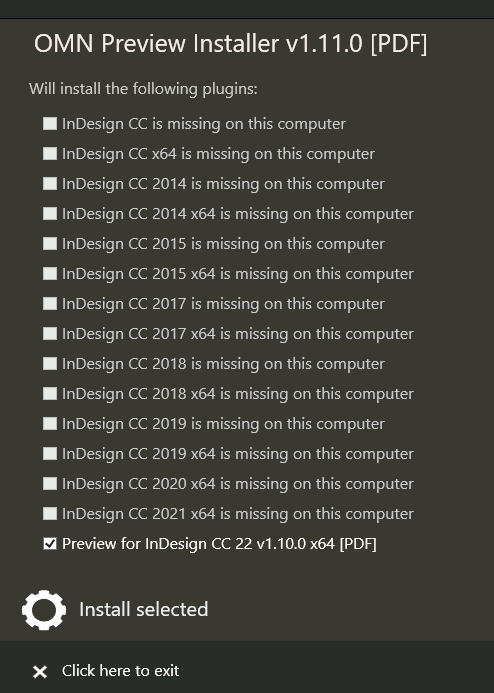
A list with all available plugins will be displayed. Which version can be installed is determined by the inDesign Version which is installed on the PC. If the option has an "… is missing on this computer", it means you can’t install this plugin, because either InDesign is not installed or the inDesign version is not compatible. It is recommended to always use the newest available version.
-
Select the version and click on install
-
InDesign can now be opened