ProjectProductsView (Content Plugin)
The plug-in is needed if linking of products to projects shall be possible.
-
Access the plug-in via Mandators → <Mandator name> → Content plug-ins → ProjectProductsView
Make sure that you have at least one of the following plug-ins available:
✓ Content plug-in "FSTable" of the object type PEO
✓ Content plug-in “FSDetail” of the object type PEO
Make sure that you have the following prerequisites ready:
✓ The option Allow linked products must be activated for the corresponding project type within the configuration of project types
(Application modules → Projects → Project types → Hierarchy) otherwise the linking of products to projects will not be possible.
You can use the plug-in as follows:
-
As content view for project type inside “Project Types” configuration (inside application module Projects)
Here you can see how the configuration of ProjectProductsView content plugin looks like:
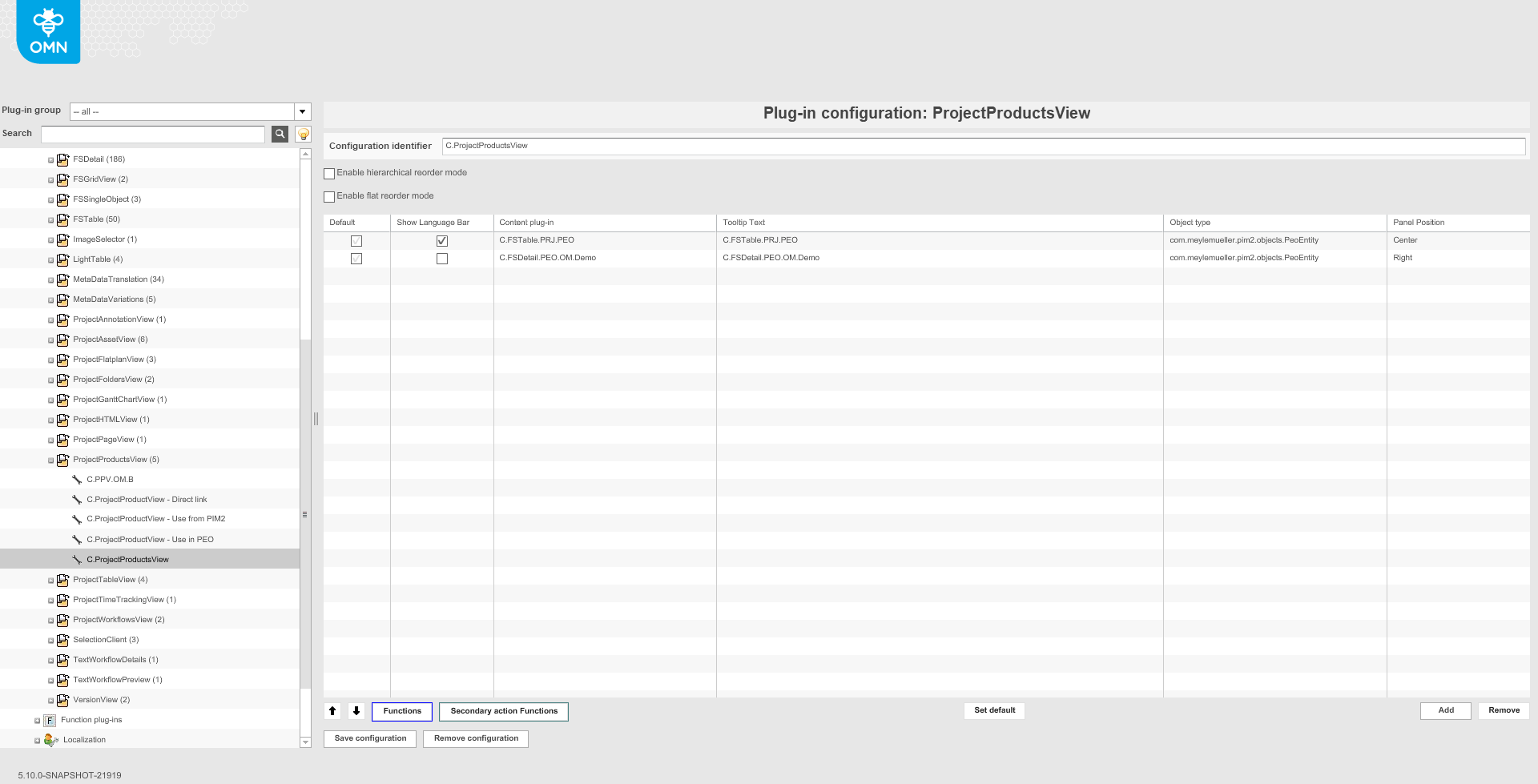
| Field | Description | Notice |
|---|---|---|
Enable hierarchical reorder mode |
>> Activate the checkbox if you want to allow the user to change order of PEOs only without breaking of hierarchy |
The setting has influence only on HTML5 client |
Enable flat reorder mode |
>> Activate the checkbox if you want to allow the user to change the order of PEOs as he wants (even with breaking of hierarchy) |
The setting has influence only on HTML5 client |
Content views configuration |
For defining needed FTable and FSDetail plugins |
More details on configuration of content views can be found here |
Functions configuration |
For defining needed functions for each chosen content view |
More details on configuration of functions can be found here |