Simple Search
The simple search needs a configuration of the AdvancedSearch/ Form-BasedSearch plugins as precondition because the results of the user’s search are visible in the center area of an AdvancedSearch/FromBasedSearch. SimpleSearches are configurable as function plugins.
To enable the configured searches on the OMN-Search global page the user has to create Simple Searches function plugin configurations first.
-
"Configuration Identifier". Set identifier is shown as a search name in the frontend
-
"Default page plug-in configuration". The page plugin configuration from the range of available Advanced and FormBased Searches should be set. Here it is chosen which search configuration is used to show the results.
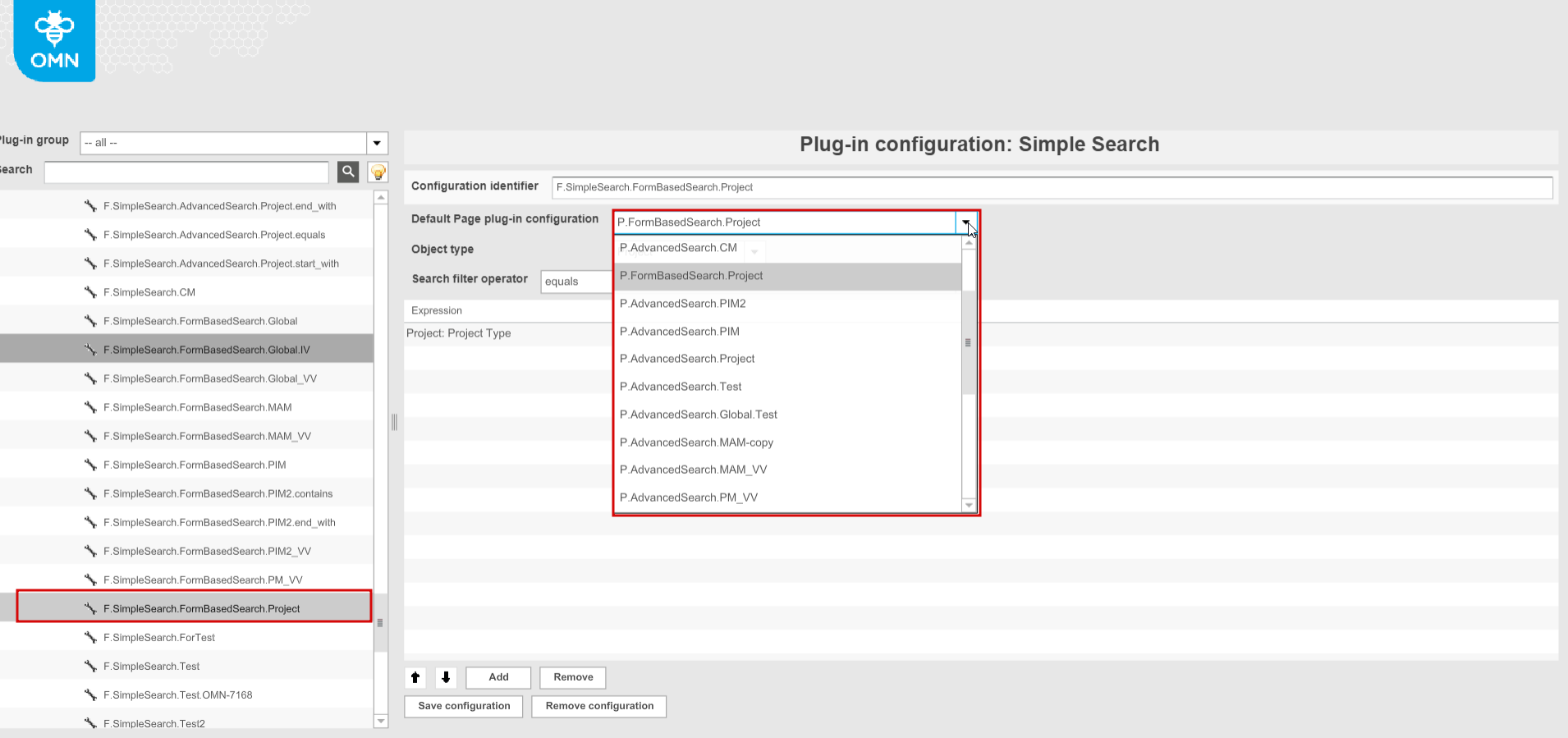
-
Set necessary "Object type". Limit the search to a particular object type. Available options depend on the object type of default page plugin assigned above(Objects in general, Image, Documents, File, etc.)
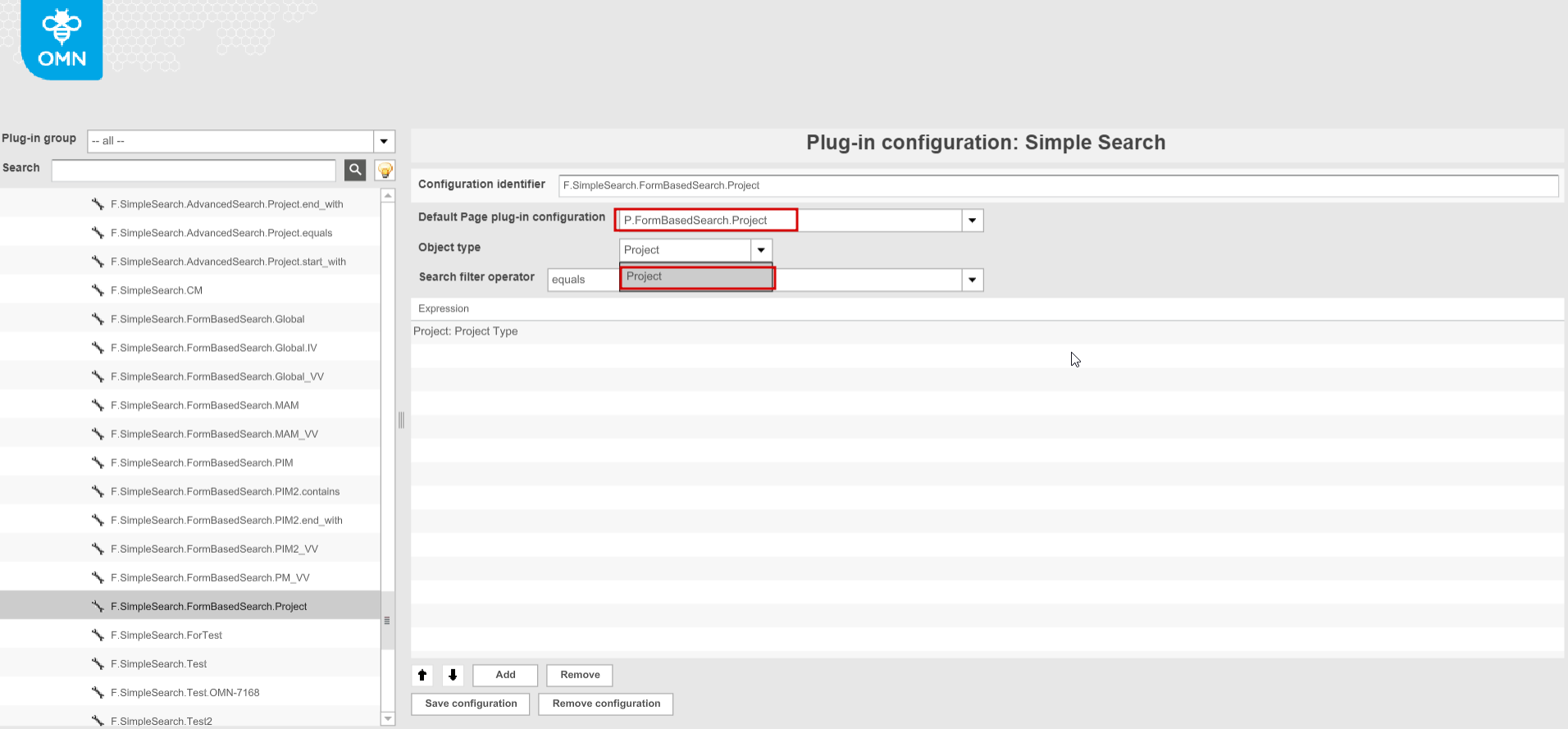
-
Set "Search filter operator" (contains, starts with, ends with, equals) to apply to search query
-
Add expressions corresponding to the selected object type to search in. The list of expressions contains the fields in which is searched for the value entered in the Frontend.
-
If you choose any expression and save the configuration, the search on base of the selected attribute will be performed on the frontend client.
-
If you don’t choose any expression or select several expressions and save the configuration, the fulltext search (search on base of all indexed attributes at once) will be performed on the frontend client.
-
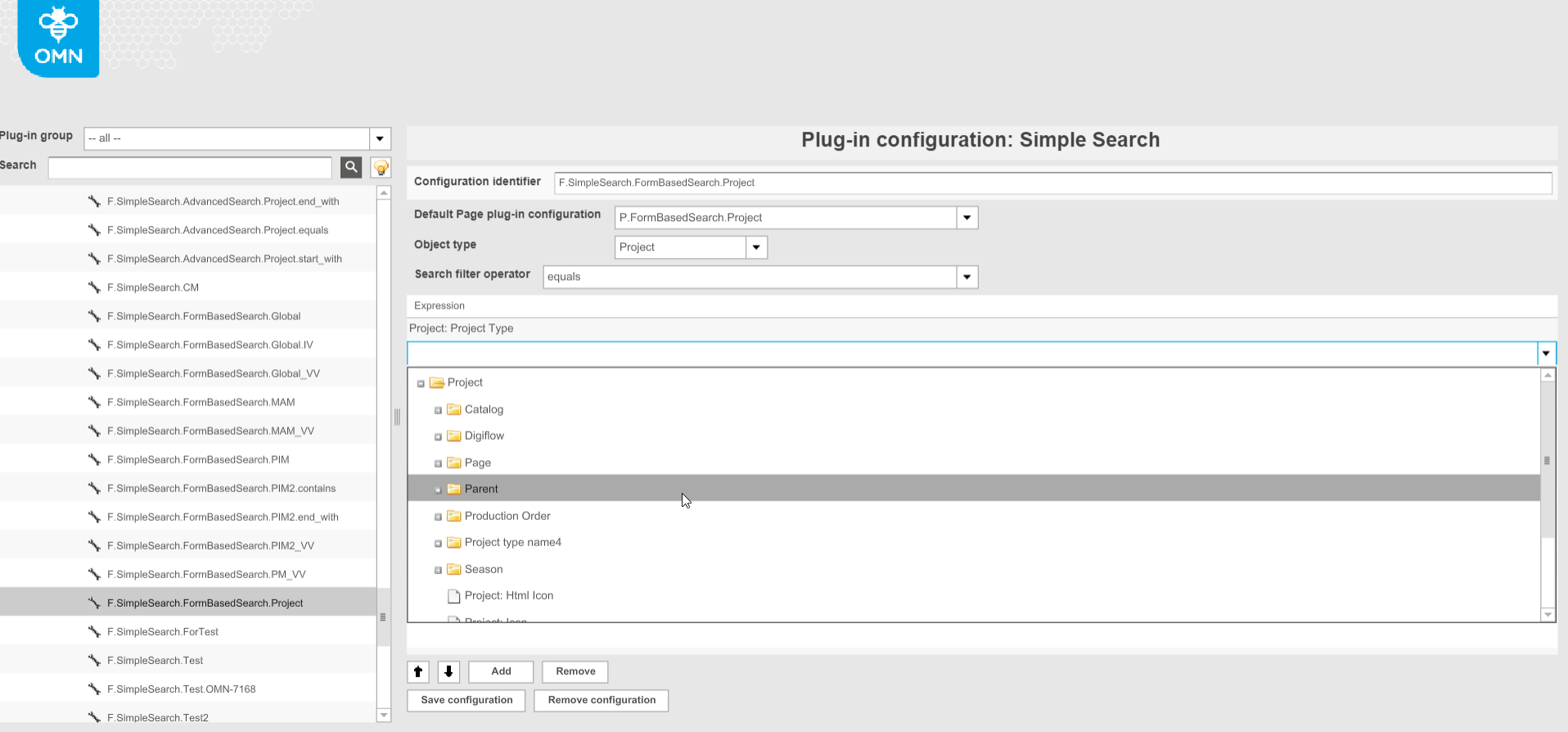
| if AdvancedSearch/FormBasedSearch with "Global search" type is selected as a default page plugin, the "Object type" and "Expressions" fields are disabled. |