Search results pages: AdvancedSearch / FormBasedSearch page plugin
Advanced Search/FormBasedSearch configurations define search result pages for a specific object type, their center view, detailed representation (right view), executable functions for both of them as well as the available facets, according to which search results can be filtered on the left. Also, it is determined here by which expressions the extended search can be run. Both AdvancedSearch and FormBasedSearch require available configurations of related content plugins as a precondition (see Content views for search results pages).
Form-Based Search
(example for "Project" object type)
Like Advanced Search the FormBasedSearch generally allows searching within attributes an object may have. The properties objects can be found with are also added in the backend configuration. The search for any object type is supported with FormBasedSearch. In contrast to the Advanced Search it uses pre-configured attributes and operators that cannot be changed in the frontend (users fill in a form of given search fields).
The plugin is configurable almost in the same way as Advanced Search. In addition, the following configuration options are available:
-
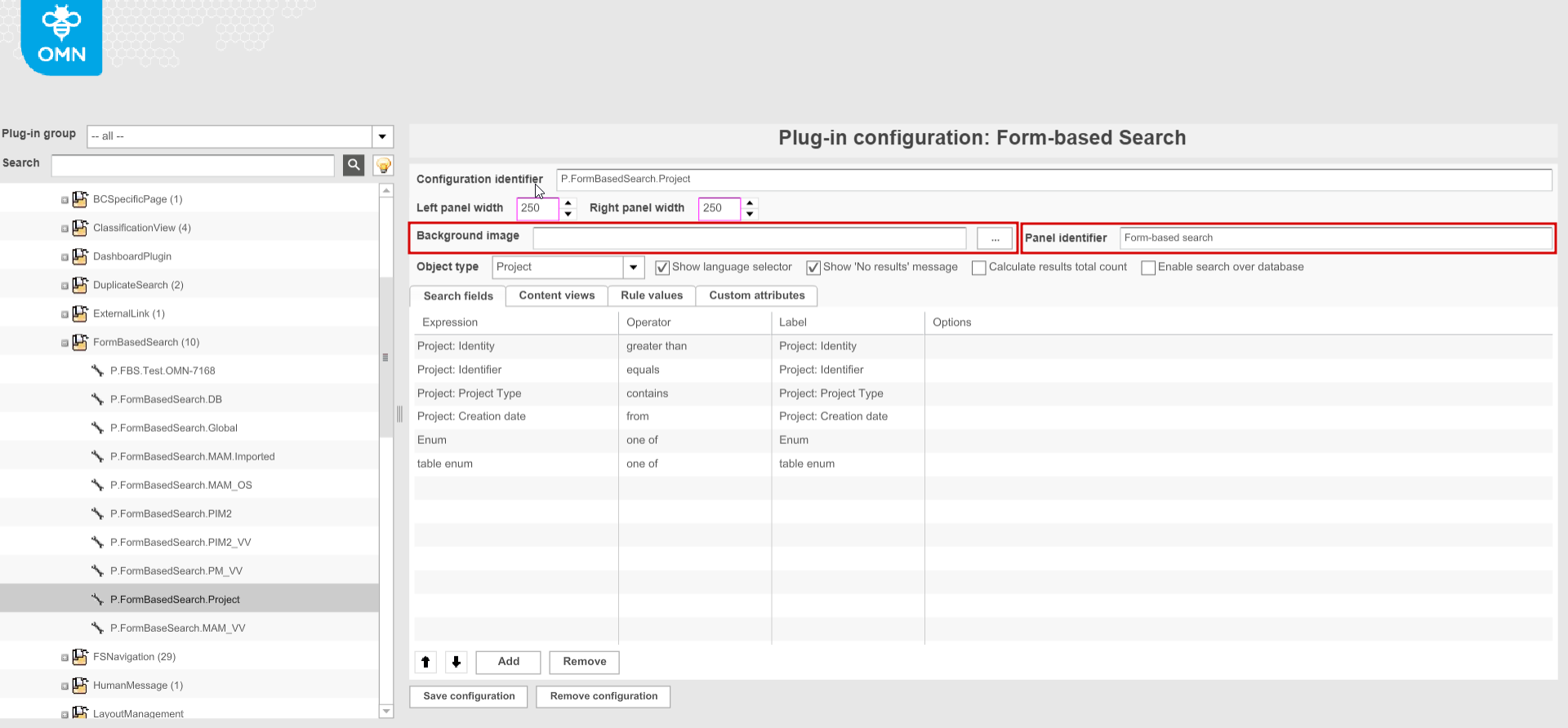
"Background image" option is not relevant for HTML5 client. In the old client the configured image is shown as a background on the search results page.
-
"Panel identifier" option is not relevant for HTML5 client. In the old client it defines the name of the left panel with facets on the search results page.
-
"Enable search over database" (HTML5 only) - checked option enables search over database by custom attributes (see FormBasedSearch over database)
-
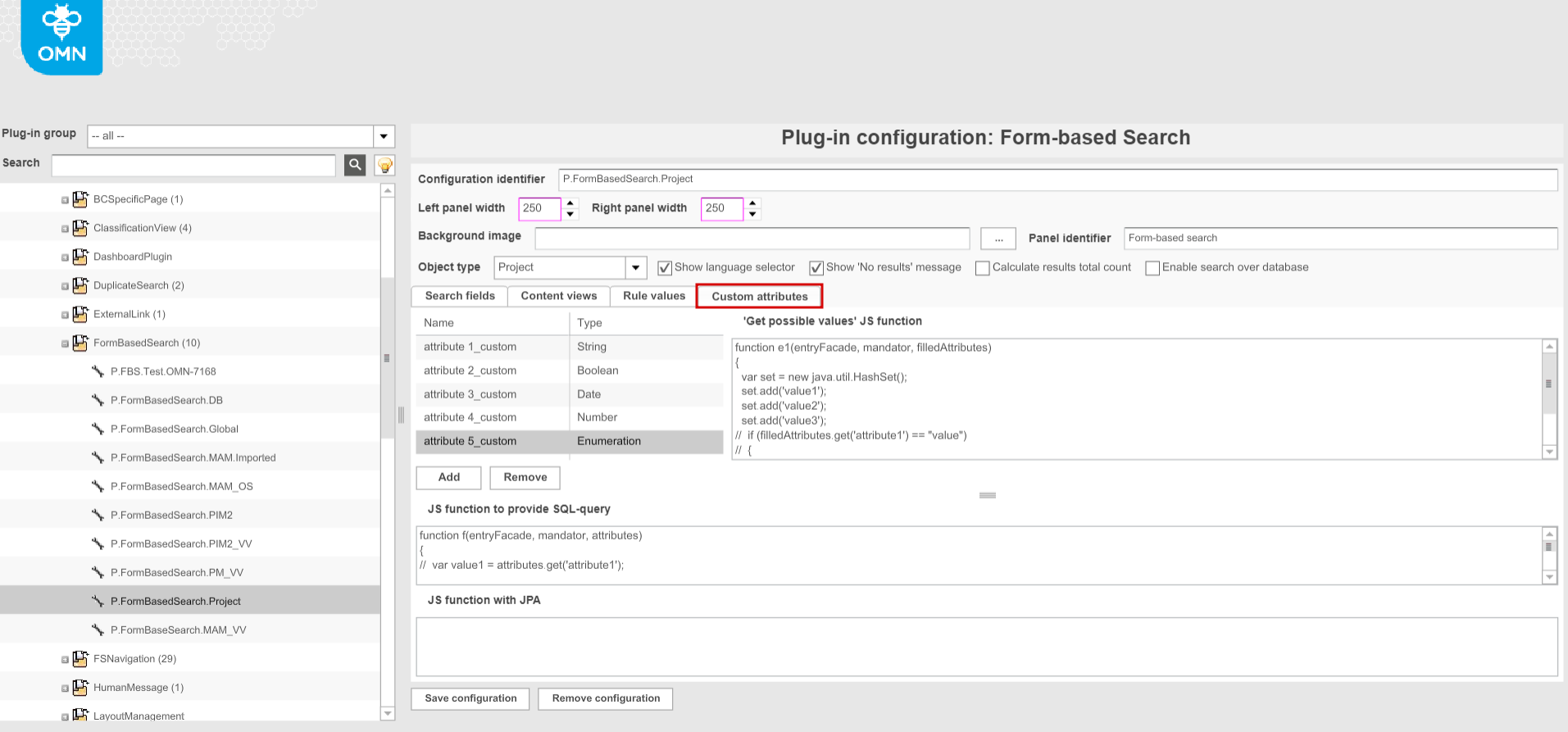
"Custom attributes" tab provides the configuration of additional attributes to search in. Configurable options:
-
Name - the name of the attribute
-
Type - information type (available values: string, boolean, date, number, enumeration)
-
'Get possible values' JS function - attribute values can be listed/adjusted (for "Enumeration" attributes only)
-
JS function to Provide SQL-query - prefilled if attributes added
-
JS function with JPA - prefilled if attributes added
If configured, the attributes can be added to the search fields.
the search by these attributes is possible only in case of checked "Enable search over database" checkbox. 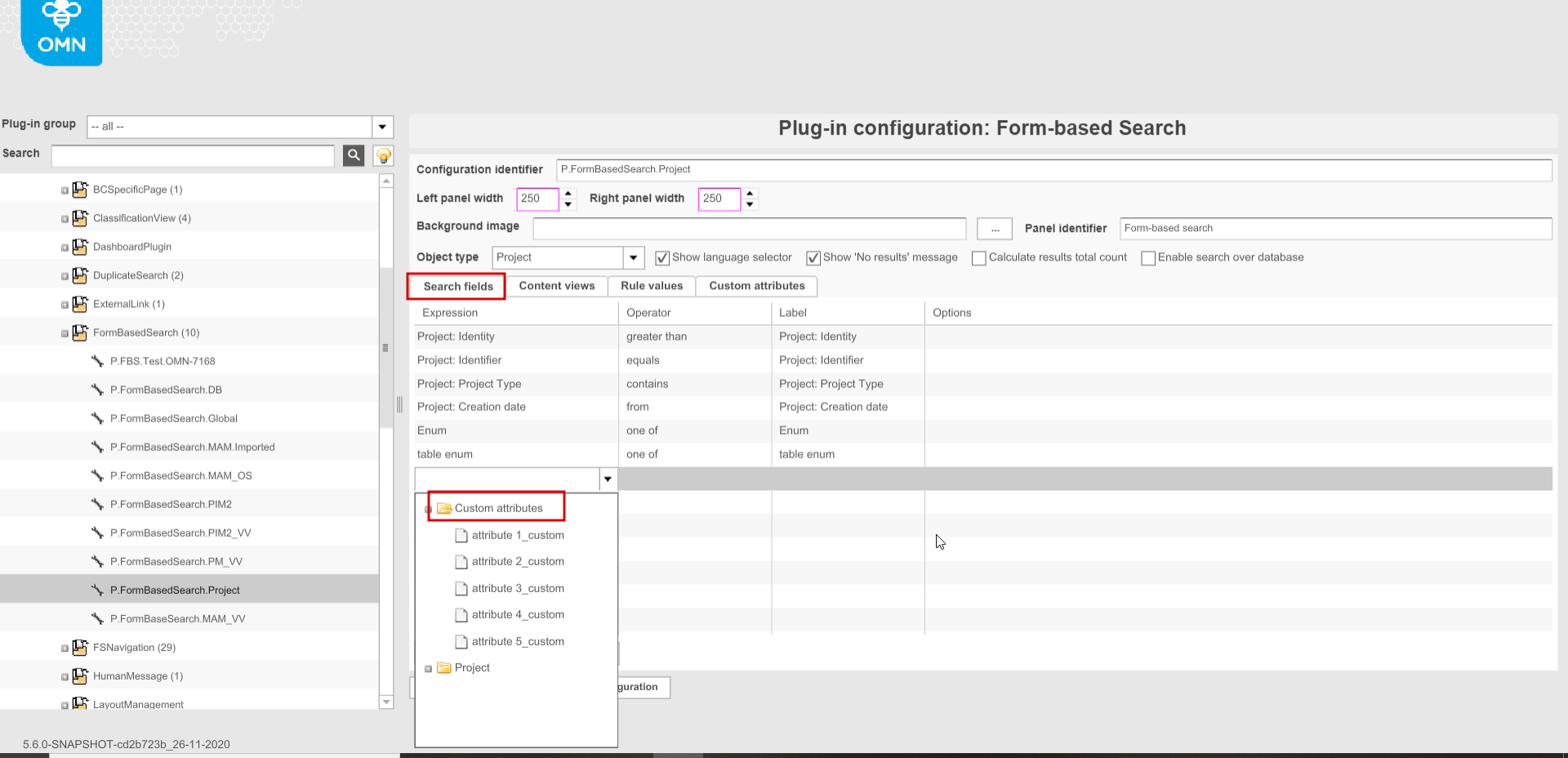
-