Configuration of QRCodeView function
Purpose of the function
The purpose of the QRCodeView function plugin is to give users a special function that allows to view the content of any QRCode image inside OMN application.
Configuration of QRCodeView function plugin in the config-client
1. Create QRCodeView function instance
-
Open "Function plug-ins" → "QRCodeView".
-
Enter the identifier and create the configuration of the plug-in.
-
Newly created instance of the "QRCodeView" plug-in is available in the list:
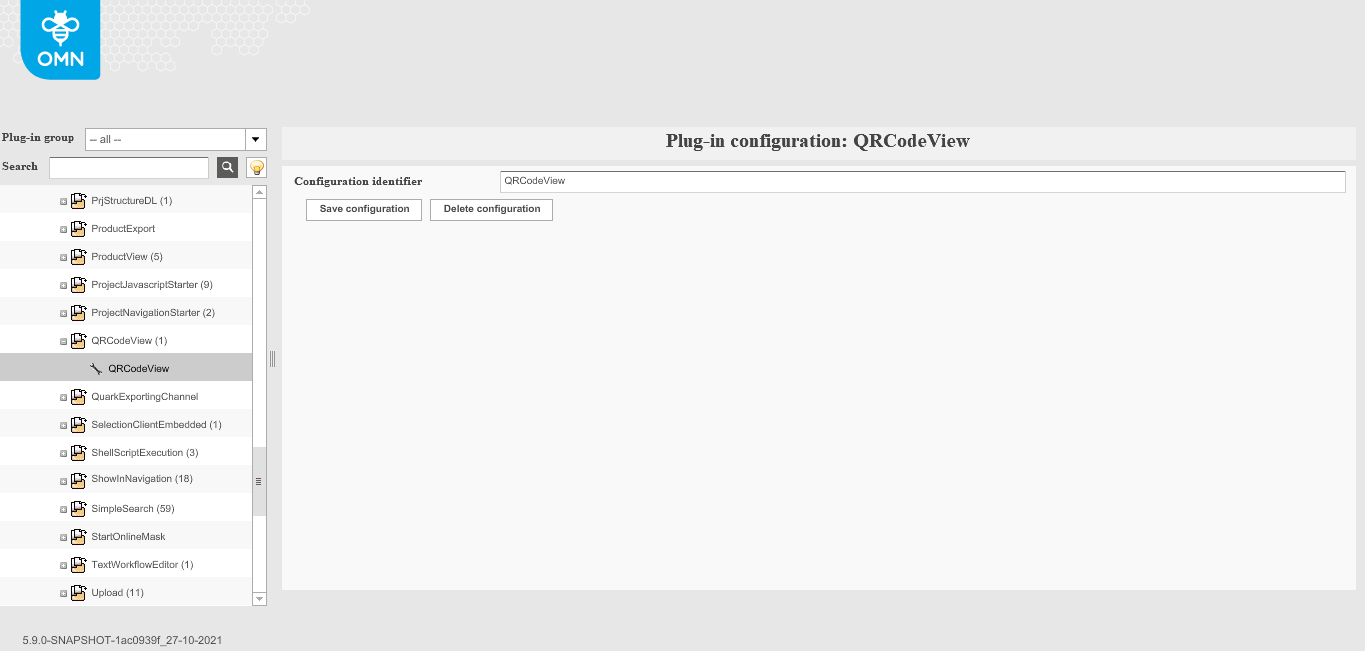
| It is possible to create several configuration instances for this function. |
2. Add function to content view (on FSNavigation example)
-
Open FSNavigation page plug-in (Mandator → Page plug-ins → FSNavigation).
-
Select 'File system' node.
-
Select needed content view.
-
Open Secondary action Functions window. (In the list, there will be available as many functions as created configurations).
-
Add "QRCodeView" function via dragging from the right column to the left.
-
Save changes.
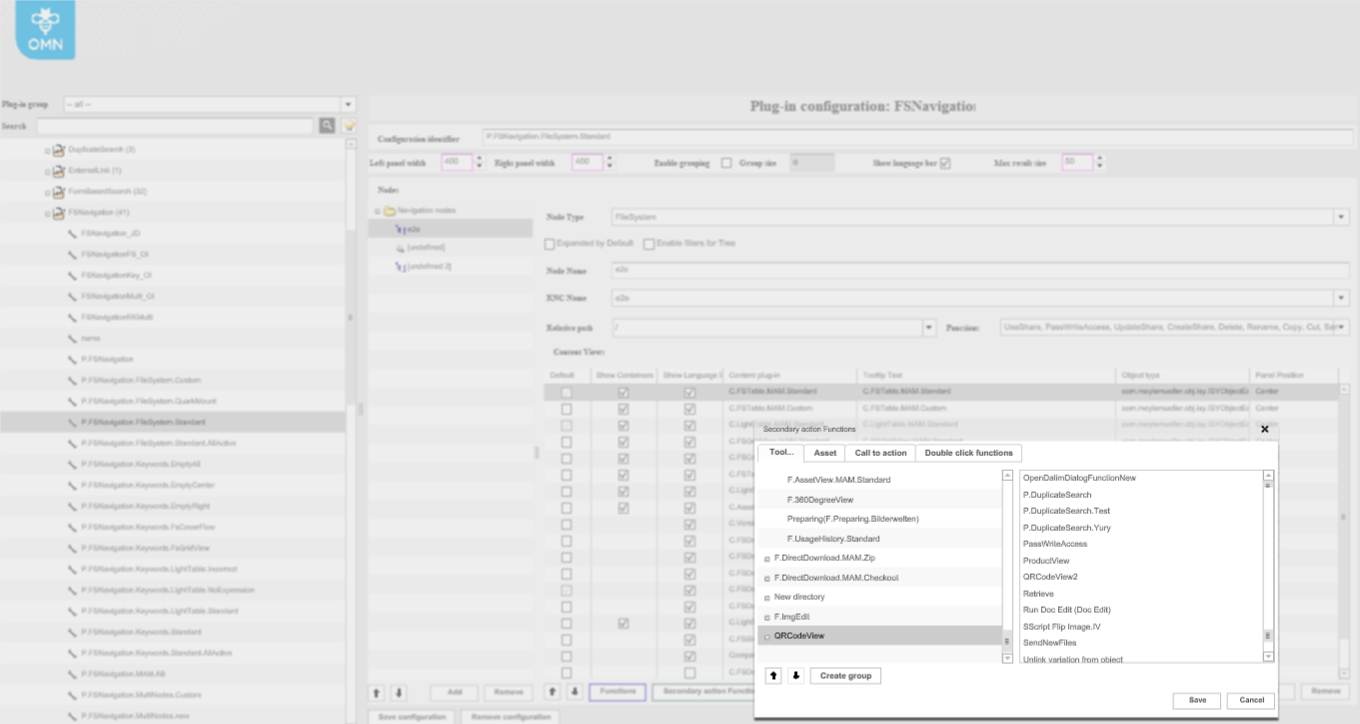
| The function can be configured for FSTable, LightTable, FSDetail, FSSingleObject, AssetVariations and CompareView content plugins only in FSNavigation (file system node), AdvancedSearch and ProjectAssetView page plug-ins. |
Availability of the function on the client
If you want to check how the function works on the client, please, read the following description.