Process Pool
What is a Process Pool?
Process Pool allows executing a defined process (action) asynchronously to the main application thread. A process is able to be executed on a local machine or remotely.
How to create own Process pool
To create a new process pool we have to call a Database procedure.
<changeSet>
    <sql>
        call ADD_PROCESS_POOL('pool_identifier', active_size, queue_size, user_size, host)
    </sql>
</changeSet>
All process pool attributes can be updated through Config-Client.
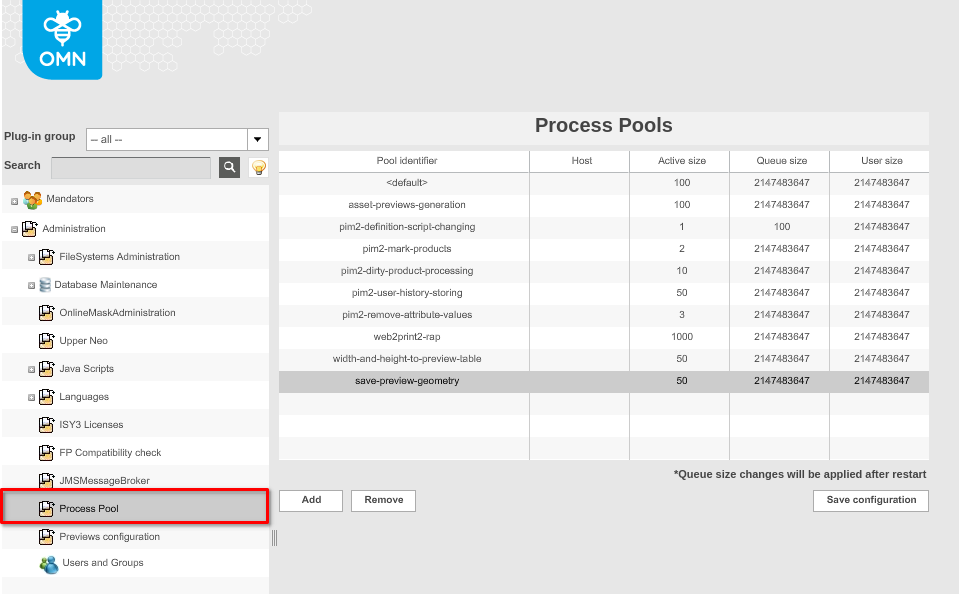
| To execute process remotely we need to define a host attribute. |
How to implement own ProcessDefinition
To define own process you need to implement com.meylemueller.isy3suite.core.process.ProcessDefinition or extend existent abstract class com.meylemueller.isy3suite.core.process.BaseProcessDefinition.
public interface ProcessDefinition extends Serializable
{
	ProcessDescriptor getDescriptor();

	void collectInitializers();

	Collection<ExecuteTask.Initializer> getInitializers();

	Process createProcess();
}-
getDescriptor() - returns a com.meylemueller.isy3suite.core.process.ProcessDescriptor which contains info about environment type (standalone, frontent, backend) and autoCancellation.
-
collectInitializers() - collect initializers according to environment type.
-
getInitializers() - return the initializers.
com.meylemueller.isy3suite.core.process.BaseProcessDefinition class already implements these 3 methods. If you are extending it, you need to implement only the createProcess() method. -
createProcess() - method must return an implementation of com.meylemueller.isy3suite.core.process.Process interface. In this interface you create logic that will be executed asynchronously in a Process Pool.
To start a process we need to get an instance of com.meylemueller.isy3suite.core.process.ProcessManager class and call startProcess method. The method gets an instance of ProcessDefinition and process pool identifiers as parameters.
How it works
A process will start in a pool(s), defined in OMN. To determine in which pool the process will run, we pass the pool(s) identifier(s) in the method parameters. If no one pool has been found then the process will start in a default pool.

Exception handling
-
Green - the right way of execution.
-
Red - exception which may be thrown while execution.
-
Orange - exception handling.

The ProcessManager#startProcess doesn’t throw any checked exception, only runtime.
| ProcessManager#startProcess can throw LocalizedException. It is also a runtime exception. It is thrown when the Users or Process limit in the pool is filled. Pay attention to it when you handle exceptions. |
You can catch it in the place where startProcess has been called and handle it.
The executed process doesn’t throw any exceptions. The ProcessManager wrapper handles all Throwable and change status of the Process. You can get a process status and a reason, if something goes wrong, in a ProcessHandler object in your implementation of ProcessDefinition#createProcess().
|
All exceptions thrown from your process will be catched and logged by the wrapper. BUT sometimes the catched exception may not contain useful information. So, pay attention to key places and handle special cases. Also, do not forget about logging. Log important incoming and critical data, which can lead to errors or disrupt the system. |