Feature Details
1. General
1.1 URI
1.1.1 URL - change link generation mechanism for functions execution (part 1)
Tags |
OG-13604, OMN-9639, CIHUB |
Documentation |
ODOCU-747 |
Enhancement in URL pattern mechanism for execution of specific functions in OMN web client
-
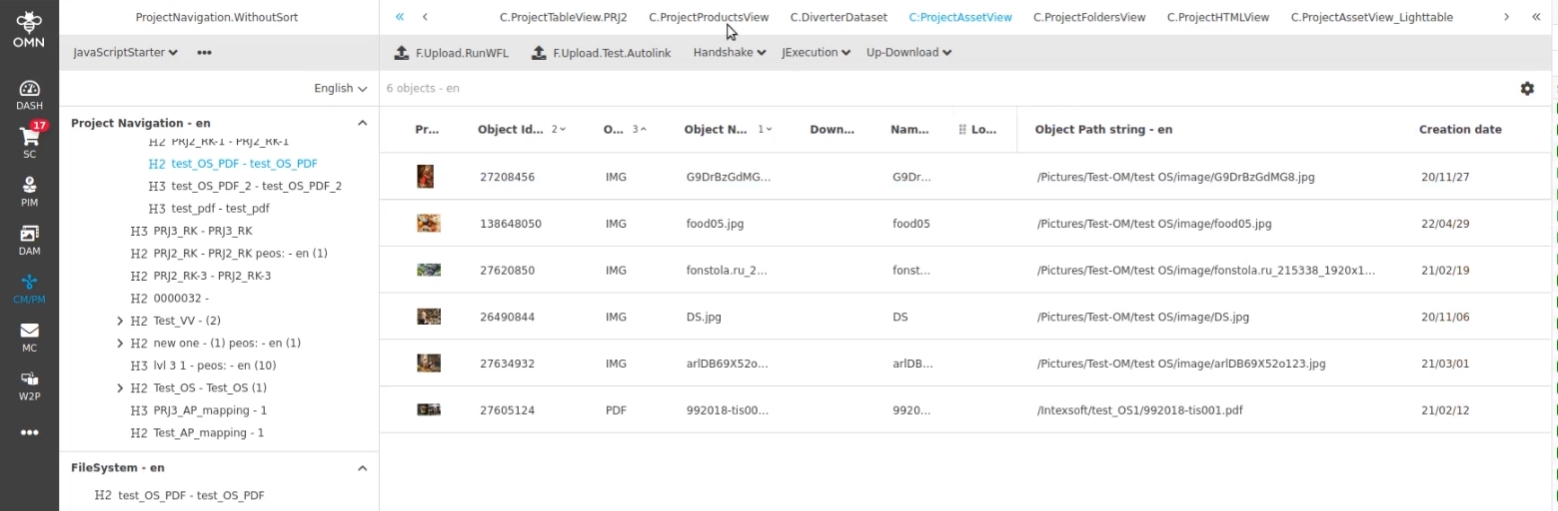
In Former versions URI is based on non-human-readable number Identifiers for configurations instead of Names for the Plugin configuration (see example)
For the following Editors/Function OMN supports now to work with ID AND Plugin configuration name (in later versions this will be Extended for other functions)
-
AssetView,
-
ProductView
-
ShowInNavigation
Example:
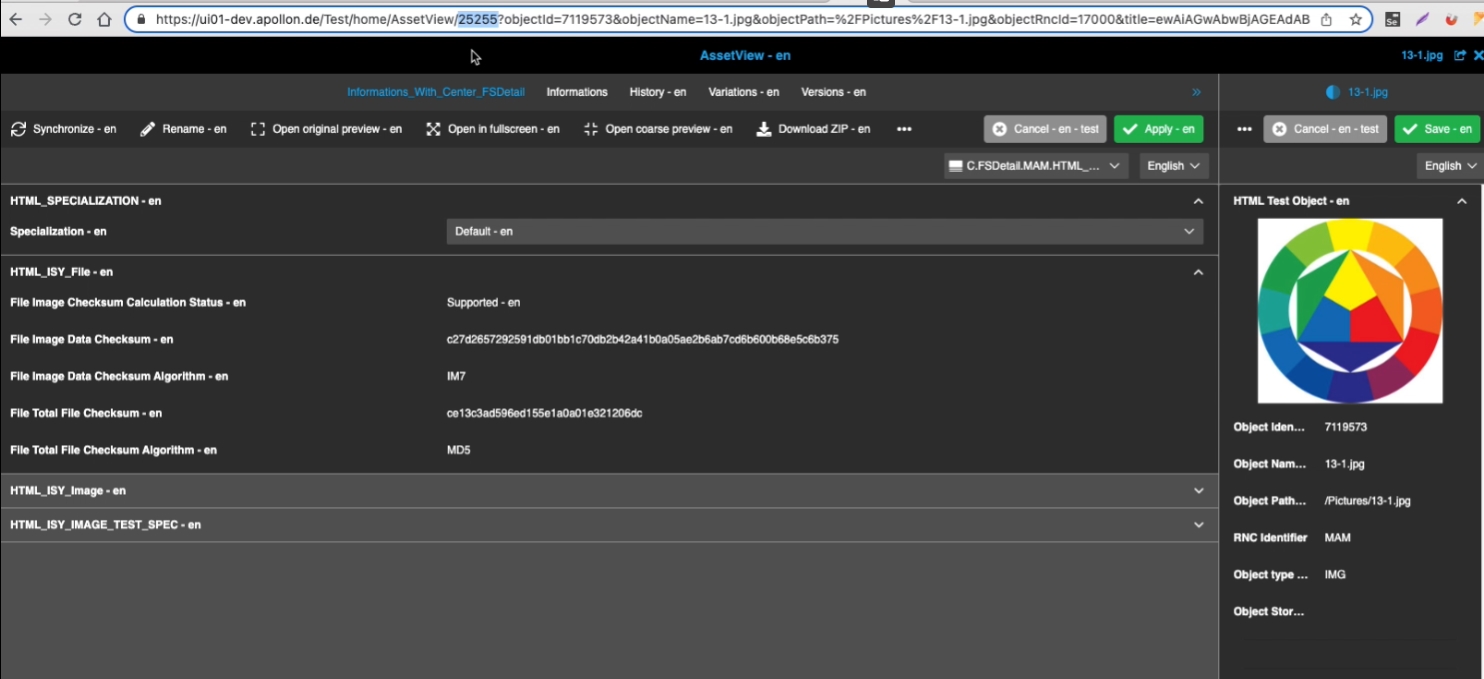
Current URL patterns looks like (using ID):
httрs://obj-storage.d.omn5.com/omn/home/AssetView/16437?objectId=37490&objectName=0002%20-%20Kopie%20-%20Kopie.jpg&objectPath=%2Fimages%2F0002%20-%20Kopie%20-%20Kopie.jpg&objectRncId=15091&title=ewAiAGwAbwBjAGEAdABpAG8AbgAiADoAIgBBAHMAcwBlAHQAVgBpAGUAdwAiACwAIgBpAHQAZQBtAE4AYQBtAGUAIgA6ACIAMAAwADAAMgAgAC0AIABLAG8AcABpAGUAIAAtACAASwBvAHAAaQBlAC4AagBwAGcAIgB9AA%253D%253D&editMode=true
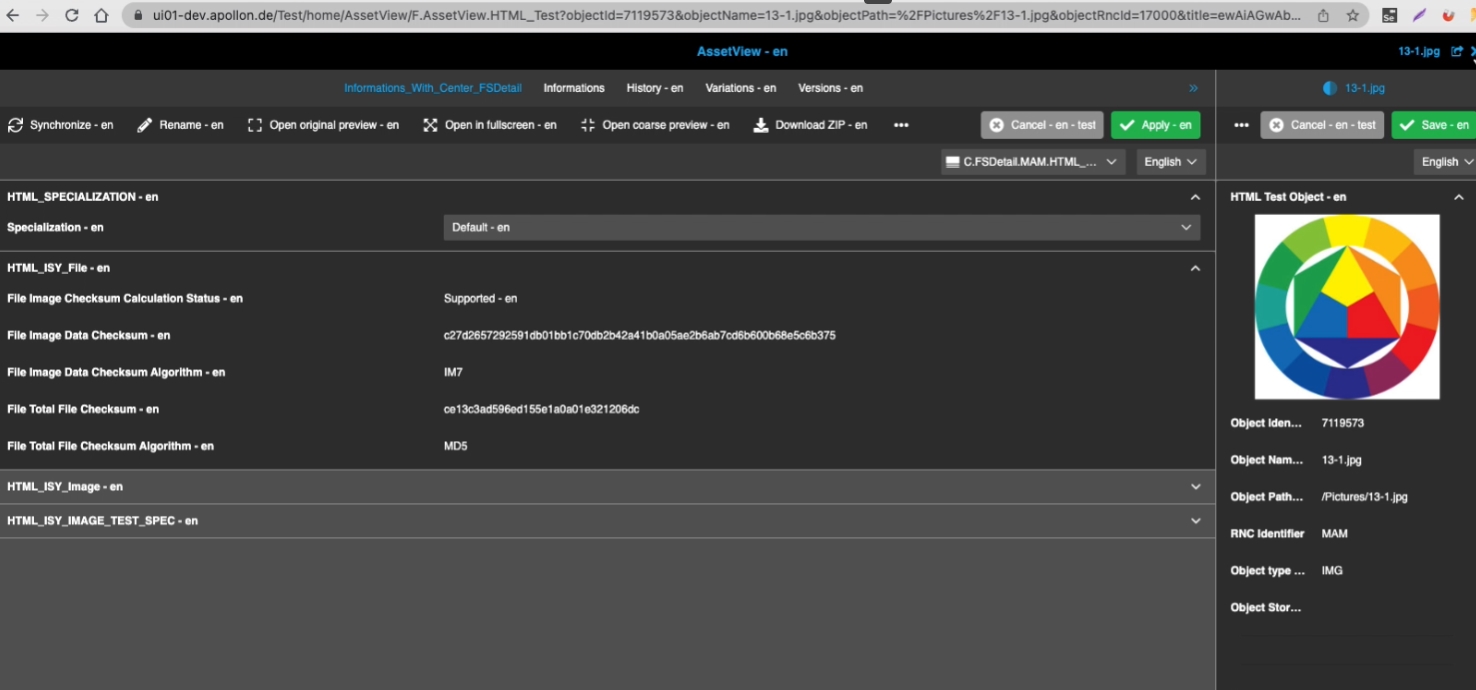
New URL pattern (using configuration identifier):
httрs://obj-storage.d.omn5.com/omn/home/AssetView/F.AssetView.ACC?objectId=37490…
3. UI-Administration
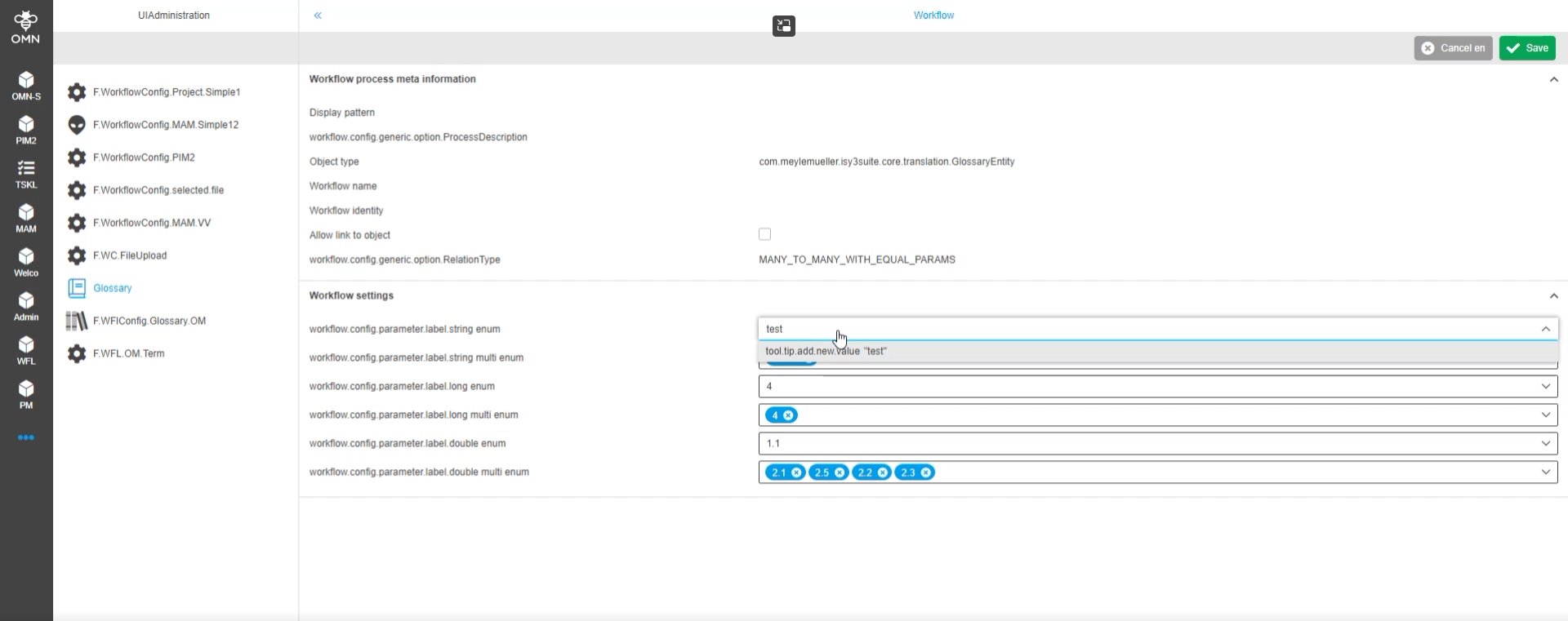
3.1 UI Administration Frontend - Workflow Administration for Camunda Workflows for Type Glossary with possibility to add possible values
Tags |
OG-13651, OMN-9743 |
Documentation |
ODOCU-727, ODOCU-728 |
Possibility to add new possible value(s) for a string, date, and number parameters of a camunda workflow via the UI Administration directly in Frontend without the need to do this in configuration Client
4. DAM
4.1 SingleObject
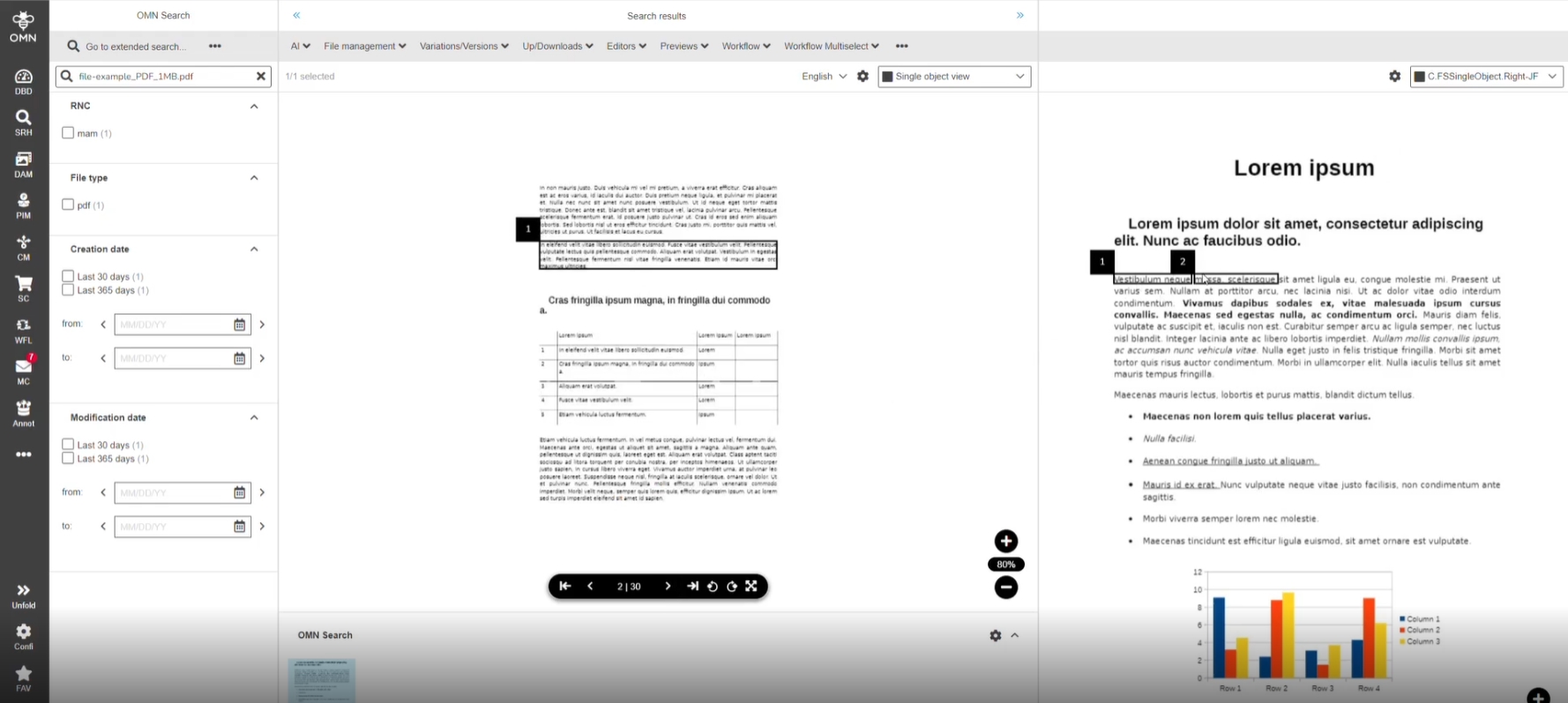
4.1.1 SingleObjectView - Showing annotations - Show annotations from type text editing
Tags |
OG-13265 |
Possibility to view the annotations of an asset in Single Object View directly (also for new introduce types), so that the user knows if work on the asset is done
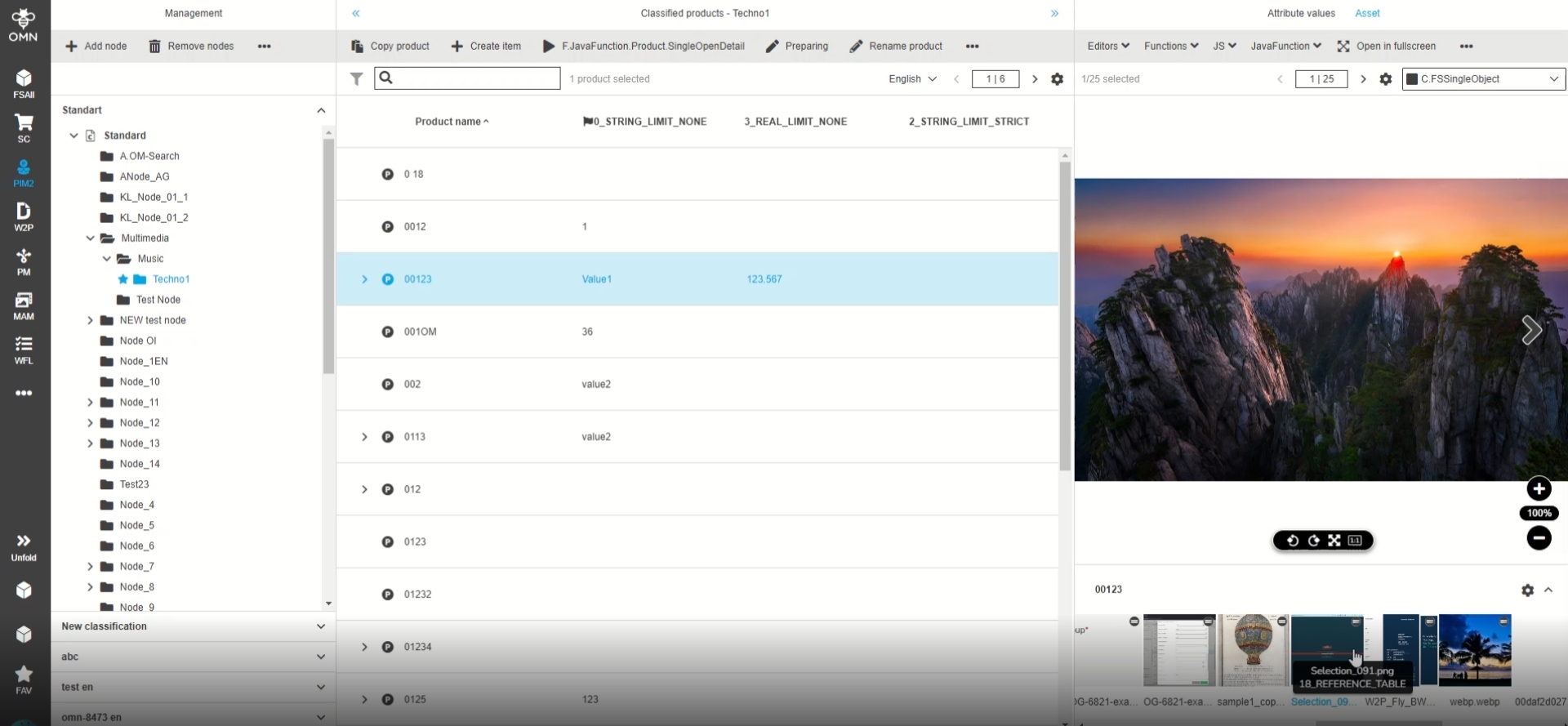
4.1.2 PIM2 - FSSingleObject of DAM Object type - Show reference types and full assets names for related images on hover
Tags |
OG-11480 |
Possibility to see reference type name and full asset name in SingleObject filmstrip (in context of PIM2) at a glance so that the user can easily get useful details about images related to a product
4.3 Shopping Cart
4.3.1 Localization Grammar mistakes in shopping cart
Tags |
OMN-9702 |
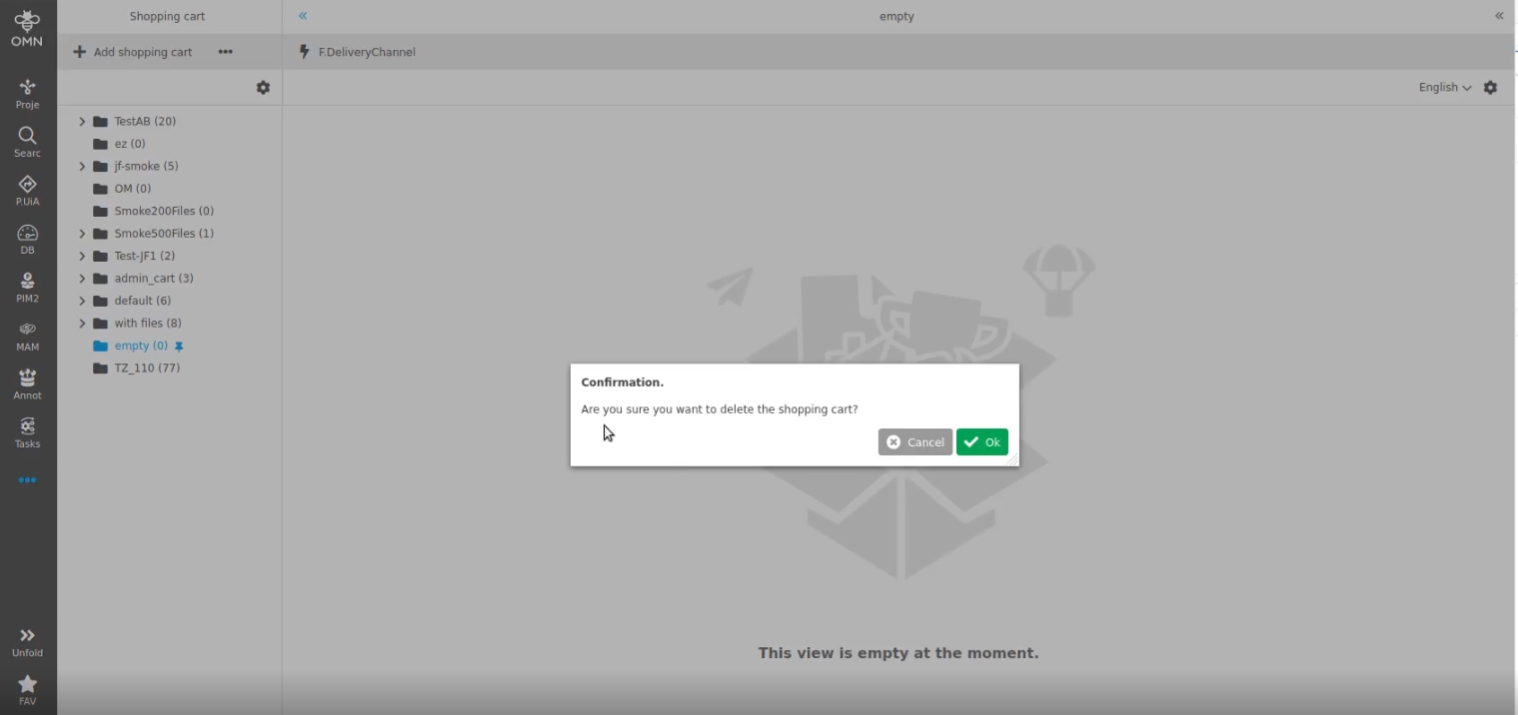
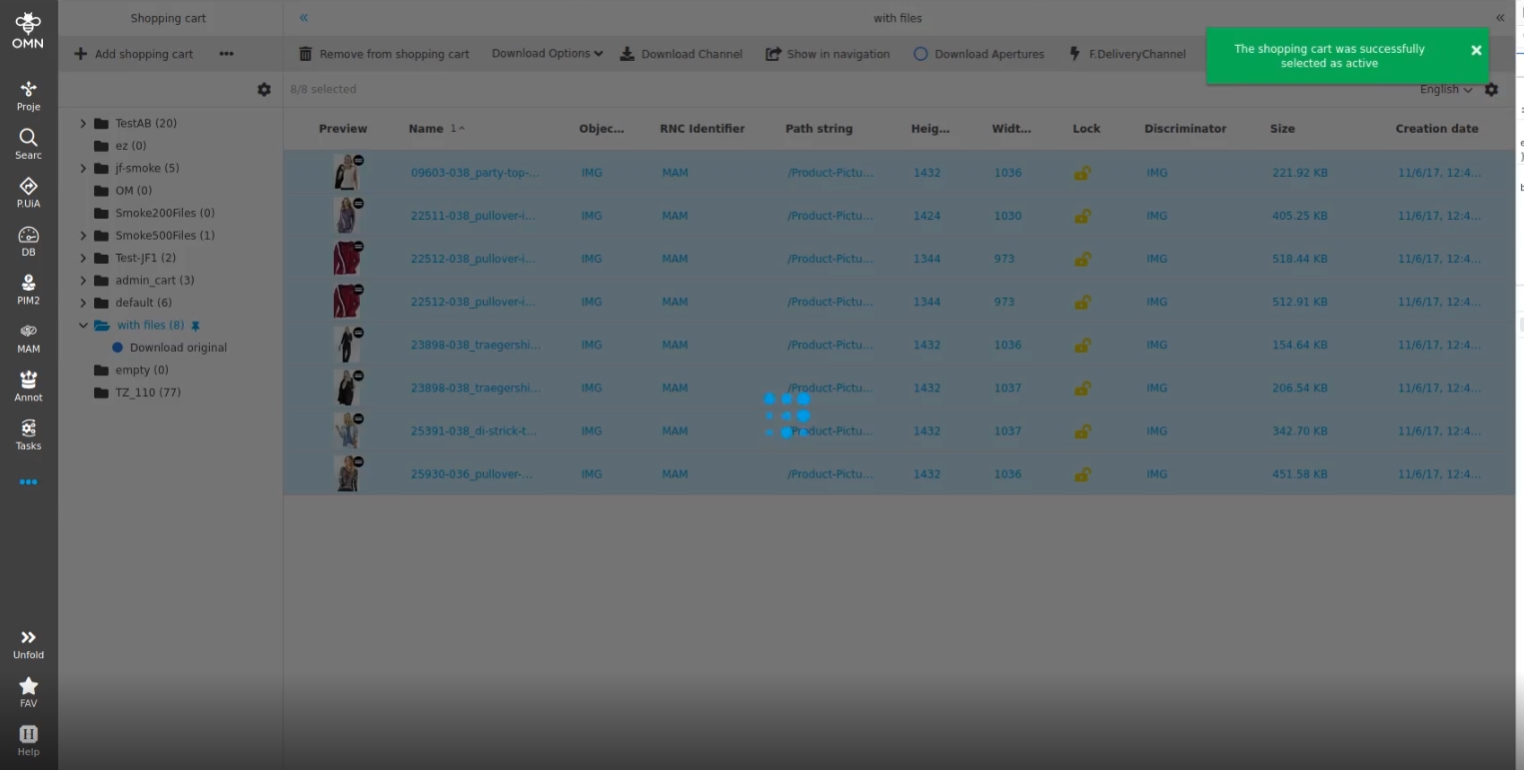
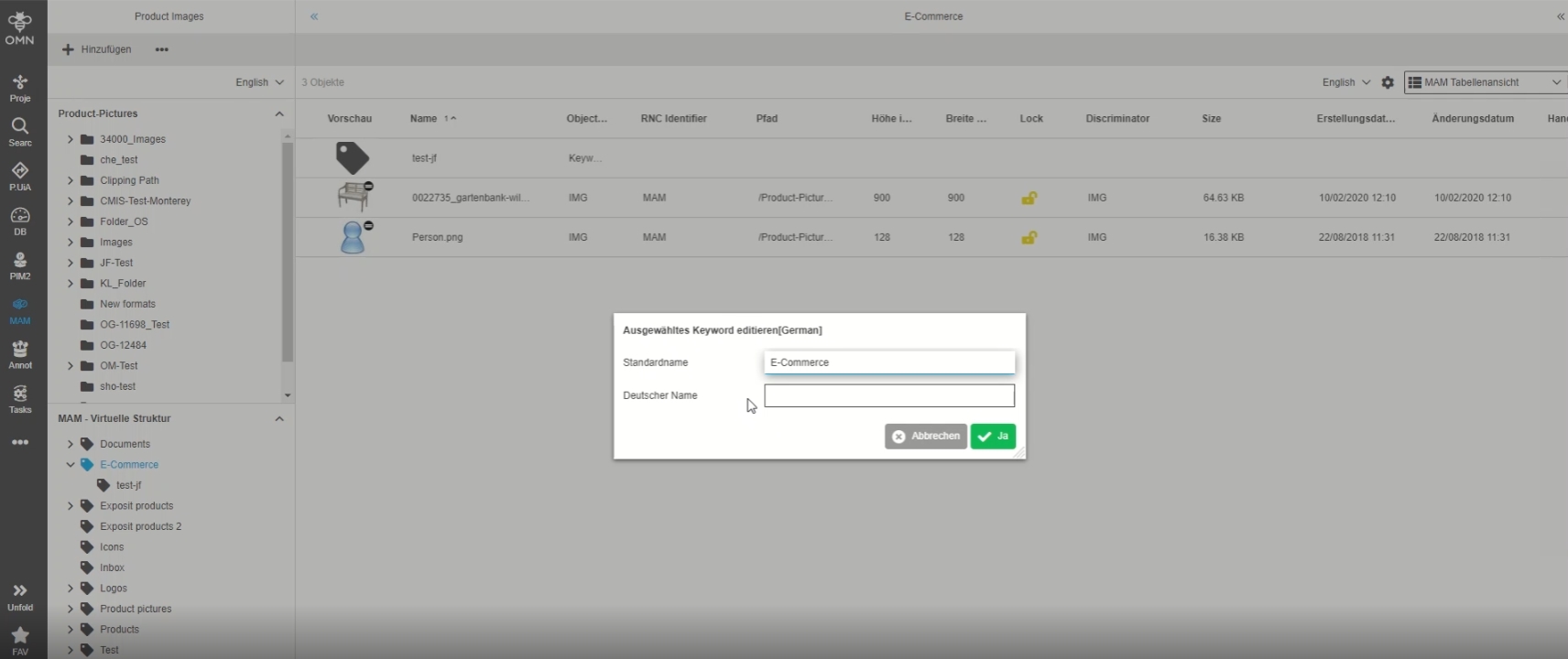
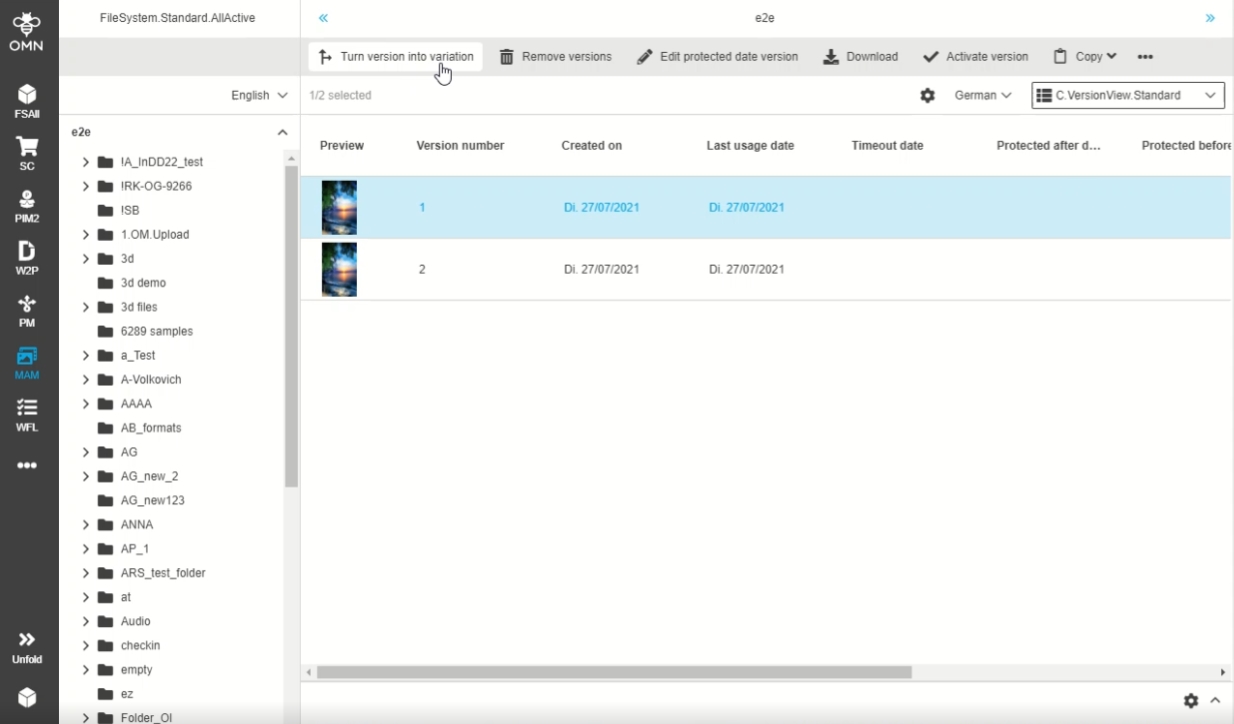
Optimization in localization in ShoppingCart module
-
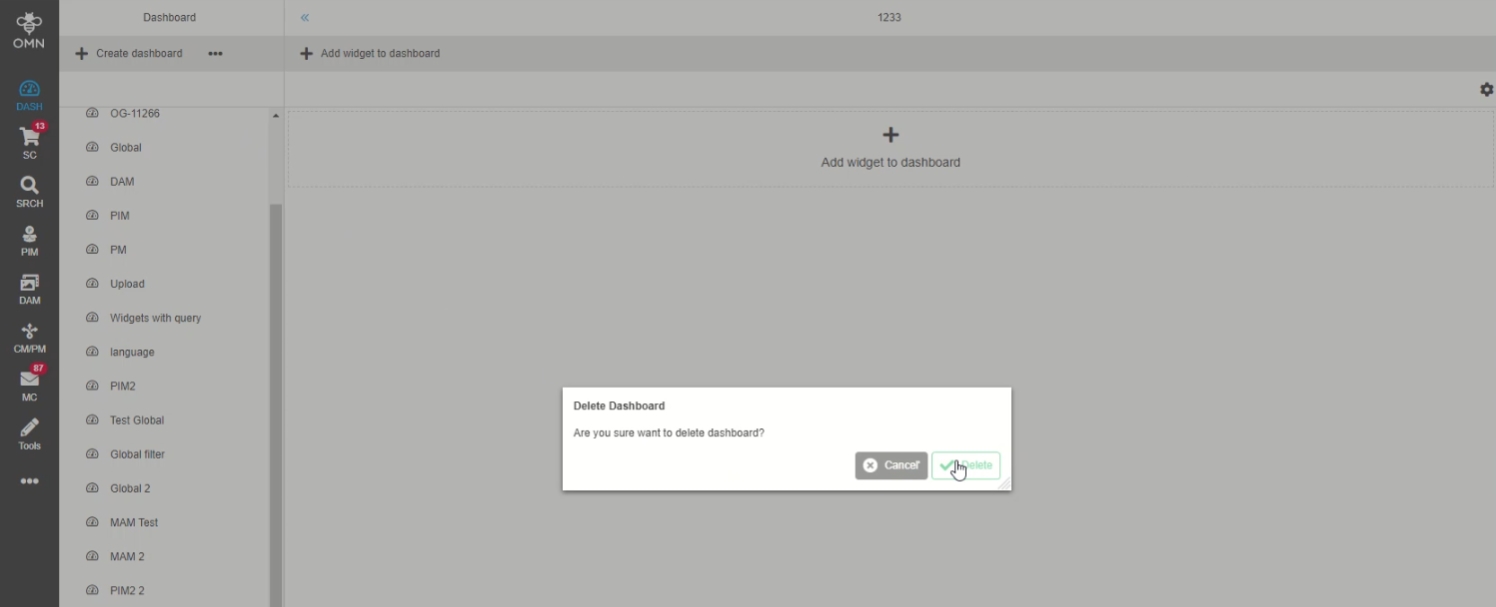
The text in the "Remove a ShoppingCart" is changed to "Are you sure you want to delete the shopping cart?"
-
Localization of toast message from "Set as active"-button is changed to „The shopping cart was successfully selected as active"
5. PIM
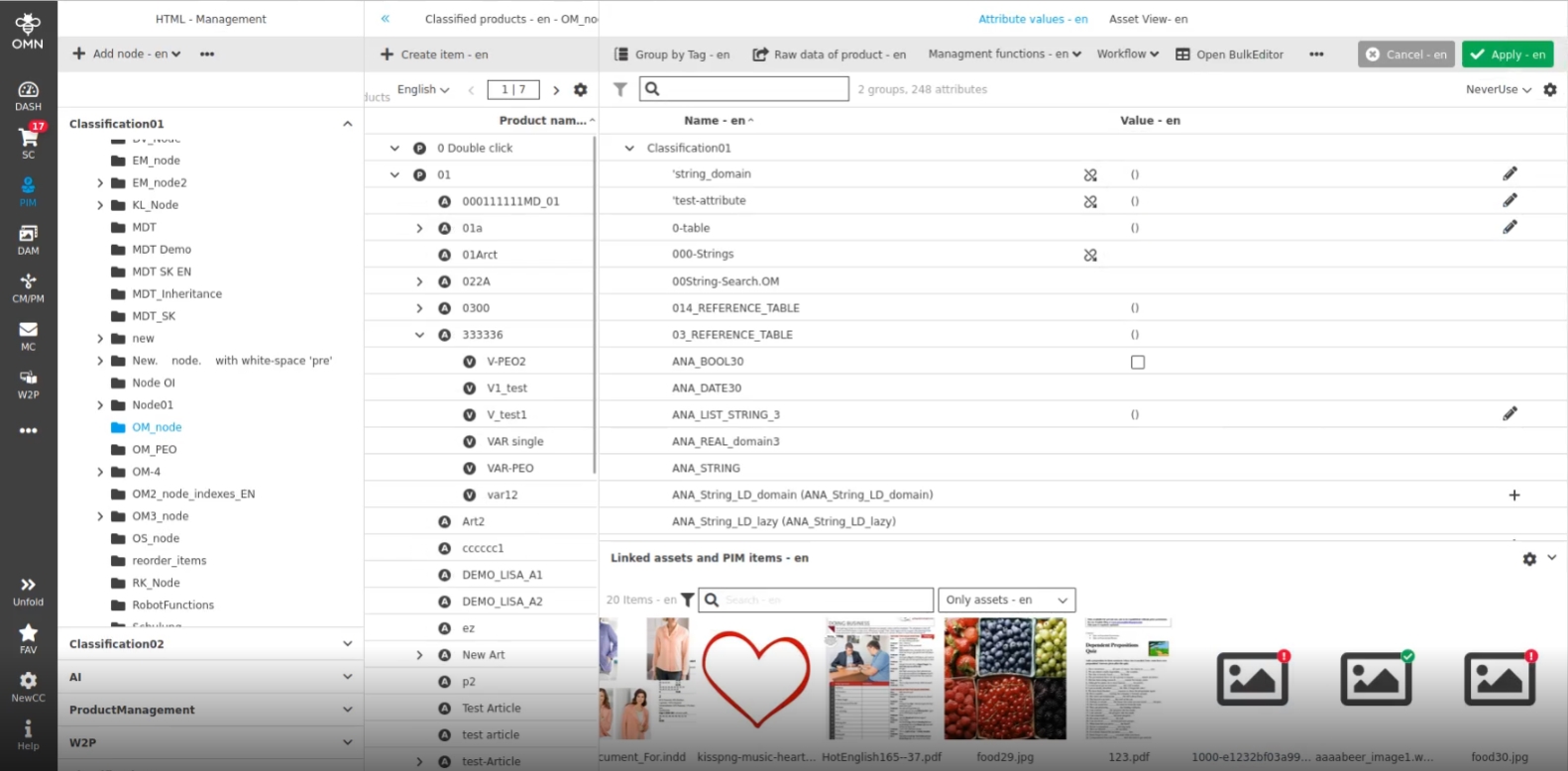
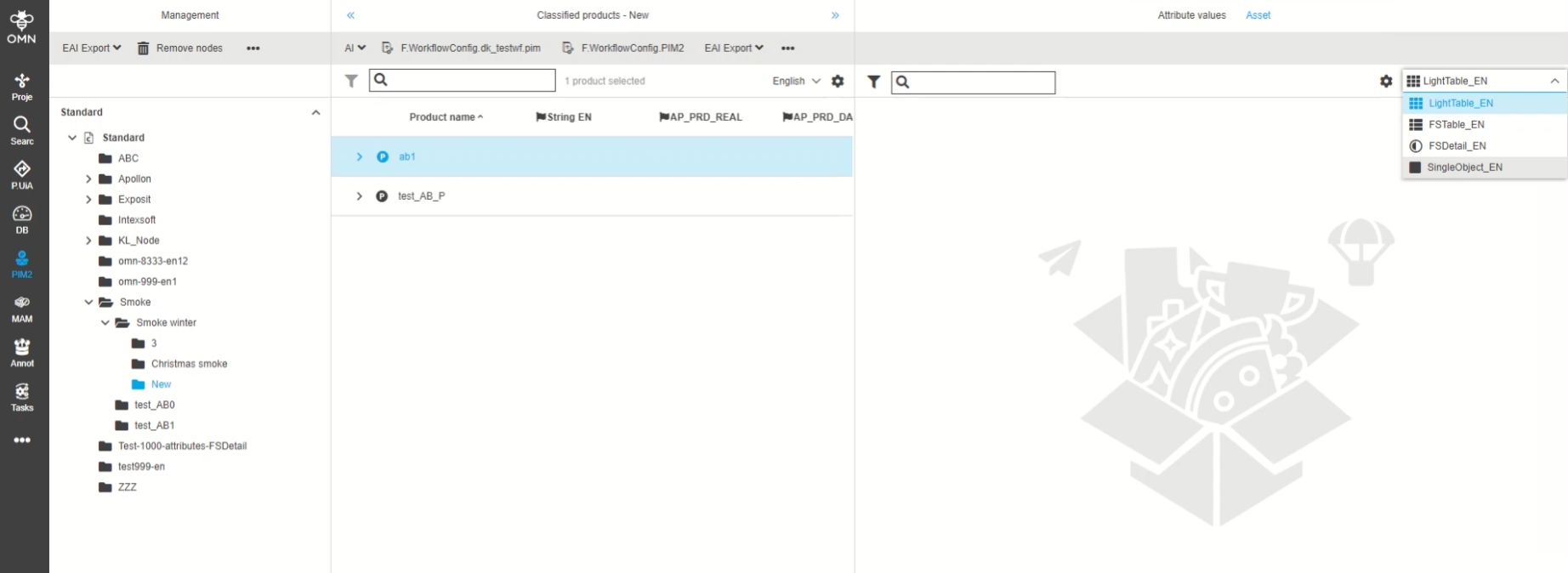
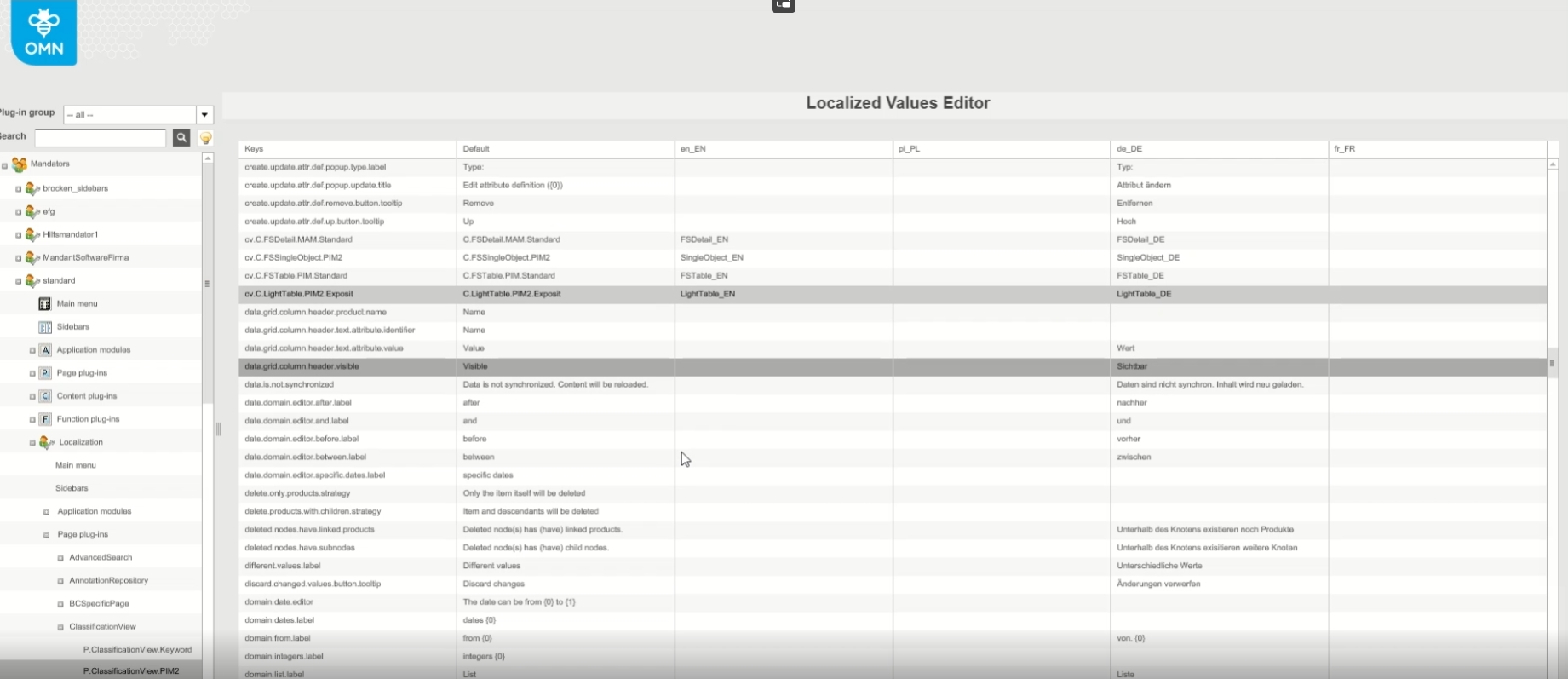
5.1 Classification
5.2 FSDetail
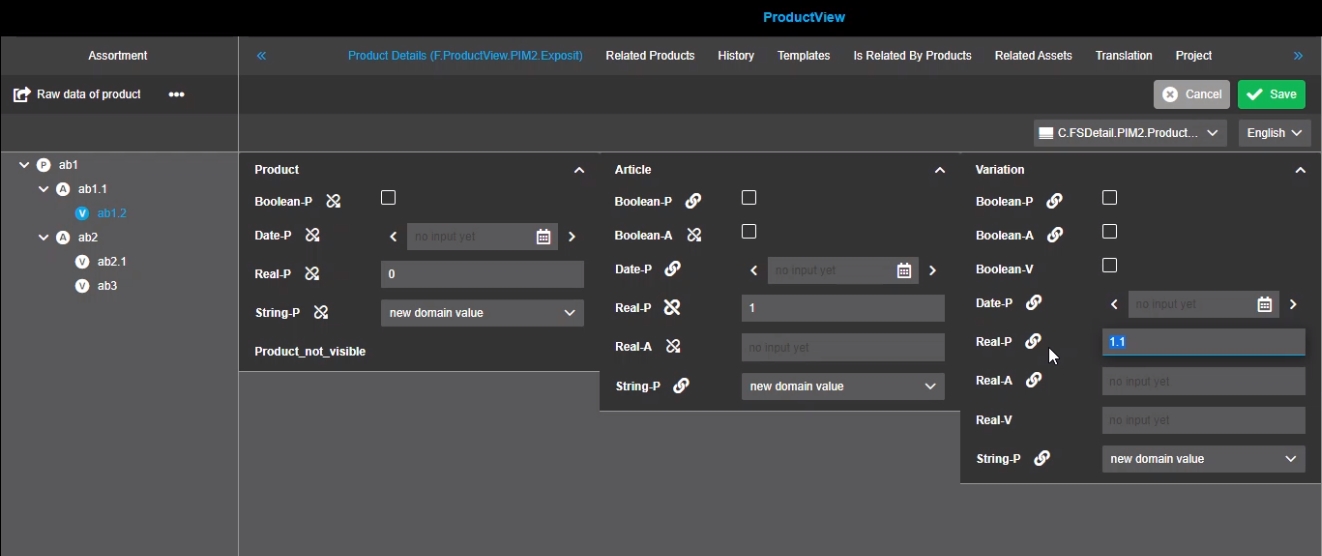
5.2.1 Storing the values of ancestor product
Tags |
OMN-9547, OG-13634 |
Possibility to change values of the ancestor product directly in the FSDetail
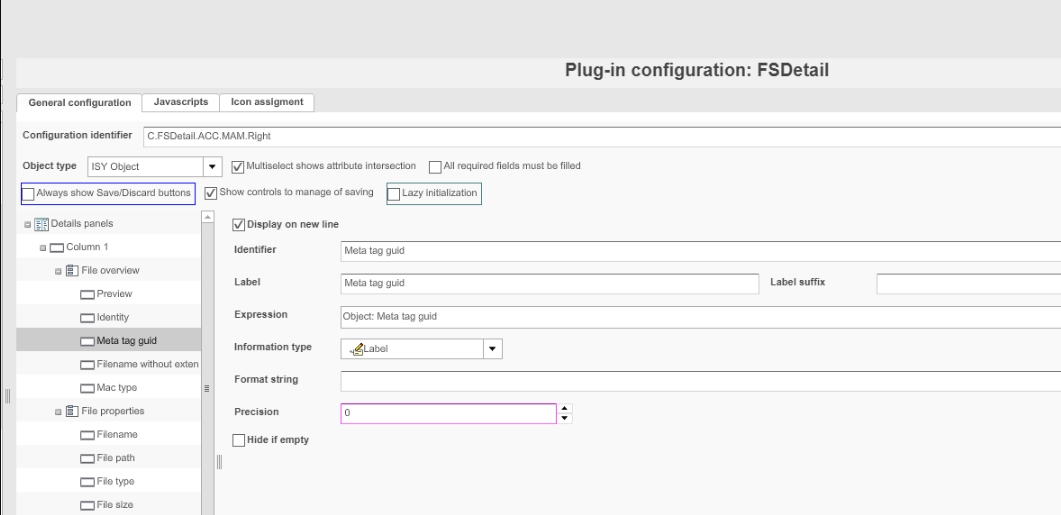
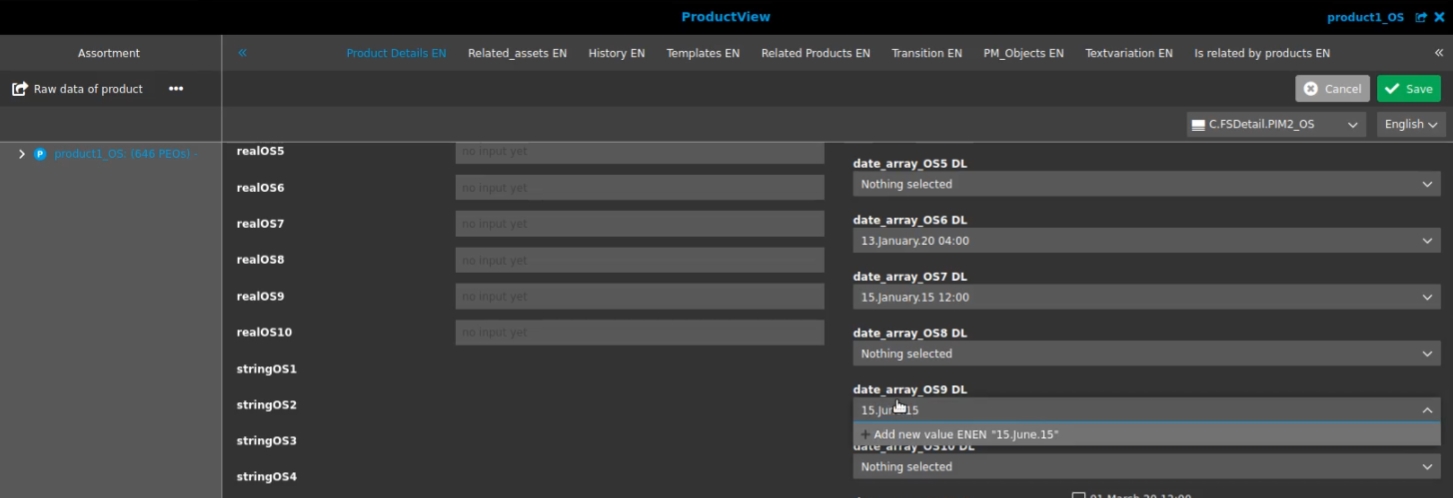
5.2.2 FSDetail - allow new values for date attributes of PIM2
Tags |
OG-12774, OMN-5773 |
Possibility to add new values to date attributes is configured in FS Detail for Type PIM2
5.2.3 FSDetail - allow new values for number and date attributes of PIM2
Tags |
OG-4650, OMN-5773 |
Possibility to add new values to a number and date attributes of PIM2 in FSDetail if Option is configured
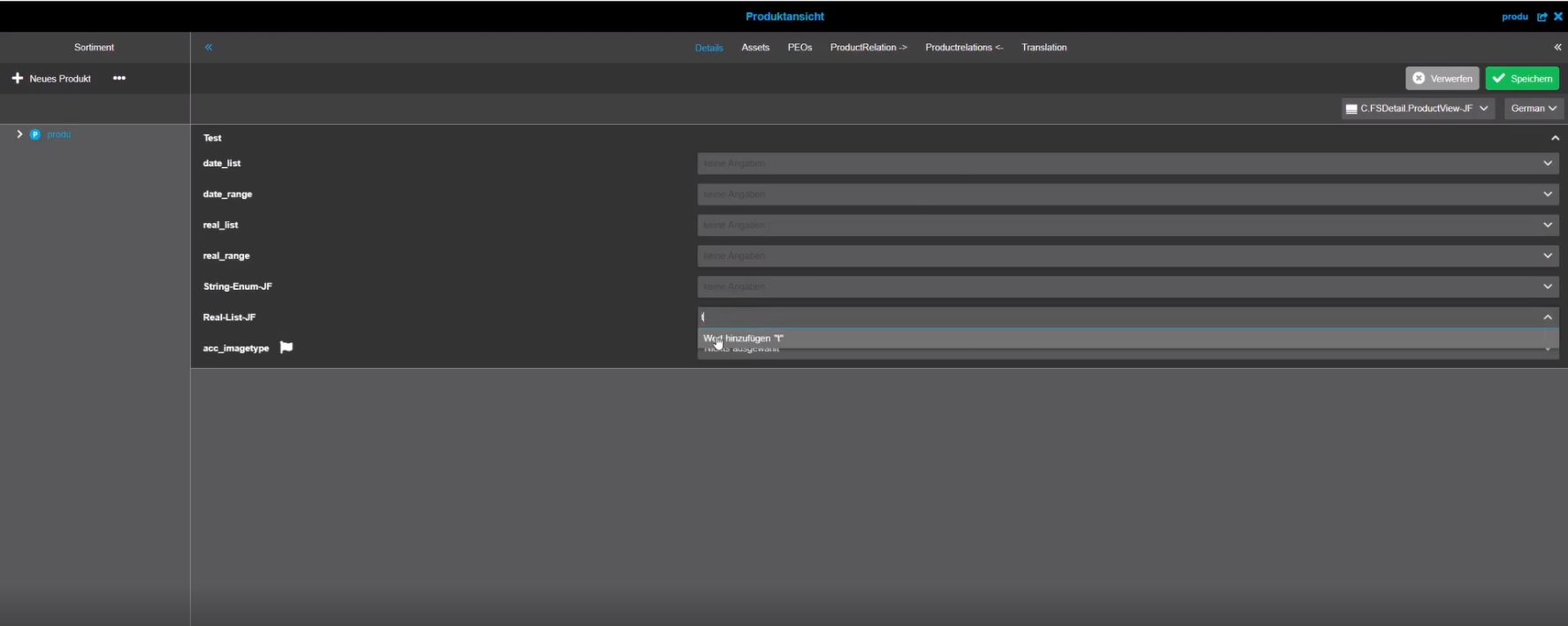
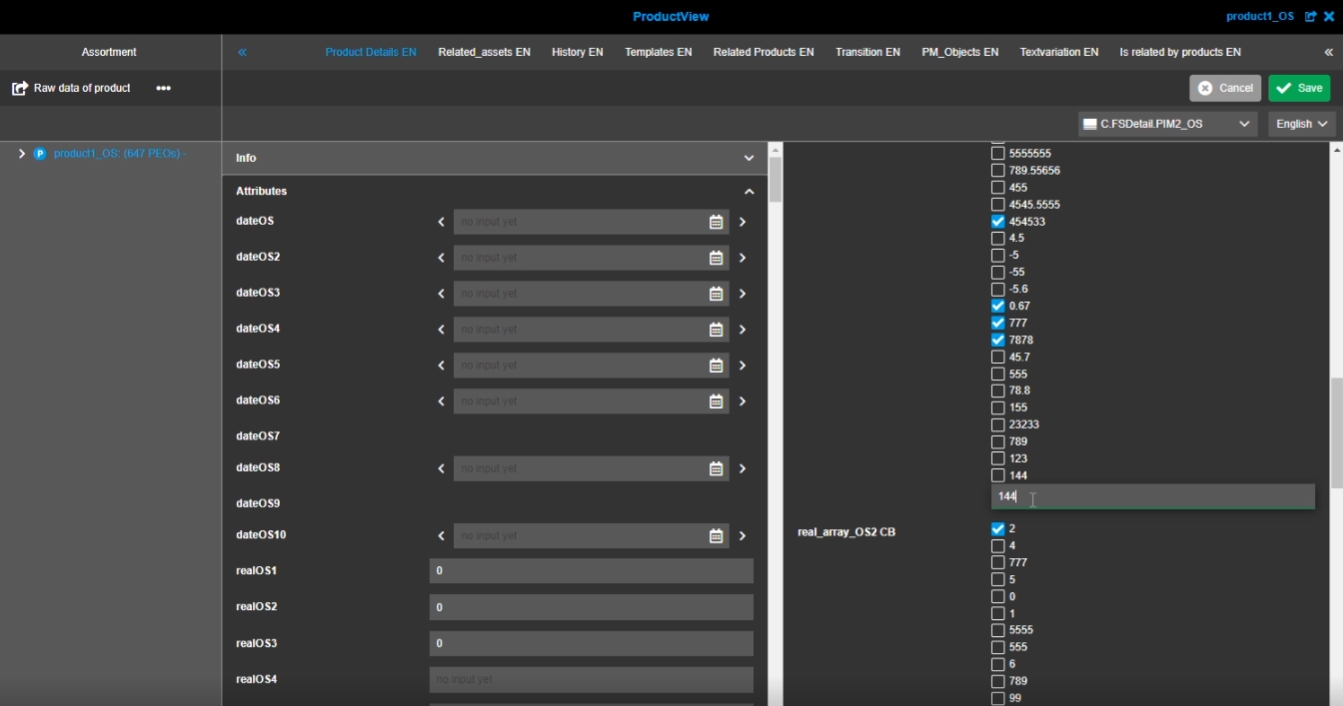
5.2.4 FSDetail - allow new values for real attributes of PIM2 - Validation for focus state
Tags |
OG-13802 |
Improvement for validation when add new real Attribute value
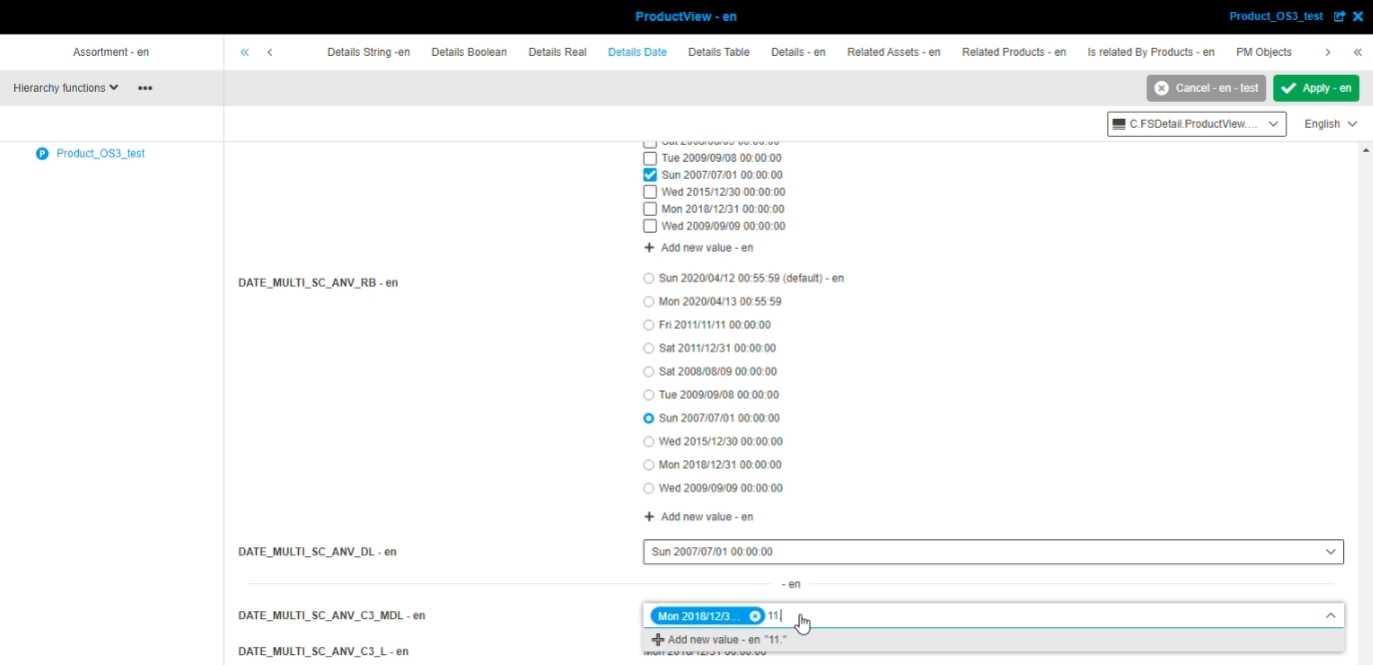
5.2.5 FSDetail - allow new values for date attributes of PIM2 - Validation for focus state
Tags |
OG-13801 |
Improvement by new validation for a entered date value in case that creating new values is allowed and entered value is wrong, so that the admin knows that the Input has to be adjusted
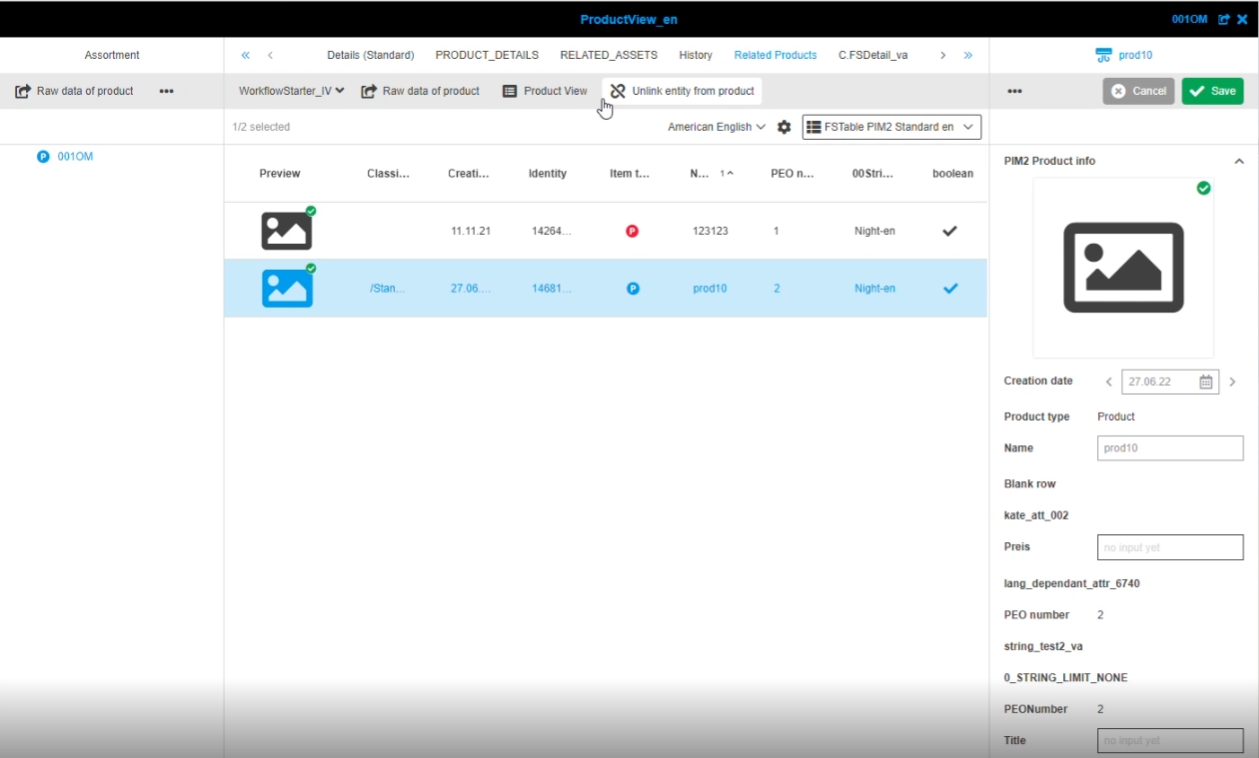
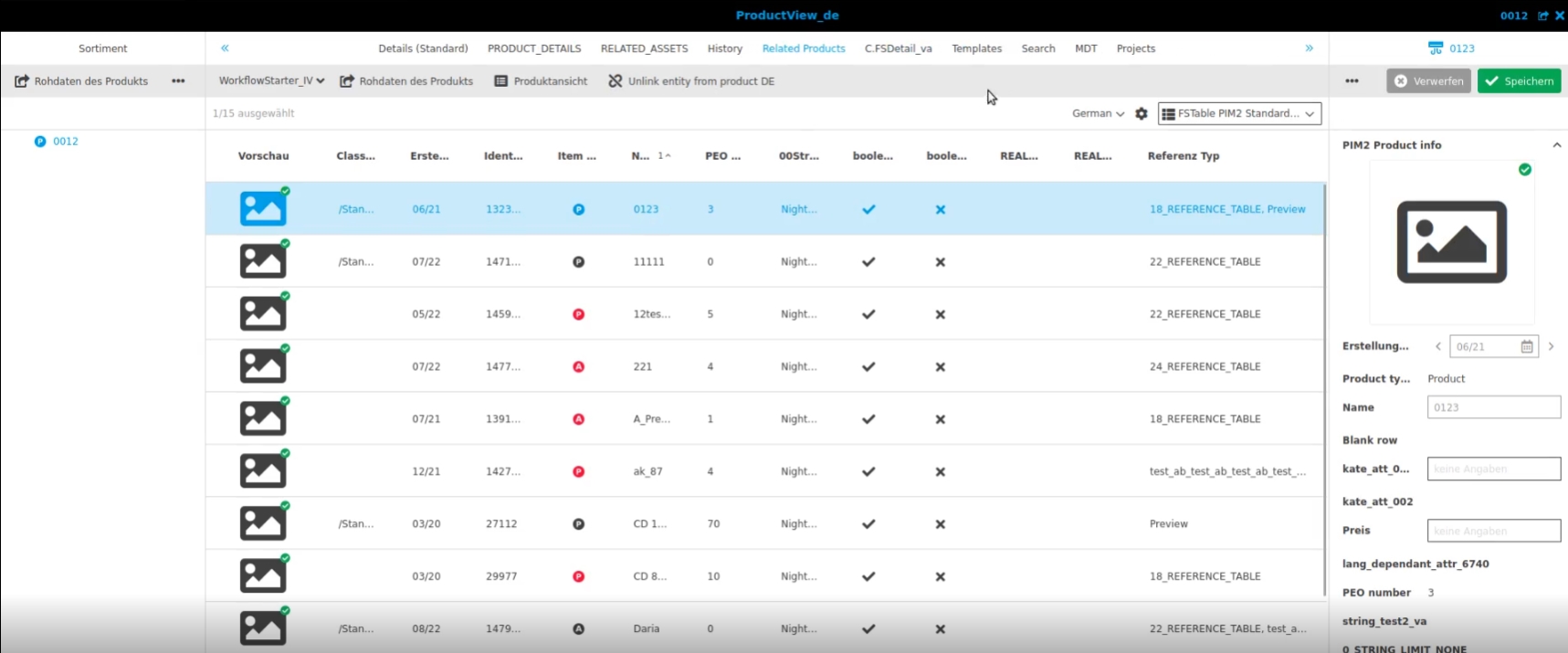
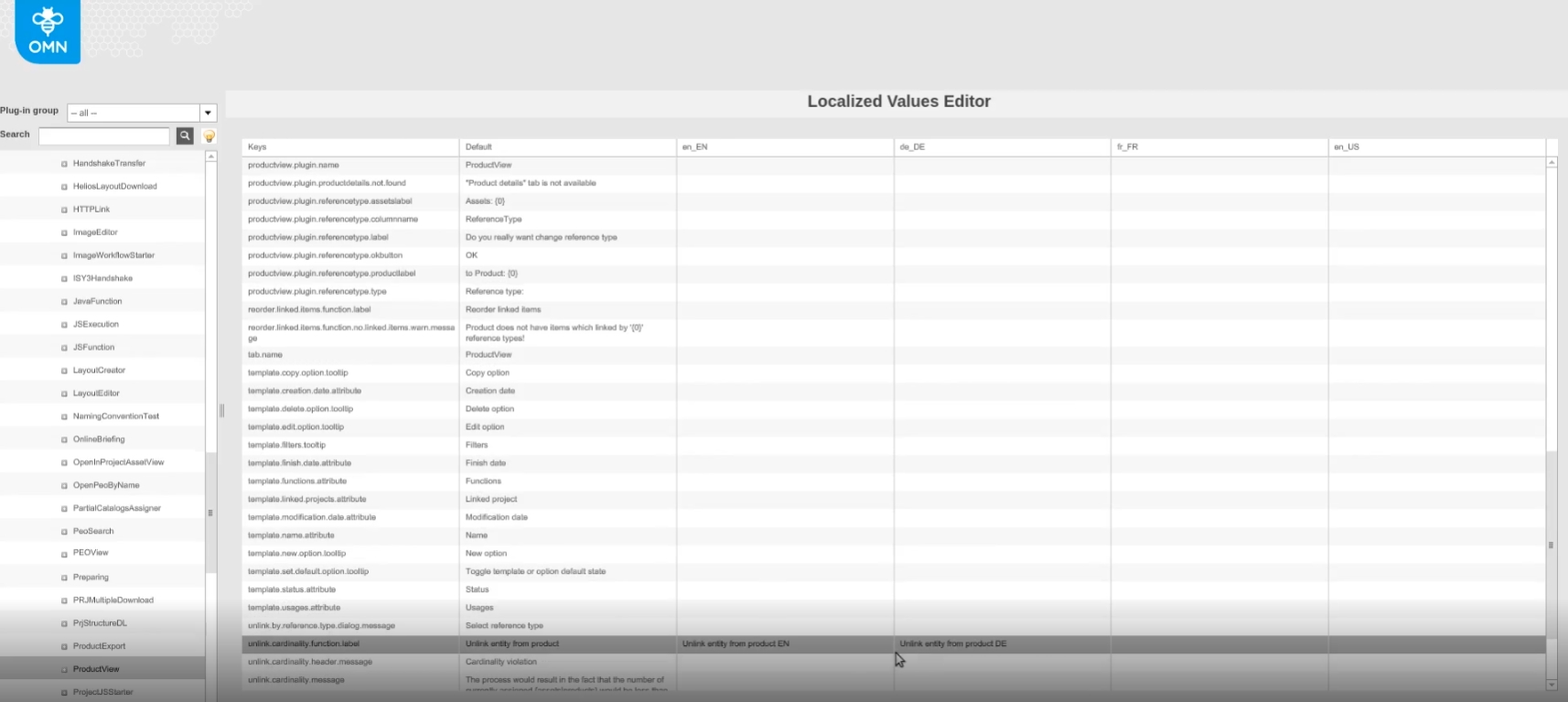
5.2.6 ProductView - Change icon for function "Unlink entity from product"
Tags |
OG-13803, OMN-9629 |
Function "Unlink entity from product" is now using a new Icon
6. CM
6.1 General
6.1.1 Support for save special characters in CM
Tags |
OMN-9725 |
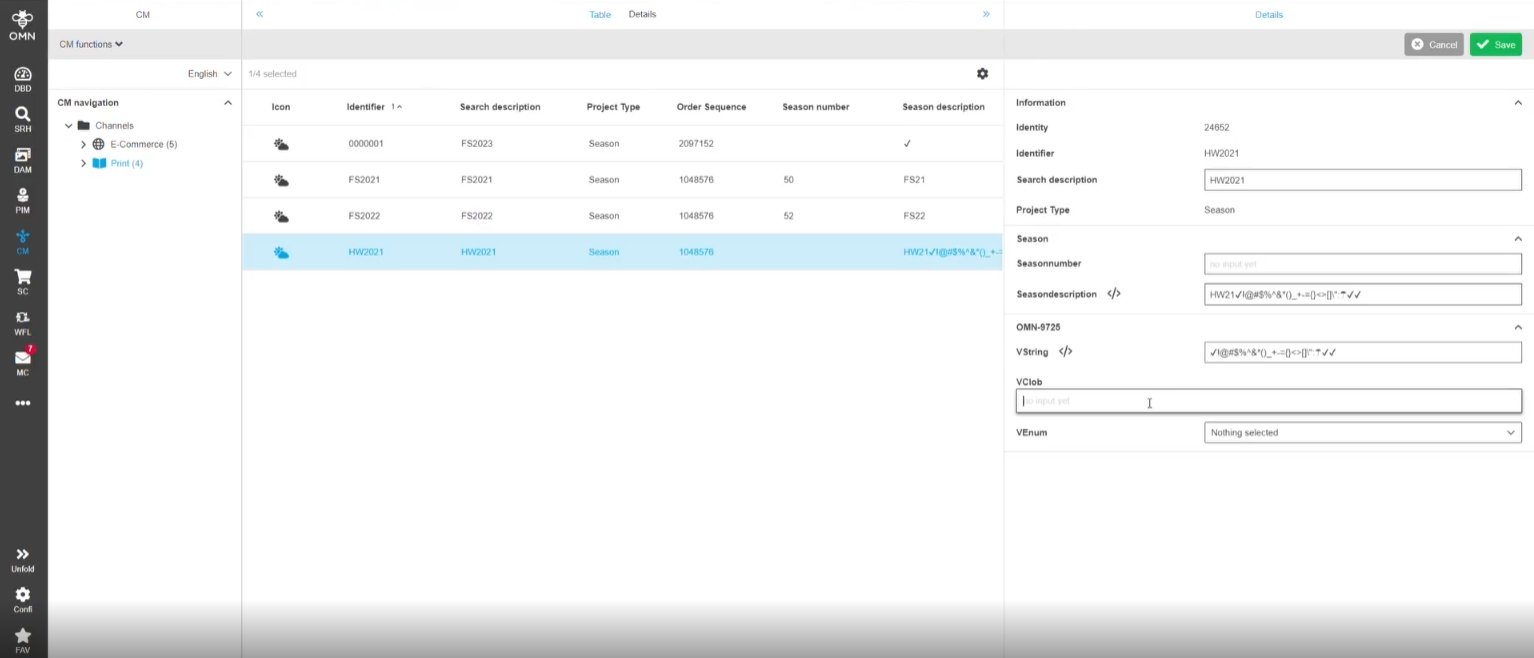
Support for using Special characters for certain attribute types on Channel Object Entity
Support on following types:
-
clob
-
long description
-
short description
-
vstring
-
vclob
Usage of Special characters on following types is not allowed and supported:
-
identifier
-
enum
6.2 Flatplan
6.2.1 Flatplan open cm object in relation to active preview pattern in editor
Tags |
OG-13075 |
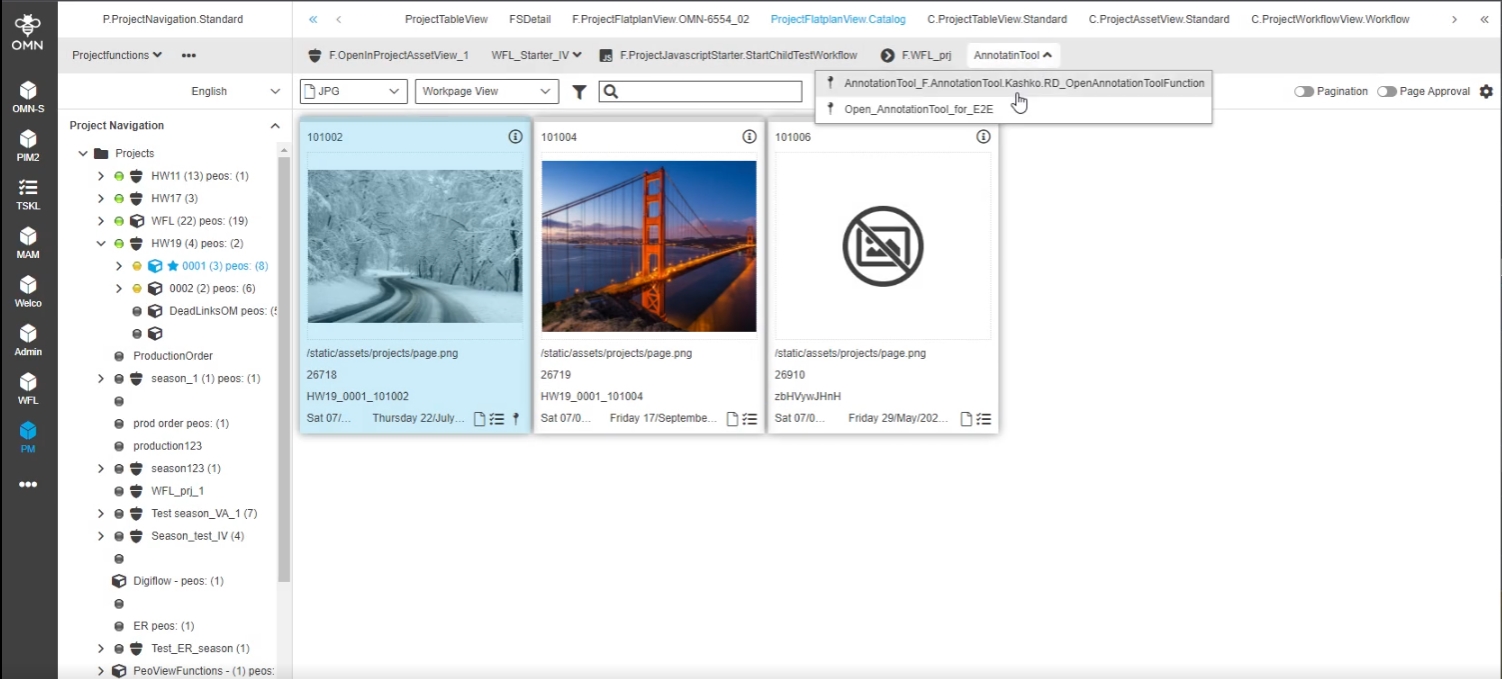
Possibility to open the shown content on the Flatplan tile within the annotation tool independent from pattern configuration
-
If there is no additional rule/config for annotated asset mapping defined
-
The annotation tool is opened/executed in relation to the current active Project Flatplan preview pattern (of the selected tile(s))
-
All linked objects are opened in AnnotationTool, but the one that matches the pattern will be selected/opened by default
-
The multi-select case will behave as usual
-
If there are several files matching the pattern, the latest file is going to be shown/used
-
-
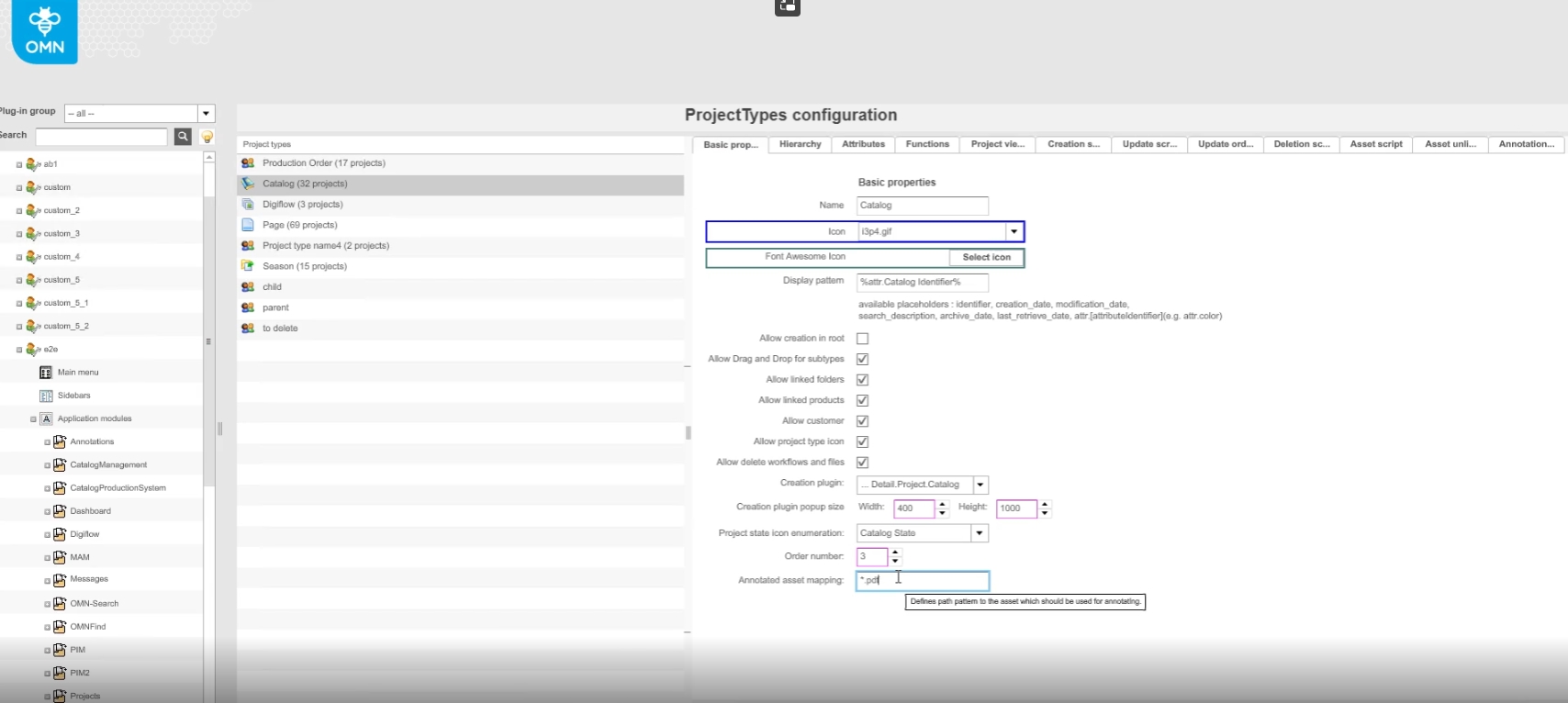
If there is an additional rule/config for annotated asset mapping
-
The current behavior with the pre-set asset for annotation tool will stay as is
-
-
Pattern configuration in Config Client for rules
6.2.2 Flatplan - new opening behavior for open AnnotationTool for selected CM objects in relation to active preview pattern configuration - Muti-selection behavior
Tags |
OG-13728 |
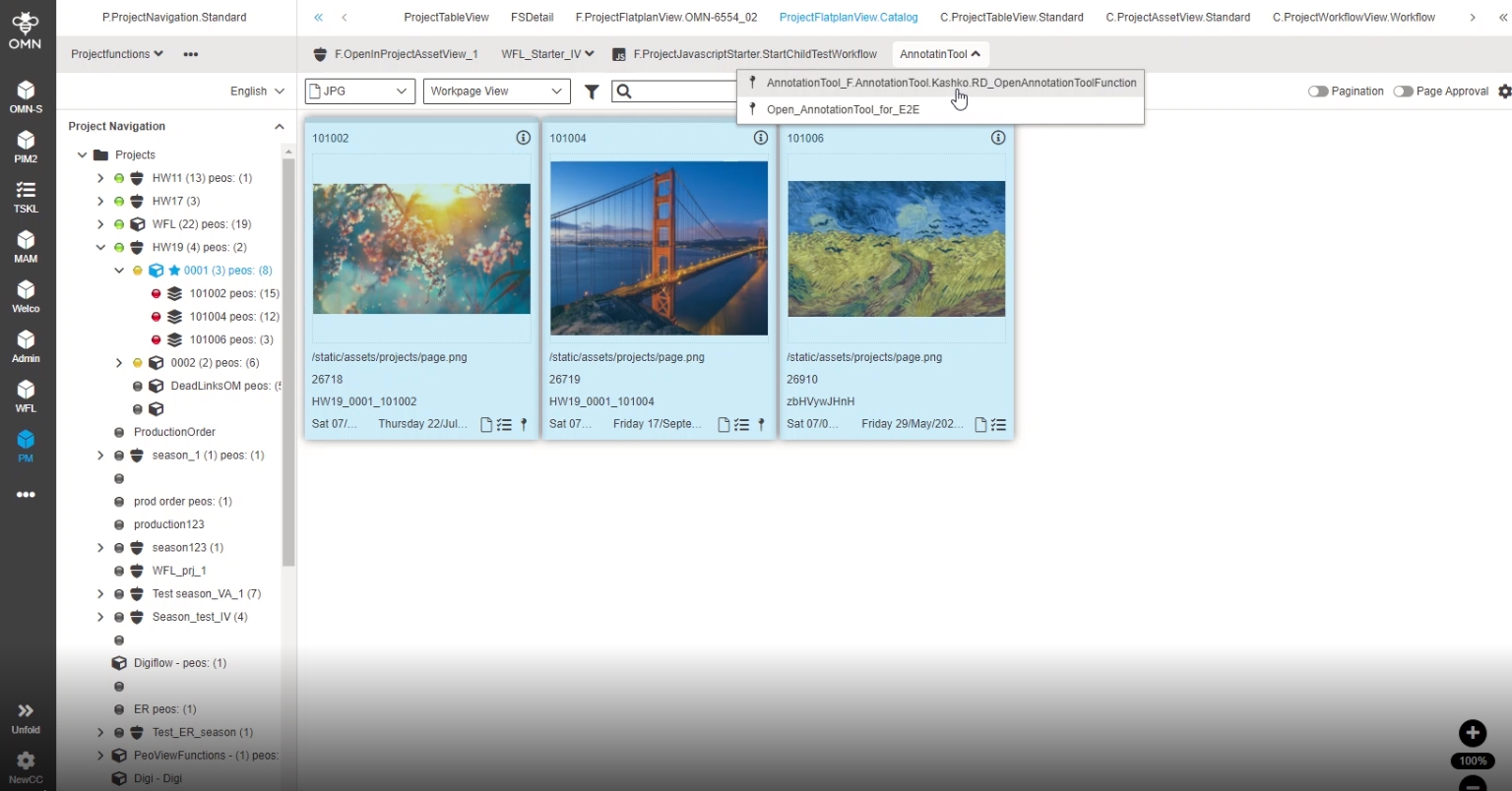
Possibility to use/see/access the shown content on the Flatplan tile within in annotation Tools
-
For each selected tile a single browser tab will be opened if browser is allowed to open multiple tabs (according to browser restrictions)
6.3 ProjectProductView
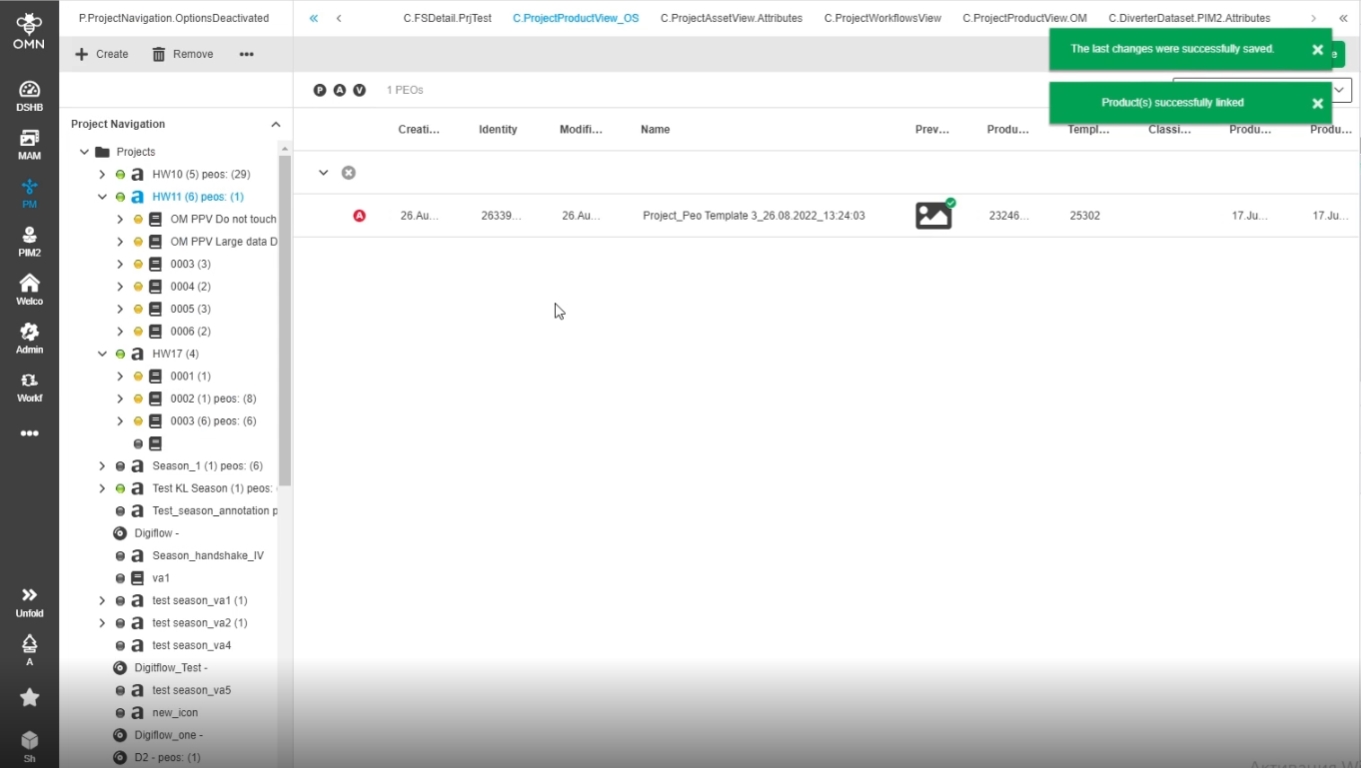
6.3.1 ProjectProductView - Reorder mode hierarchy - improvement to show nested rows expanded for new created PEO
Tags |
OG-13587 |
Possibility to see the related nested row for new created PEO in ProjectProductView expanded automatically in hierarchy mode
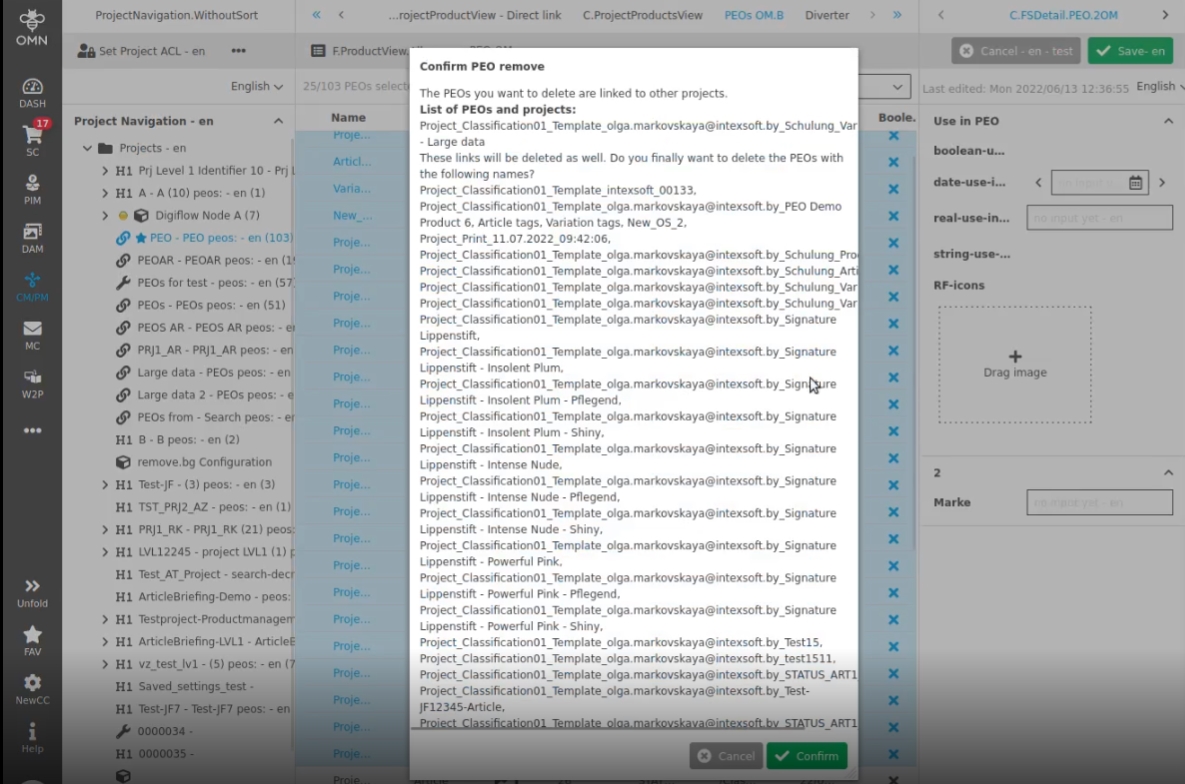
6.3.2 ProjectProductView - horizontal scrolling in the modal window when deleting PEOs with a long name
Tags |
OG-13636 |
Small Improvement in deletion modal so that the default name of PEOs fits in the modal window (the width of the modal equals 500 px)
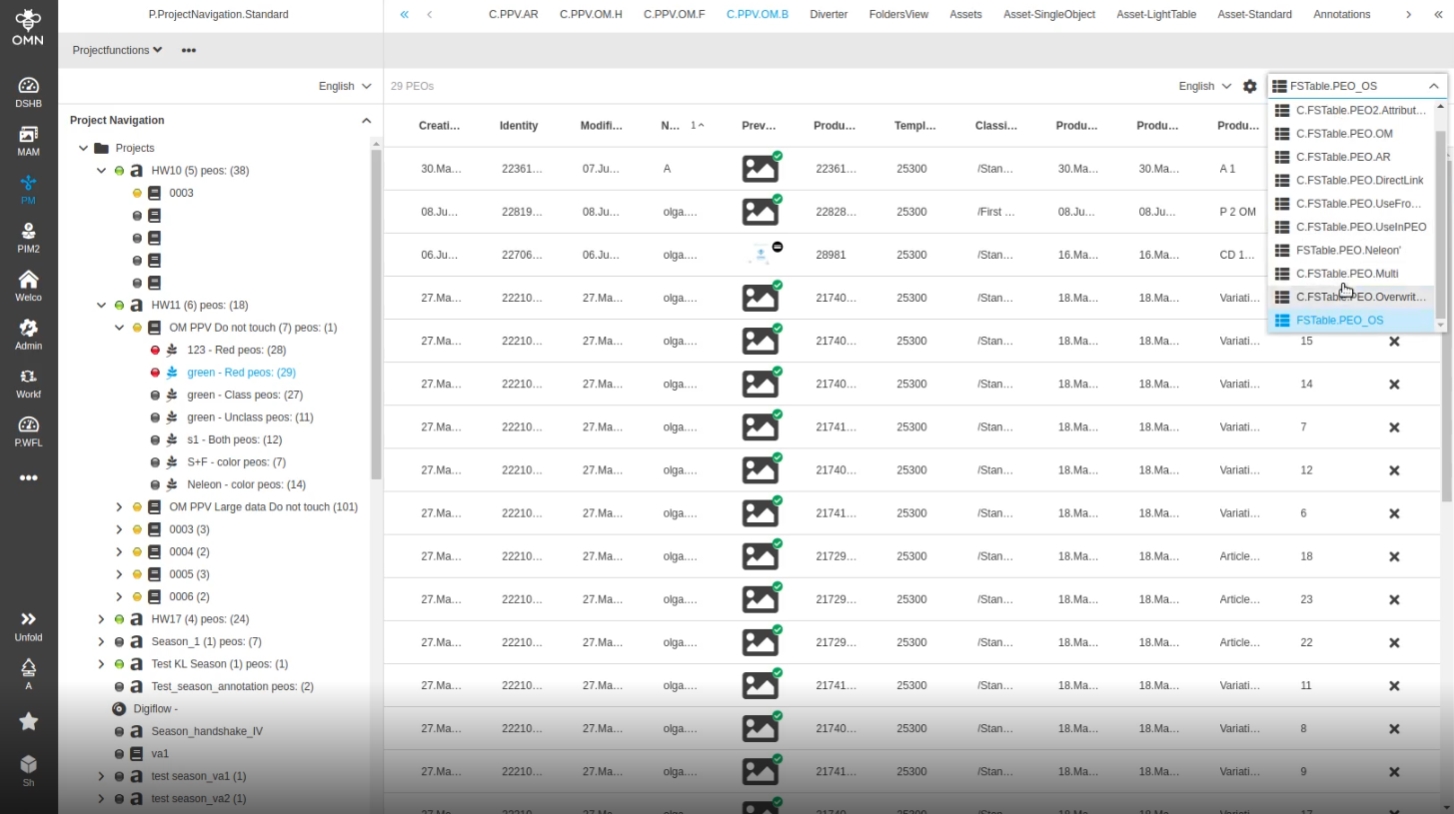
6.3.3 CM - ProjectProductView - Central view - support of saving user-based Settings
Tags |
OG-13354 |
Enhancement of userbased Settings for ProjectProduct Center view so that the last selected content view in the central Panel is stored in userbased Settings
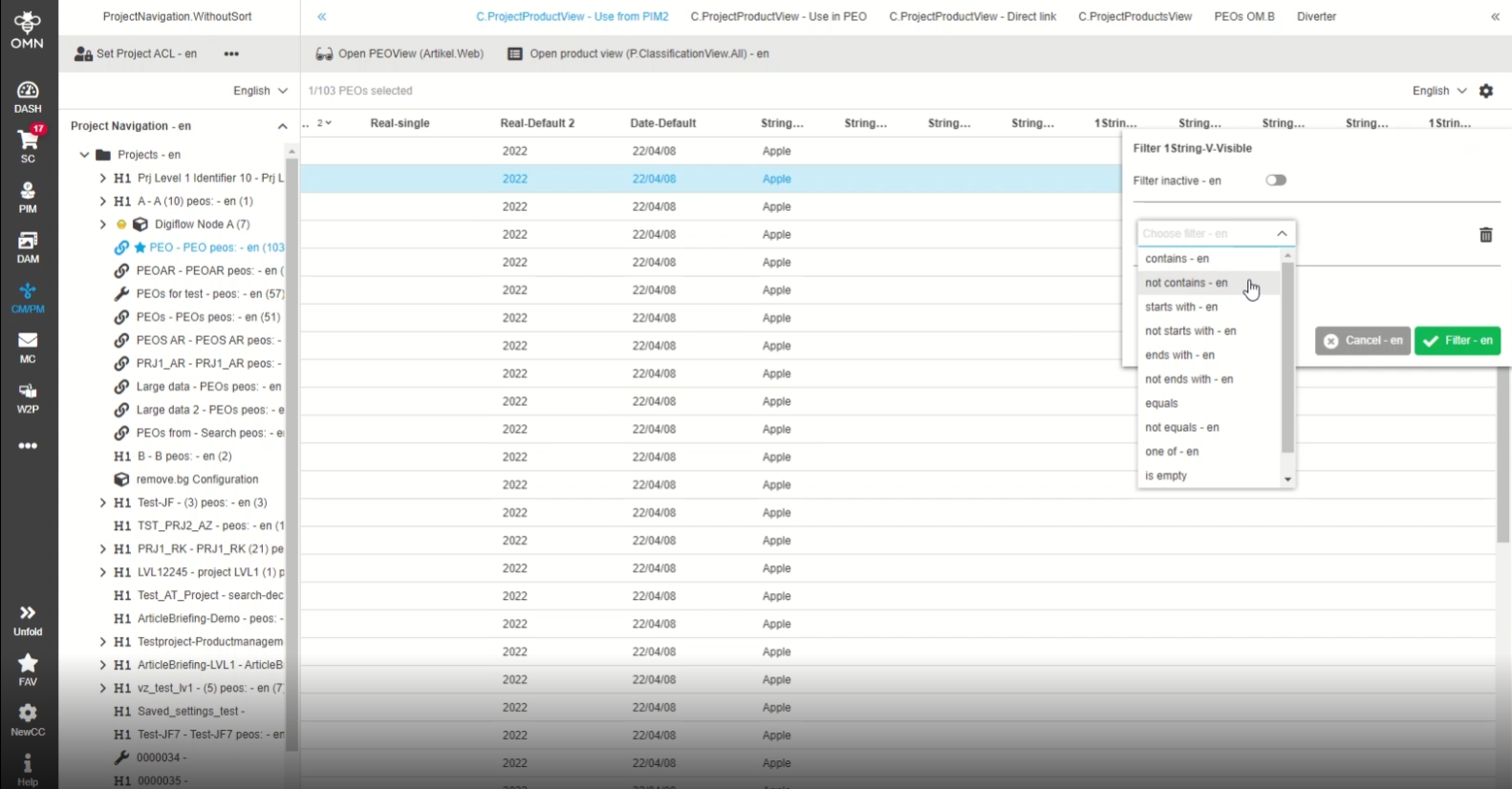
6.3.4 CM - PPV - Filtering - Extending the list of operators for string attribute
Tags |
OG-13390 |
Enhanced operators for filtering in string column in ProjectProductView, so that the user has more Options for filtering values
Former implementation only covered following Operators:
-
Contains
-
Not contains
-
Is empty
-
Not is empty
6.3.5 CM - ProjectProductView - Performance improvement
Tags |
OG-13647 |
Performance improvement when to work faster with large data in ProjectProductView
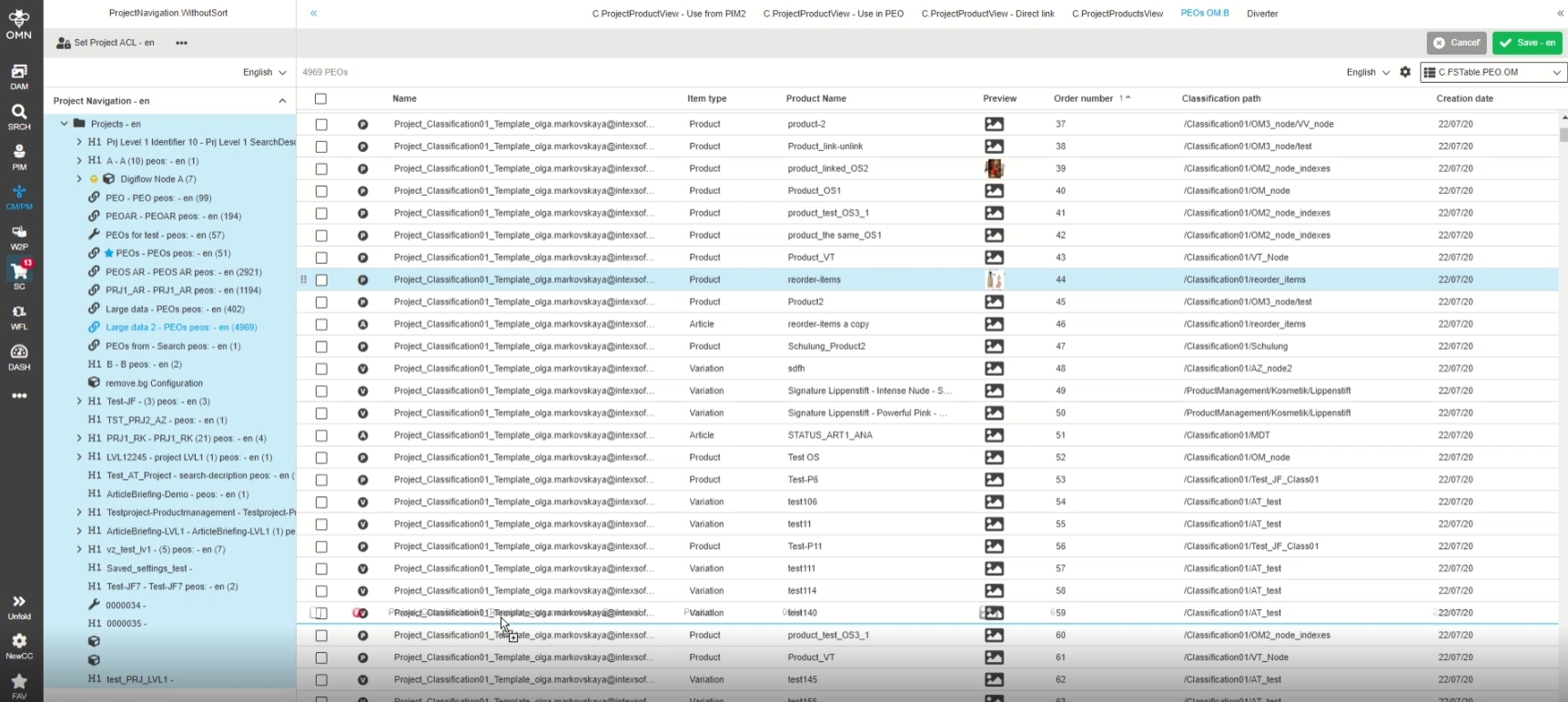
6.3.6 ProjectProductView - FSTable - Reorder mode hierarchy - Dirty checking for applied sorting on level
Tags |
OG-13577 |
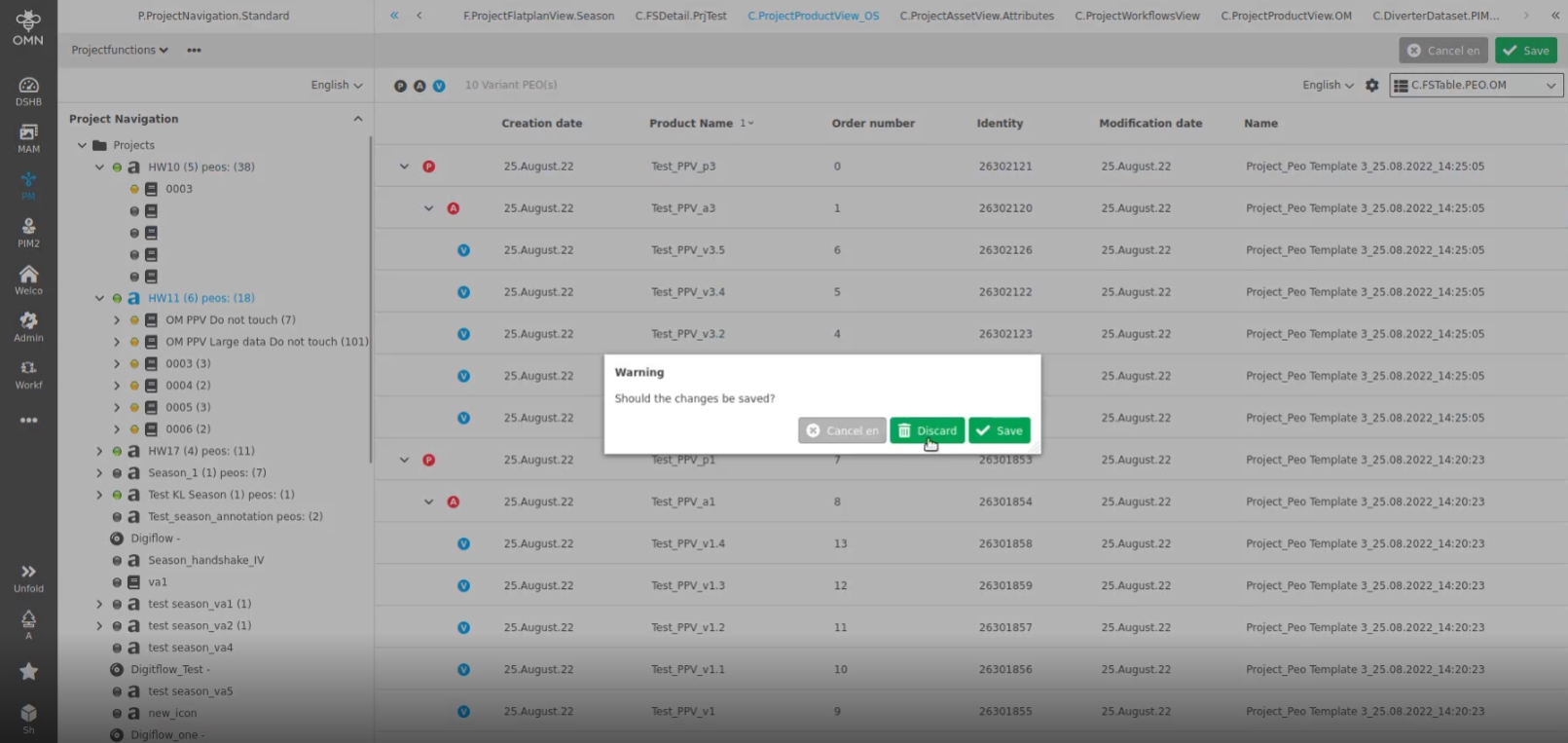
New dirty check modal in case if the user applied a sorting on a specific quick filter level and did not persist it via save function, so user can decide if the applied order of items should be persisted or not, when switch to another quick filter Level
7. Annotation-Repository + Tool
7.1 AnnotationTool
7.1.1 AnnotationTool - Annotations - Resolved state
Tags |
OG-12851 |
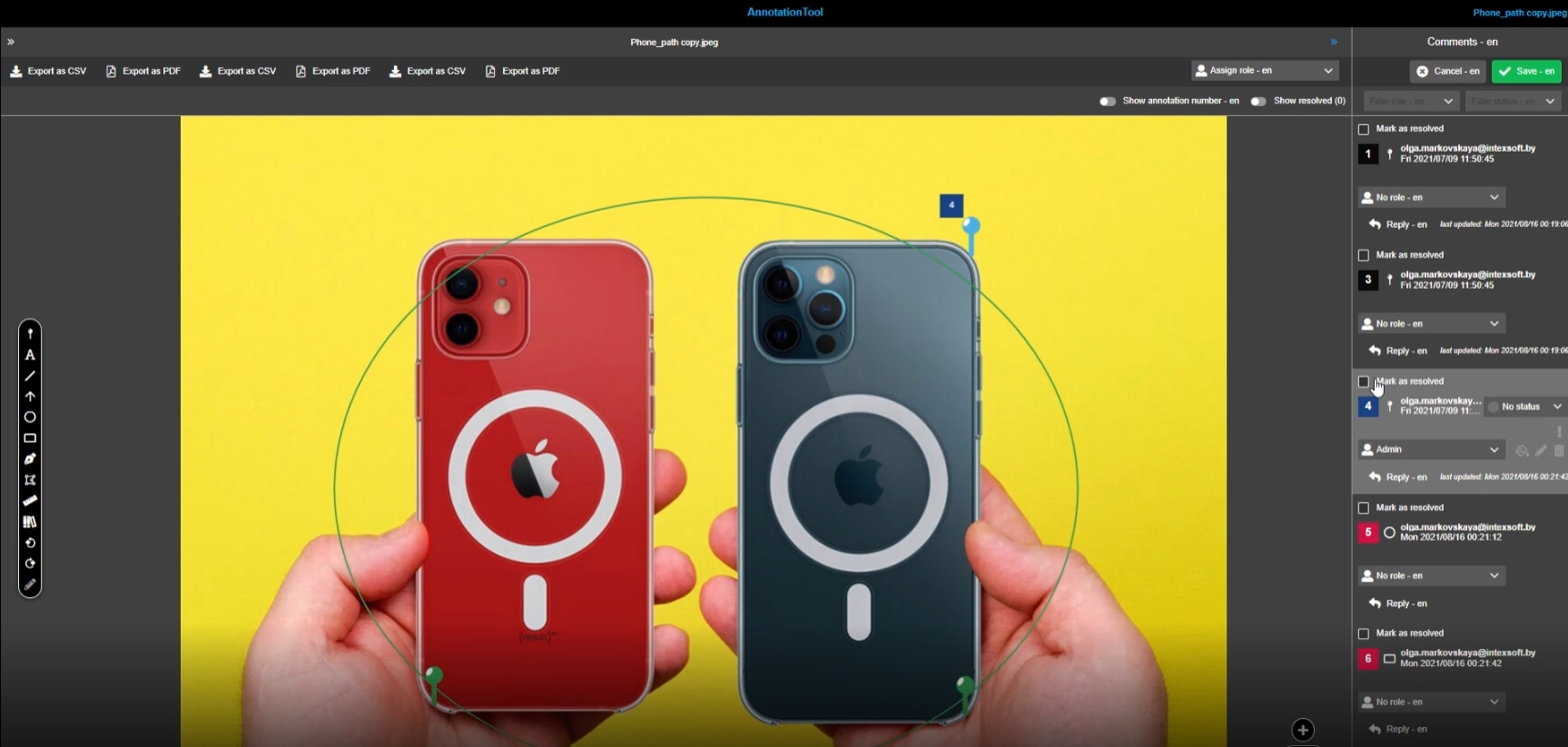
Possibility to mark an annotation as resolved, so that the user don’t need to see them anymore and so that the user can filter for only open TODos
7.1.2 AnnotationTool - (custom) Annotation attributes (Improvement)
Tags |
OG-3570 |
Documentation |
ODOCU-764 |
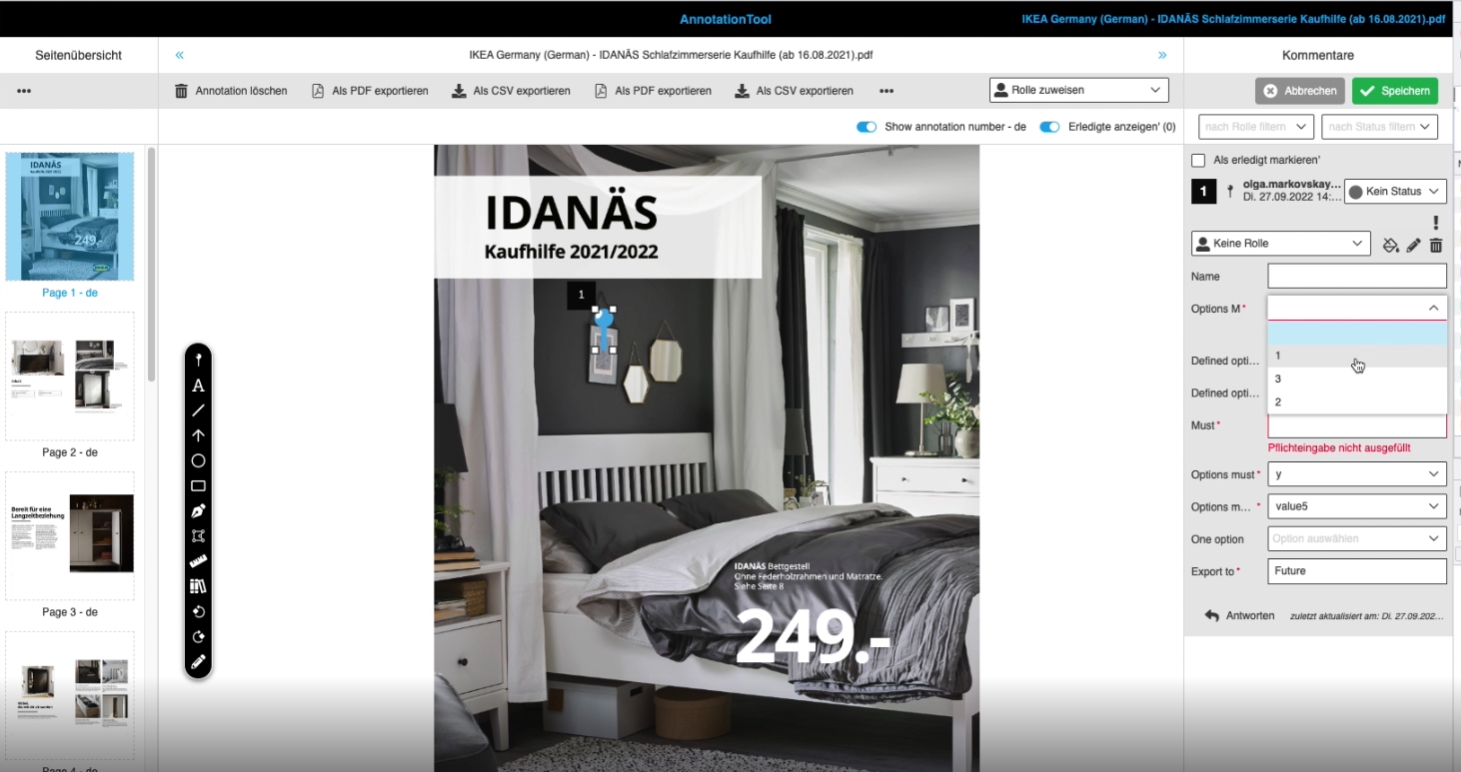
Possibility to manage and edit custom annotation Attributes from different types for different Annotation types so that the user can manage additional information for annotations like putting Weblink to a rectangle
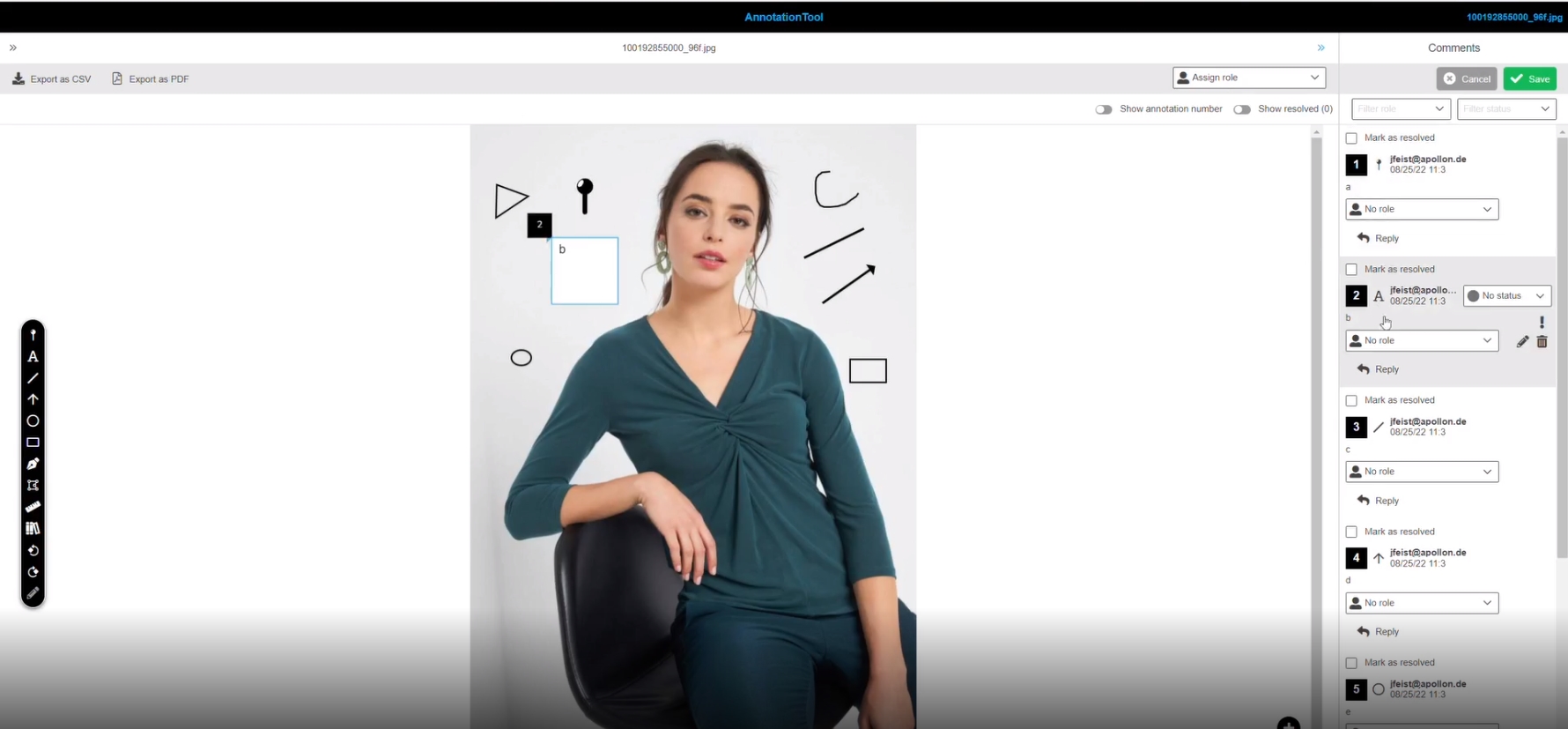
7.1.3. Annotationtool - Right panel - comment view - annotation type icon (Improvement)
Tags |
OG-4313 |
Possibility to see on comment view (right view) what type of annotation is shown in the list by a specific icon representing its annotation type
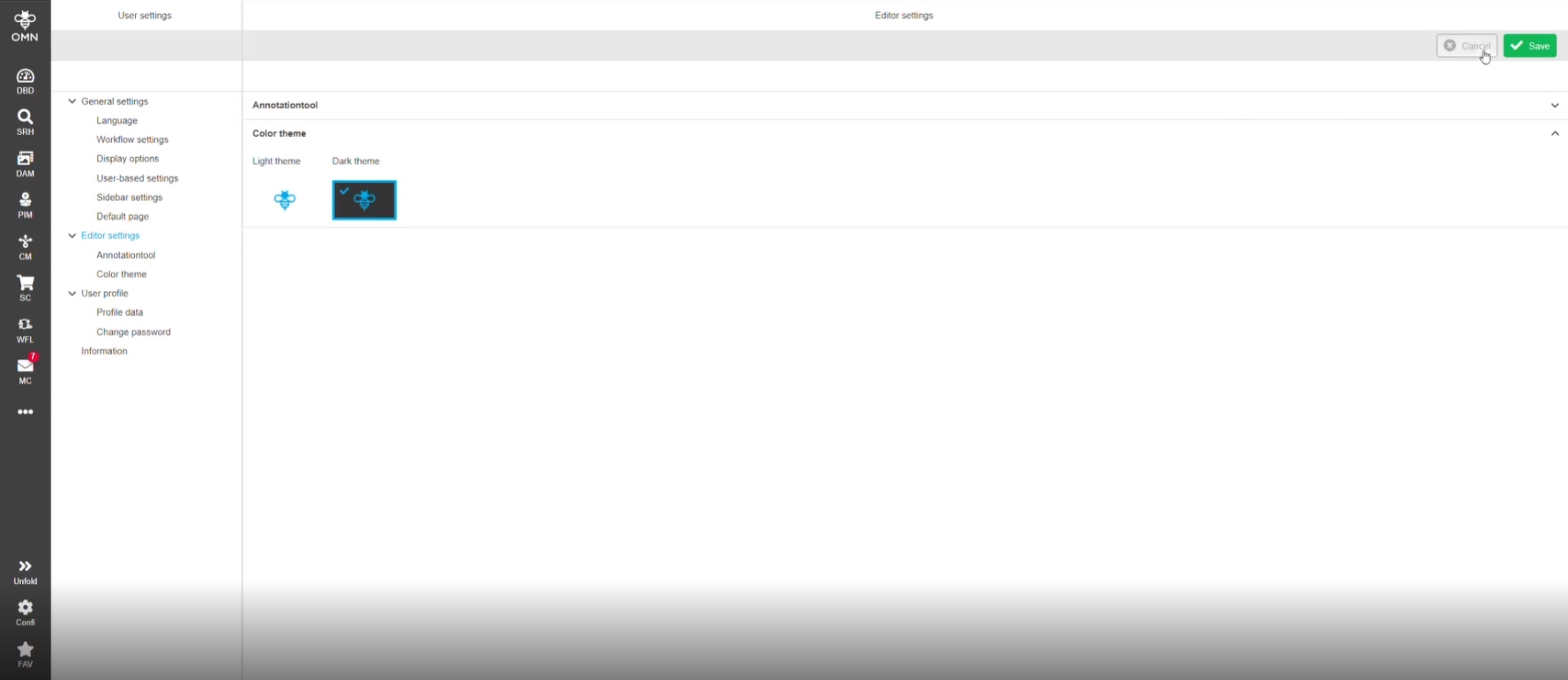
7.1.4 AnnotationTool - Change color for labels according to themes
Tags |
OG-13883 |
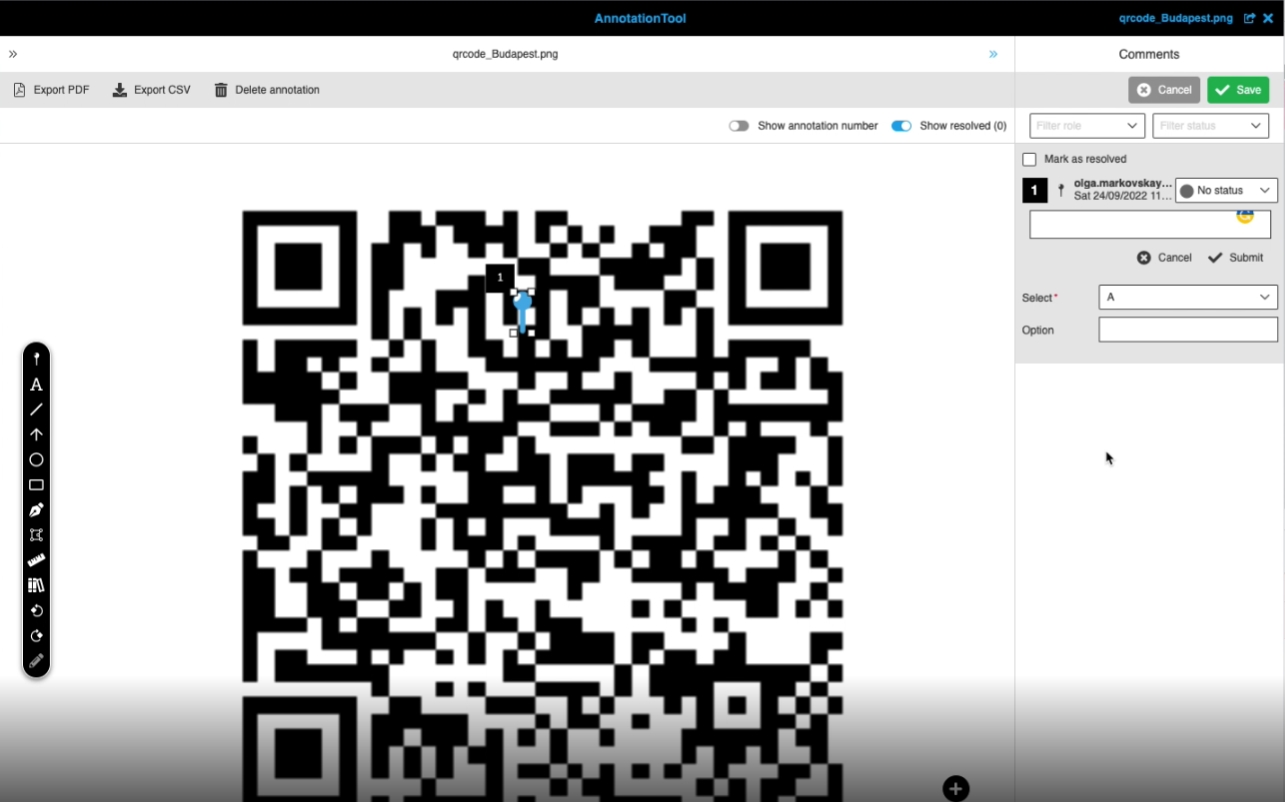
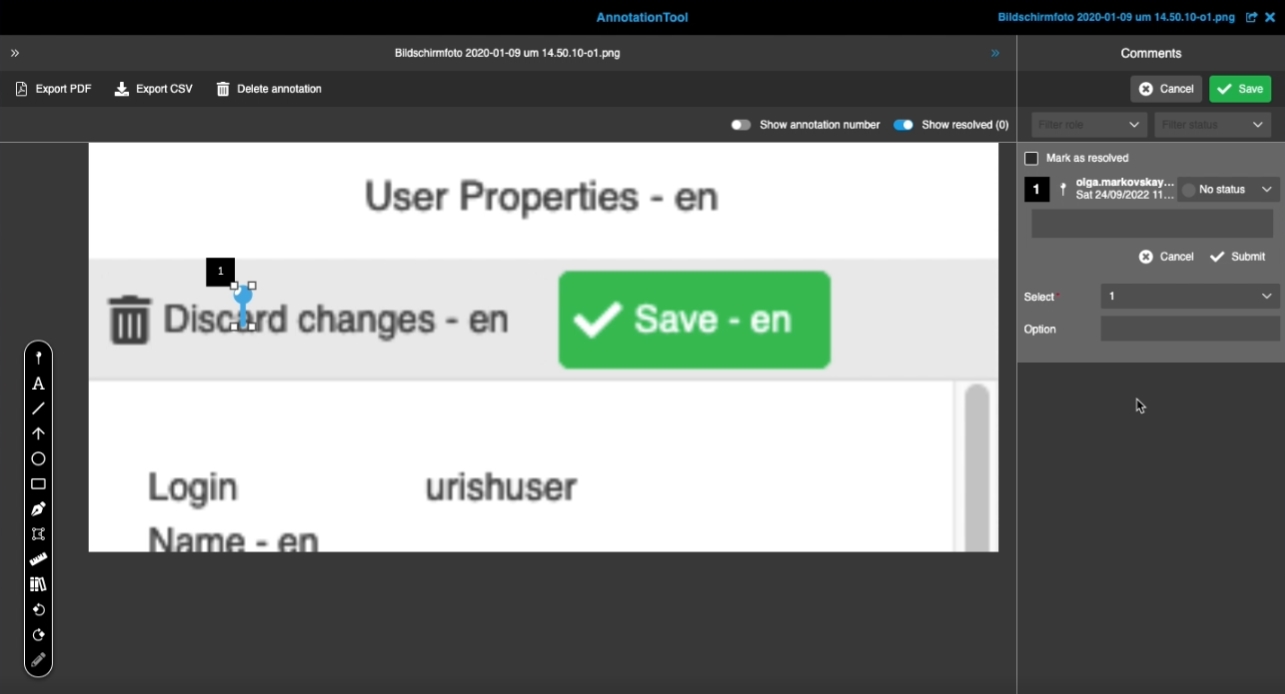
Possibility to see labels of annotation attributes in both themes (dark / light mode)
-
light Mode
-
dark Mode
7.1.5 AnnotationWidget - use html icons in 'Annotation type' column
Tags |
OG-11278, OMN-8289, OMN-9715 |
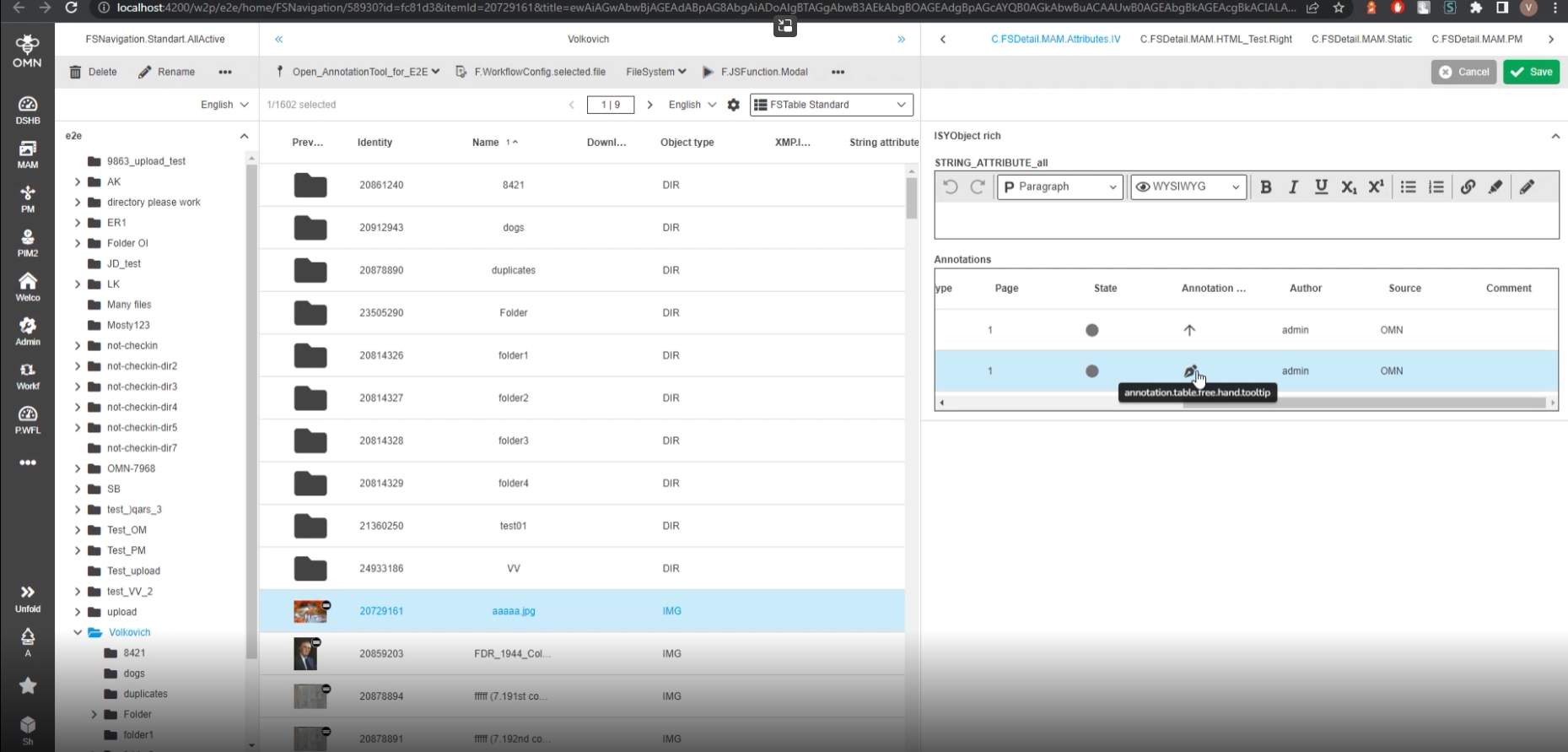
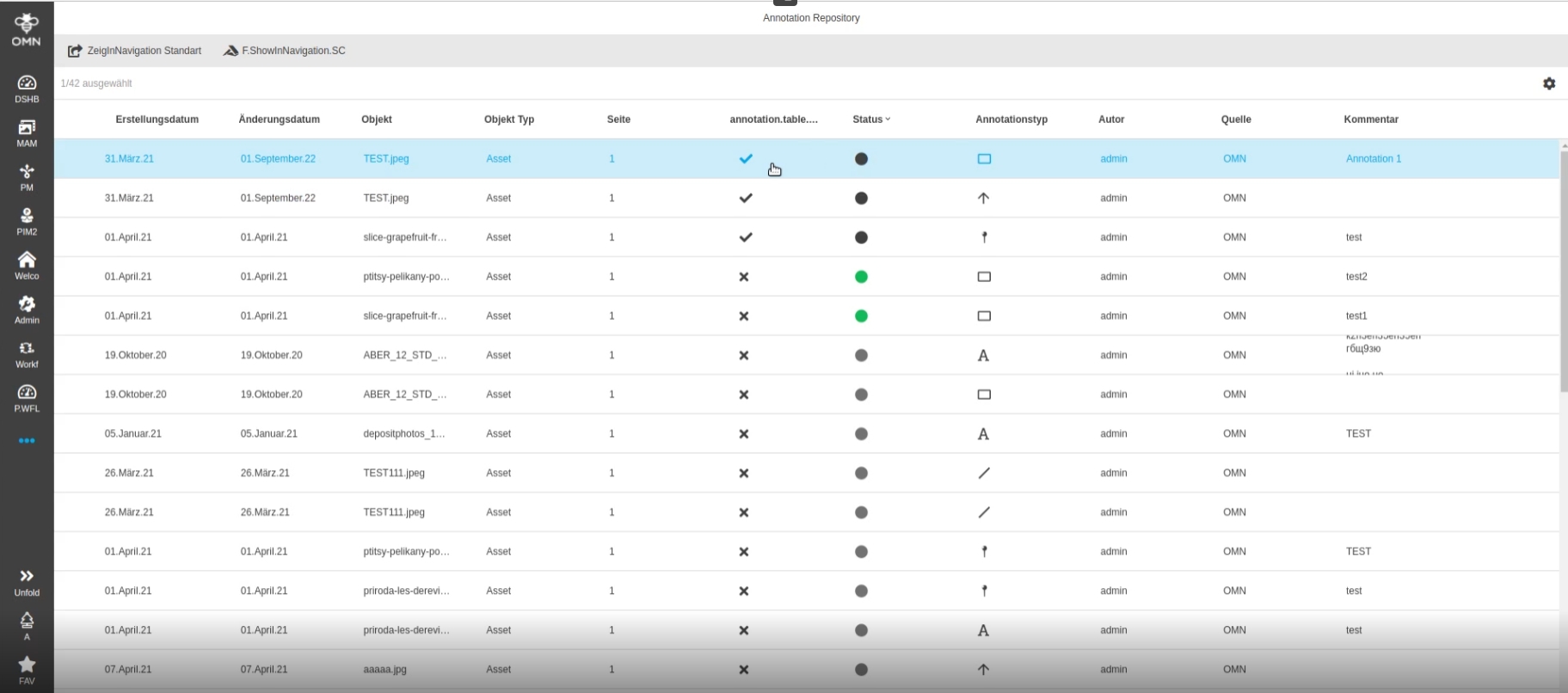
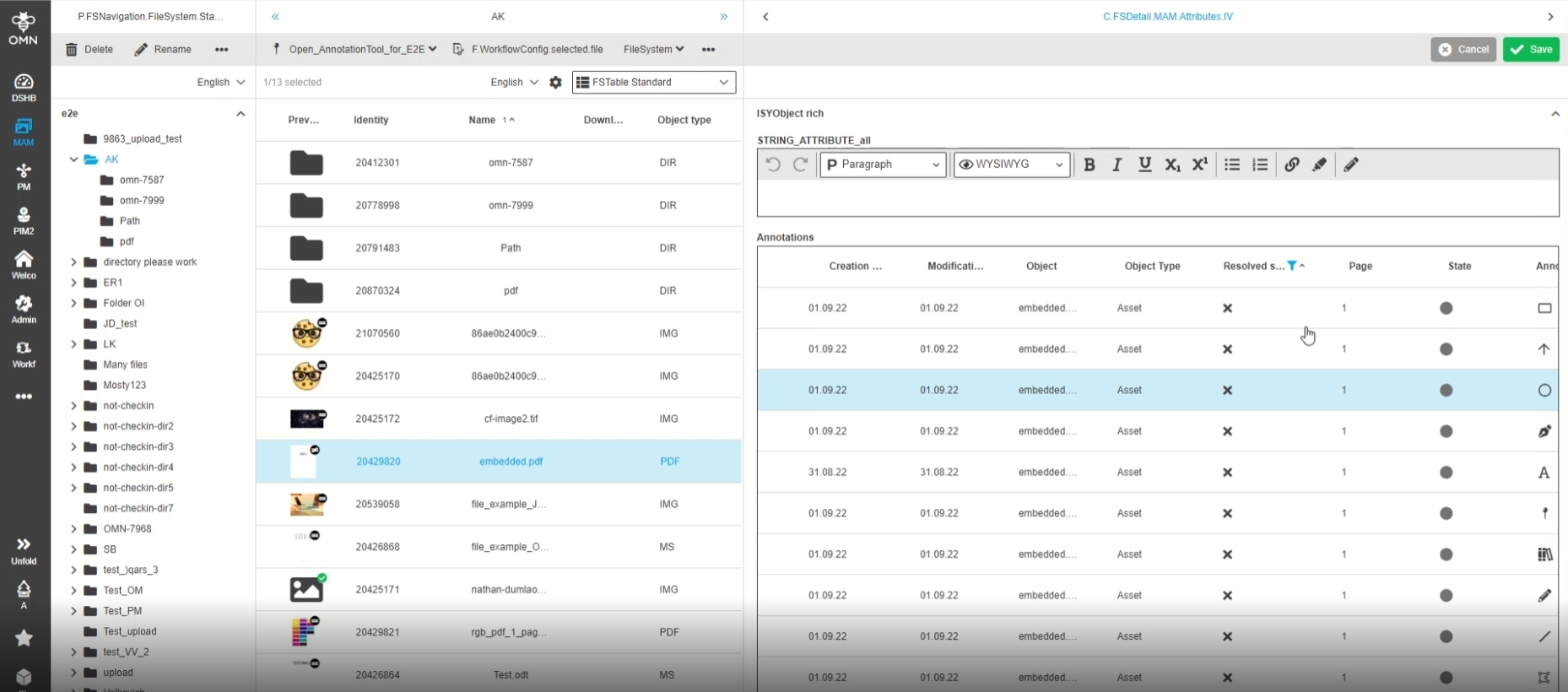
Display of Annotation type as Icon in Annotation Widget
7.1.6 Systemwide integration of new annotation type text editing
Tags |
OG-13264 |
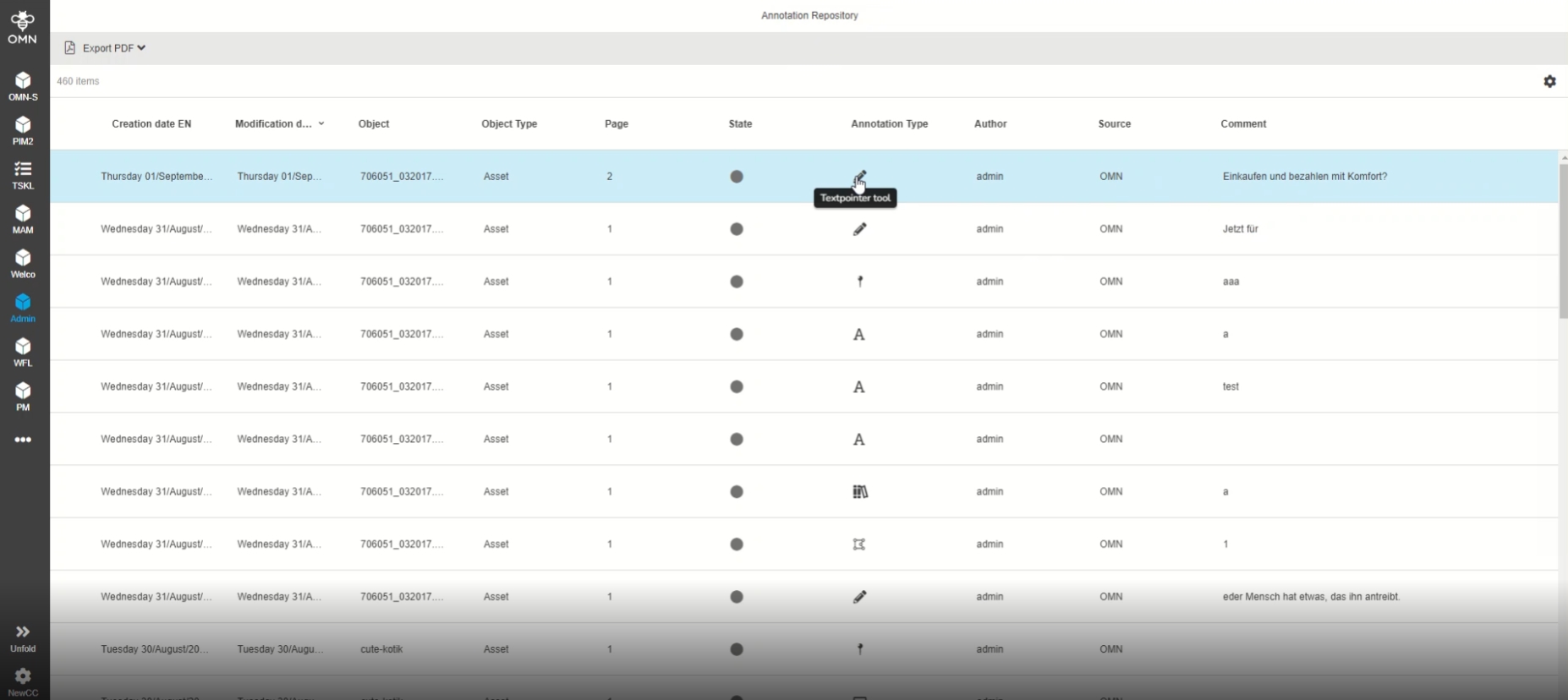
Possibility to see created annotations from type text editing in every place where annotation info is available, so that the user is aware of all made Annotations (AnnotationRepository, ProjectAnnotationView, Annotationwidget)
7.1.7 Support for resolved state for all annotation types in exported PDF-Files
Tags |
OMN-9688 |
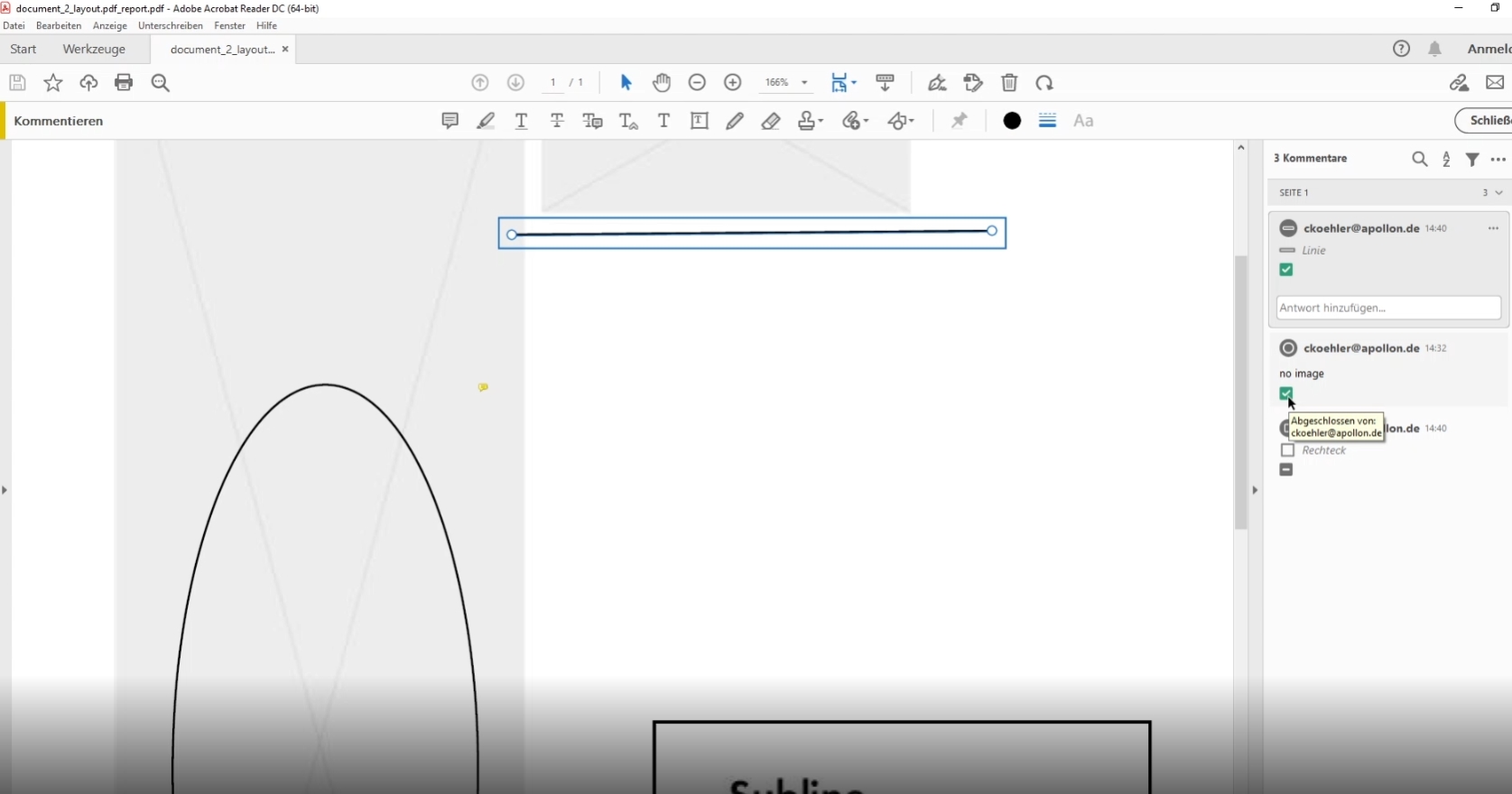
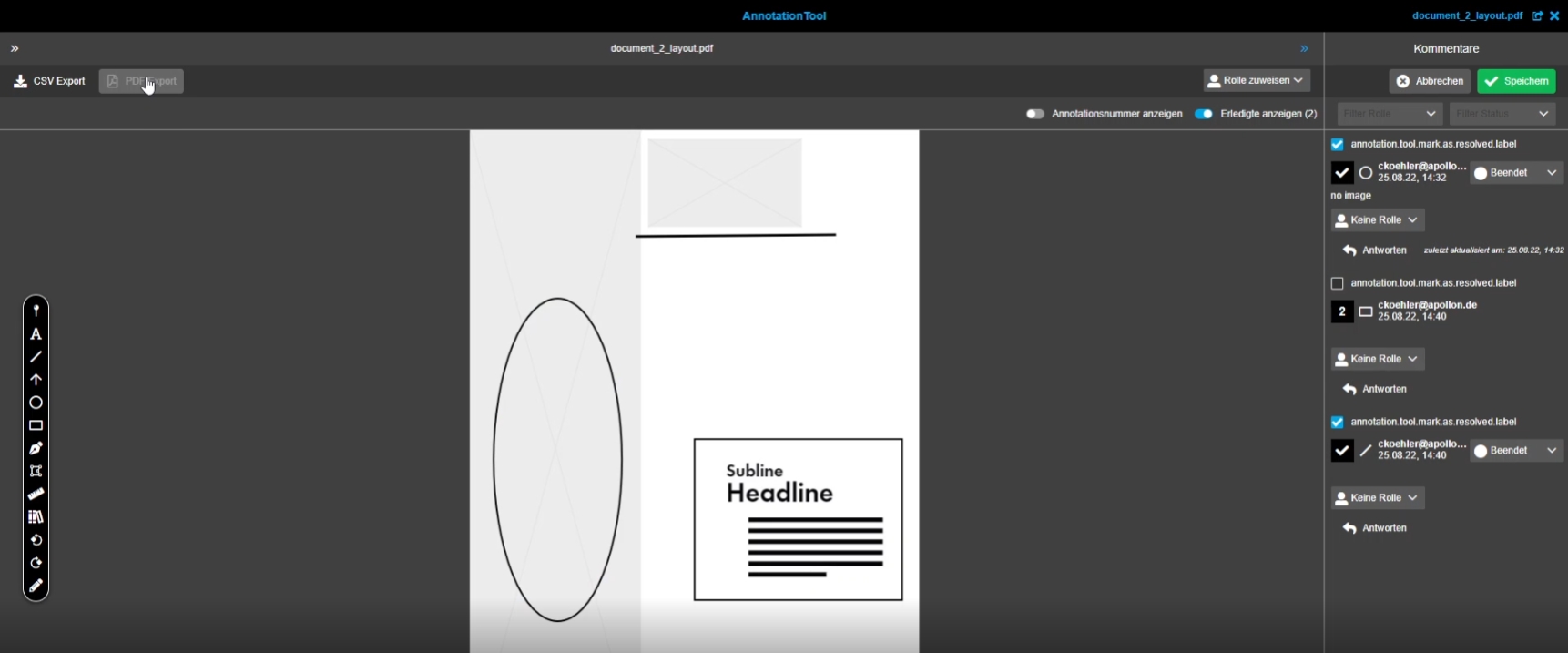
Possibility to see the new resolved state in the PDF Annotation Export in order to see which annotations are done and which are not
-
Annotations with resolved state in Annotation PDF Export
-
Annotations with new resolved state in Annotationtool
7.1.8 Support for display of interactive text editing annotations in exported PDFfiles
Tags |
OMN-9467 |
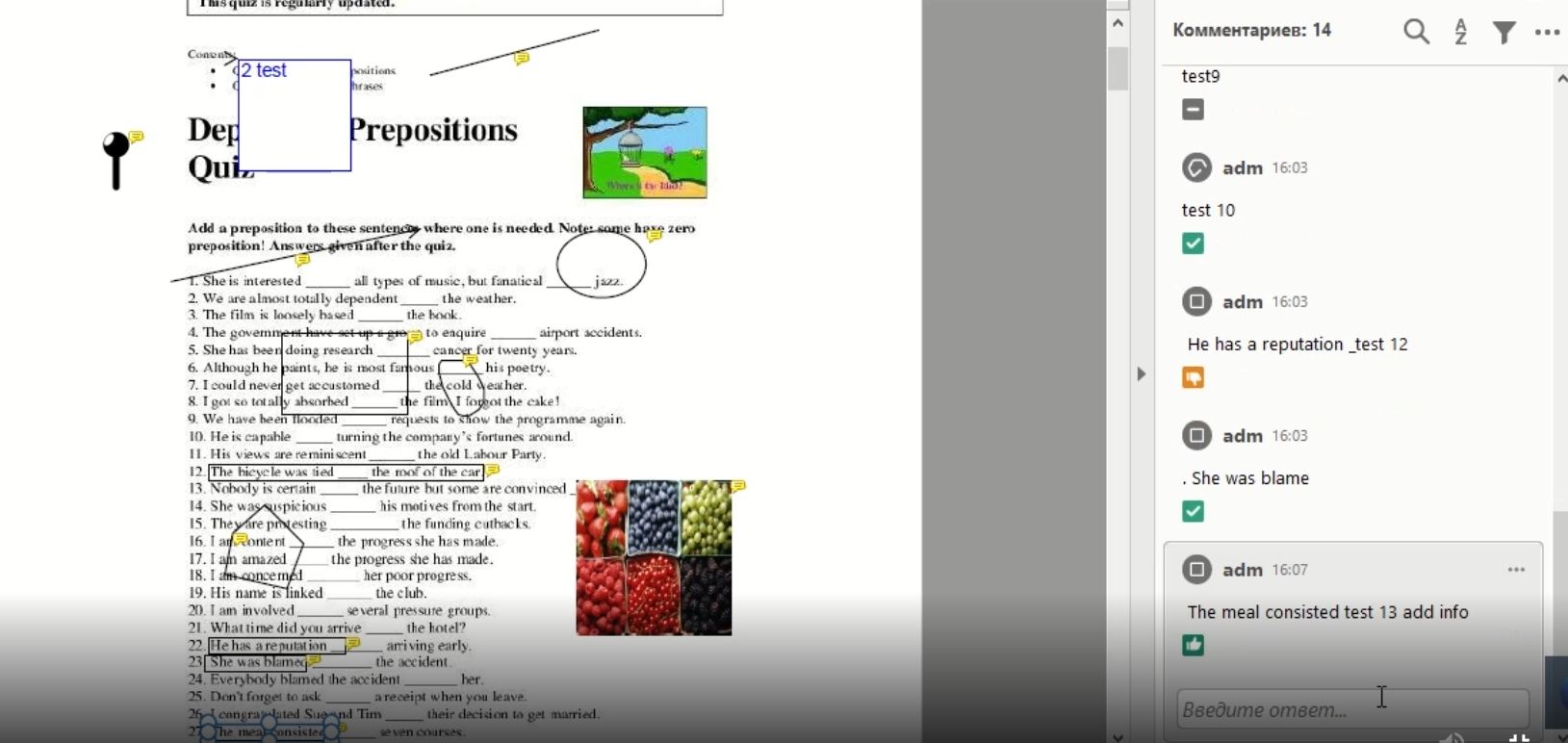
Possibility to download PDF containing a preview with PDF-compliant Annotations for new Annotation type text pointer so that the user have a clear representation of made annotations and can manage them in PDF too
7.1.9 Support of annotation tool colors in annotation export
Tags |
OMN-9744 |
Documentation |
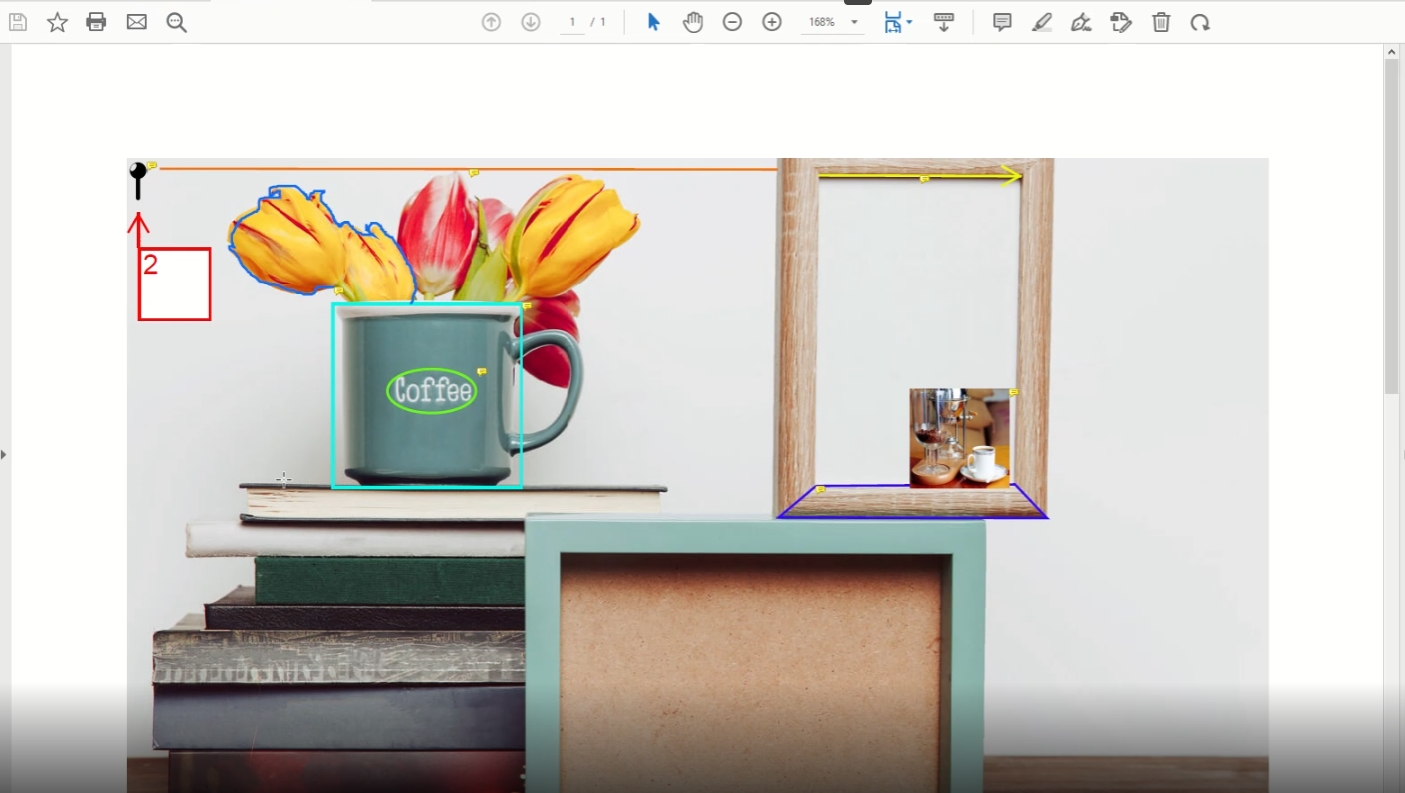
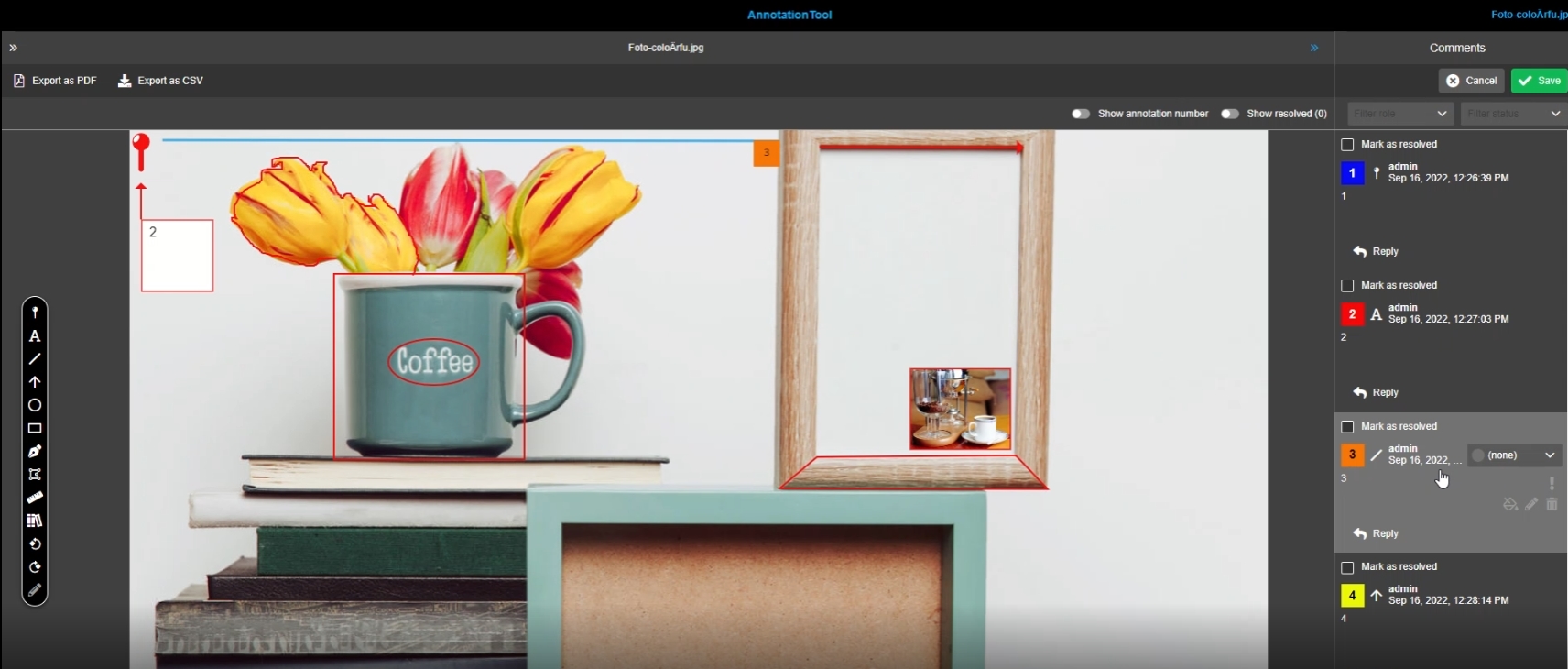
ODOCU-751 |
Annotation colors will be supported in the annotation PDF export to have the same colors in PDF-Export as specified in the annotation tool
Different Annotation Tool colors (personal colors) in PDF-Document
-
Different Colours in AnnotationTool
8. MDT and Terminology
8.1 MDT
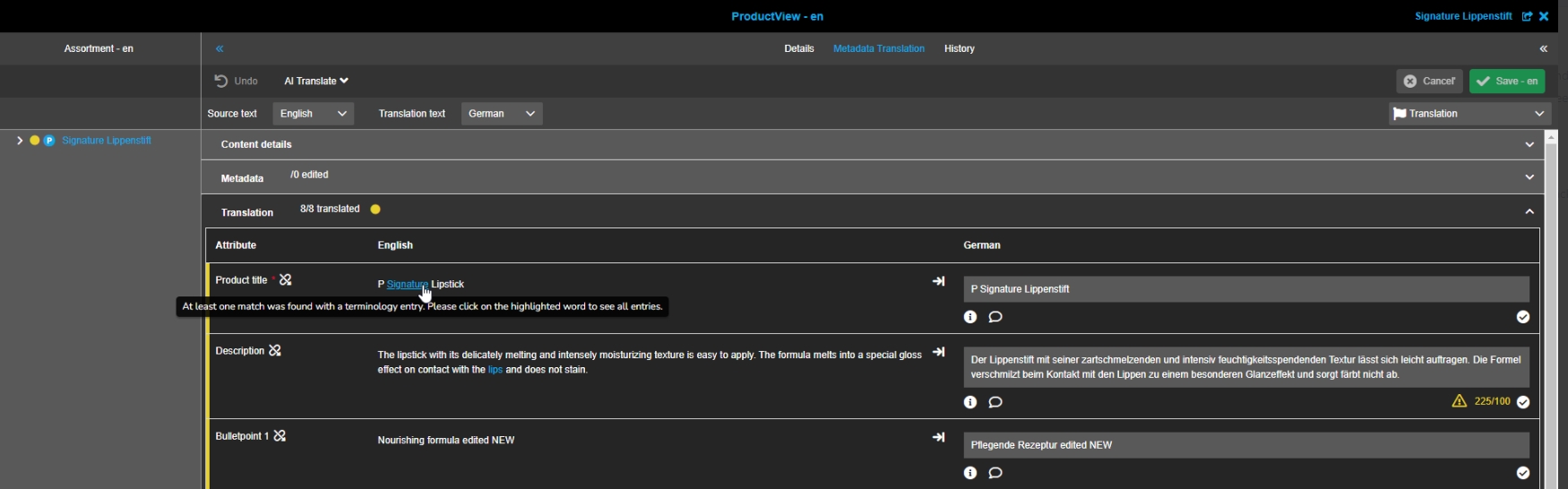
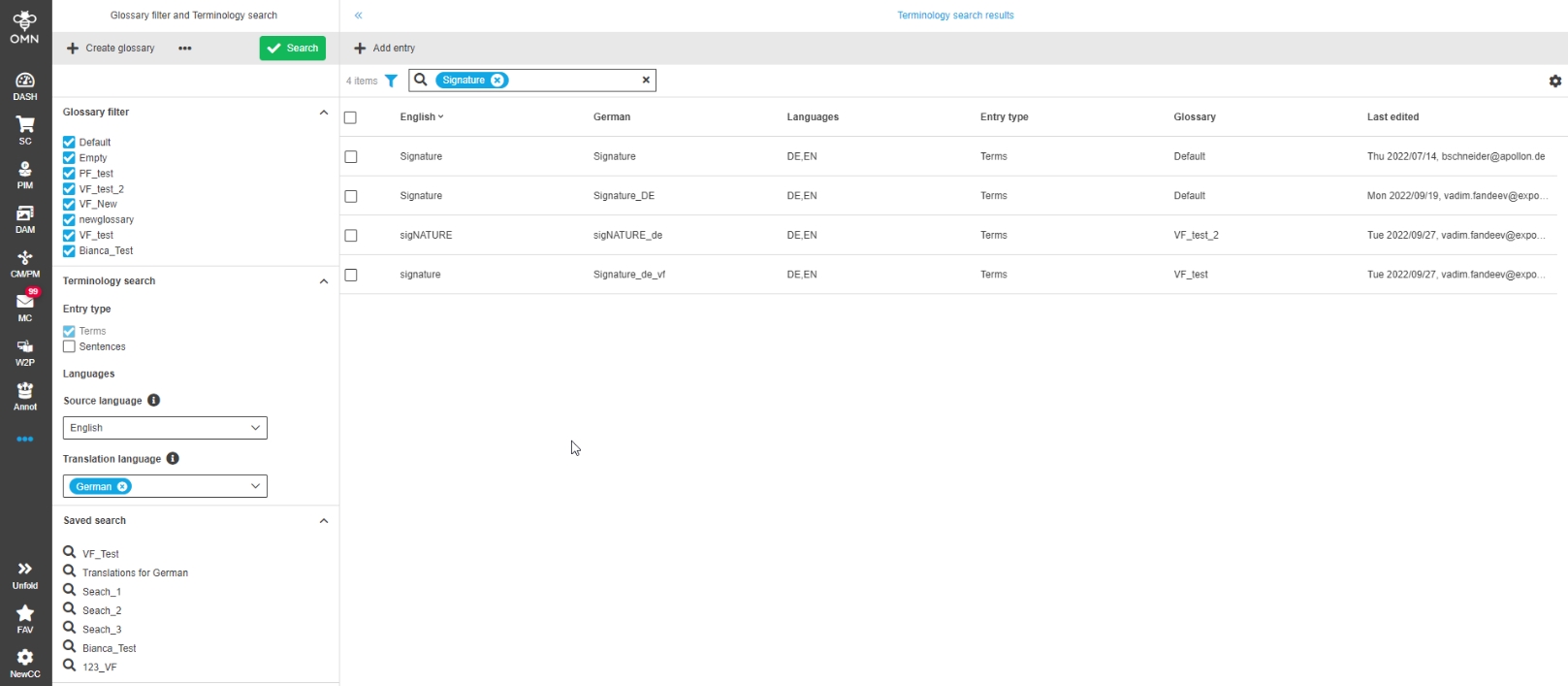
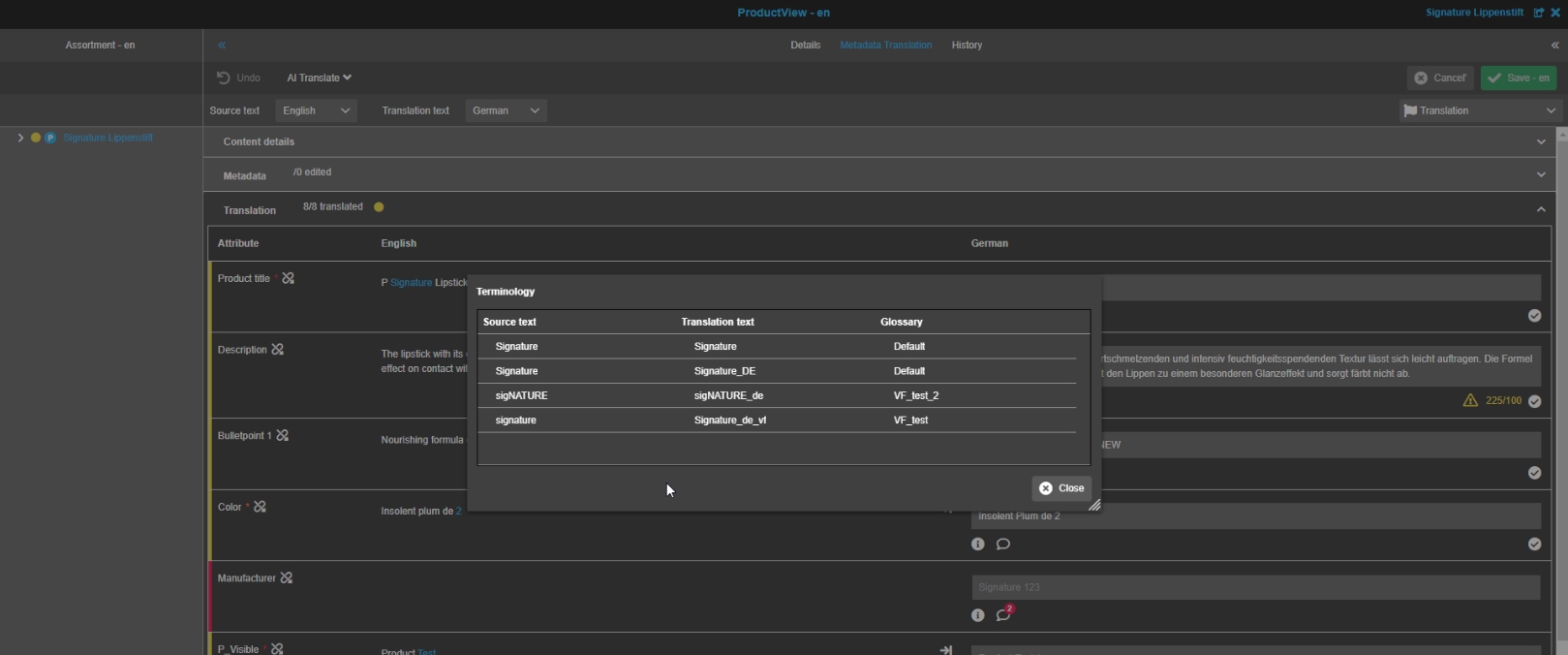
8.1.1 Metadata Translation content plugin - Improvement - Integration with Terminology - Add tooltip for Terminology
Tags |
OG-12952 |
Improvement with new Tooltip to be informed about previously prepared translations for terms and sentences so that available matches can be reused and ease translation process
8.2 Terminology
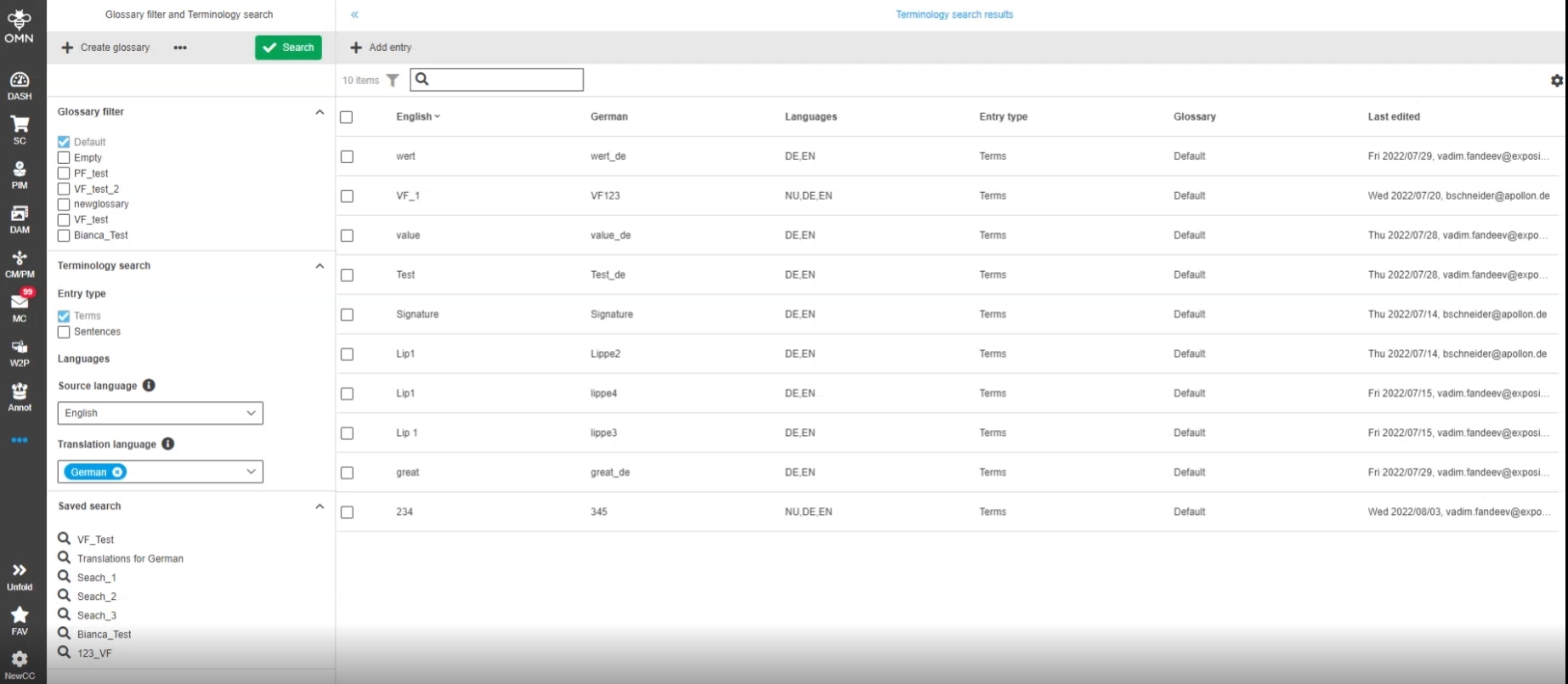
8.2.1 Terminology - Add entry type column
Tags |
OG-13616 |
Possibility to see a column for type like terms and sentences, so that the user understands, which entry belongs to what
8.2.2 Terminology - Glossary Overview - Working with FSTable
Tags |
OG-13624, ODOCU-733 |
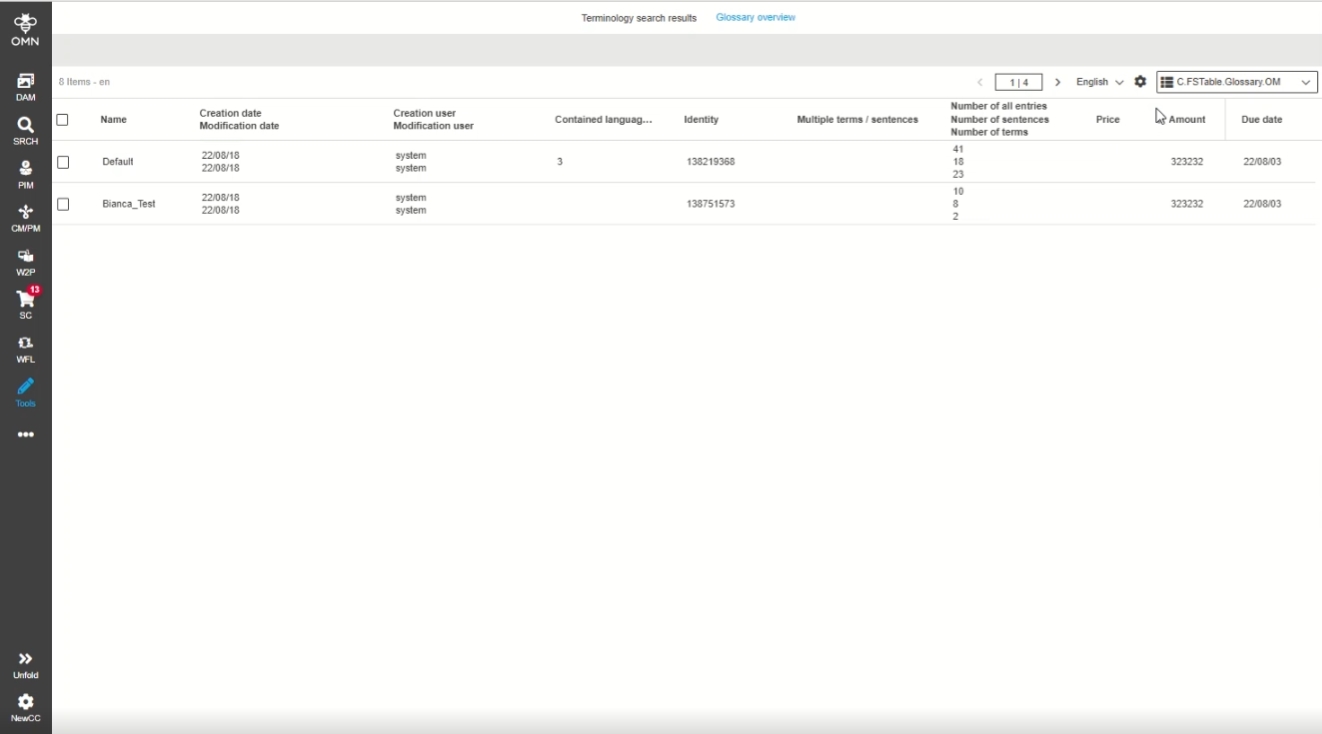
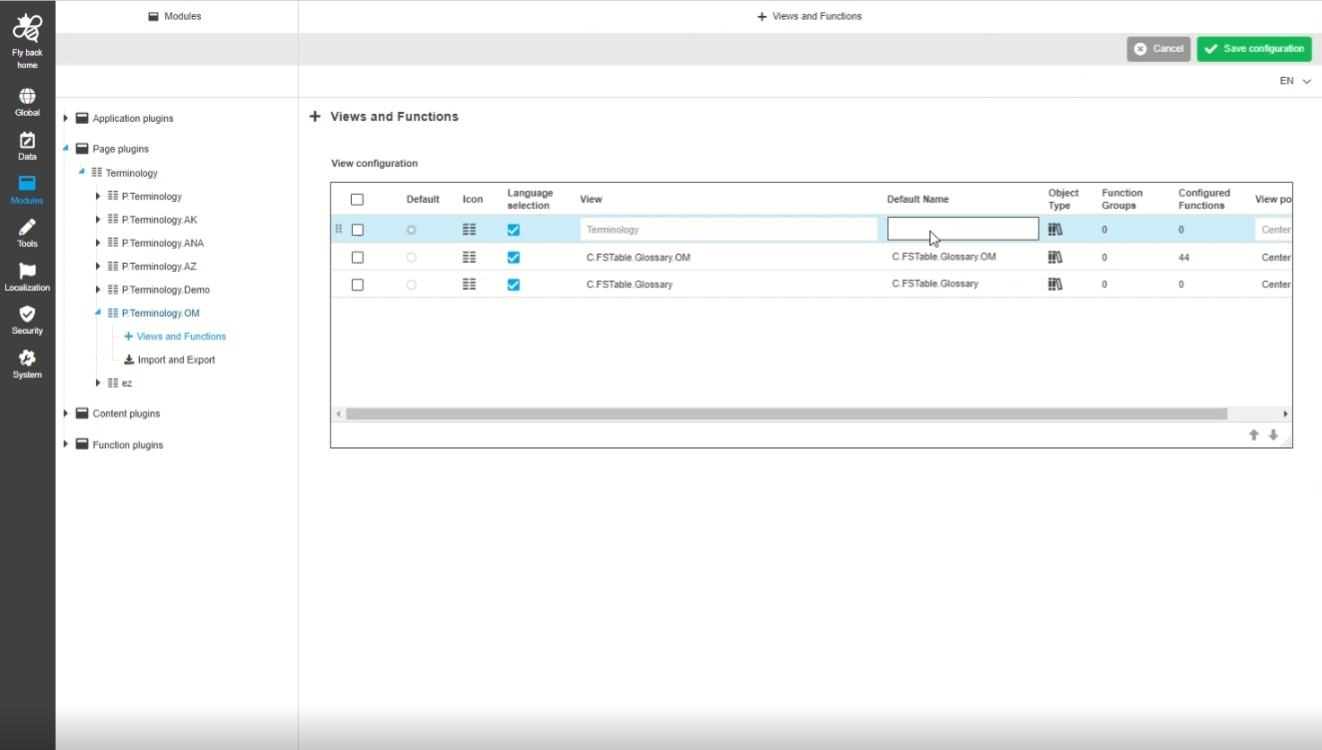
Possibility to have additional, configurable glossary overview in the Terminology Plugin, so that the user can view and manage glossary related information and execute camunda workflow functions on glossaries
-
Overview of existing glossaries in Terminology plugin
-
Configuration in new HTML5 config client
8.2.3 Terminology - Content switcher
Tags |
OG-13626 |
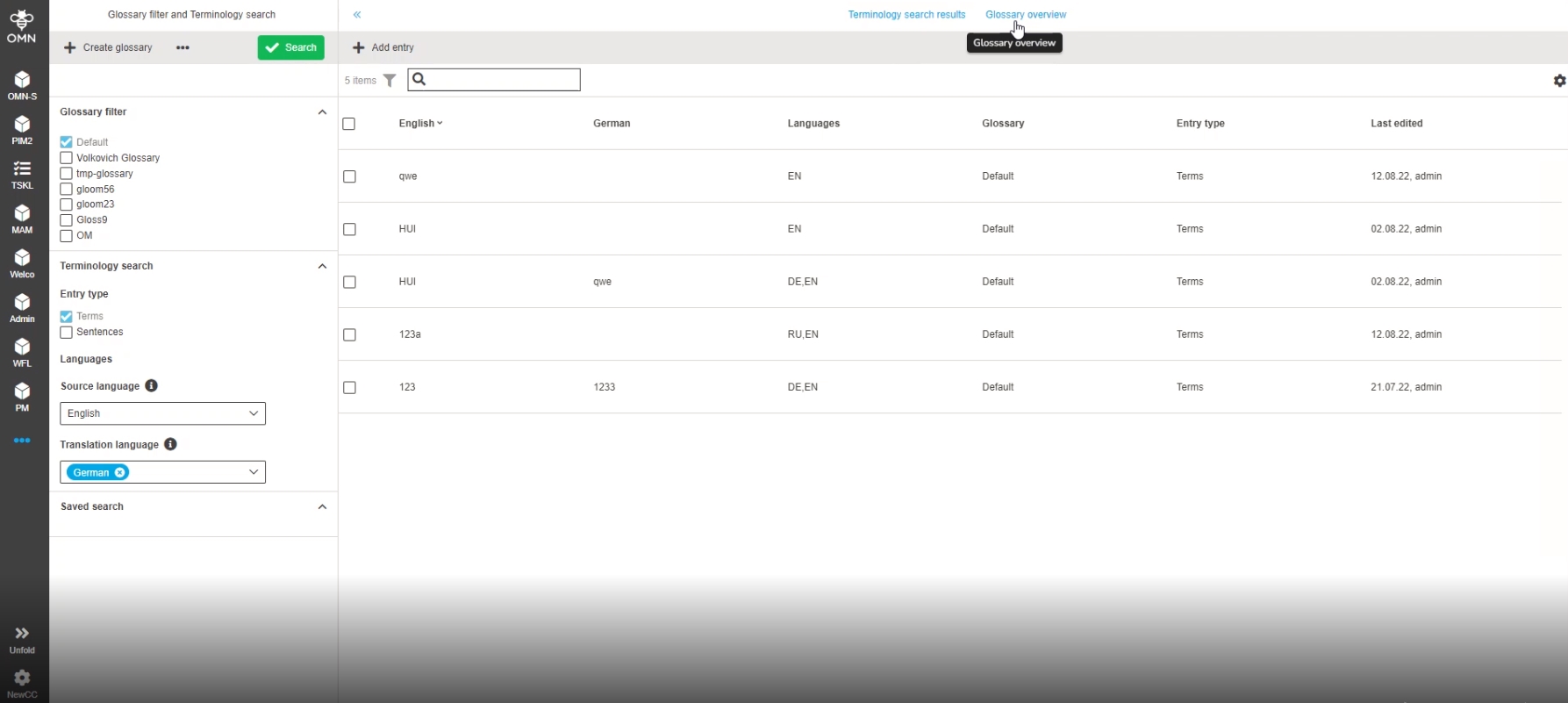
New Content switcher in Terminology plugin, so that the user can switch between Terminology and Glossary overview (which is based on FSTable configuration possibilities)
8.2.4 Terminology - Glossary overview - Display and execution of configured Functions
Tags |
OG-13625, OMN-9806 |
Documentation |
ODOCU-733 |
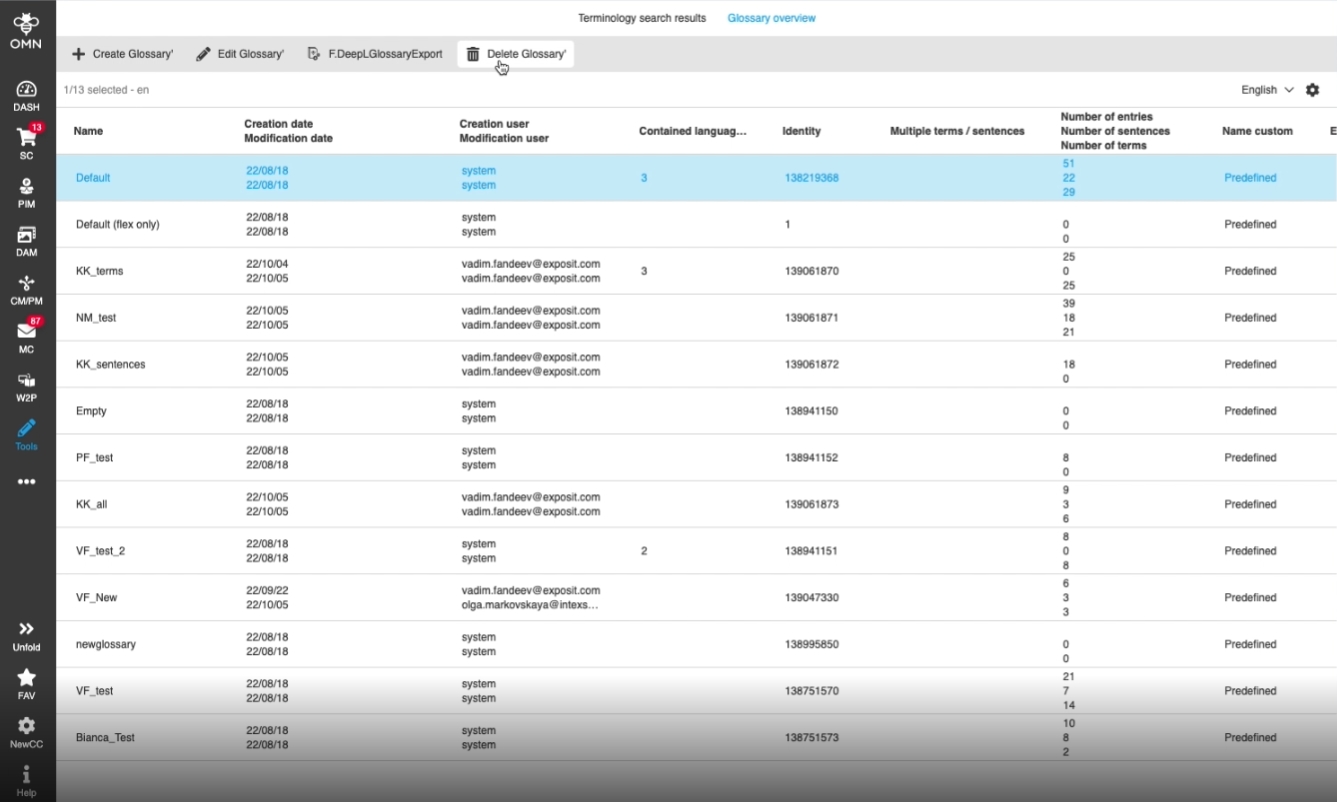
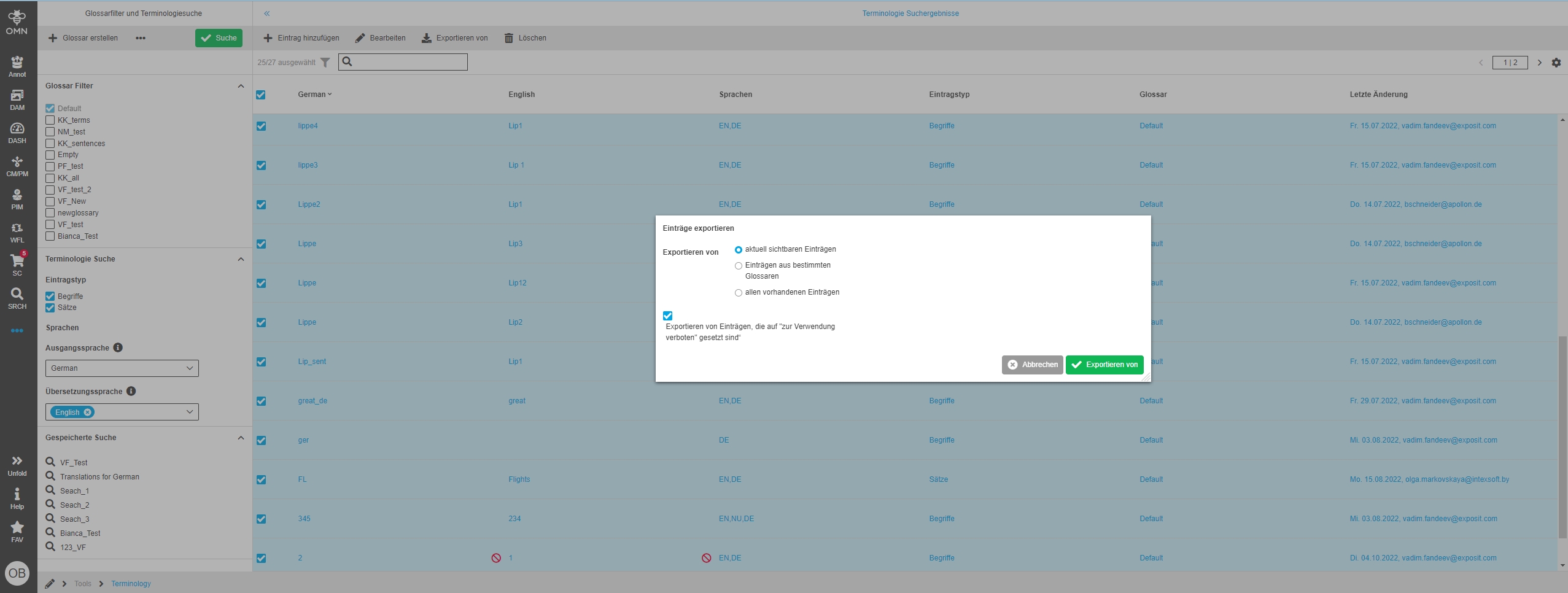
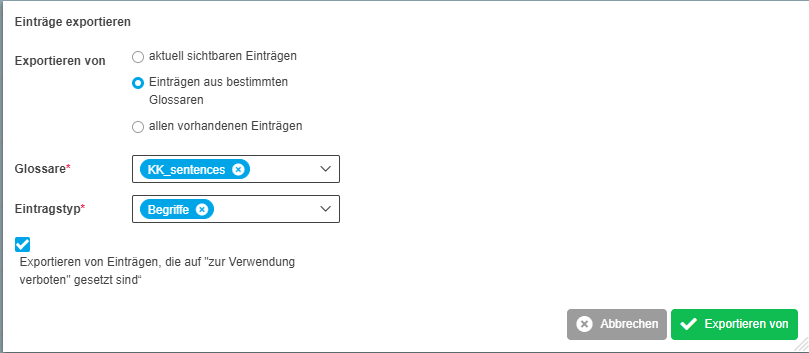
Possibility to execute functions on selected glossary items from Terminology Glossary Overview, so that the user can delete, edit or create glossaries or execute workflow functions (Camunda Workflow) on selected glossaries like export to an external service or system like DeepL Glossary
9. Workflow
9.2 WorkflowConfigPlugin
9.2.1 Introduce new object type glossary in workflow config function plugin
Tags |
OMN-9657, OMN-9653 |
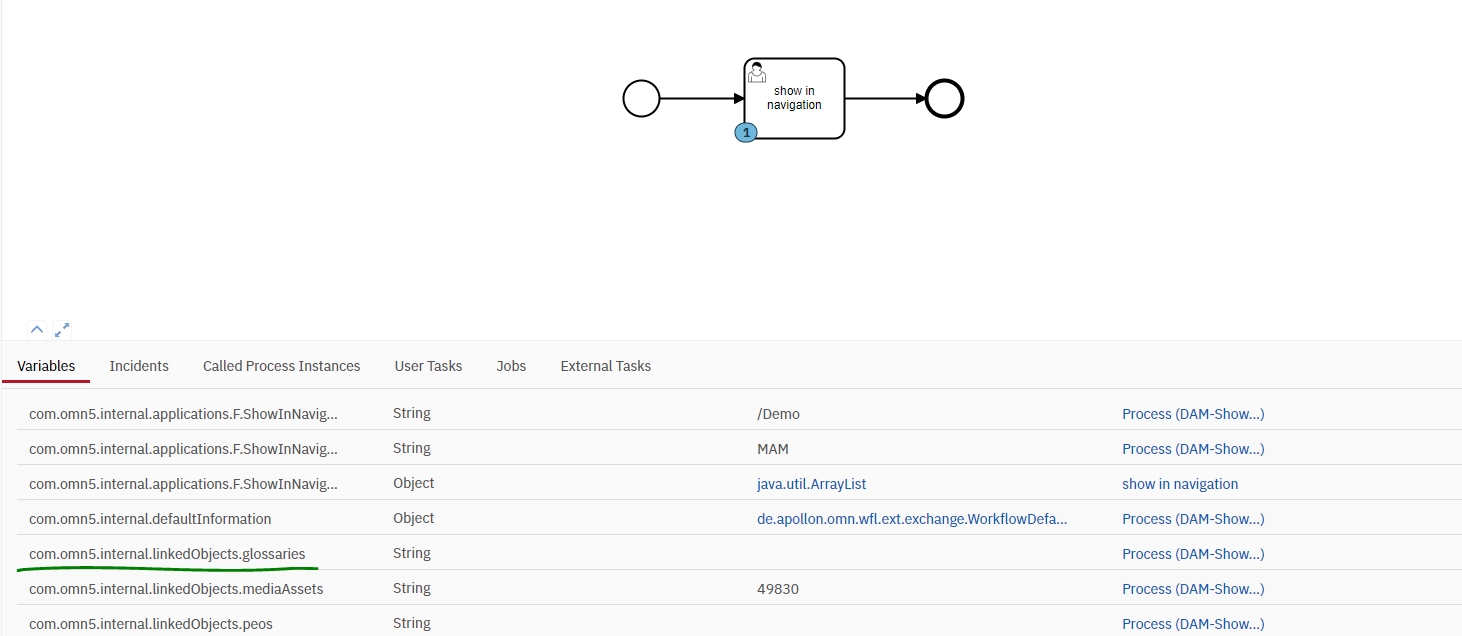
Introduction of new object type glossary with the possibility to configure glossary specific workflow-related attributes and the possibility to execute Camunda Workflows on glossary items on base of WorkflowConfig function Plugin
9.3 Camunda
9.3.1 Adapt expression path for Camunda asset preview
Tags |
OG-13841, OMN-8644 |
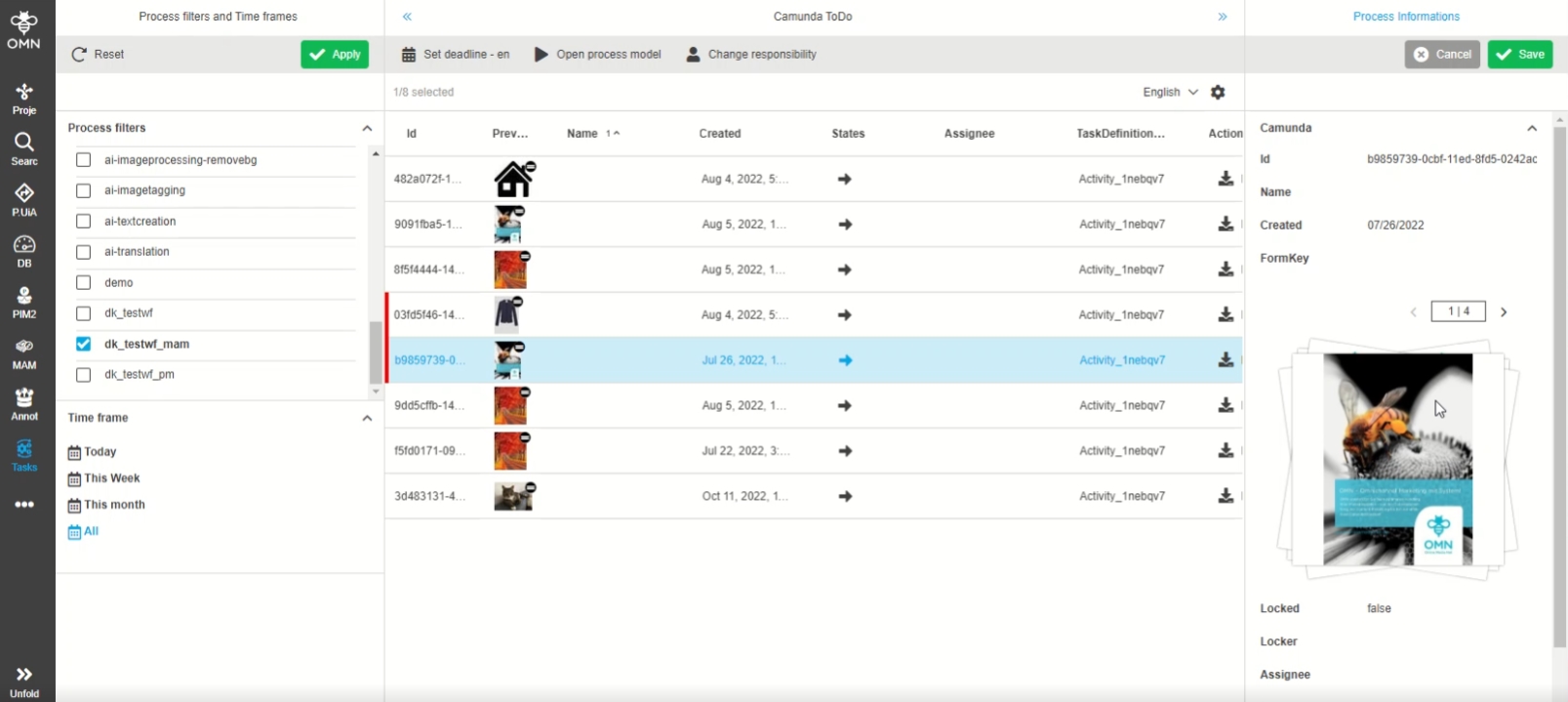
Change that preview of a DAM asset is shown on its related workflow for expression preview
-
Expression path for camunda asset preview has been changed from task.linked.asset.preview to task.linked.asset.ISYObject.preview
9.3.2 Provide OMN with the icon extension properties from BPMN
Tags |
OG-13270 |
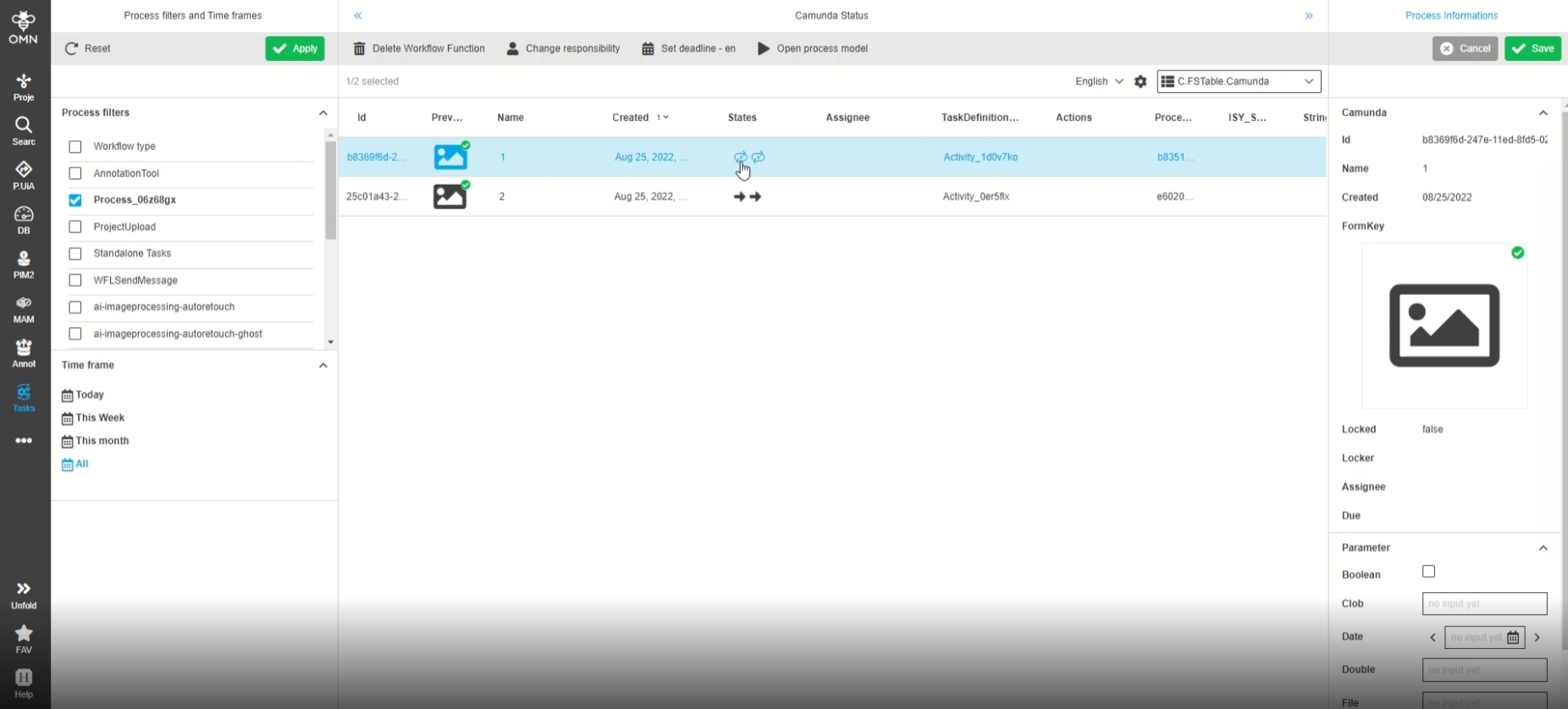
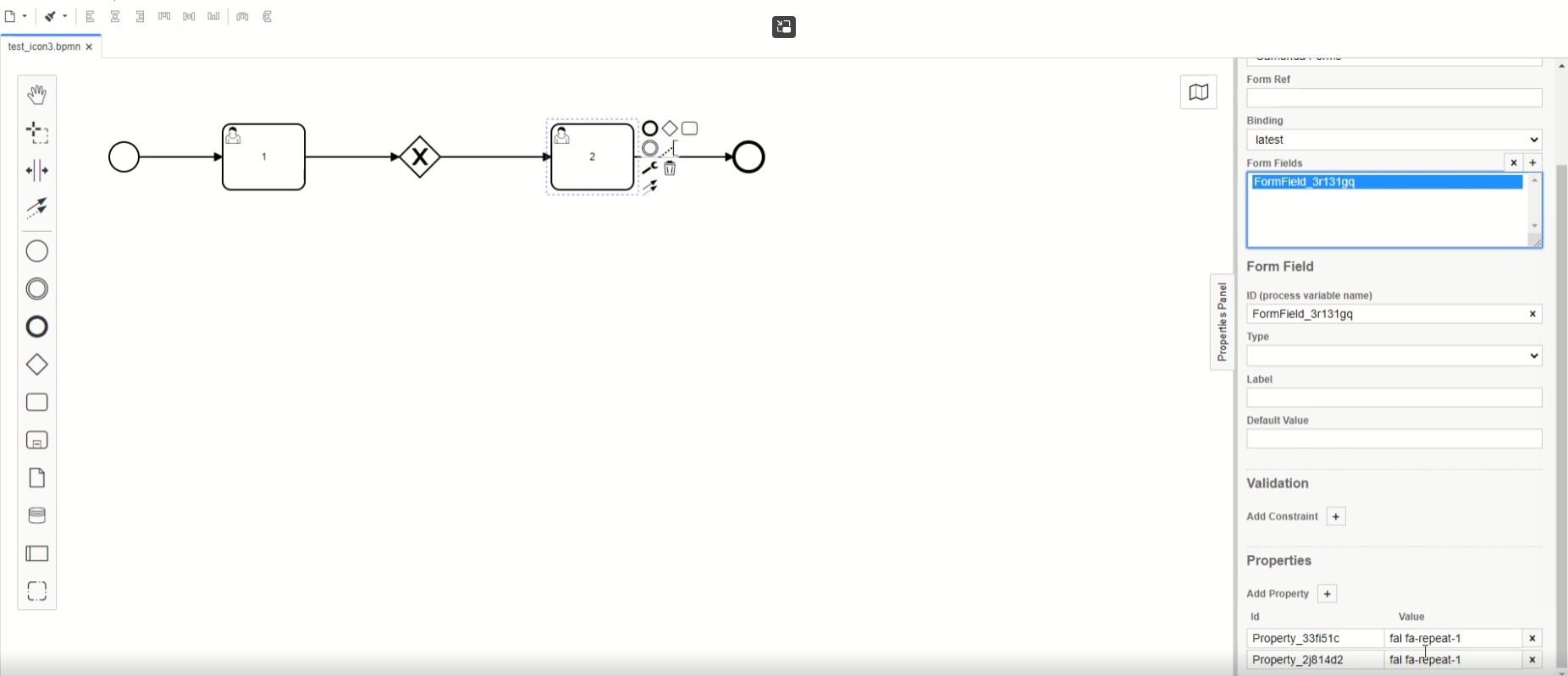
Possibility to see a configured custom icon for workflow transitions so that the meaning of transition execution is clearer to the user
-
Display of a custom Icon for a workflow Transition (e.g. in task list)
-
Definition of a custom Icon for Transition(s) in the bpm workflow Modell (has to be done in camunda modeler)
-
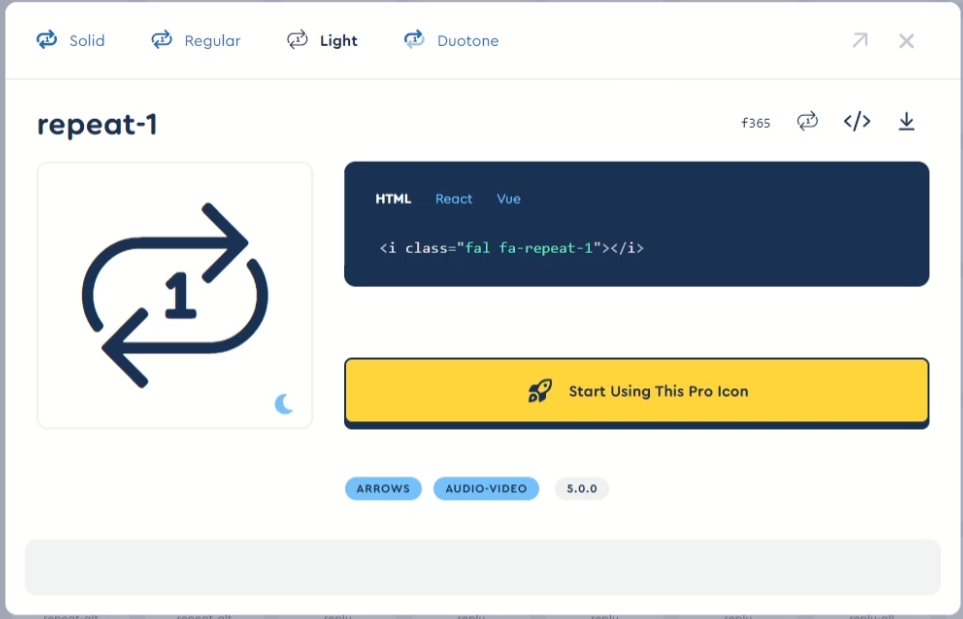
For Definition of custom Icon the fontawesome icon will be used (https://fontawesome.com/icons)
10. AI-Integration
10.1 AI Translation
Improvements, optimizations and new features around AI Translation
10.1.1 Introduce new AI Translation parameter for Translation Language
Tags |
OW-662, ODOCU-736, ODOCU-735 |
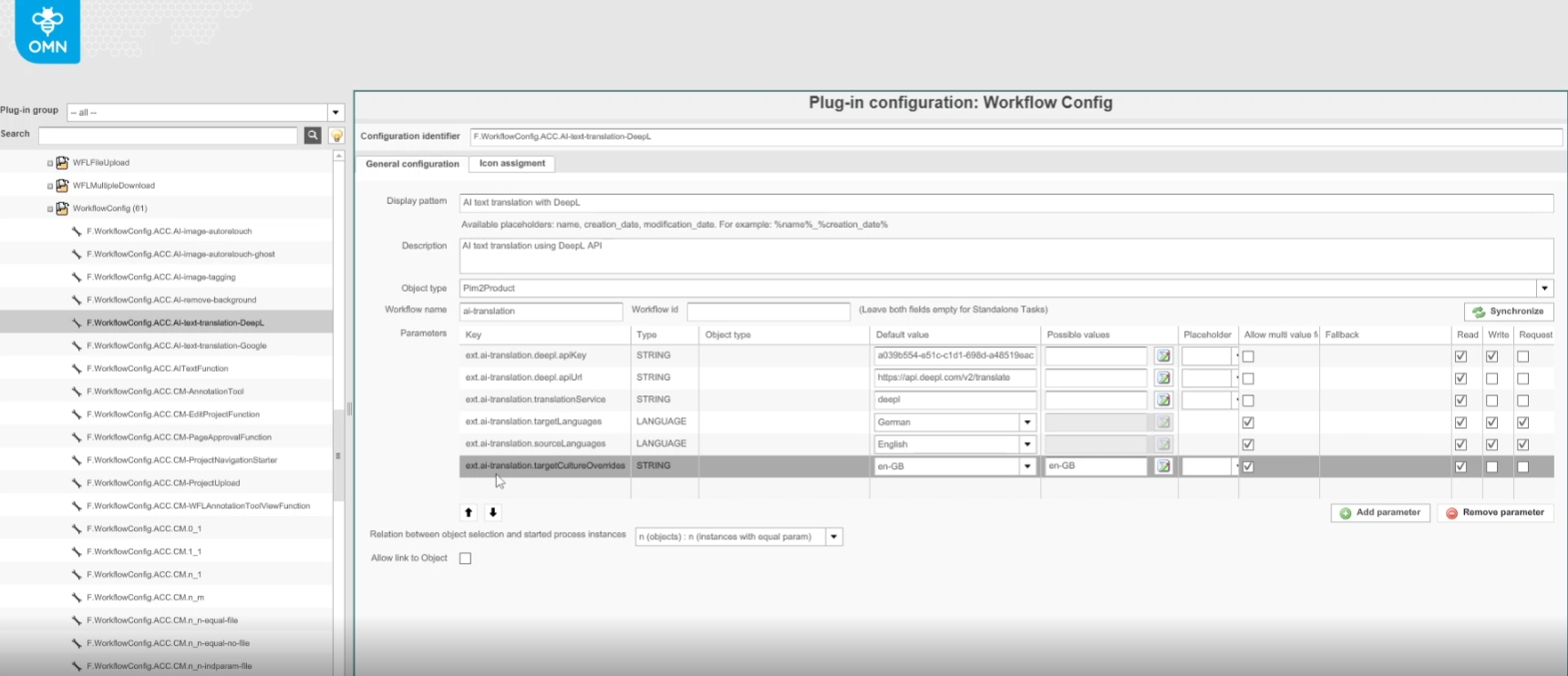
Possibility to set an optional translation Parameter for the Translation language, independent of the target language of the attribute to be translated e.g., English, which specific language is used for the translation by AI-Translate e.g. Use British English
10.1.2 Use a glossary for DeepL translations in AI Translation
Tags |
OW-663 |
Possibility to translate text with DeepL AI Translation Workflow and usage of a glossary for DeepL translations for better term translation
-
New optional Parameter ext.ai-translation.glossaryName is introduce in AI Translation Workflow for DeepL
-
The Parameter and thus a glossary entry is selectable in Frontend according to configuration
-
Precondition to use glossary with DeepL are
-
Usage of OMN Terminology Plugin to manage Translation Terms
-
Usage of DeeL Glossary Export Workflow to Transfer an OMN glossary to DeepL via API (Terms cannot be managed via DeepL UI)
-
At least one exported Glossary
-
10.1.3 AI DeepL Glossary Export Workflow to export an OMN Glossary to DeepL Glossary
Tags |
OW-690 |
New Camunda workflow-based Glossary Export to DeepL for exporting Terms of a selected OMN Glossary (created in OMN Terminology Plugin) to DeepL Glossary
-
The workflow allows parameterization for API key, handling of multiple terms which are not yet supported at DeepL and writing of custom attributes after export has been completed
-
The glossary export is necessary to use glossaries for better translation of terms in the framework of AI translation (Currently this is only done for DeepL)
-
The DeepL glossary support is still relatively young. Currently, the DeepL API does not allow updating existing glossaries. This means that when using the glossary export for an already transferred glossary, a new Glossary will be created
10.2 AI Tagging
10.2.1 Implement additional parameter for image resolution in context of google vision size Limitation
Tags |
OW-403 |
Base-Requirement |
OR-1192 |
Documentation |
ODOCU-758 |
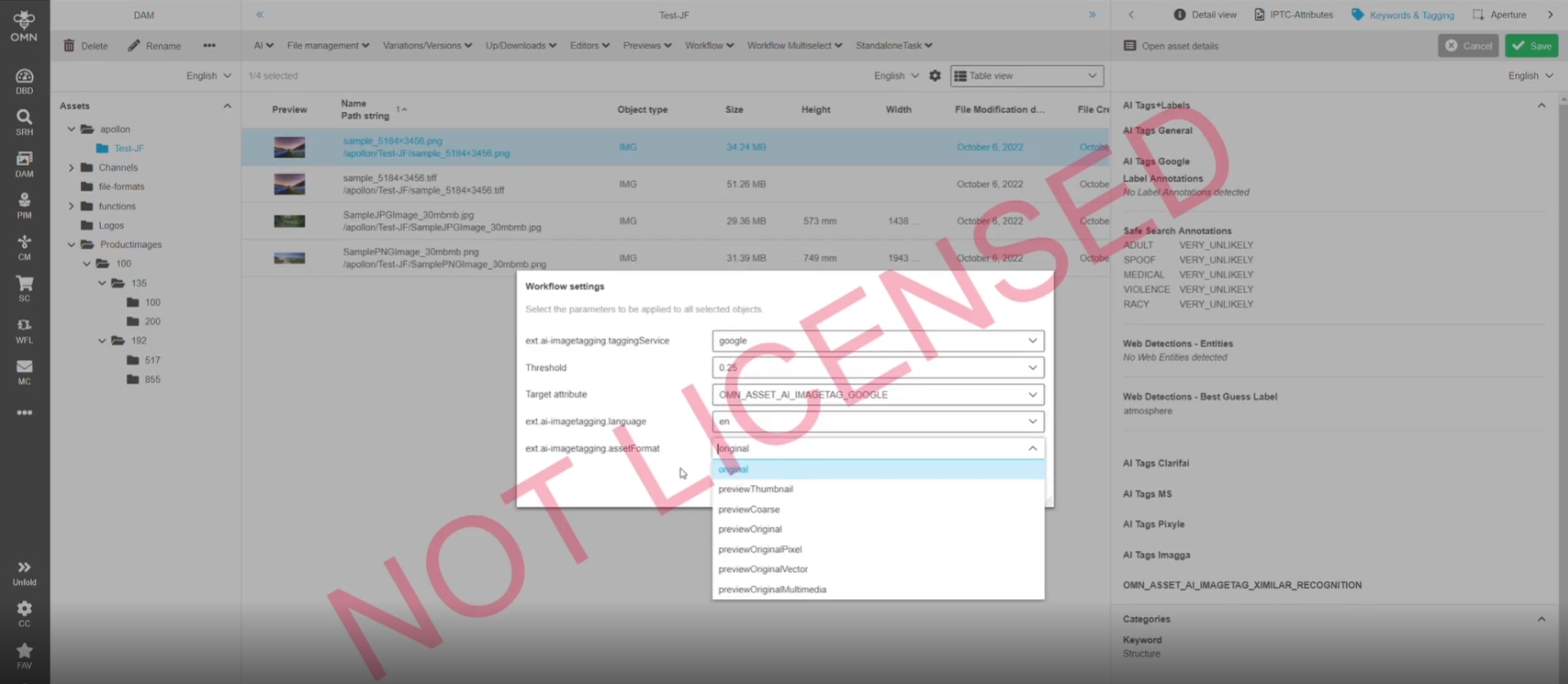
AI Tagging allows now to send a low Quality preview to Google Custom Vision Service
-
Google only accept Images with file size <20 MB
-
With preview Option also those files can be tagged
11. Web2Print
11.1 Preparing
11.1.1 W2P - Stored searches from elastic search not visible in preparing client
Tags |
OMN-7462, OG-13700 |
Documentation |
ODOCU-365 |
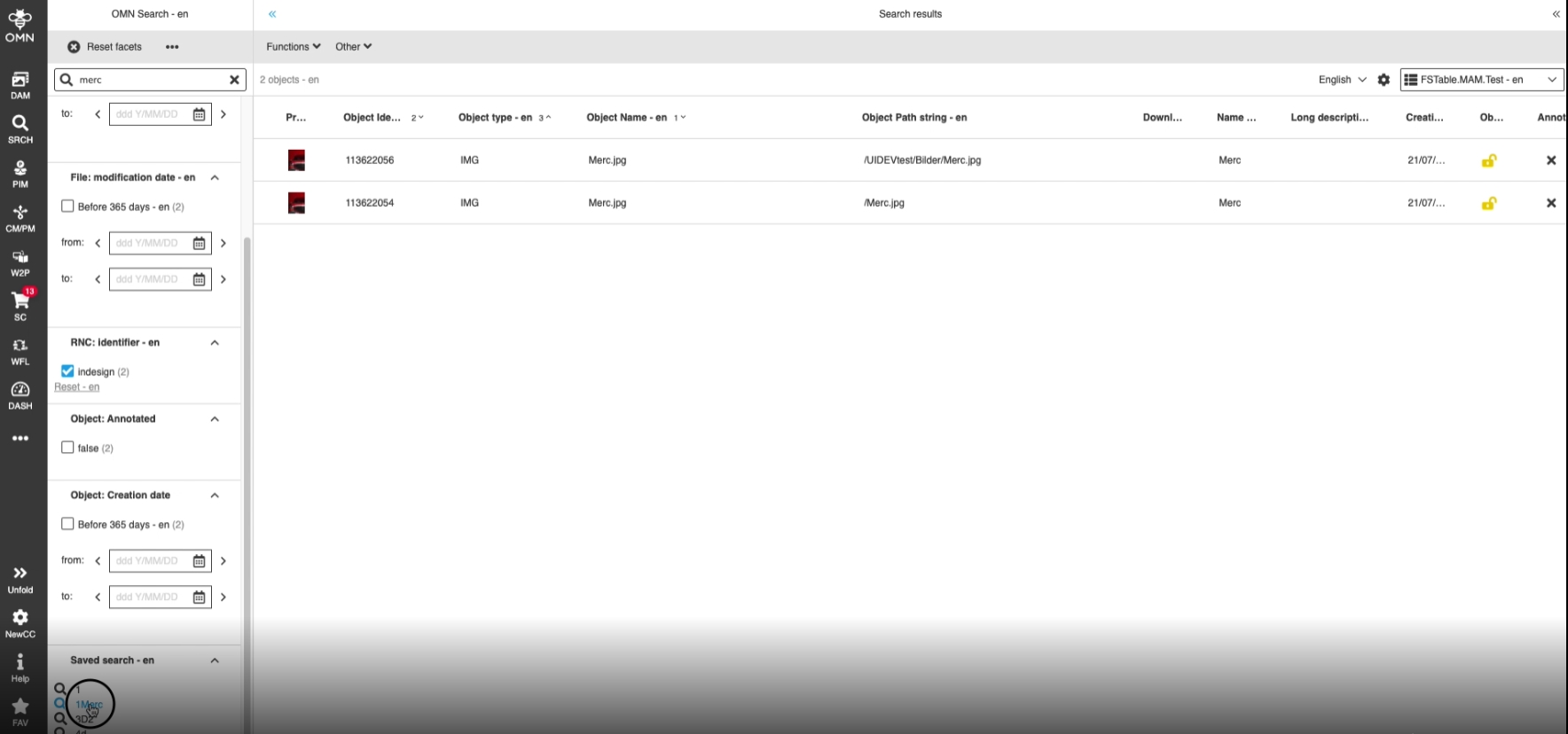
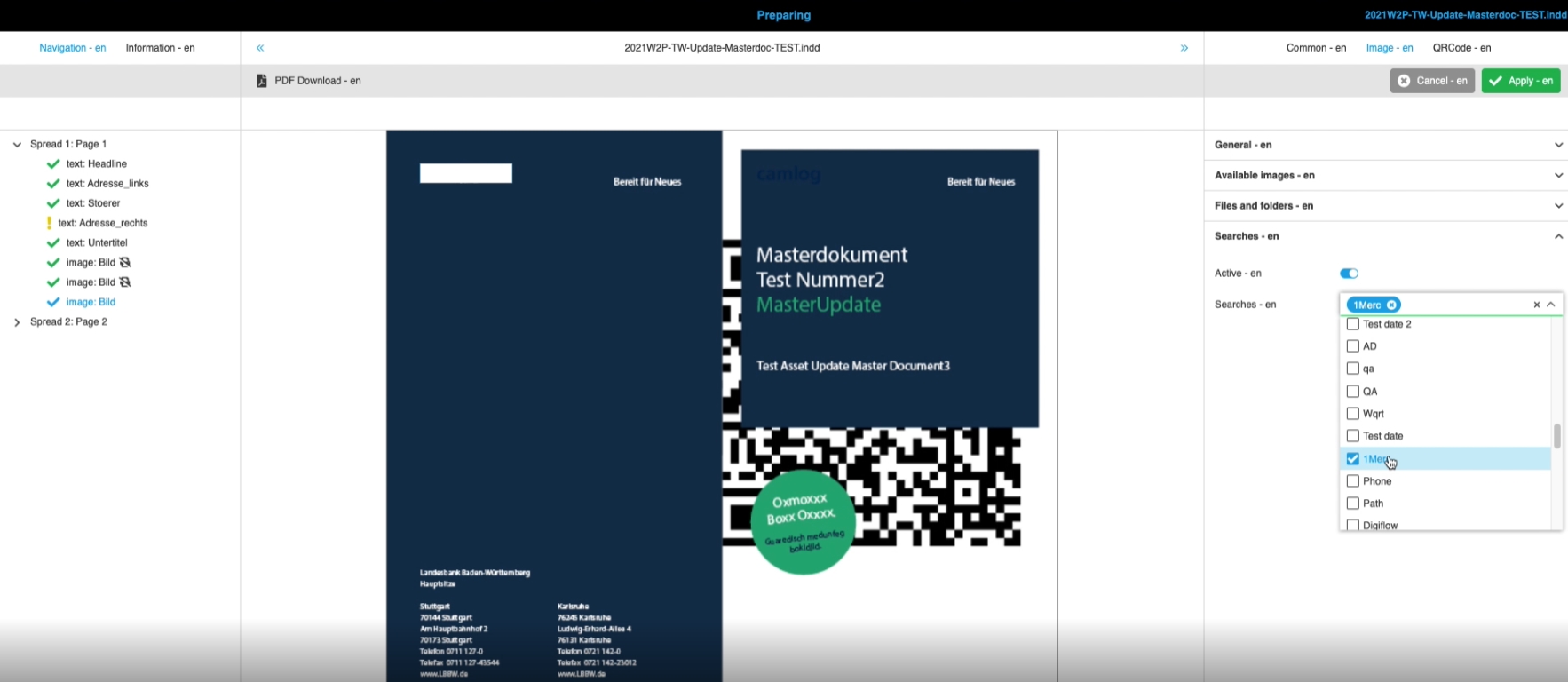
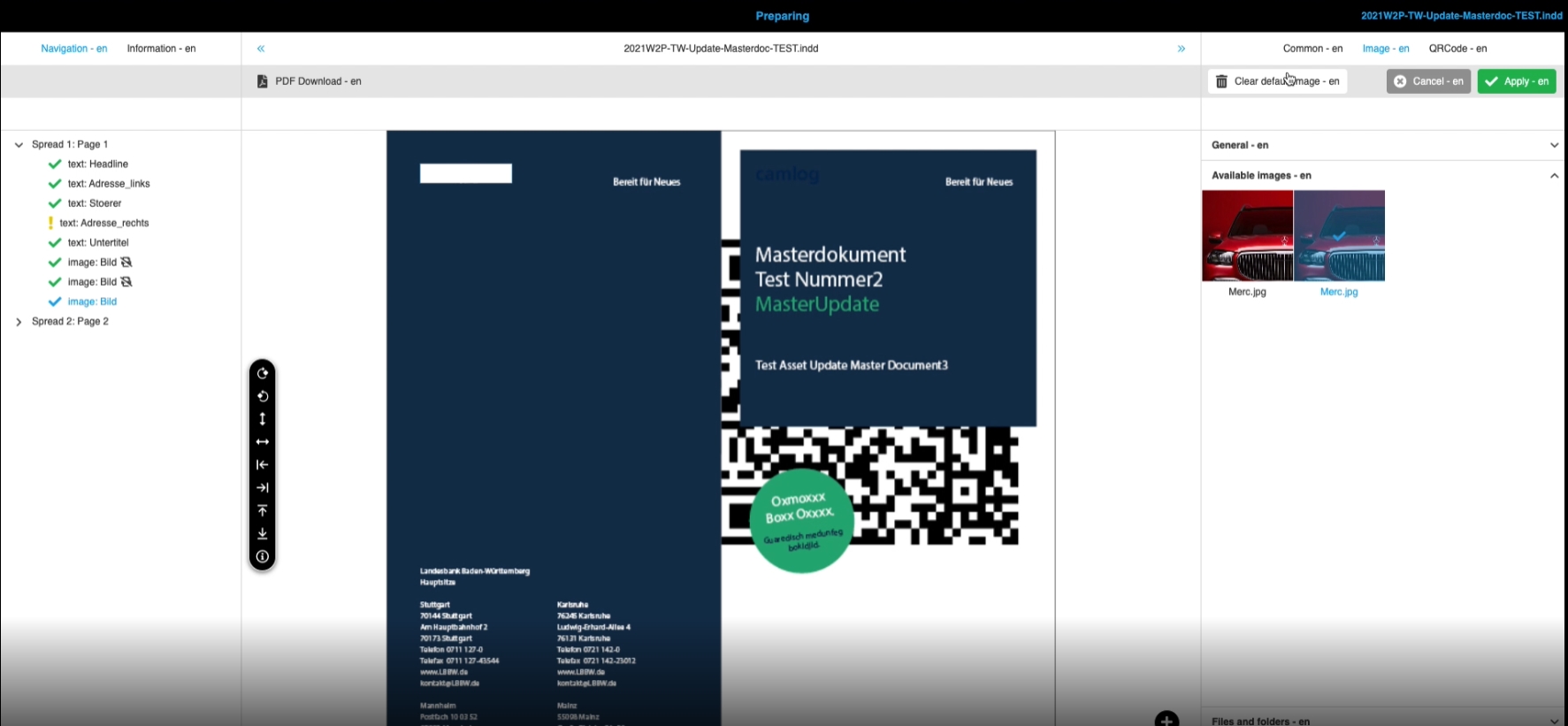
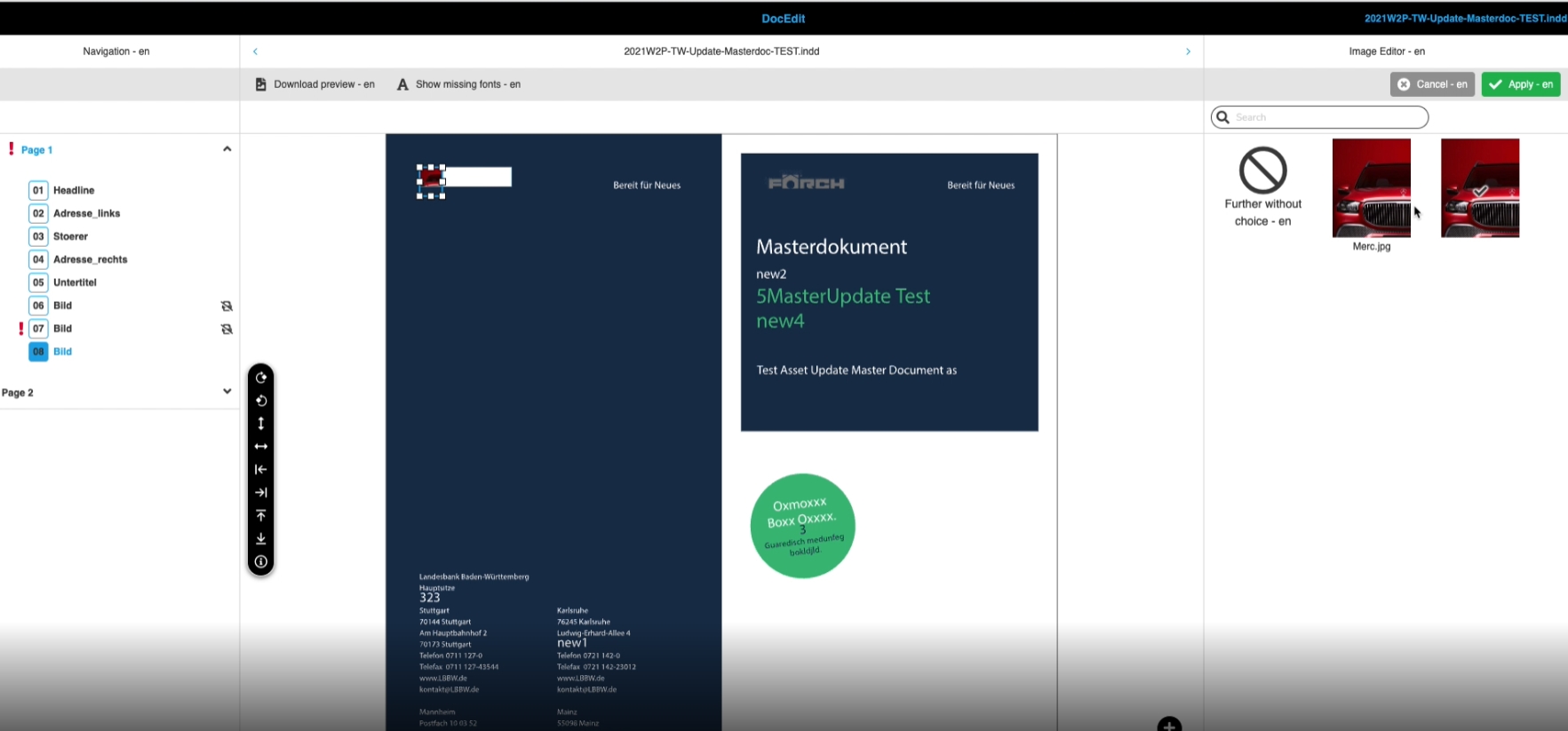
Saved Elastic Searches are now supported with Web2Print Preparing and Docedit module
-
Saved Search (Elastic Search) in OMN Search
-
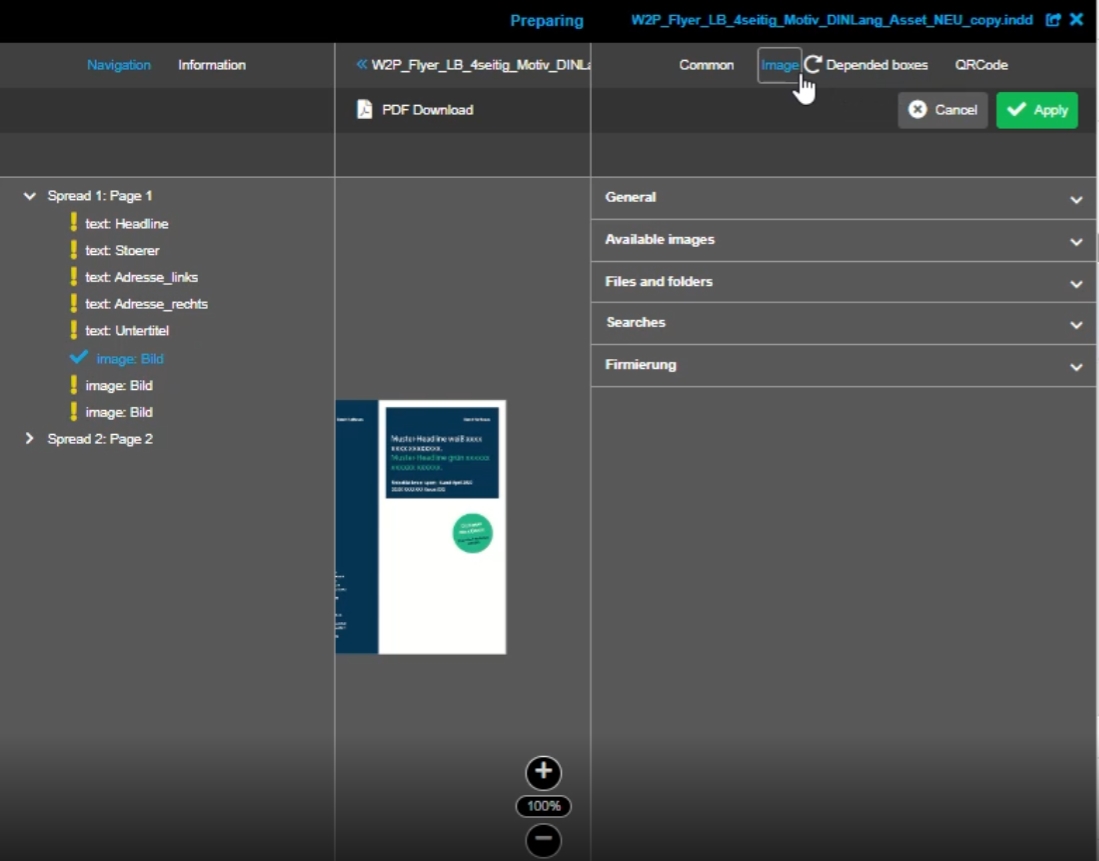
Access to saved Searches in Web2Print Preparing module in box context
-
Search result from saved search in Preparing Client
 27]
27]
-
Search result (of assigned Search) in Web2Print DocEdit module to use this Images from search in Image box
11.1.2 W2P - Search - Sorting for stored searches
Tags |
OG-13831 |
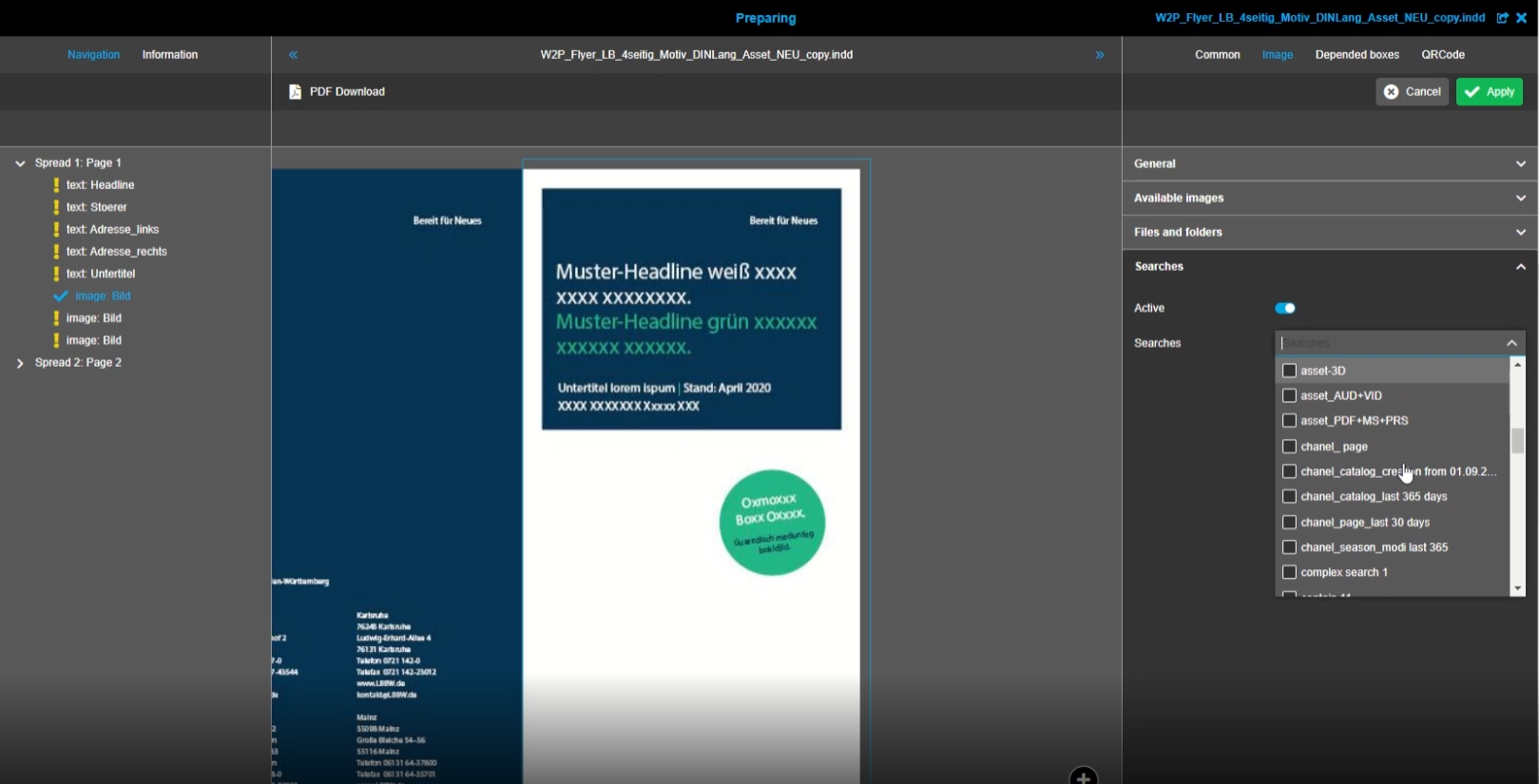
Stored Searches in Preparing Images boxes are sorted alphabetically to find stored searches more easier
11.2 DocEdit
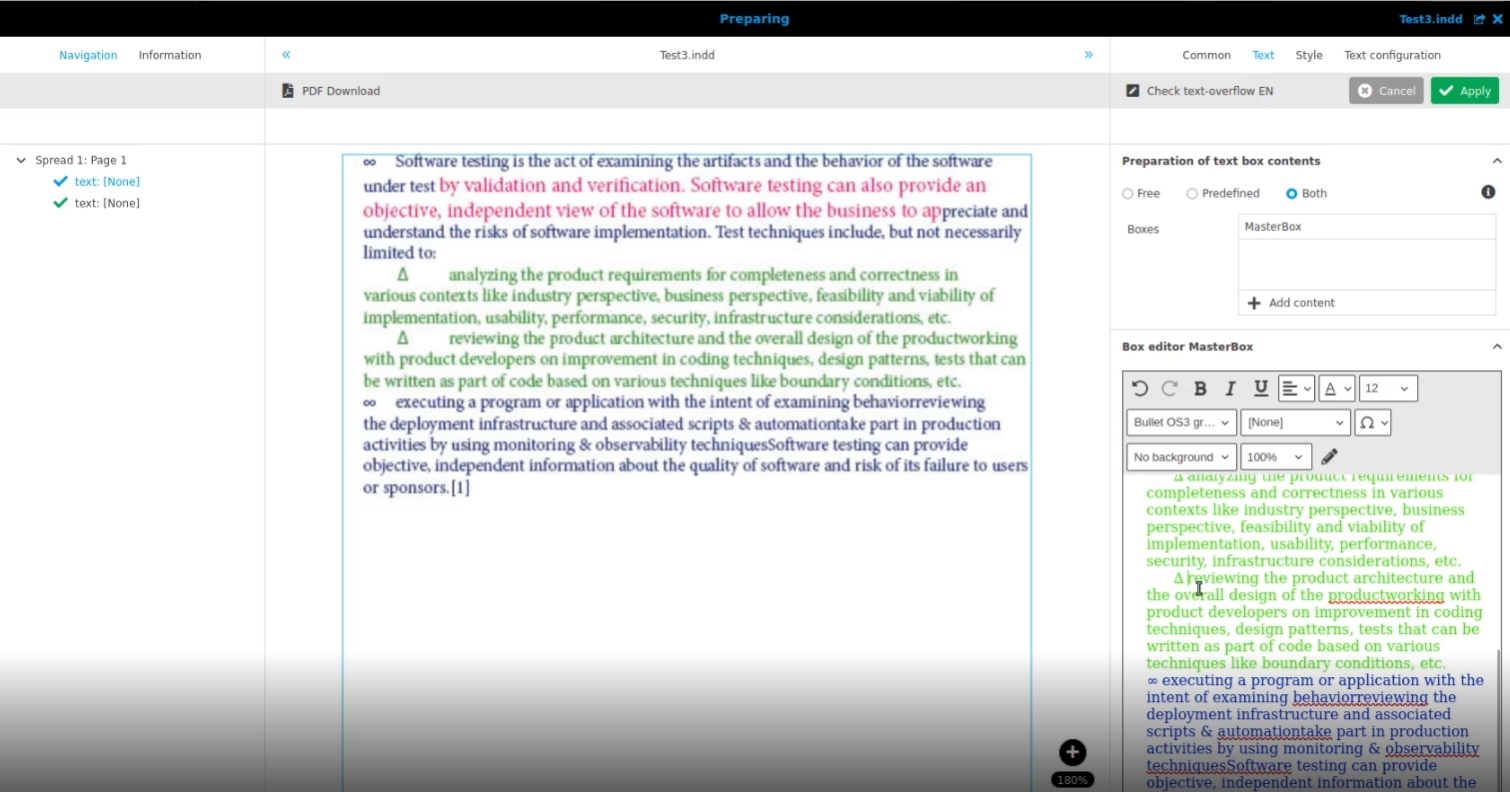
11.2.1 W2P CKEditor shows bullet points
Tags |
OG-12900, OMN-9711, ODOCU-743 |
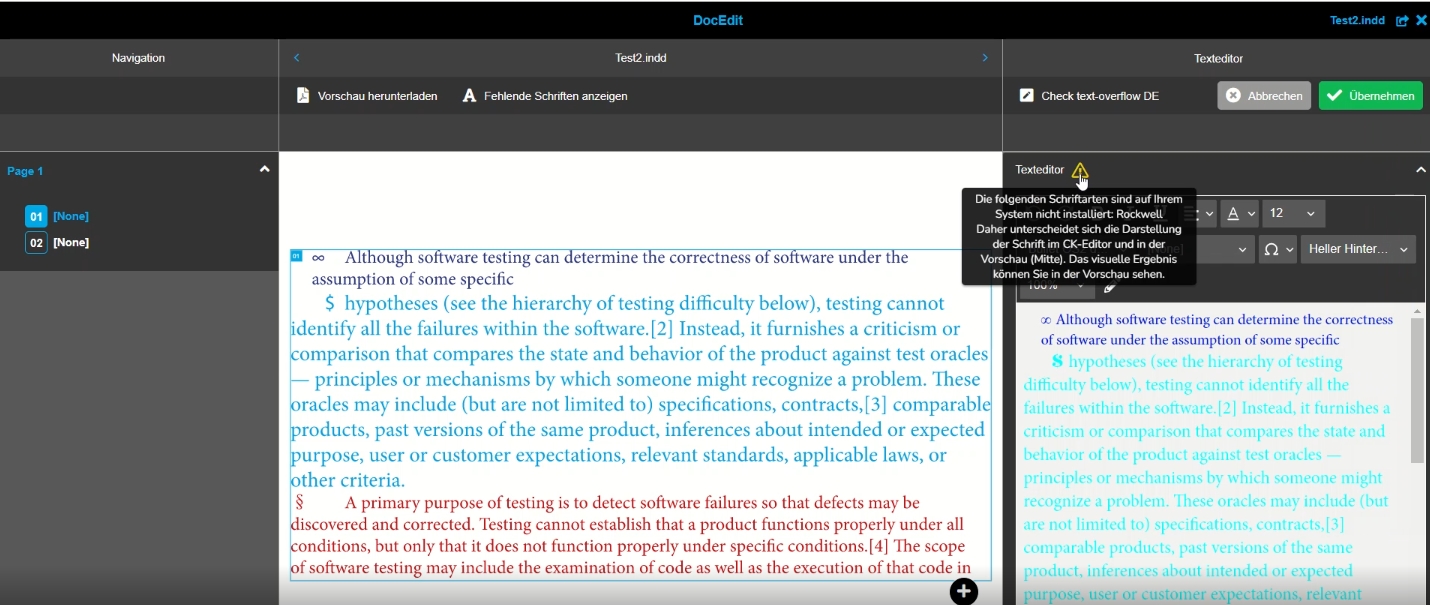
Web2Print CK Editor now supports to work with bullet Points
11.2.2 W2P - DocEdit - the preview is not always updated
Tags |
OG-12825, OMN-9194 |
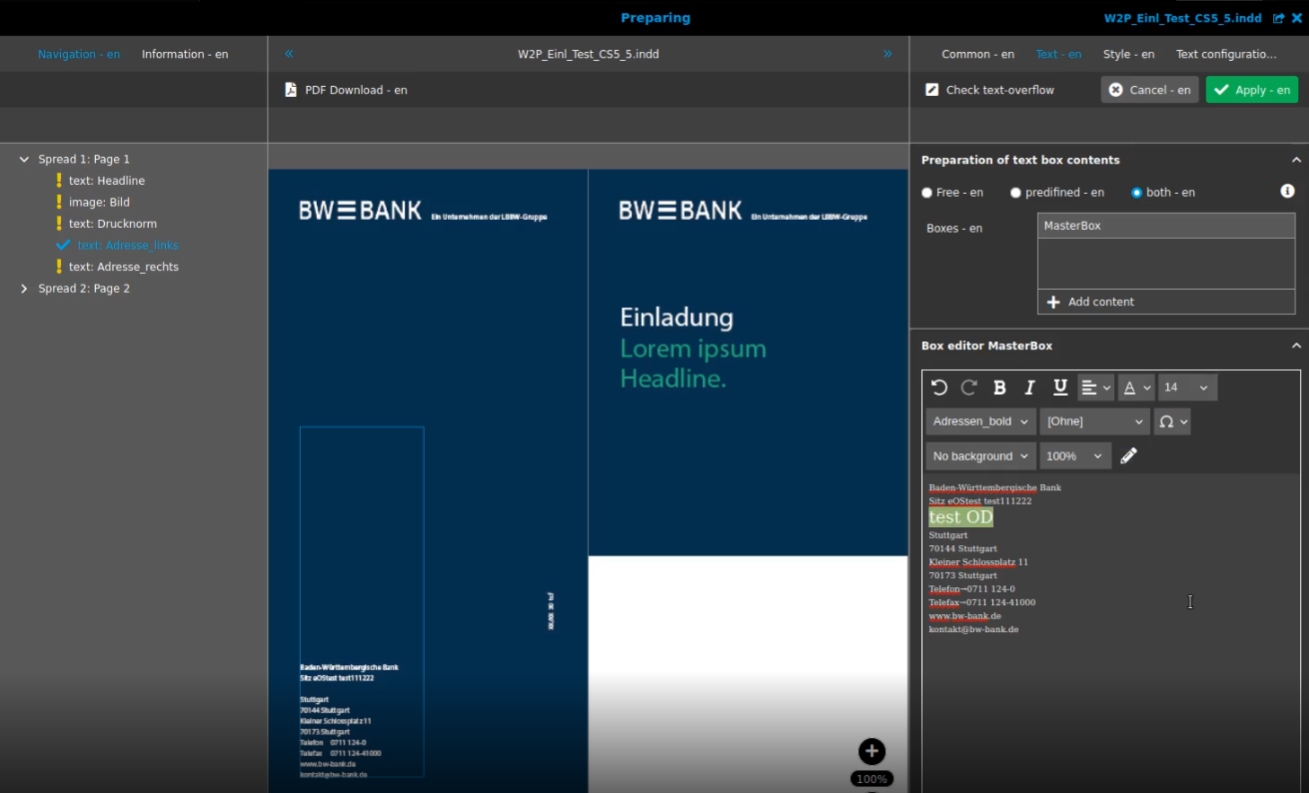
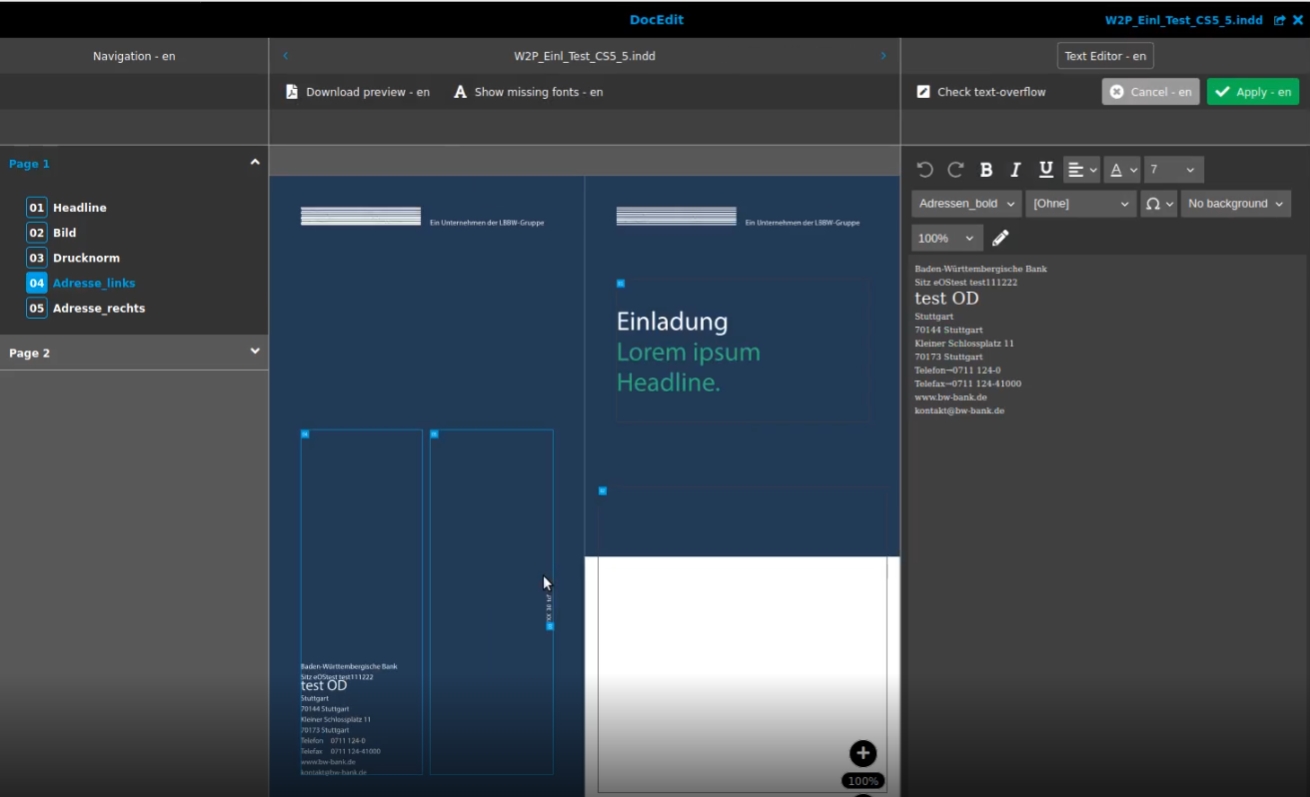
DocEdit shows Textbox Content (with latest changes) for master box done in Preparing on the canvas of DocEdit when Opening
-
Changes in textboxes done in Preparing for text box Content
-
Applied changed when opening the document in DocEdit
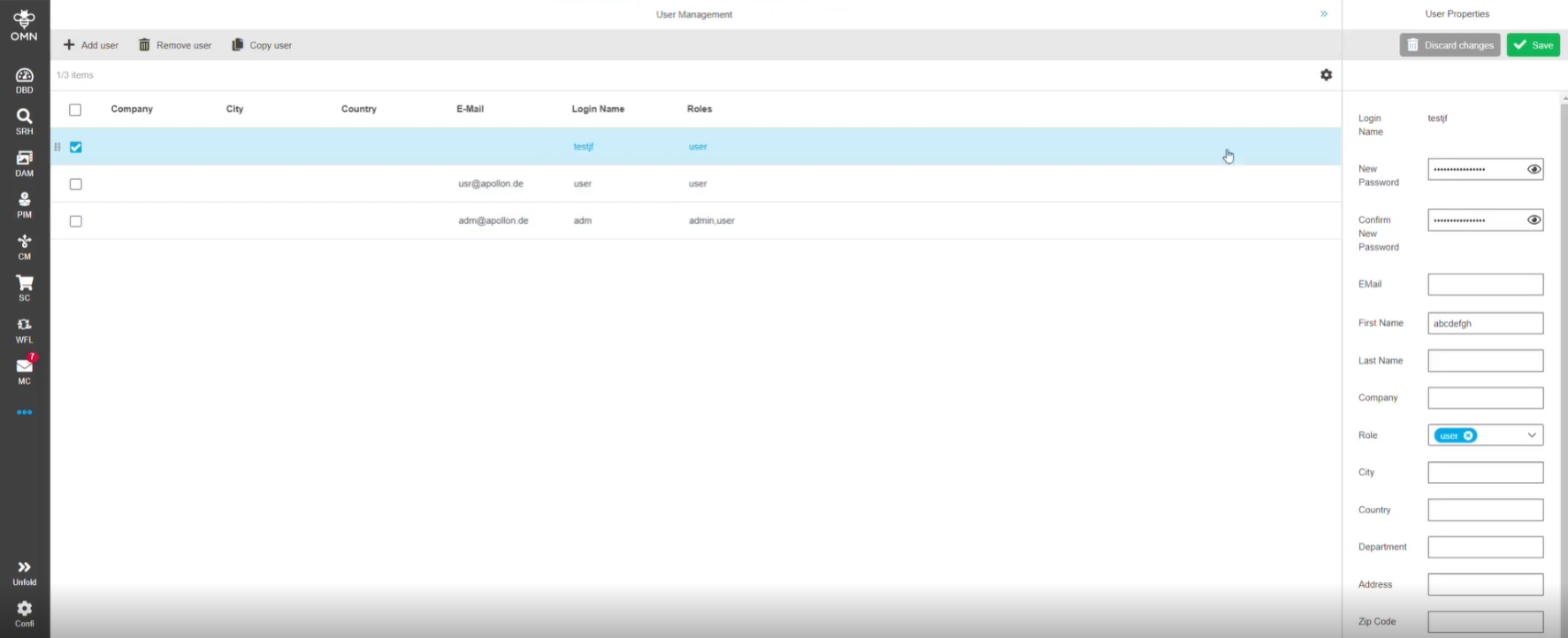
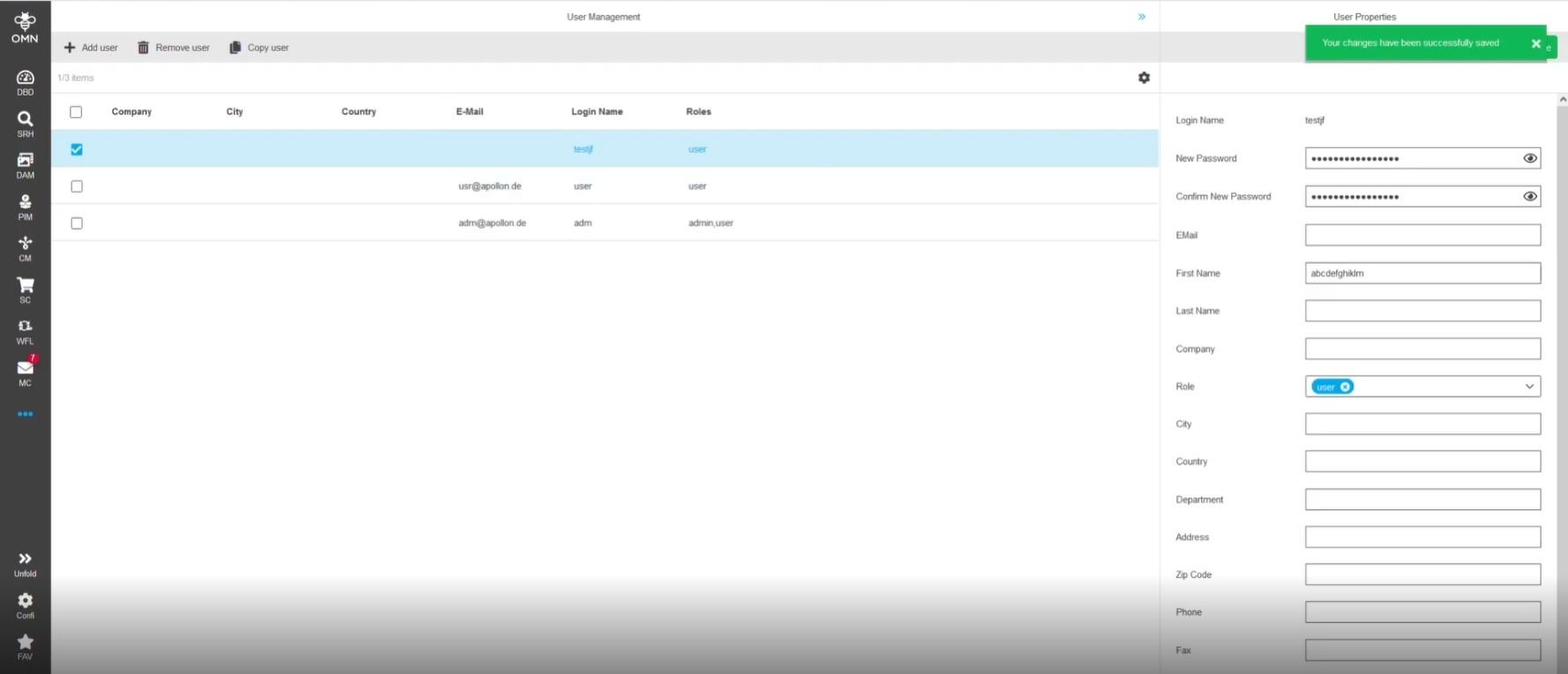
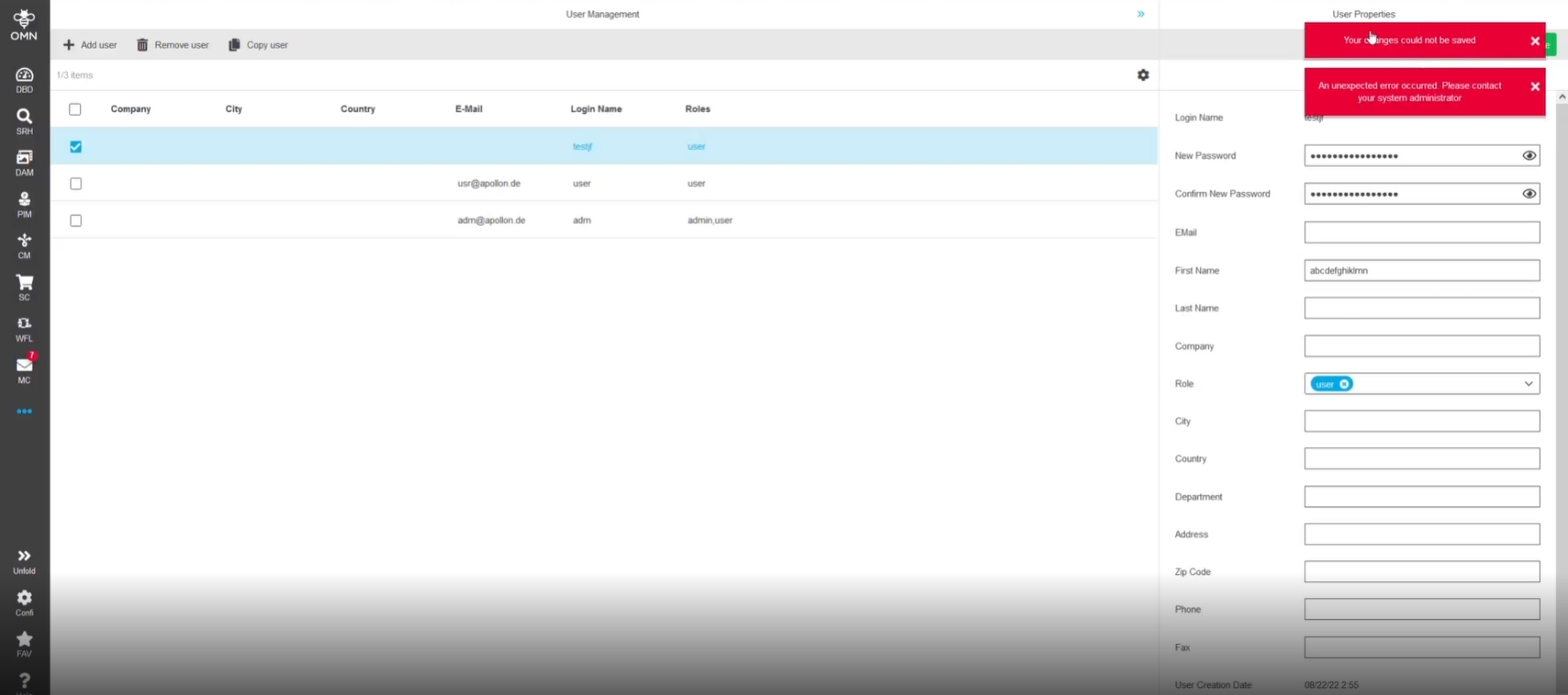
13. Usermanagement
14. ConfigClient
14.1 Config Components
Tags |
OUCC-247 |
New UI components which are used at several places in new config client
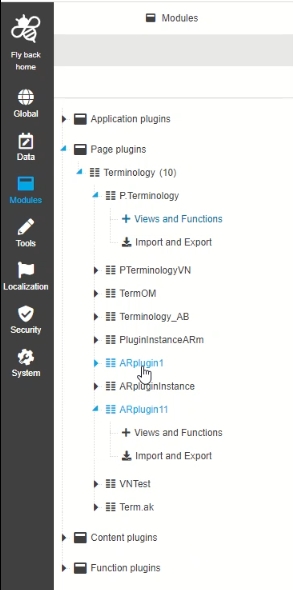
14.1.1 ConfigClient - UI Component - Tree - General Layout
Tags |
OUCC-221 |
New tree component for Navigation in new ConfigClient Area to provide intuitive and good organized navigation in the left panel of the ConfigClient
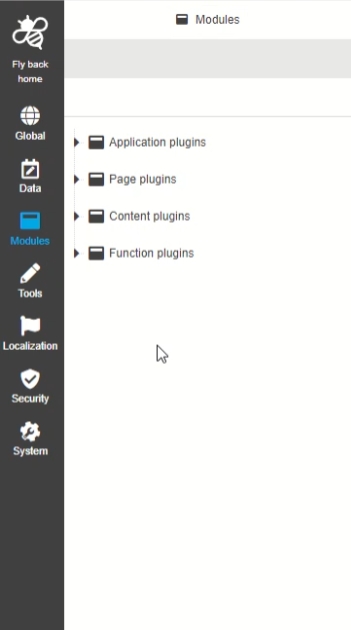
14.1.2 ConfigClient - UI Component - Sidebar - General Layout
Tags |
OUCC-218 |
Possibility to navigate into the main structure elements in new config Client by new sidebar items
14.1.3 ConfigClient - UI Component - Dropdown - General Layout
Tags |
OUCC-400 |
Introduction of searchable Dropdowns for value selection in new HTML5 Configclient

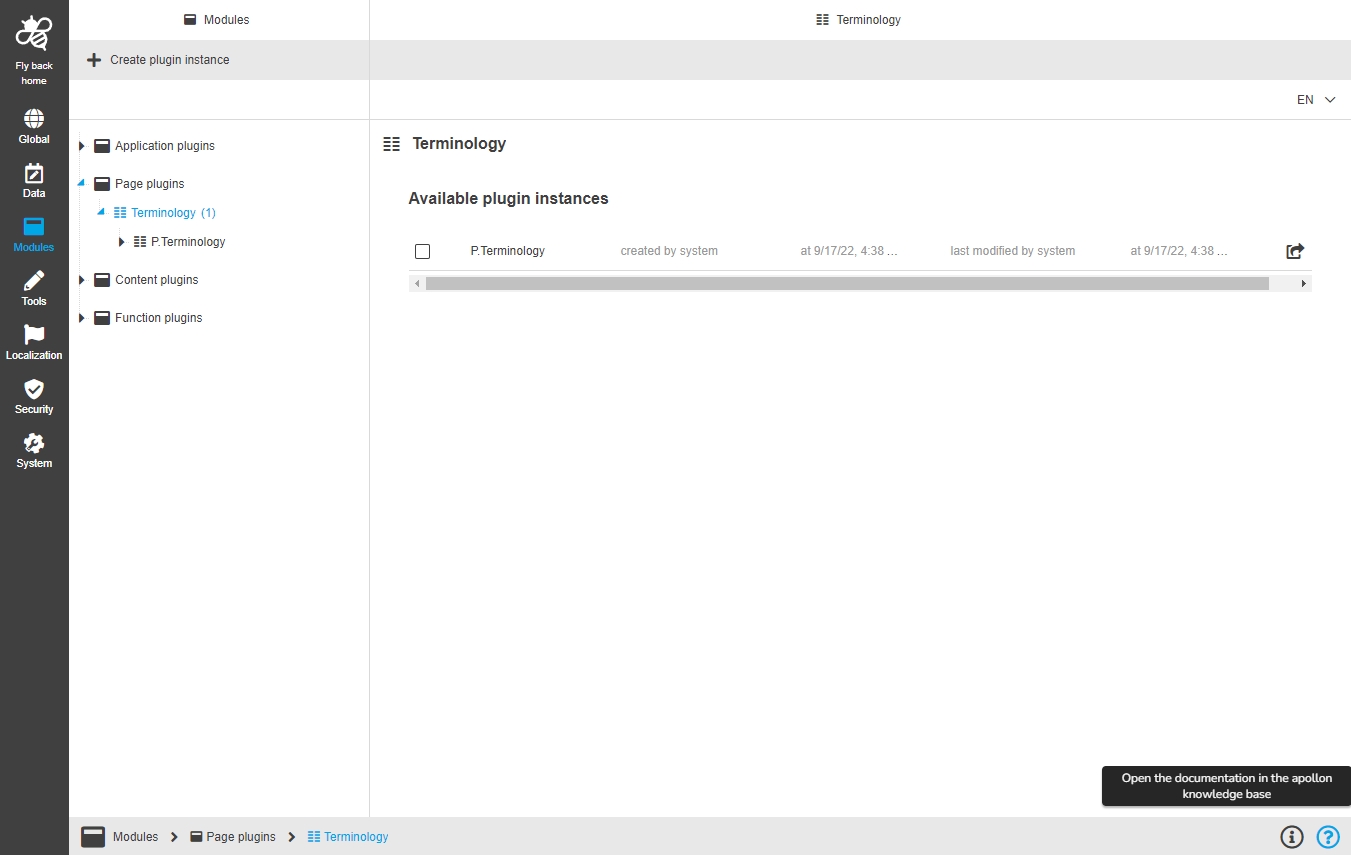
14.1.4 ConfigClient - UI Component - Breadcrumb - General Layout
Tags |
OUCC-220 |
Improvement of Breadcrumb component to show icon in the path’s segments and additional functions (for information and help) in the right part

14.2 Mandator Settings
Transfer and restructuring of configuration in the context of an OMN mandator
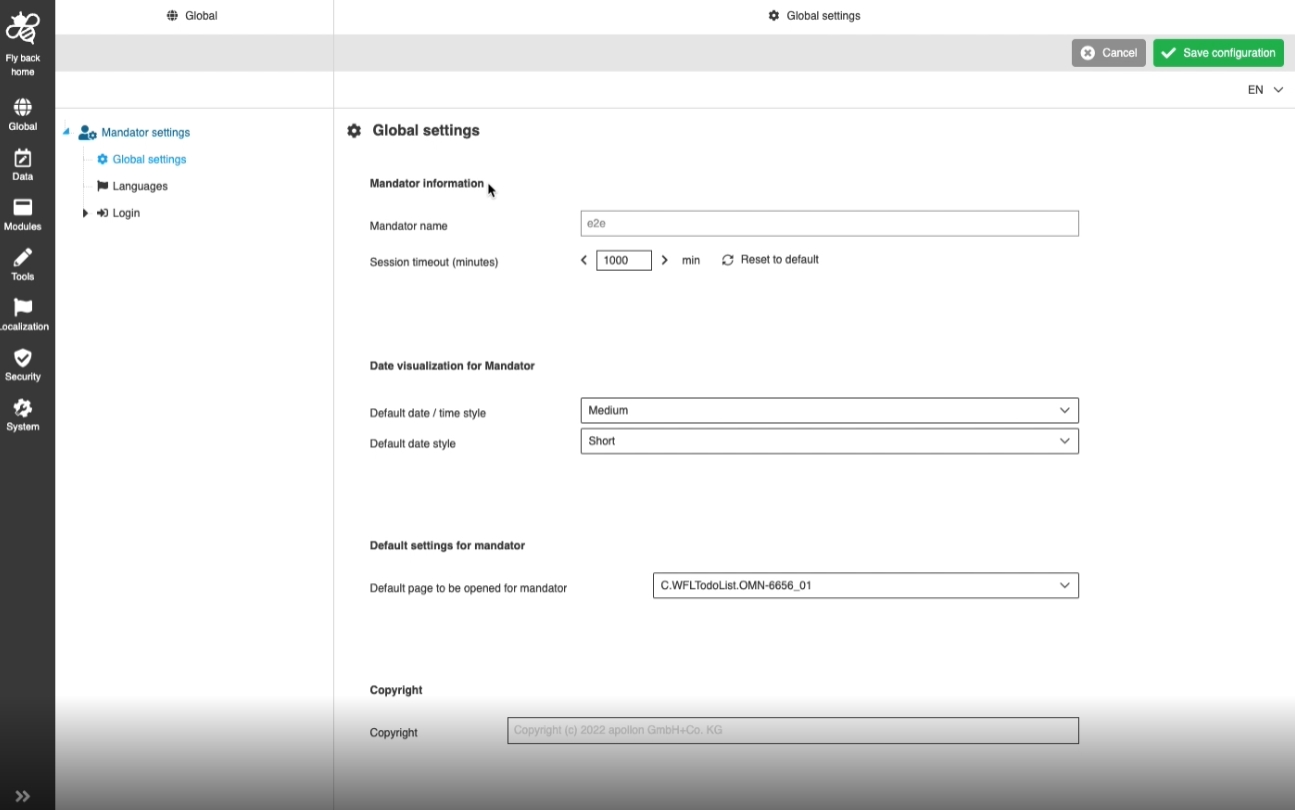
14.2.1 Global - Mandator settings - Global settings page
Tags |
OUCC-208, OCA-11 , ODOCU-608 |
Possibility to manage basic settings for an OMN mandator in the new HTML5 Configclient, so that the common settings are set for all pages of the frontend client (e.g. dates Display)
14.2.2 Optimization for loading Mandator Settings
Tags |
OMN-9809, OUCC-436 |
Introduce new server-side method to find reference configuration by mandator identifier
14.2.3 Global - Mandator Settings - Login
Tags |
OUCC-209, ODOCU-609 |
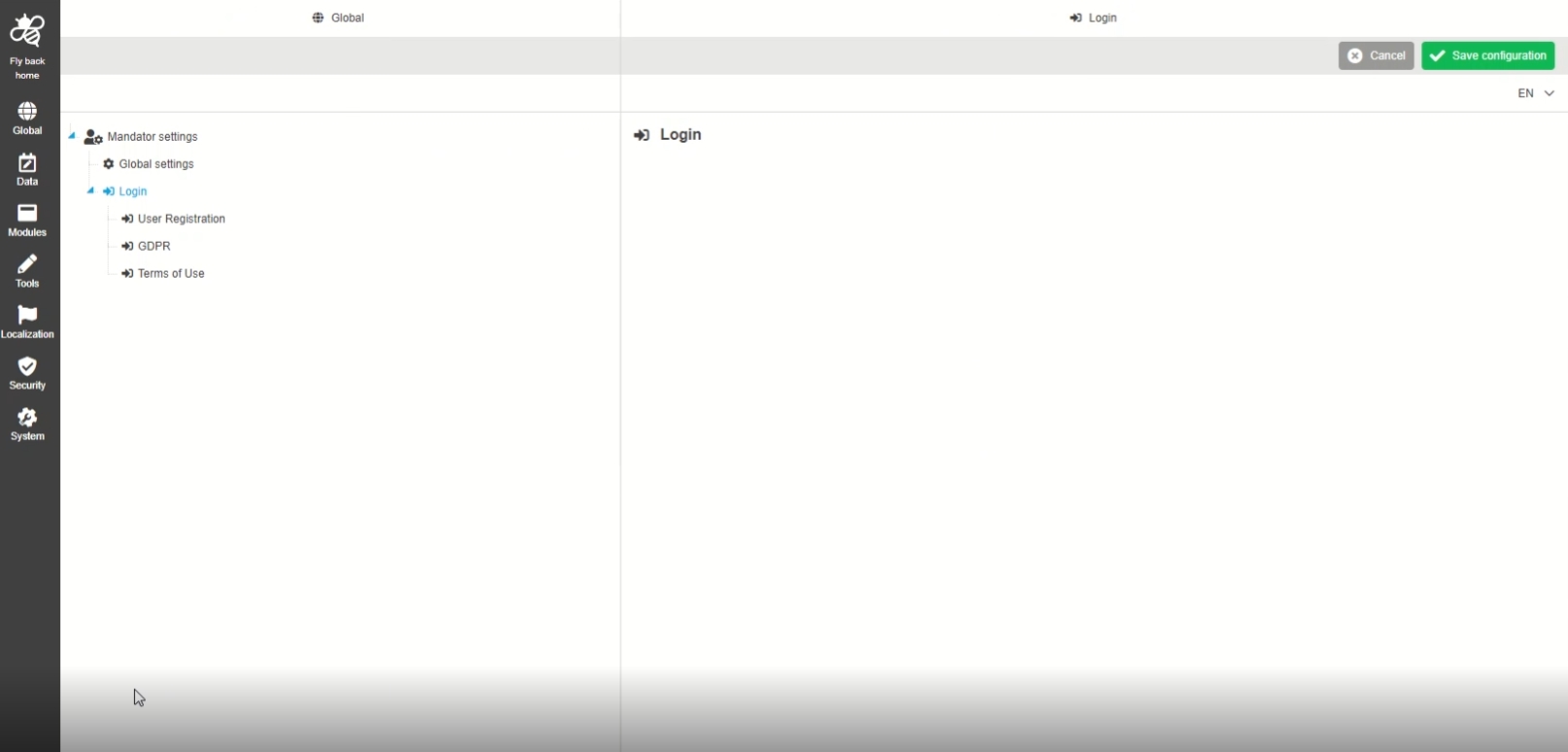
Configuration for Login specific settings in new HTML5 Configclient, so that the configurator can influence the registration process and license agreement and add the use of terms on the login screen
-
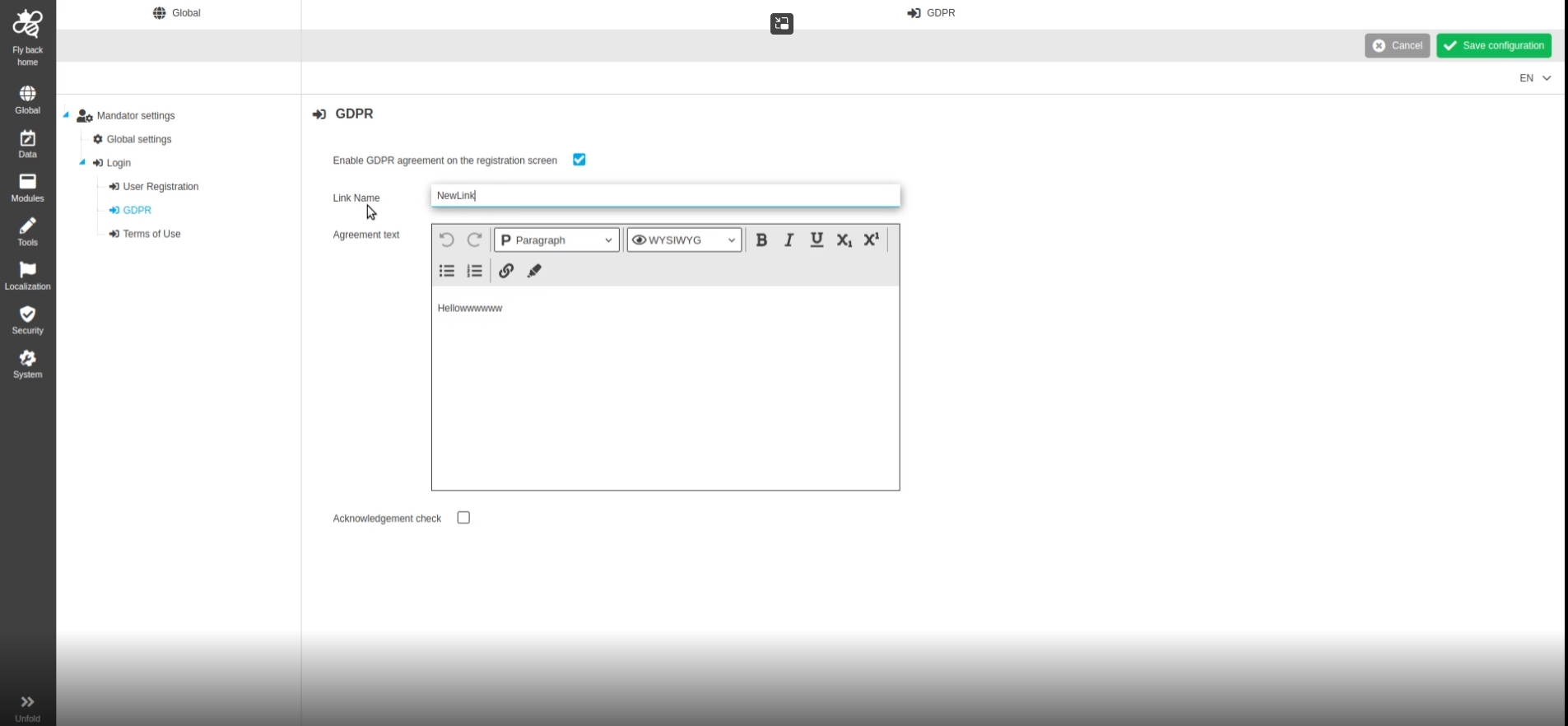
Global - Mandator Settings - Login - GDPR
Tags |
OUCC-251, ODOCU-690 |
Possibility to configure GDPR page in the new Configuration Section, so that UI users are aware of the Agreements
-
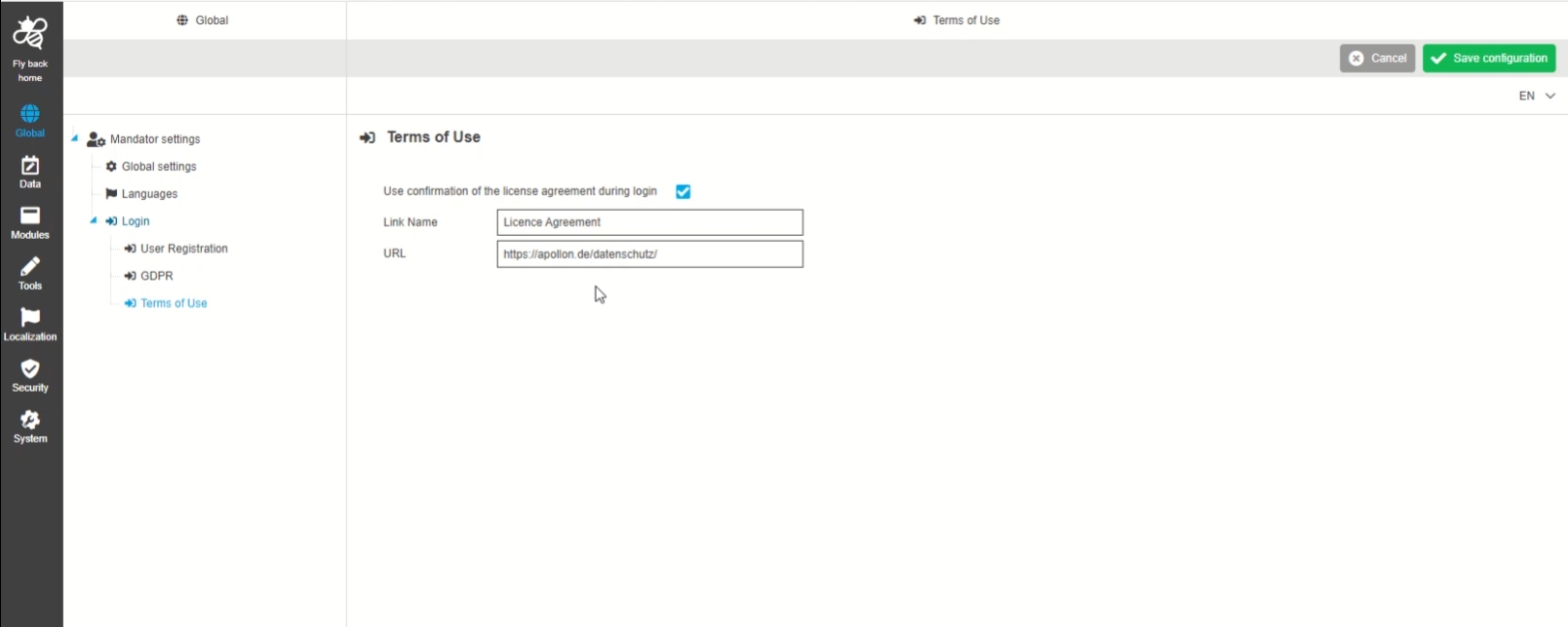
Global - Mandator settings - Login - Terms of Use
Tags |
OUCC-252, ODOCU-691, OUCC-532 |
Possibility to configure the Terms of Use on the Login Screen, so the Administrator can add license Agreement
14.3 Modules
Development in the context of creation and deletion of plugin instances
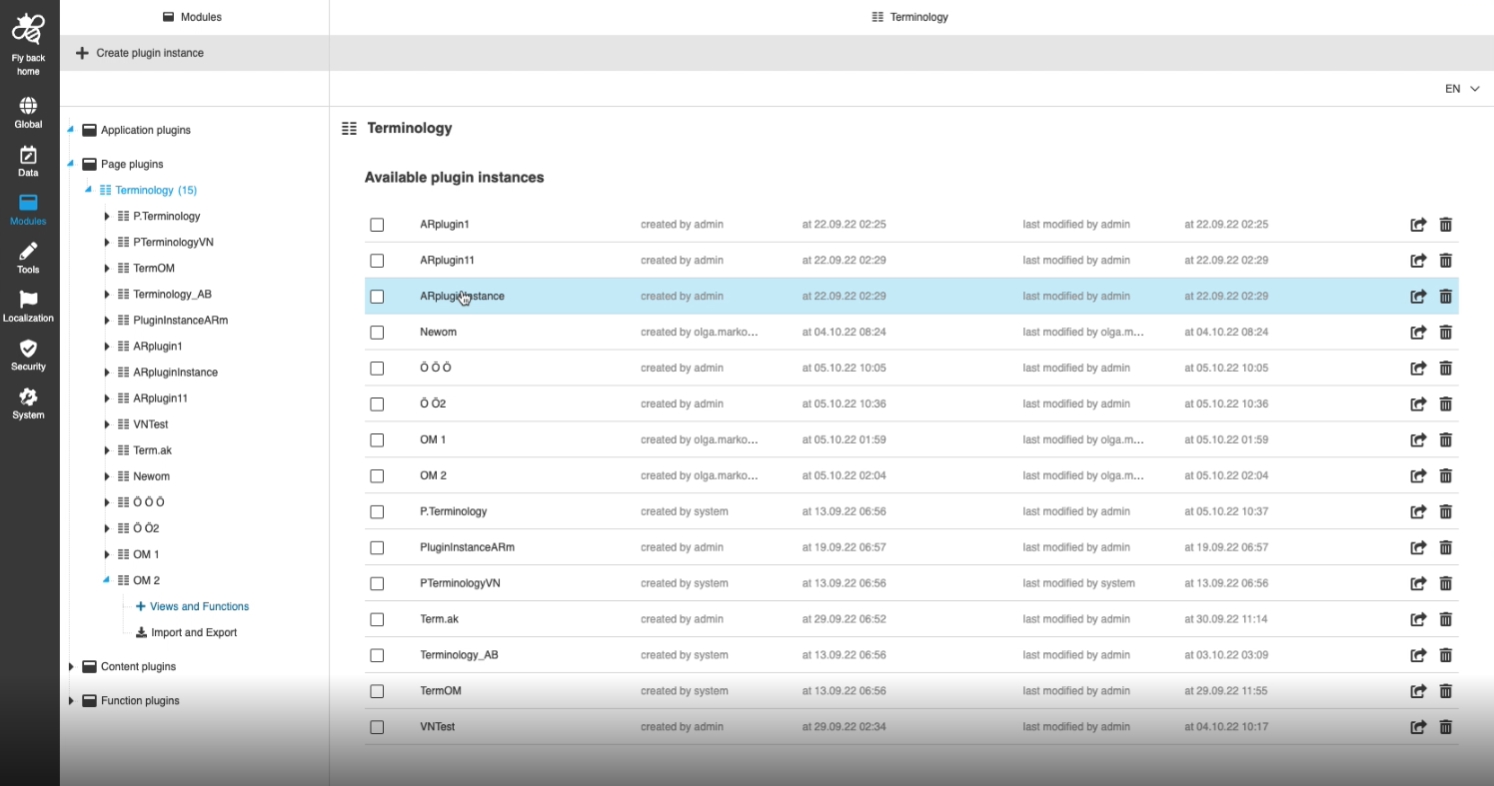
14.3.1 Modules - Plugin Instances - Creation of Plugins
Tags |
OUCC-269 |
Possibility to create a new plugin instance, so that the user can add my configurations
14.3.2 Modules - Plugin Instances - Function - Create Plugins
Tags |
OUCC-316 |
Documentation |
ODOCU-744 |
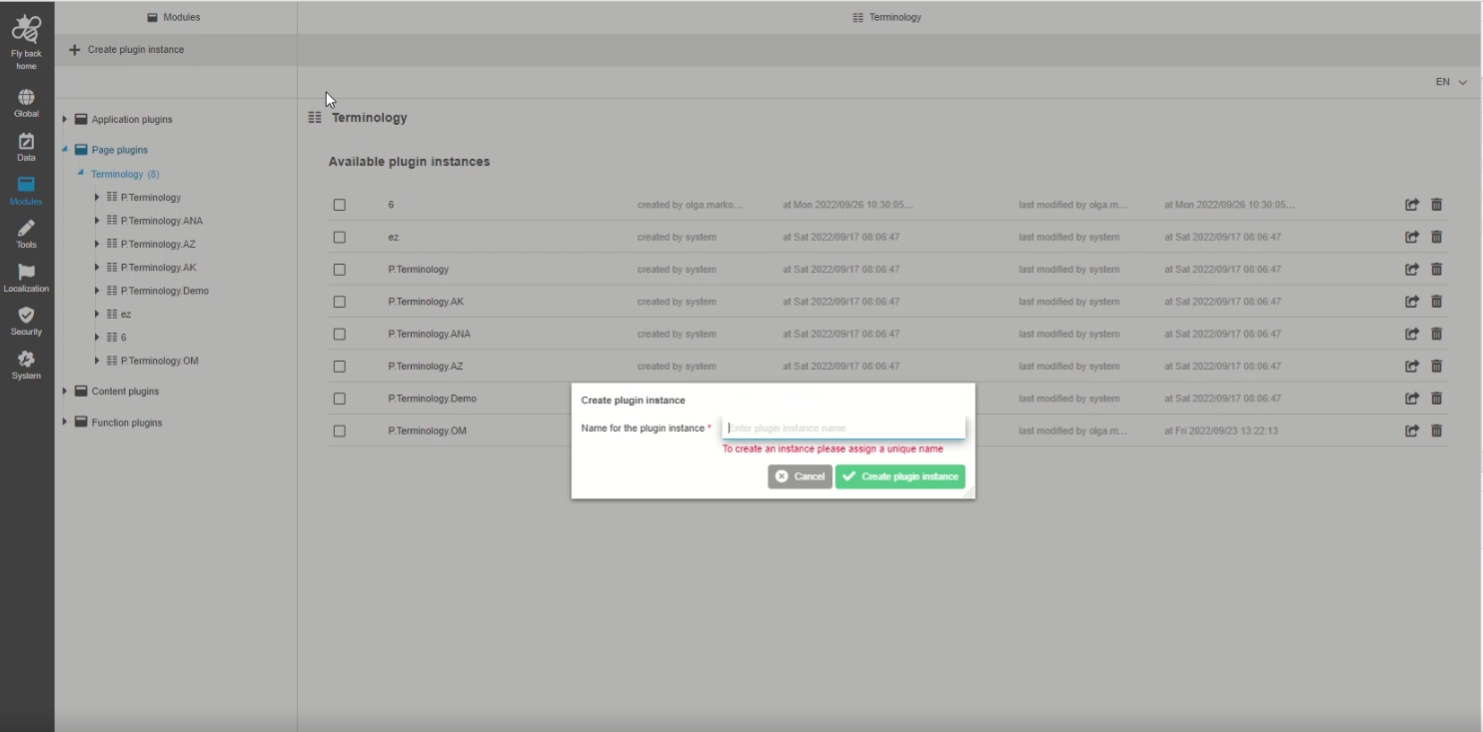
Possibility to create a new plugin instance, so the administrator can add another version of a plugin to the UI and add certain configuration(s) in it
14.4 Data
New area in ConfigClient for managing data definitions and attributes
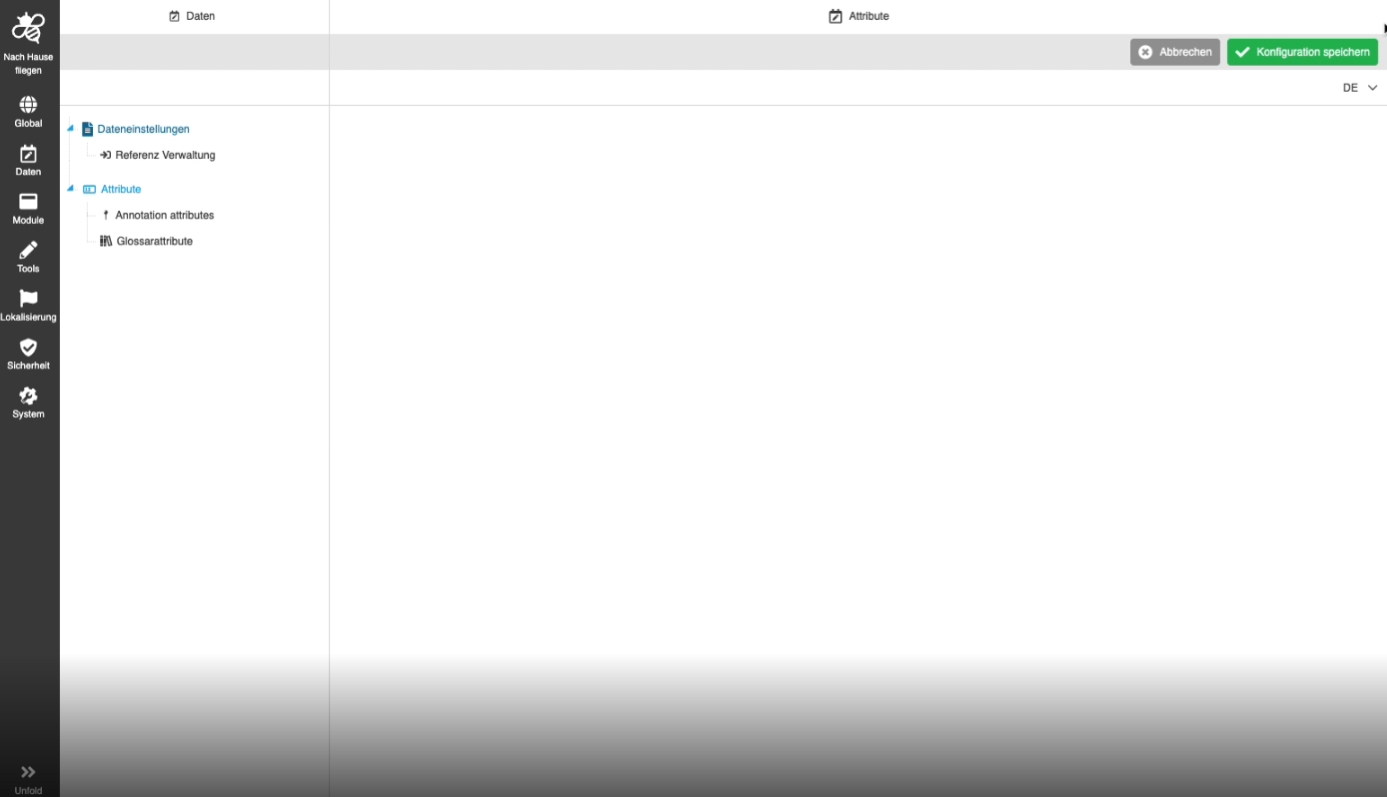
14.4.1 Data - Attributes - General Layout
Tags |
OUCC-305 |
Possibility to create attributes from different types, so that the can use them in different contexts in my OMN System
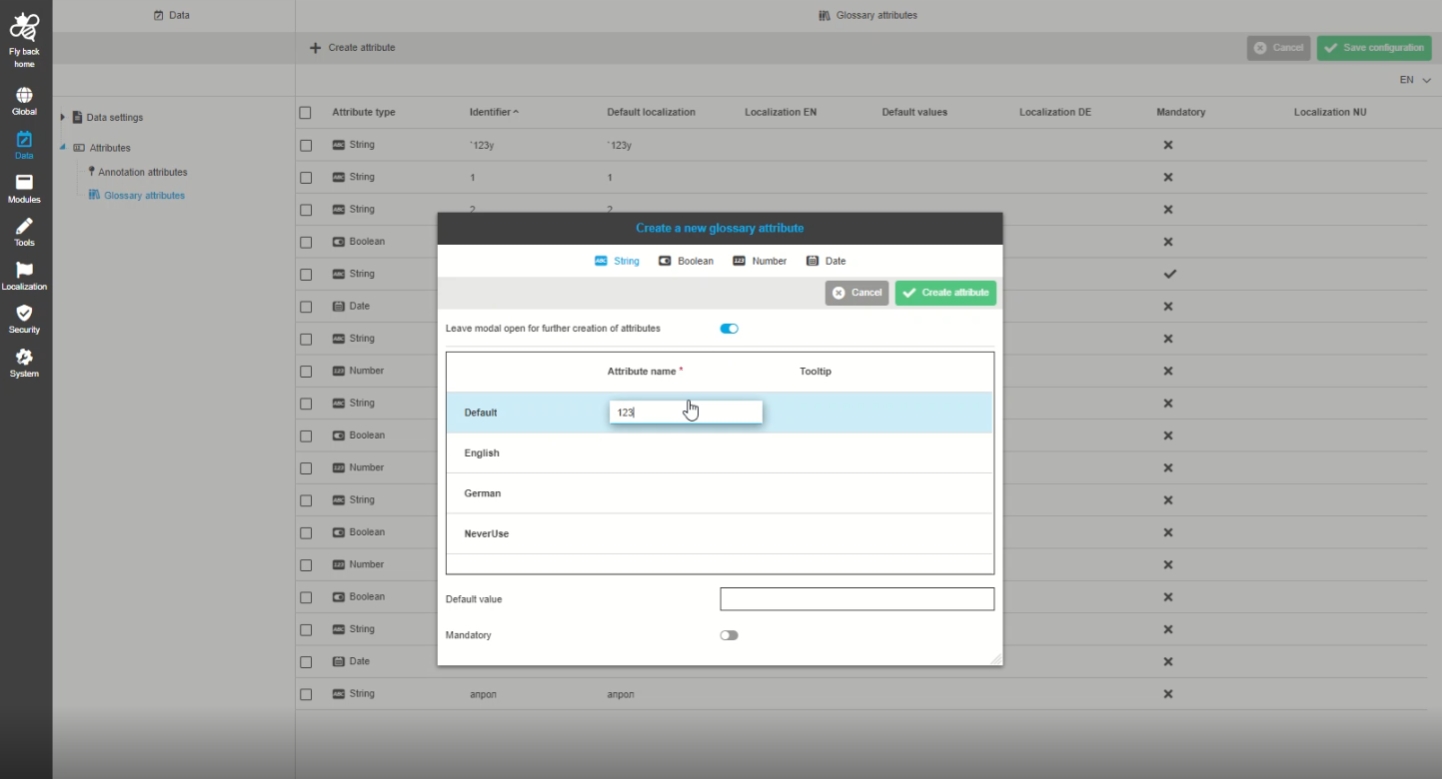
14.4.2 Data - Attributes - All object types - Selection after creation of attributes in case that toggle for bulk creation has been turned on
Tags |
OUCC-427 |
Possibility to have created attributes selected and in the viewport after creation, so creation is obvious, and the user can do further actions with Attributes
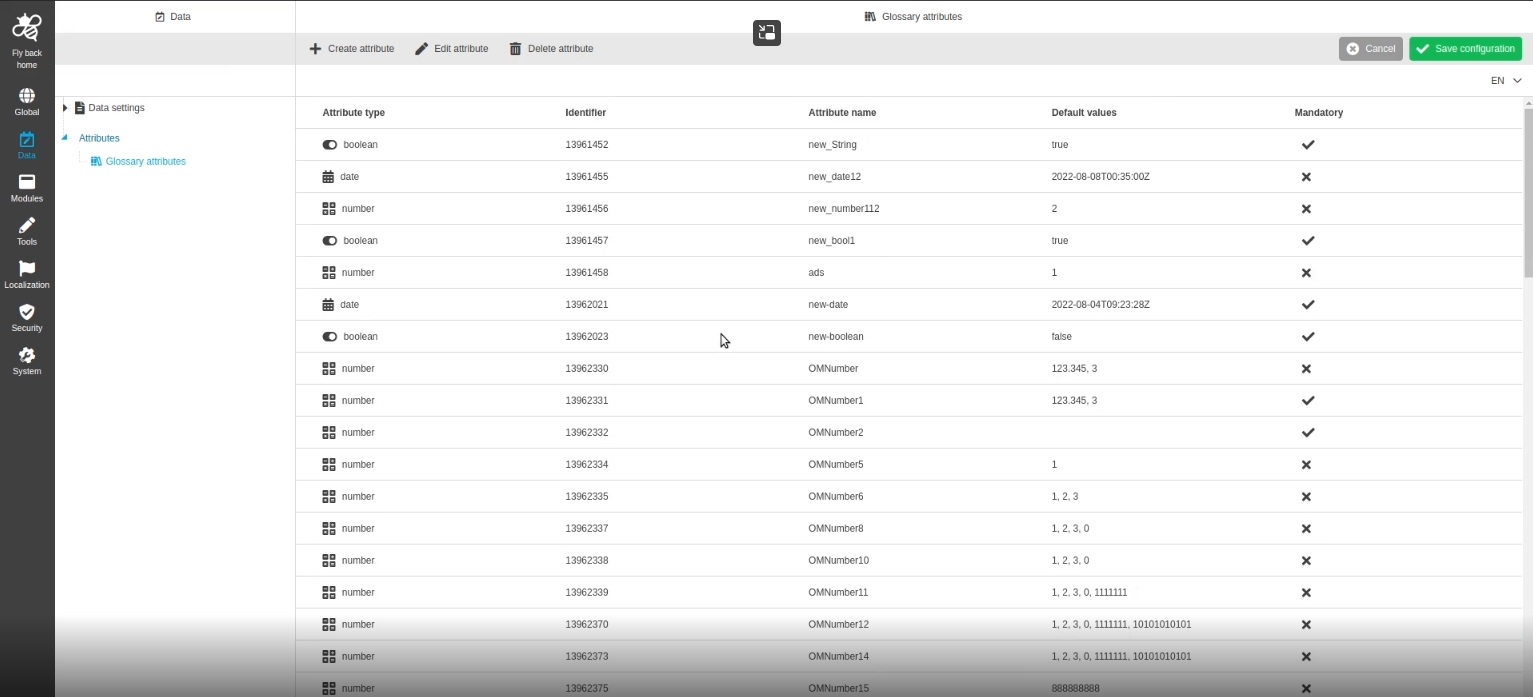
14.4.3 Data - Attributes - Object Type Glossary
Tags |
OUCC-275, ODOCU-704 |
Possibility to configure attributes from the type glossary so that those attributes can be used in the context of the terminology plugin (especially for glossary overview)
-
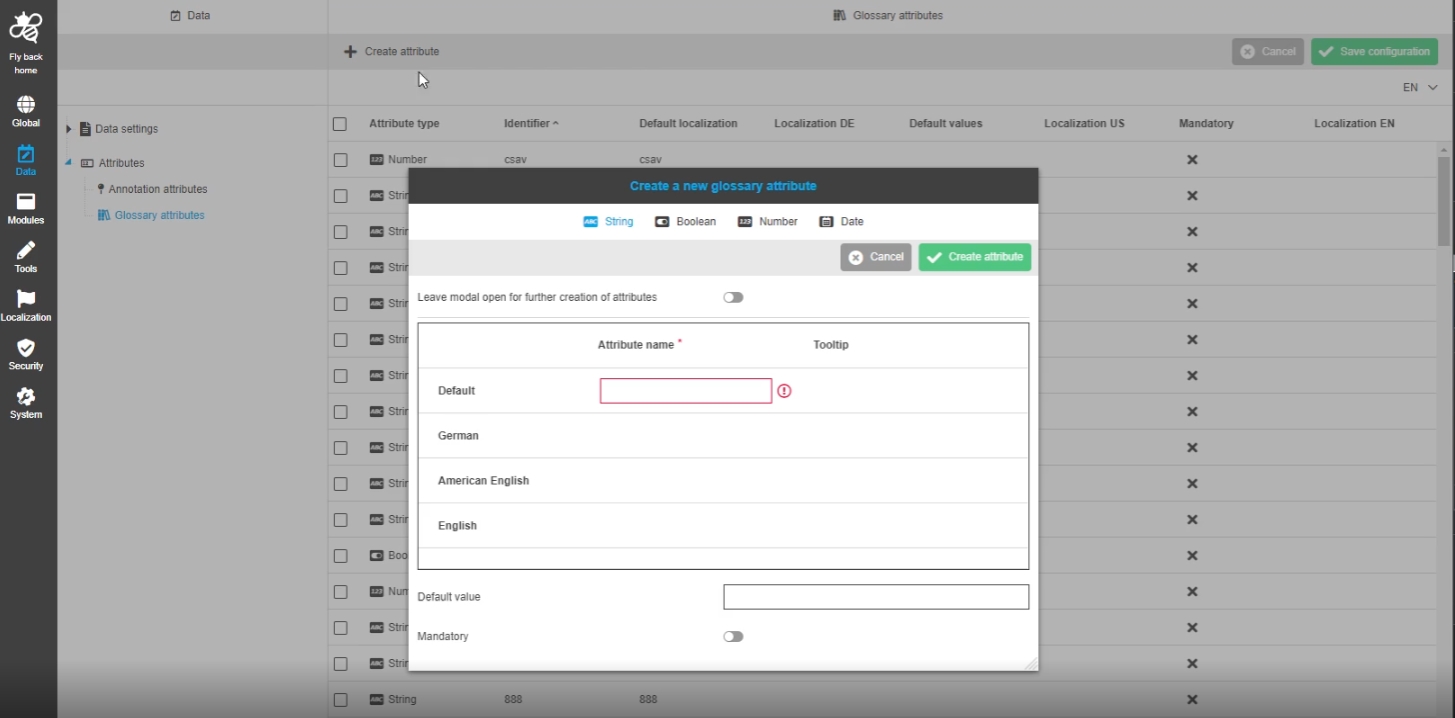
Data - Attributes - Object Type Glossary - Create attribute
Tags |
OUCC-309 |
Possibility to create a new attribute from type glossary, so that the user can use it in table for glossary overview for example
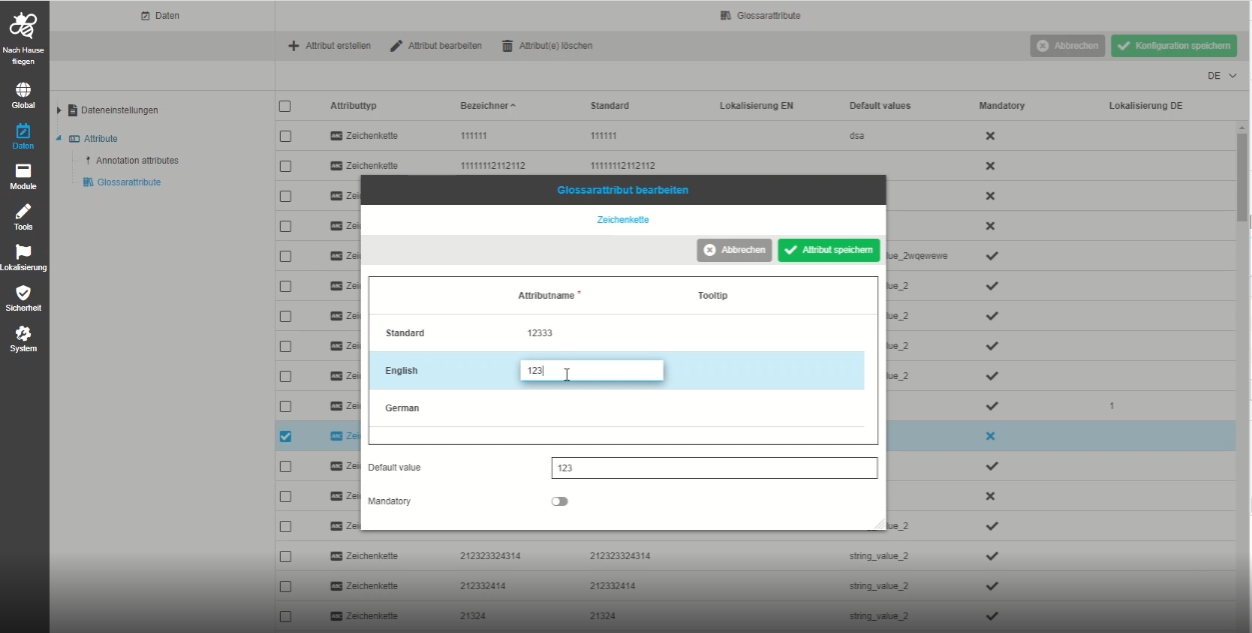
-
Data - Attributes - Object Type Glossary - Edit attribute
Tags |
OUCC-310 |
Possibility to edit attributes from the type glossary so that the user can use those changed attributes in the context of the terminology plugin (especially for glossary overview)
-
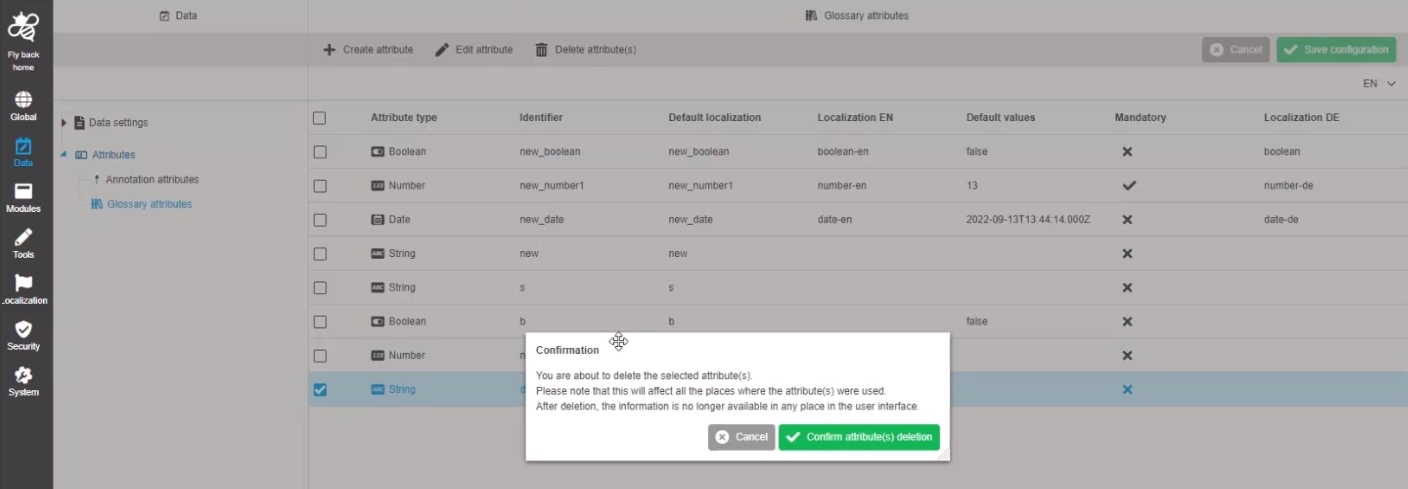
Data - Attributes - Object Type Glossary - Delete attribute(s)
Tags |
OUCC-311 |
Possibility to delete an attribute from type glossary in new HTML5 Config Client
-
Add localization for content plugins in Glossary
Tags |
OMN-9756 |
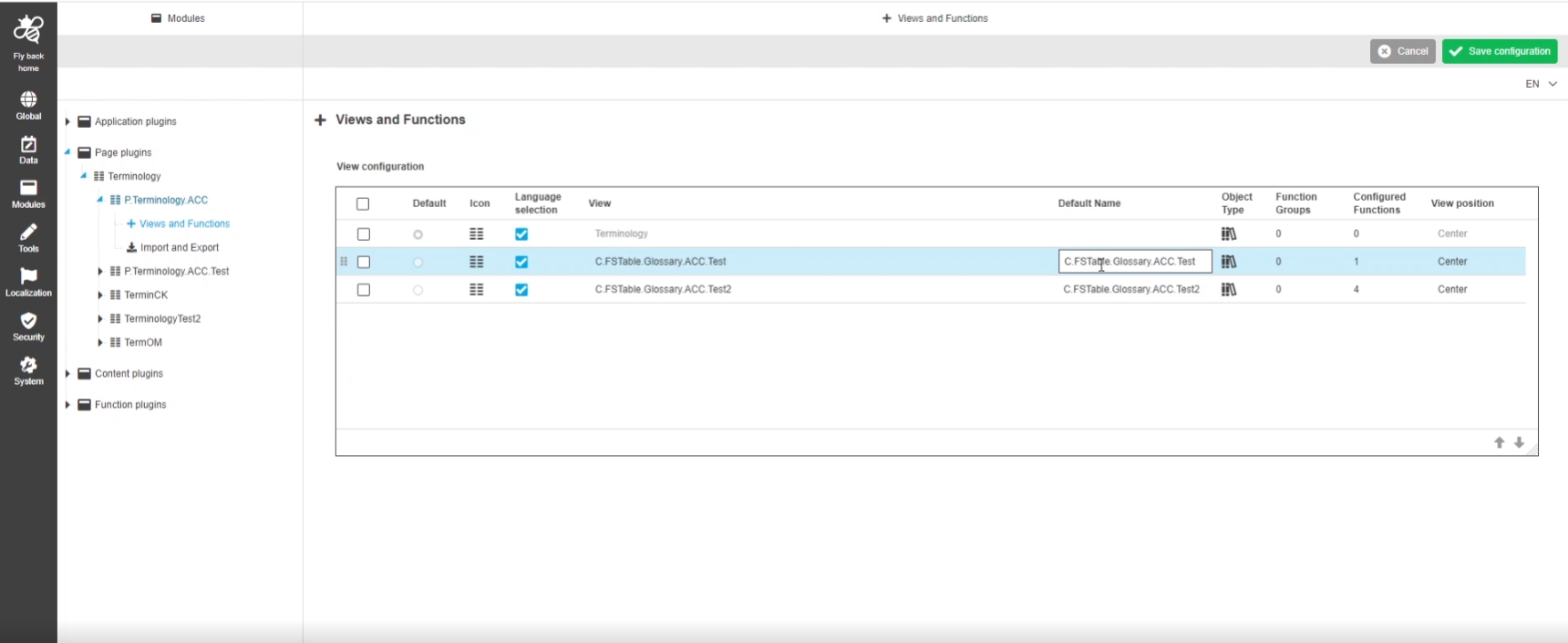
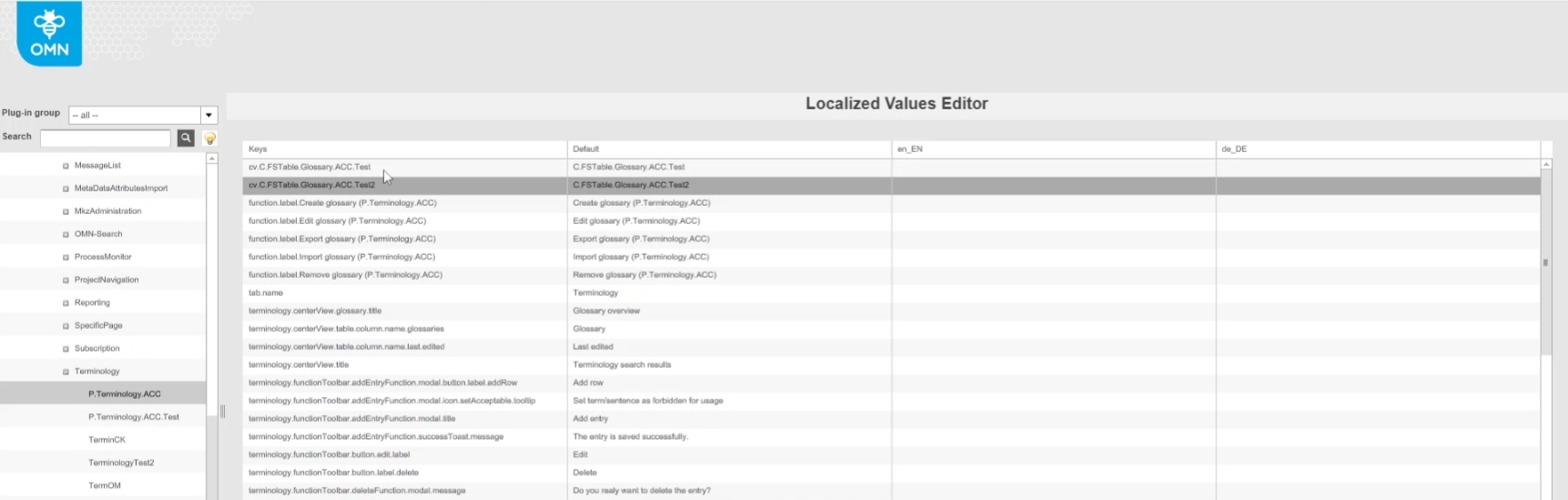
Possibility to localize content Plugin names for the Terminology table (View) so that the admin can adapt them in the corresponding name
| The localization itself cannot yet be done in the new HTML Configclient and must be done over old config client |
-
Views from Terminology Plugin which should be localized
-
Introduced key for localizations
-
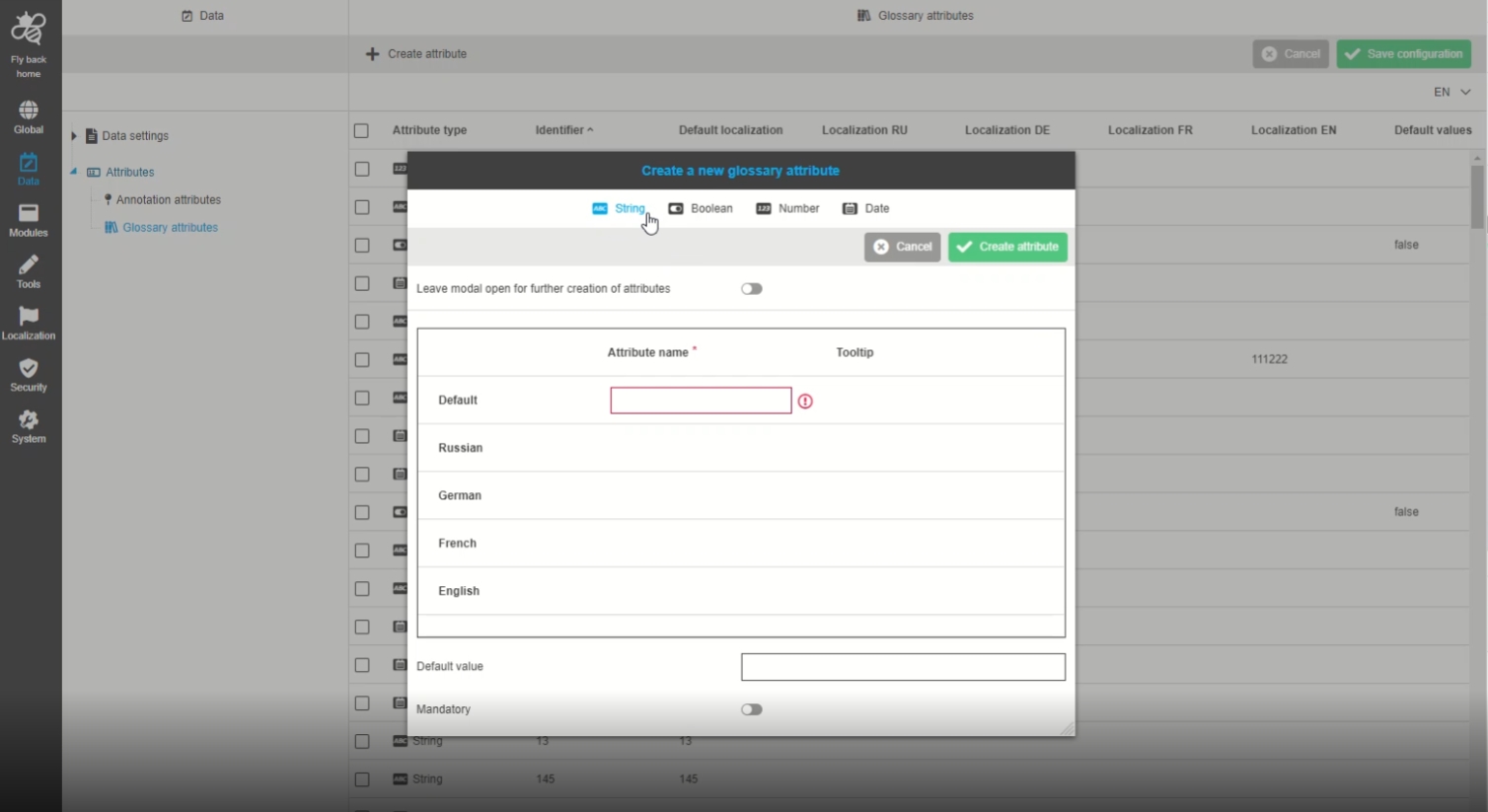
Data - Attributes - Object Type Glossary - Create attribute - Icons in Modal Navigationbar
Tags |
OUCC-372 |
Possibility to see icons for each attribute type in navigation bar of create attribute modal, so that the user have the same visual indicators as in table behind the modal
-
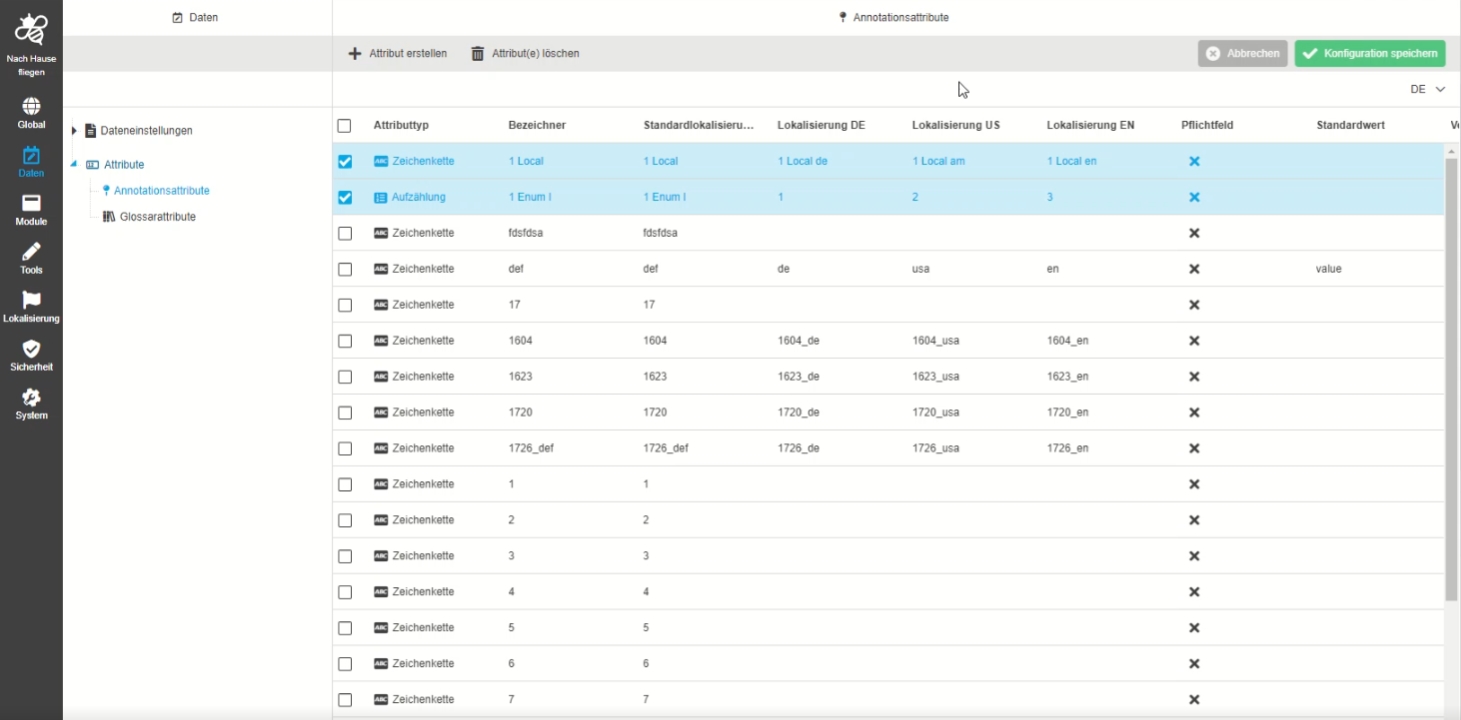
Support localization for custom attributes
Tags |
OMN-9722 |
Possibility to have localization for Annotation custom Attributes so that these attributes can be displayed on any language
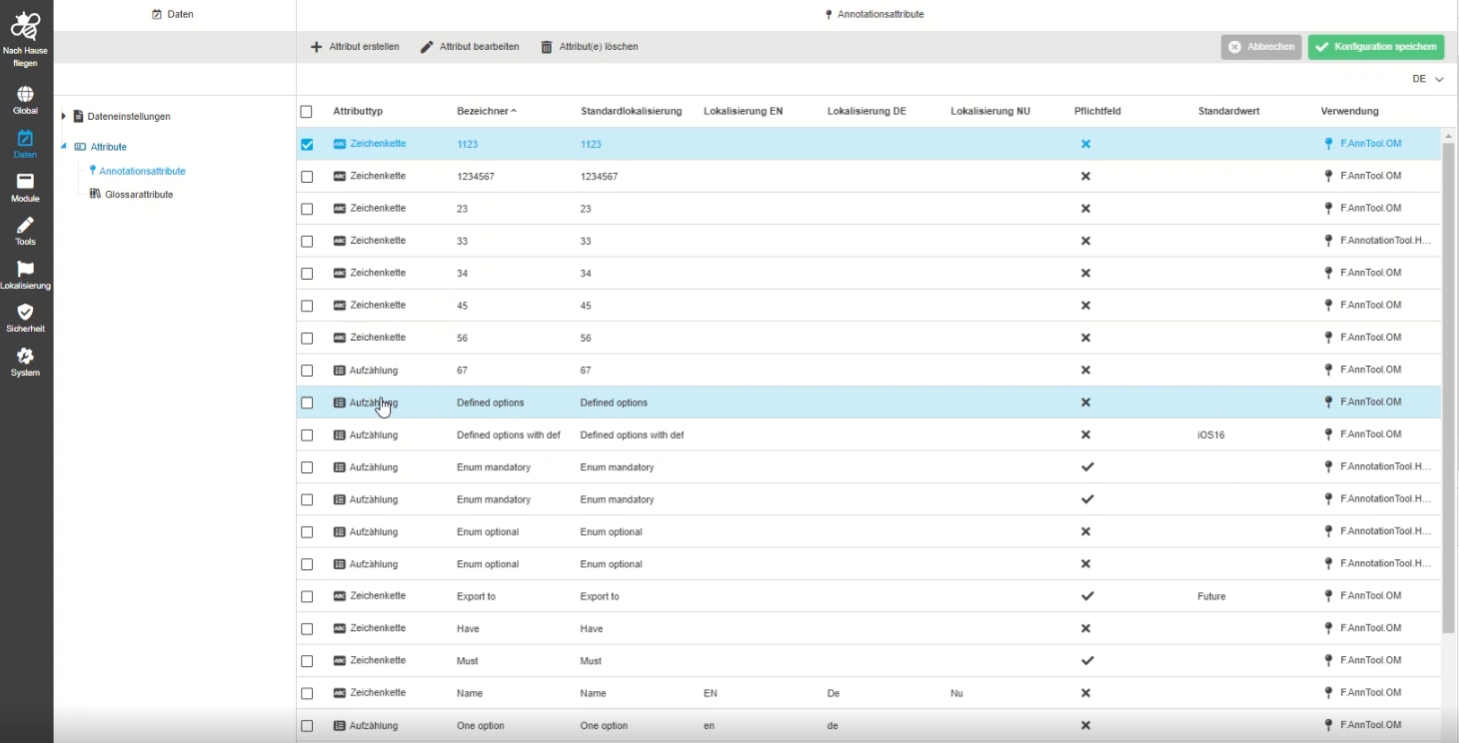
14.4.4 Data - Attributes - Object Type Annotation
Tags |
OUCC-300 |
Documentation |
ODOCU-788 |
Possibility to configure attributes from the type annotations, so the administrator can use those attributes in the context of the Annotation tool
-
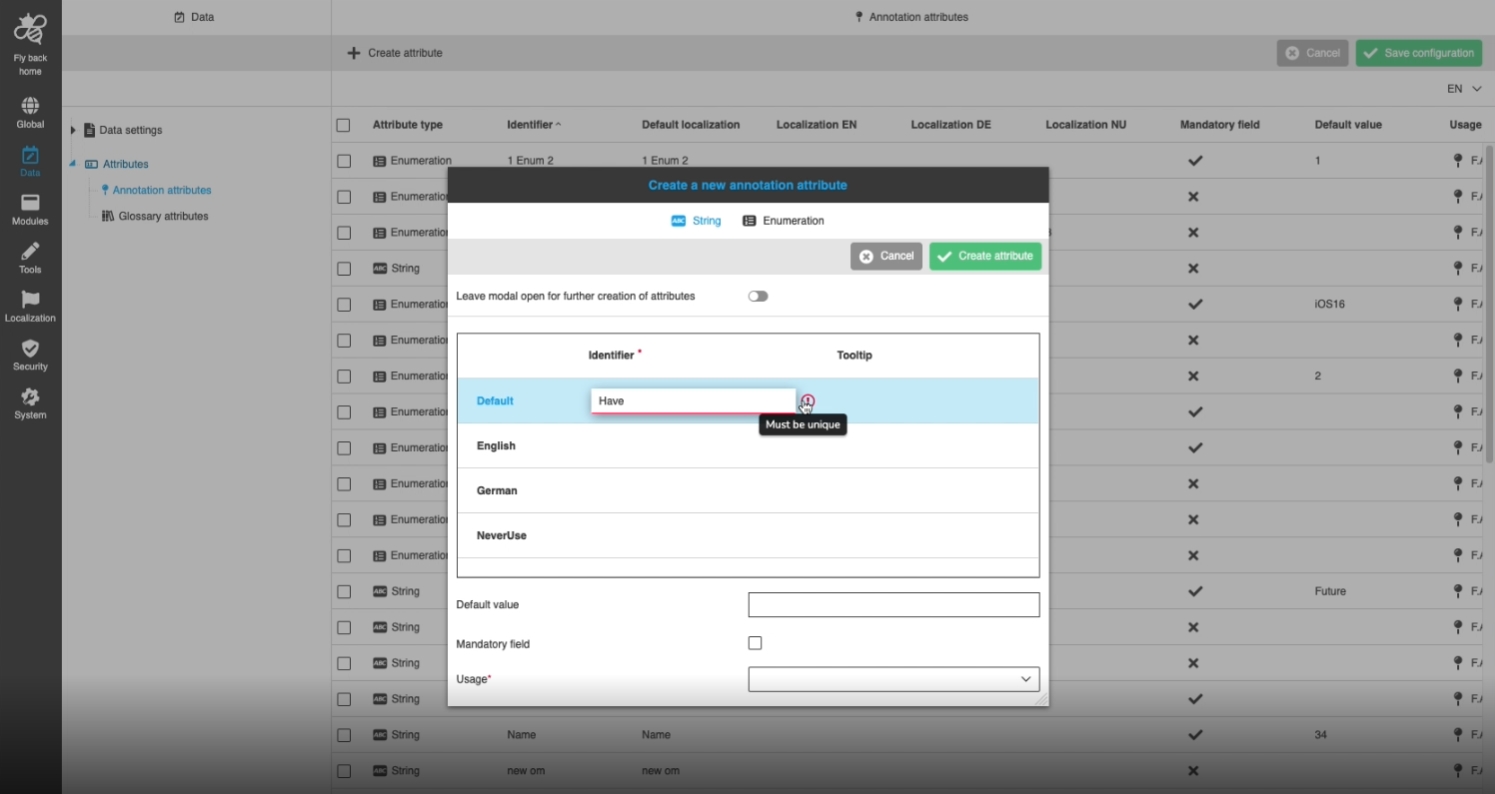
Data - Attributes - Object Type Annotation - Create attribute
Tags |
OUCC-333 |
Possibility to create a new attribute from type annotation, so that it can be used as a custom attribute in the annotation tool
-
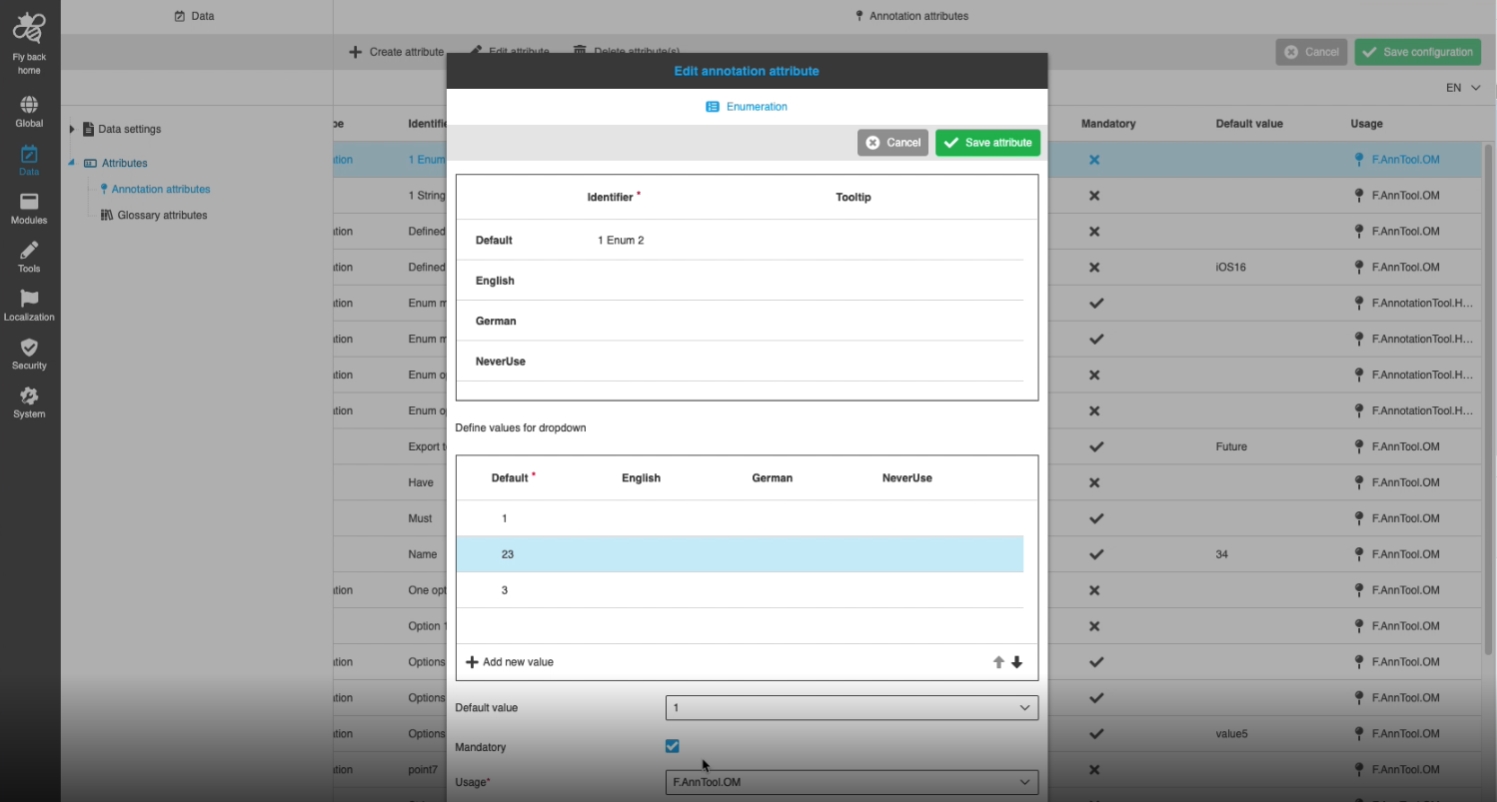
Data - Attributes - Object Type Annotation - Edit attribute
Tags |
OUCC-334 |
Possibility to edit attributes from the type of annotation so that the user can use those changed attributes in the context of the AnnotationTool
-
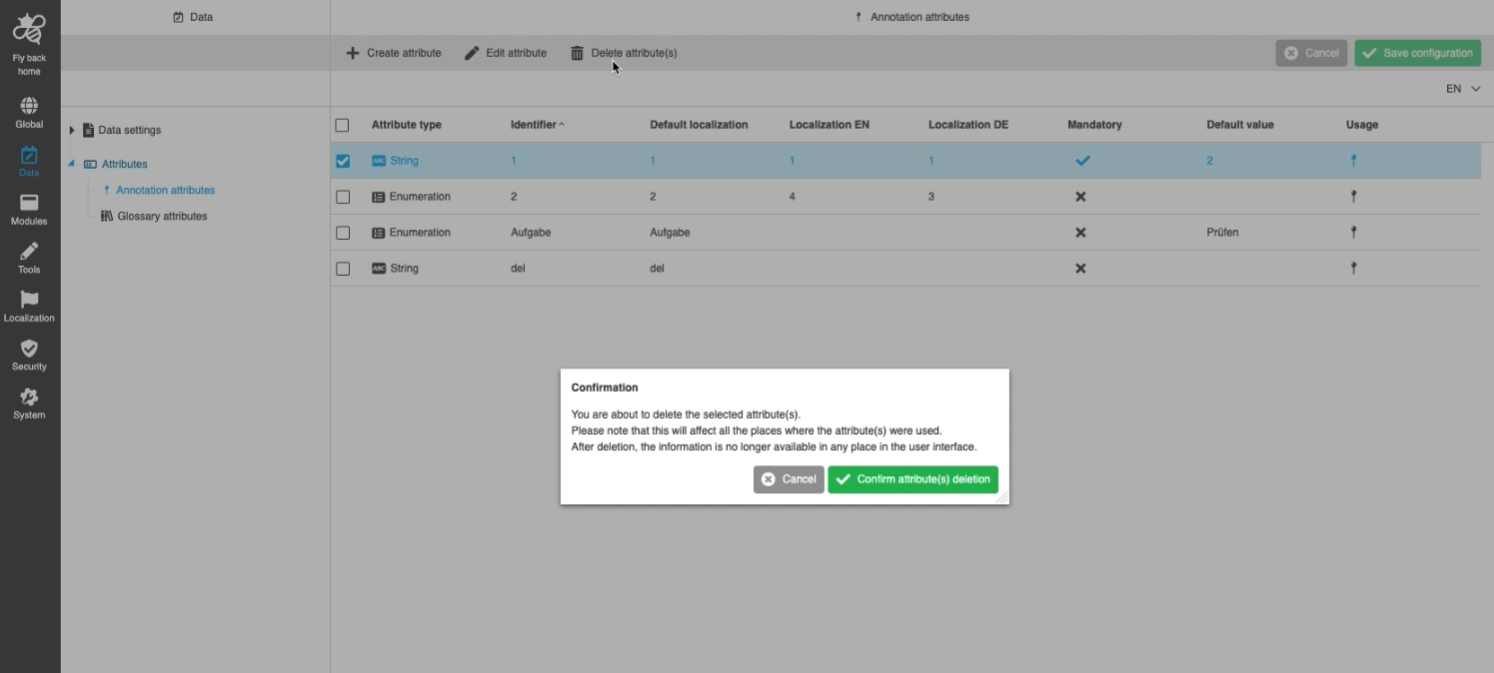
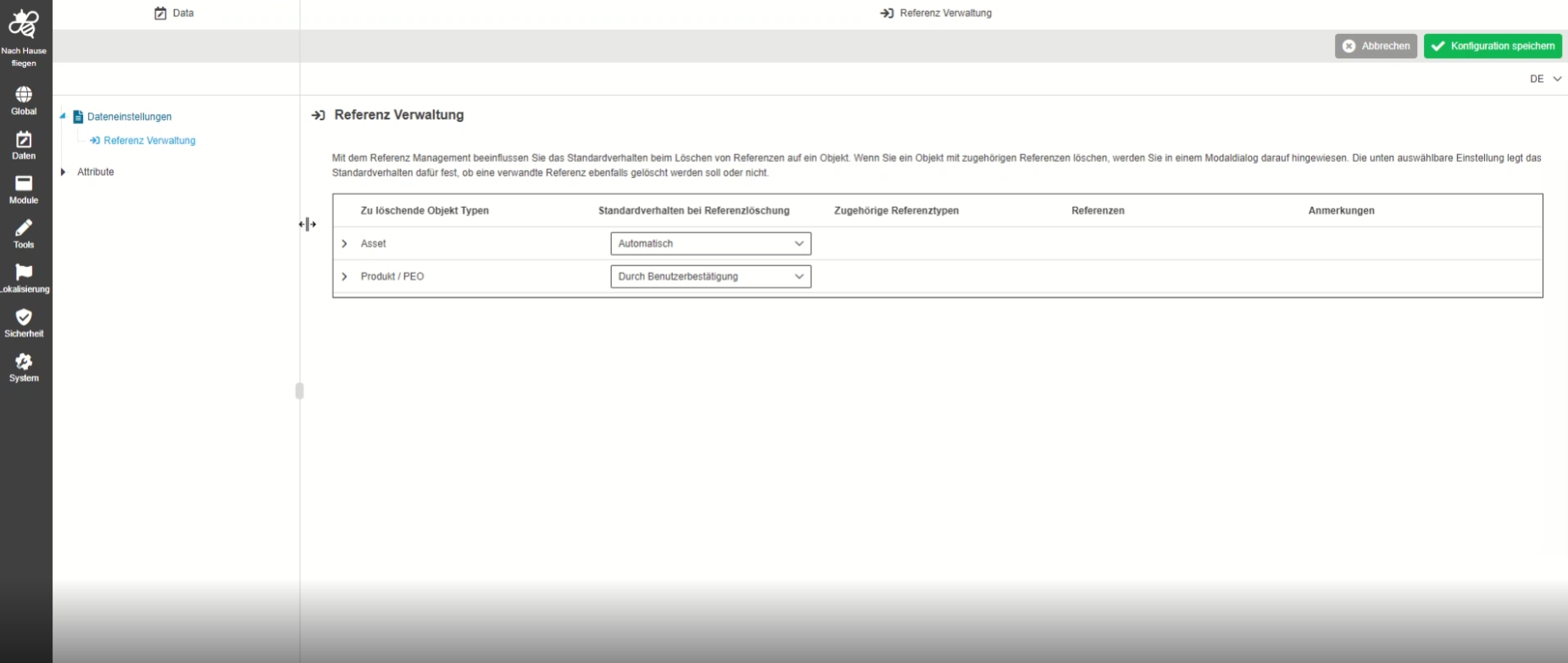
Data - Attributes - Object Type Annotation - Delete attribute(s)
Tags |
OUCC-335 |
Possibility to delete an attribute from type annotation
14.5 Plugins
Supported plugins in the new HTML5 Config client
14.5.1 Terminology
-
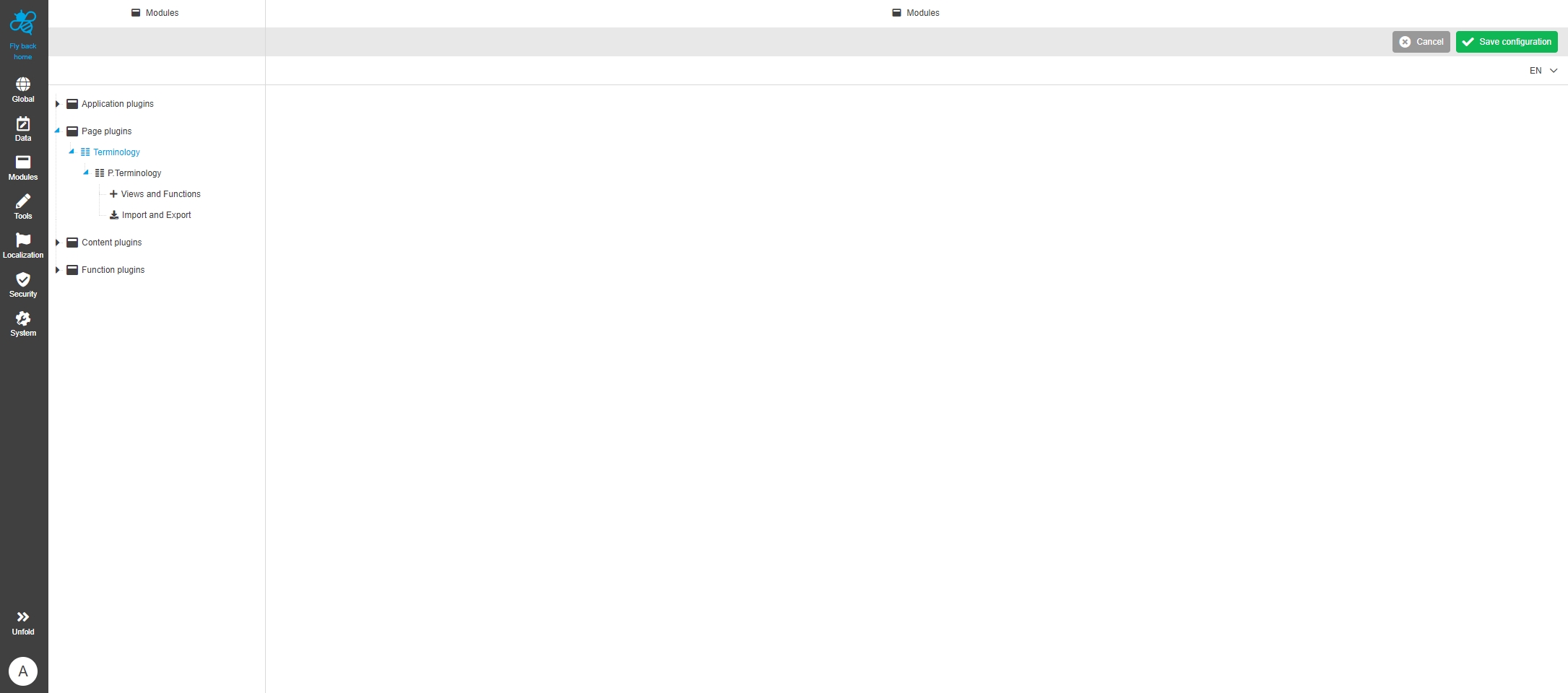
Modules - Page Plugin - Terminology
Tags |
OUCC-254 |
Functionality to enable and configure terminology plugin in the Config UI, so that the Administrator add additional views and functions to Terminology Plugin
-
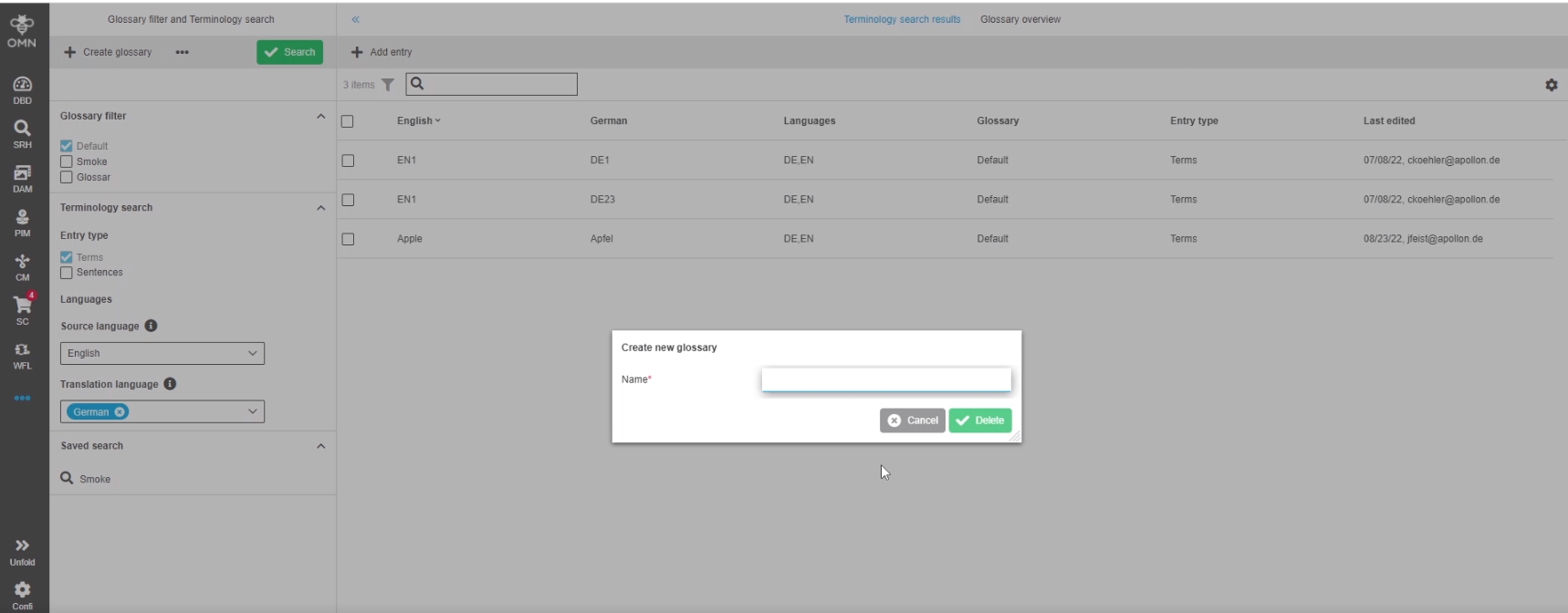
Modules - Page plugin - Terminology - Introduce new Object Type for Glossary
Tags |
OMN-9646 |
Introduction of a new own object type glossary as a new entity in Online Media Net to set up data, views, and functions with it
-
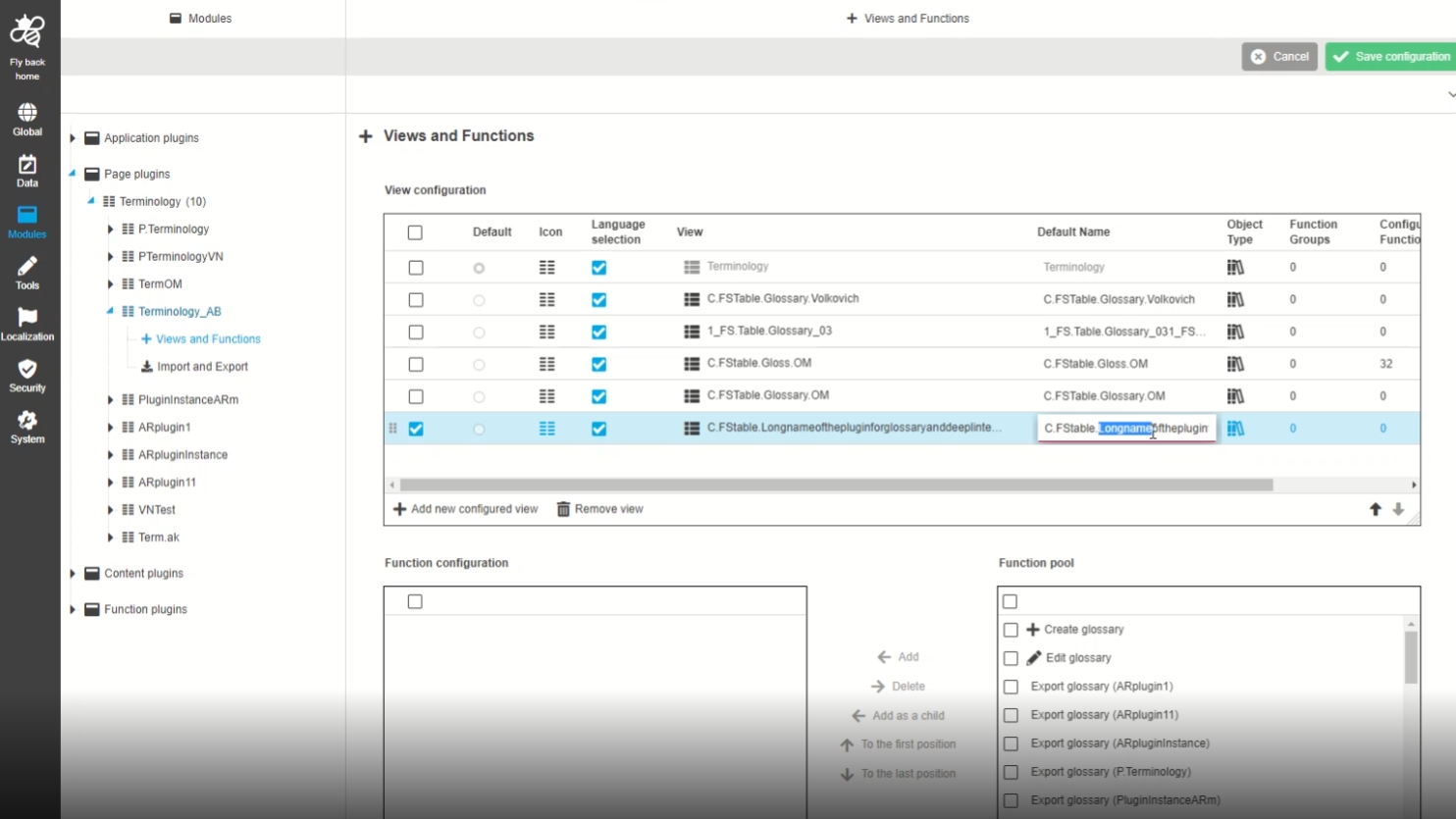
ConfigClient - View&Functions - Add validation for long FSTable name
Tags |
OUCC-374 |
Improvement by new Validation for Default name when the name is too long
 ]
]
-
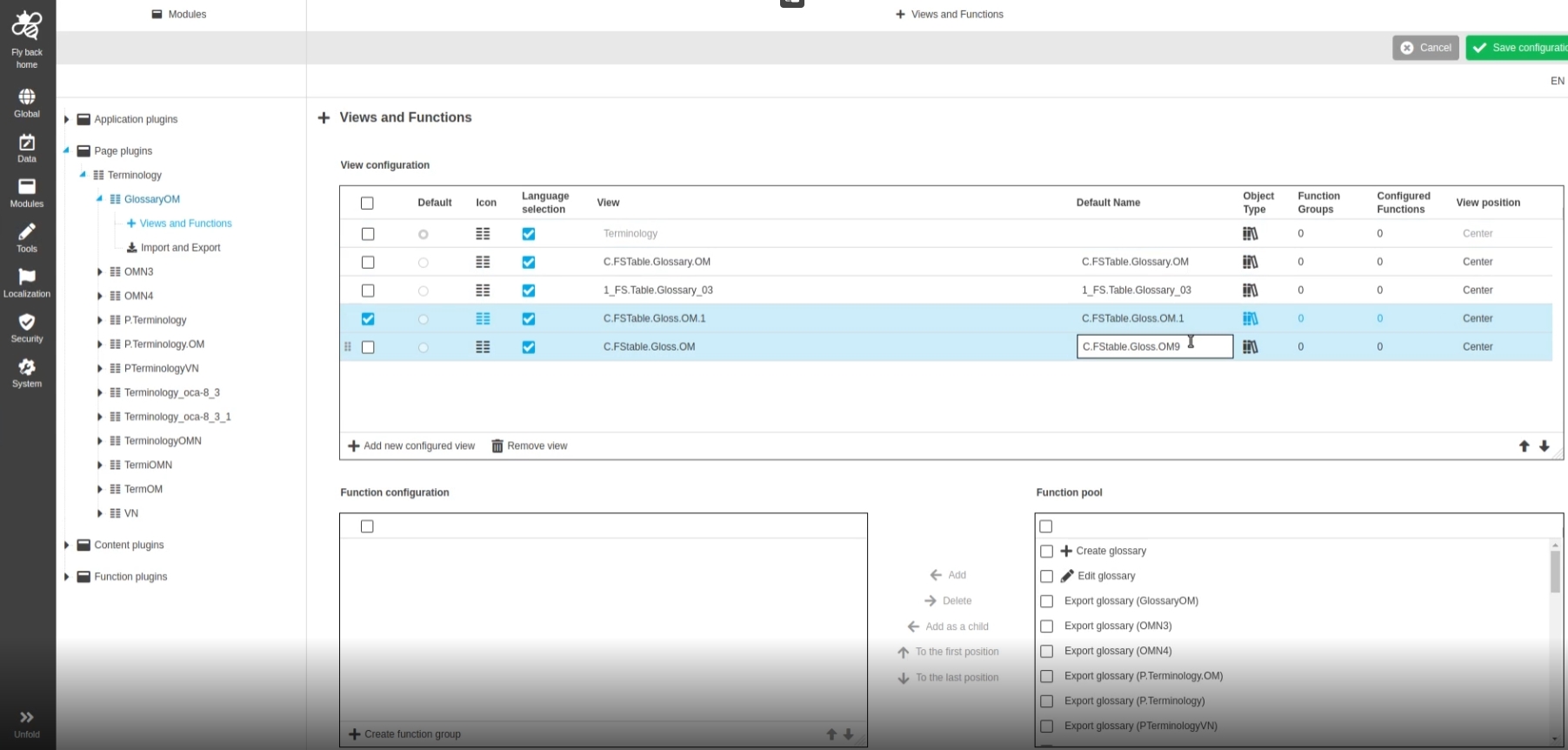
Modules - Page Plugin - Terminology - Views and Functions - Columns for Default Name and Tooltip
Tags |
OUCC-362 |
Possibility to define default name and column in content view configuration of terminology plugin, so that the admin can see those in the UI
-
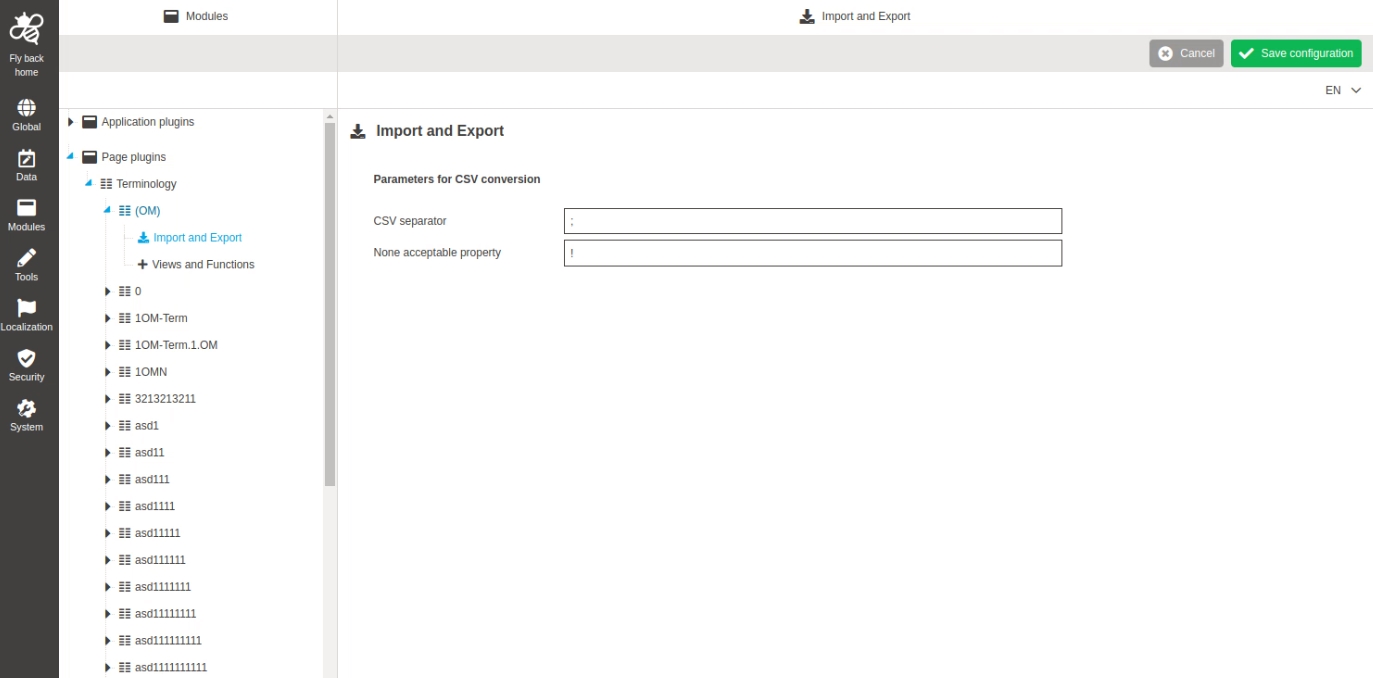
Modules - Page plugin - Terminology - Expressions for csv export
Tags |
OUCC-256 |
Possibility to configure specific import and export parameters for terminology plugin, so the admin can decide for example Format
-
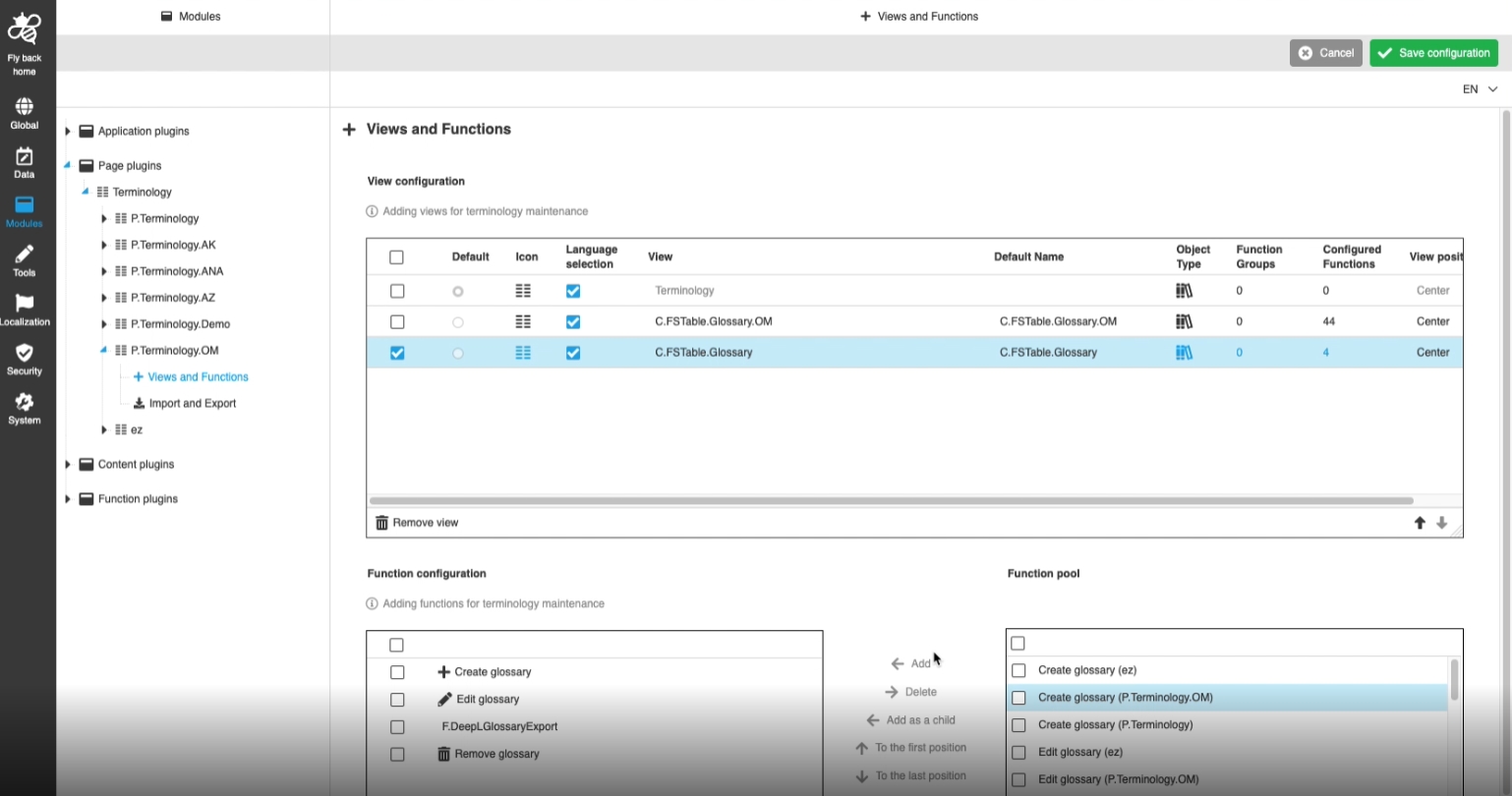
Modules - Page Plugin - Terminology - Glossary Overview - Views
Tags |
OUCC-258 |
Possibility to assign an FSTable for terminology plugin to display certain information and functions about a glossary like a overview of all glossaries available in OMN
-
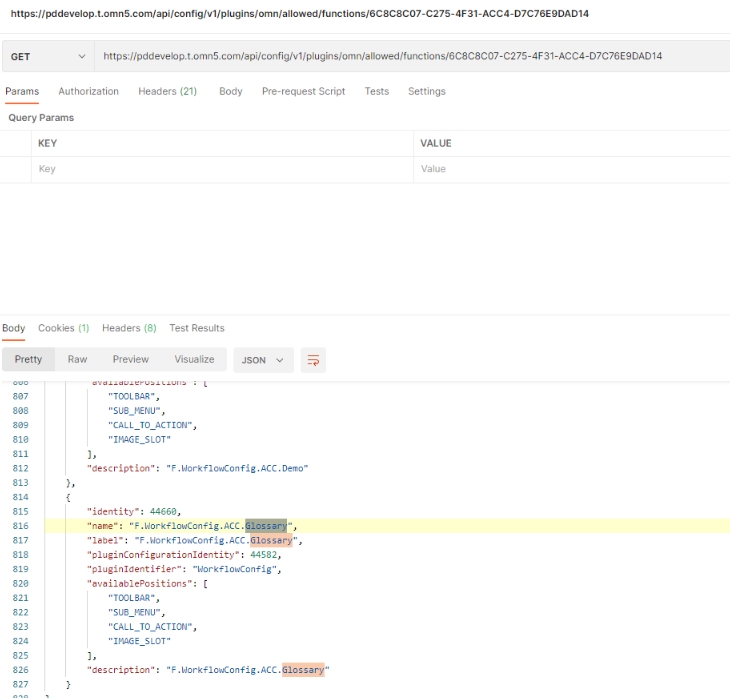
Register new content views and functions for Terminology plugin
Tags |
OMN-9661 |
Server Extension to extend the Terminology Plugin by additional Content Views with its own configured functions
| The Configuration is not part of this Extension |
-
Manage glossary attributes
Tags |
OMN-9663 |
Possibility to manage so called glossary custom attributes for new OMN Entity glossary
-
Support localization for Glossary attributes
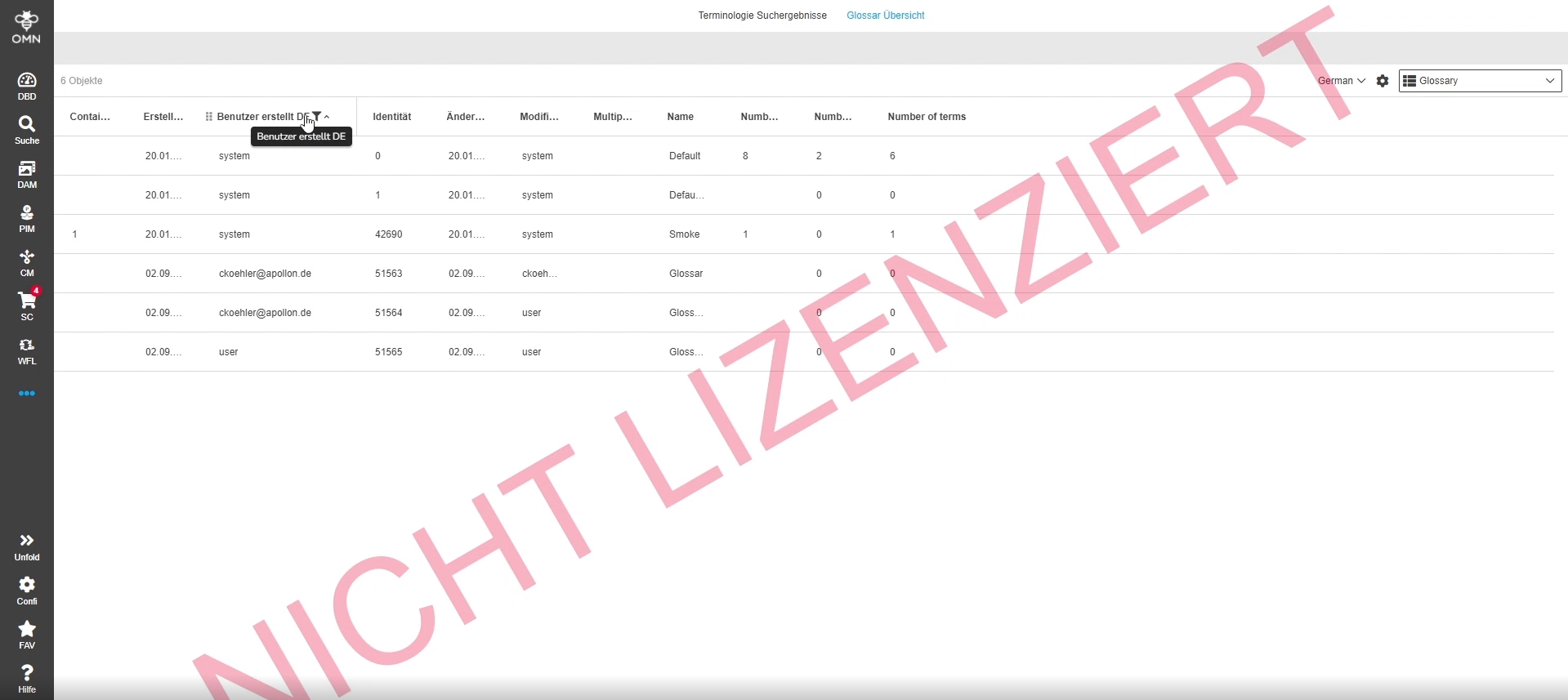
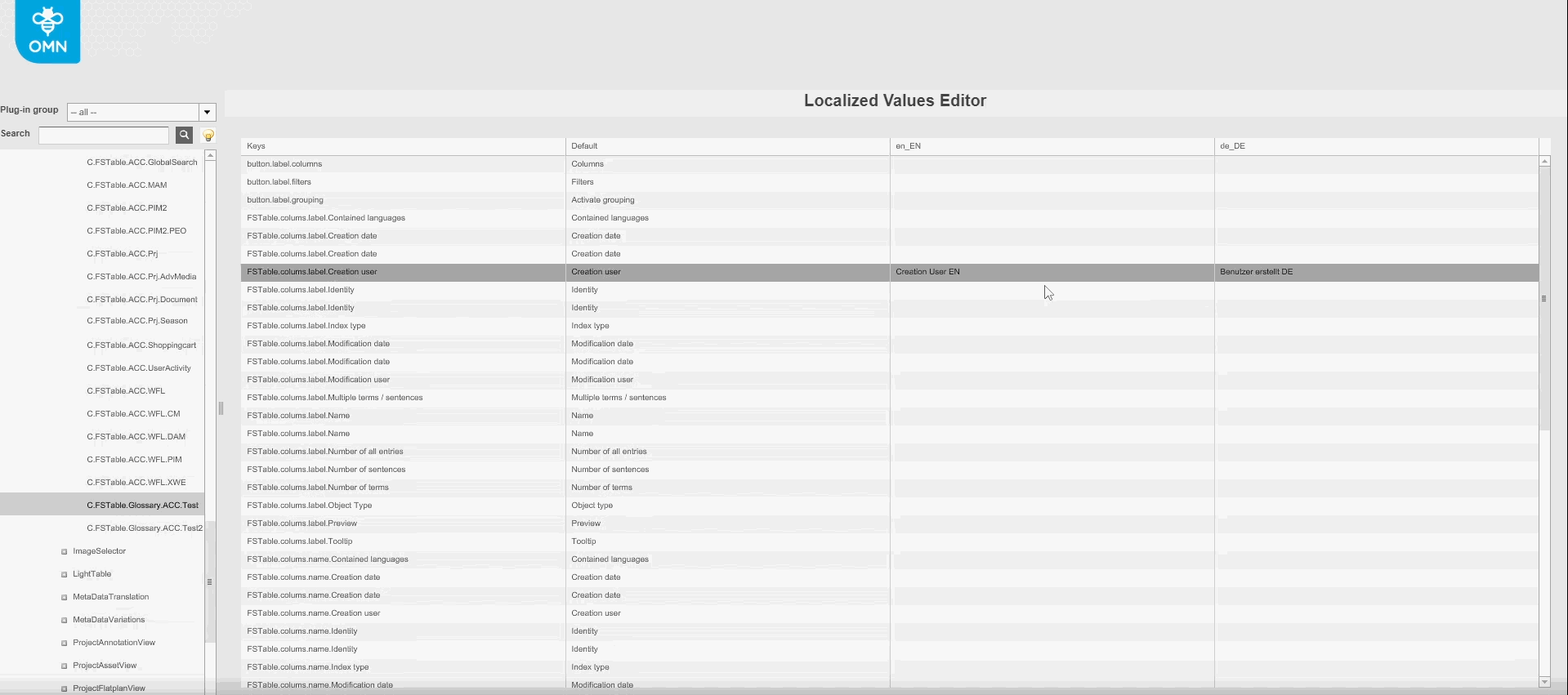
Tags |
OMN-9724 |
Possibility to have localization for attributes in Terminology, so that these attributes can be displayed on any language
-
Localization in config client
-
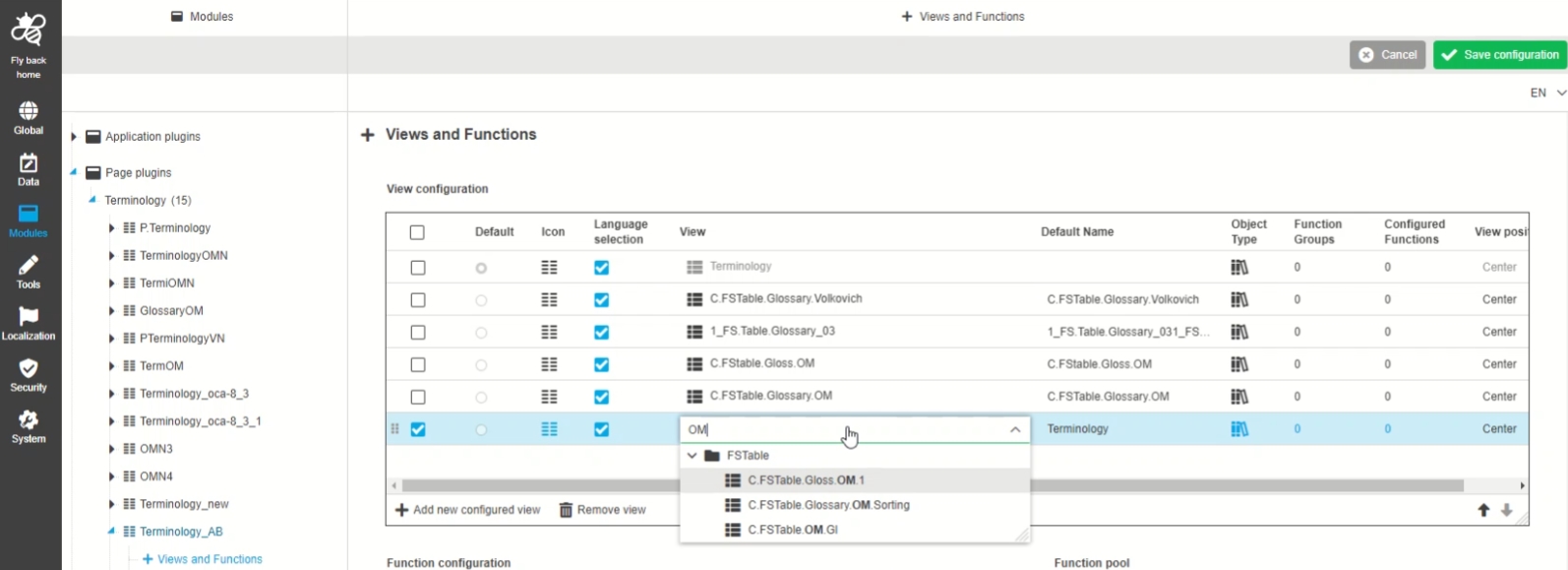
ConfigClient - UI Component - Dropdown - General Layout - Terminology
Tags |
OUCC-292 |
Improvement of dropdown usage in new HTML5 Config Client by having ability to resize and search
-
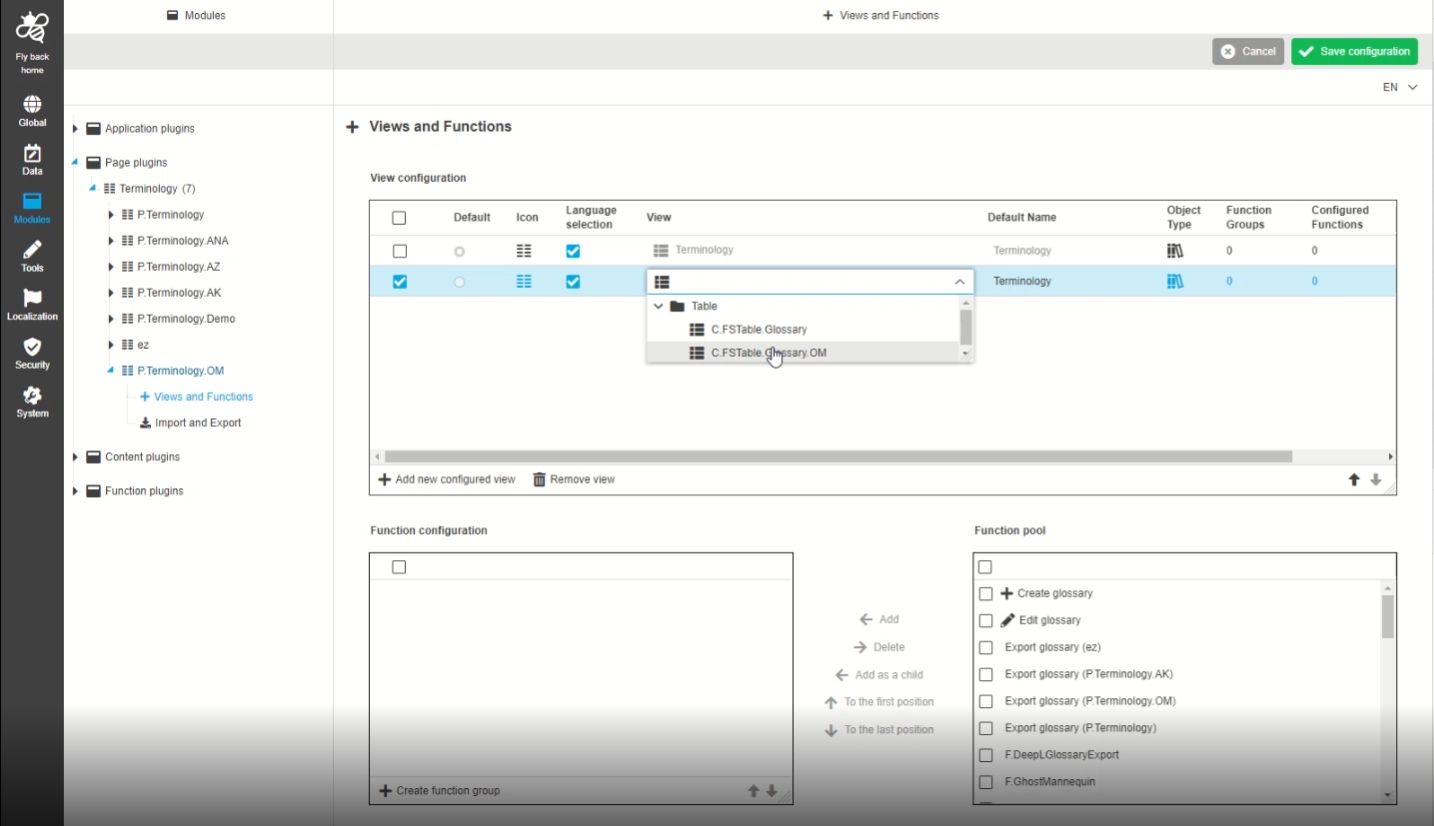
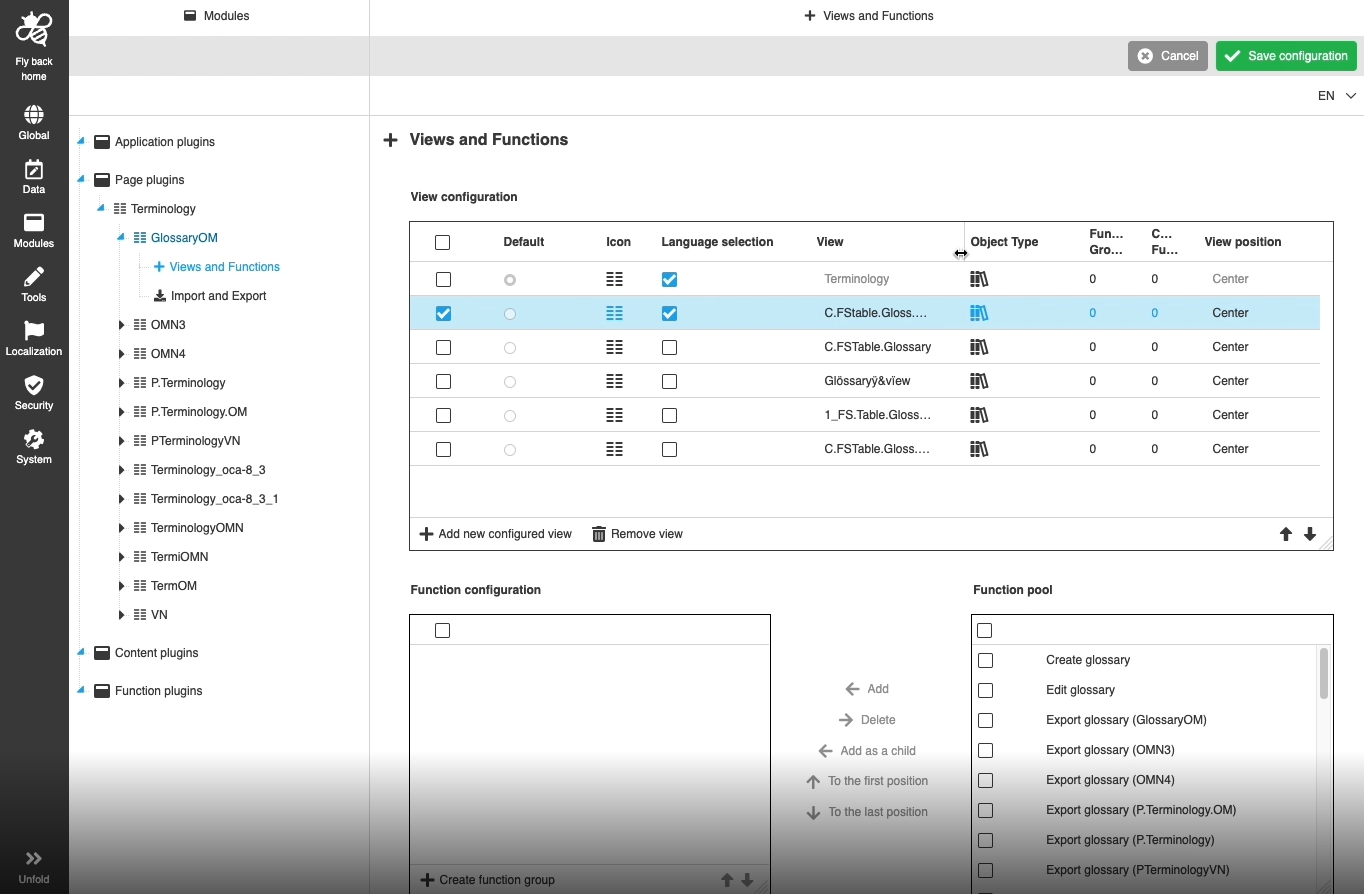
Modules - Page Plugin - Terminology - Glossary Overview - Views and Functions - View configuration - Dropdown to select available configured views
Tags |
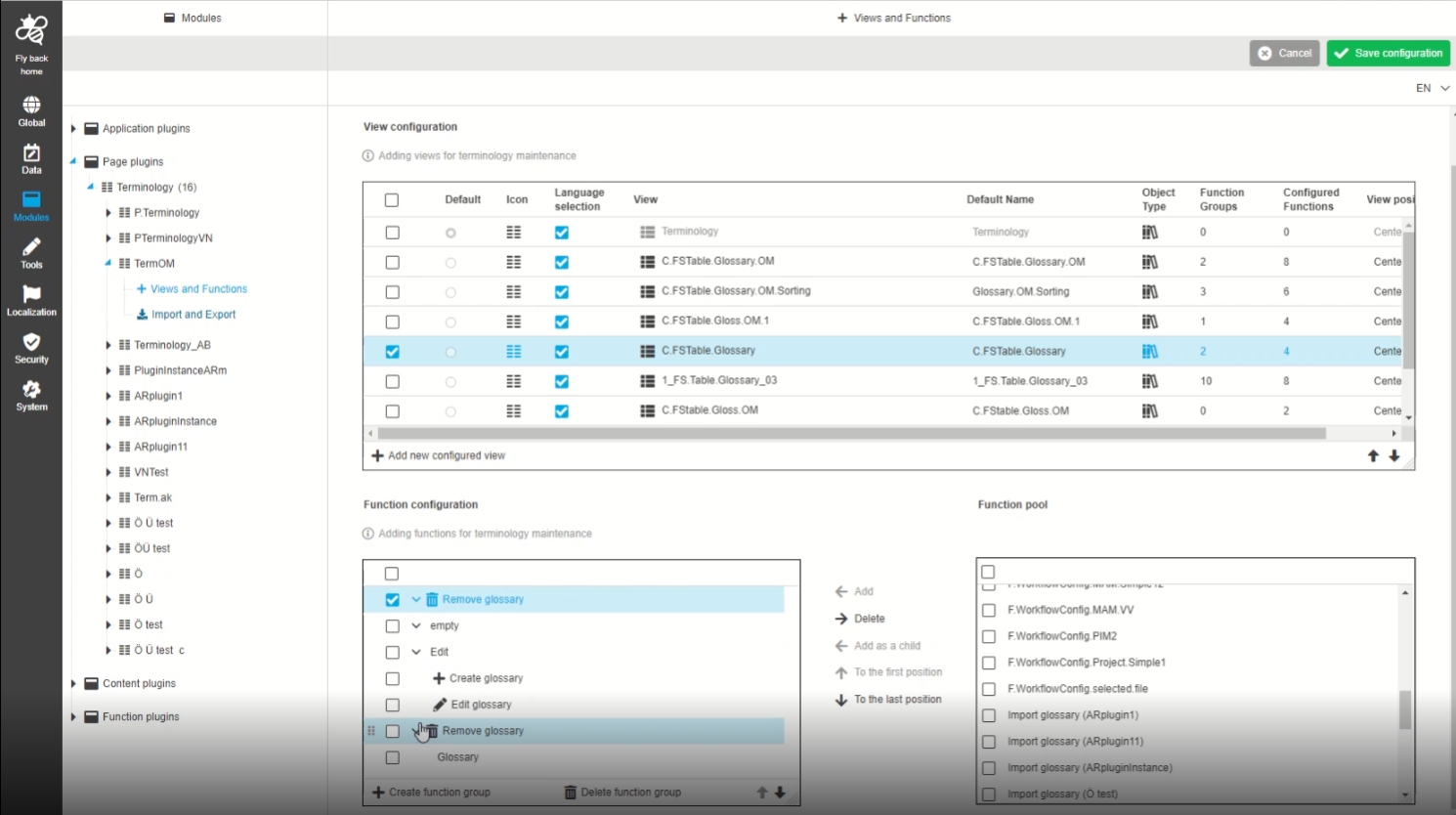
OUCC-290 |
Possibility to select existing configured views (like tables or detail views) for the terminology page plugin in view configuration table, so that this views can be used in a Plugin configuration
-
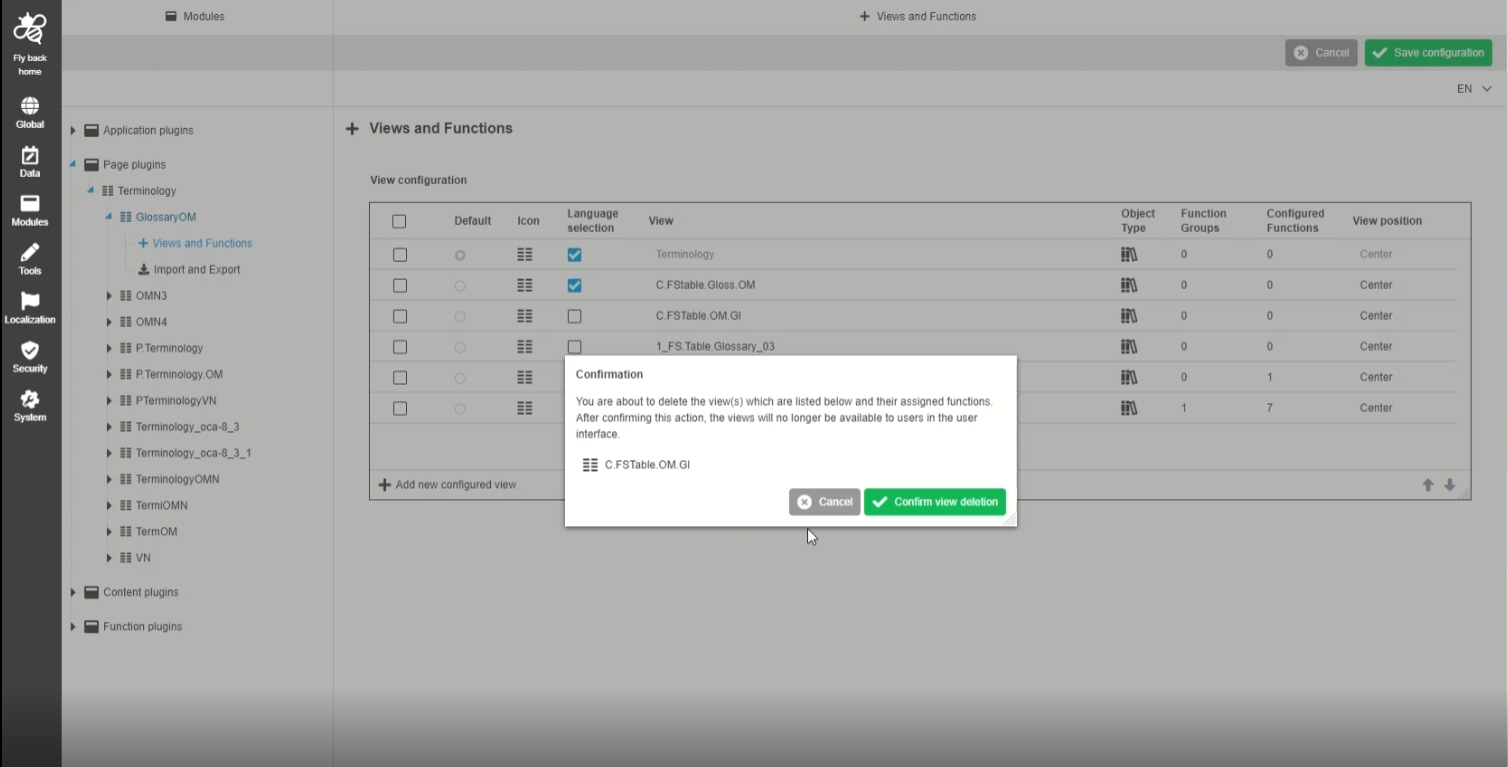
Modules - Page Plugin - Terminology - Glossary Overview - Views and Functions - View configuration - Remove view
Tags |
OUCC-287 |
Possibility to remove a view from view configuration table in terminology plugin, so the view is not shown in the UI anymore
-
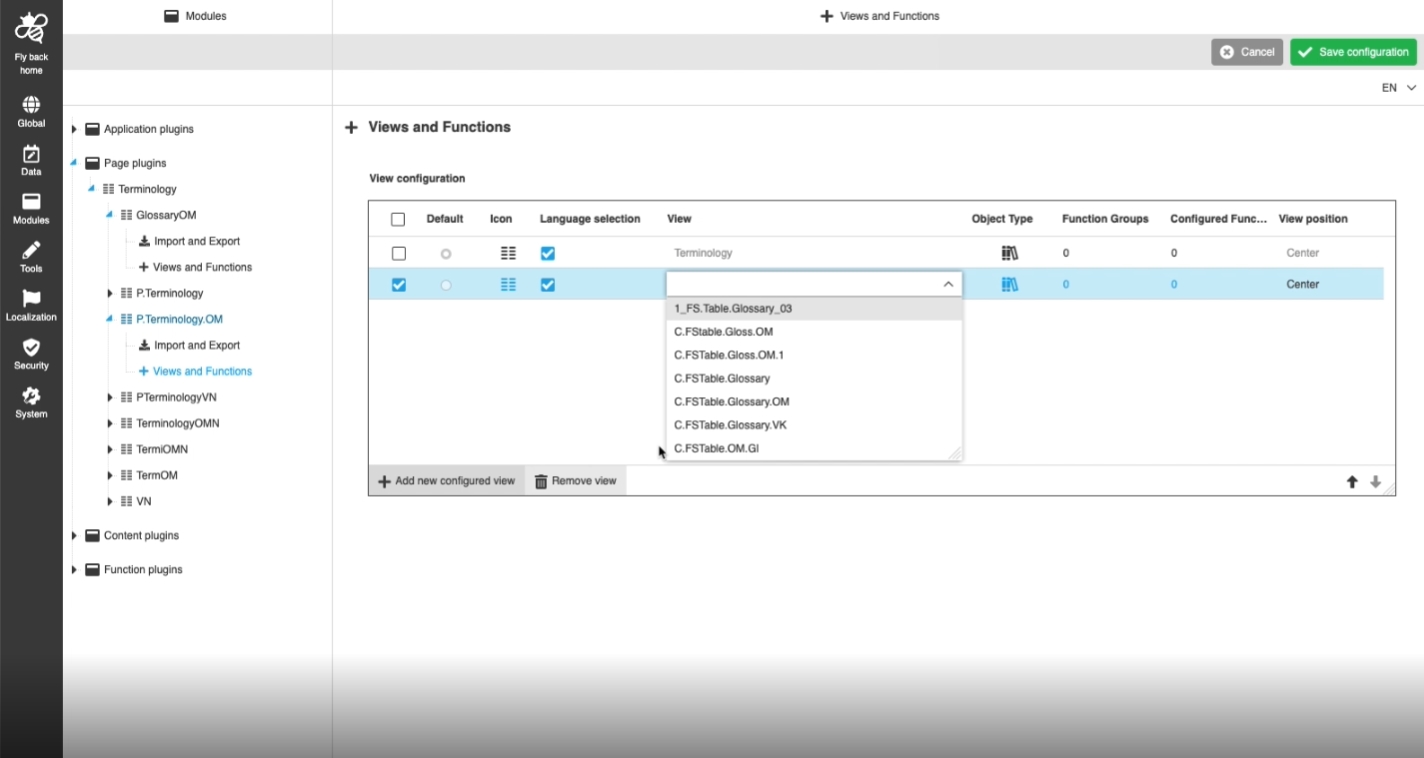
Modules - Page Plugin - Terminology - Glossary Overview - Views and Functions - View configuration - Add new configured view
Tags |
OUCC-284 |
Possibility to add a new view in the view configuration of terminology plugin, so this view will be shown in the UI*
-
Modules - Page Plugin - Terminology - Glossary Overview - Views and Functions - View configuration
Tags |
OUCC-283 |
Possibility to assign / create an FSTable for terminology plugin to display certain information in a table
-
Add new add method to avoid that Glossary update attribute clears all existing attributes values
Tags |
OMN-9836 |
New API method is introduced to avoid that Glossary update attribute clears all existing attributes values
16. API
16.1 OMN DAM API
API enhancements and new endpoints for the OMN DAM Module
16.1.1 Upload asset chunks
Tags |
XR-818 |
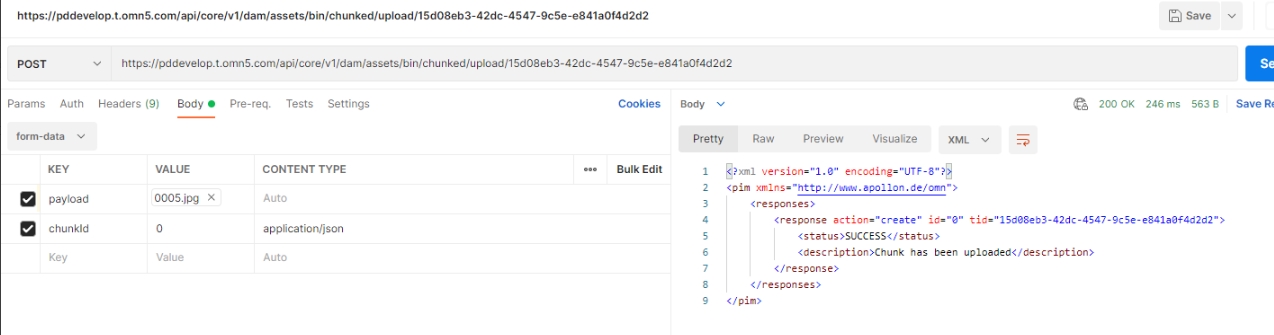
API endpoint to upload Asset via API by chunks
-
/dam/assets/bin/chunked/start
-
/dam/assets/bin/chunked/upload/{uploadId}
-
/dam/assets/bin/chunked/persist/{uploadId}
-
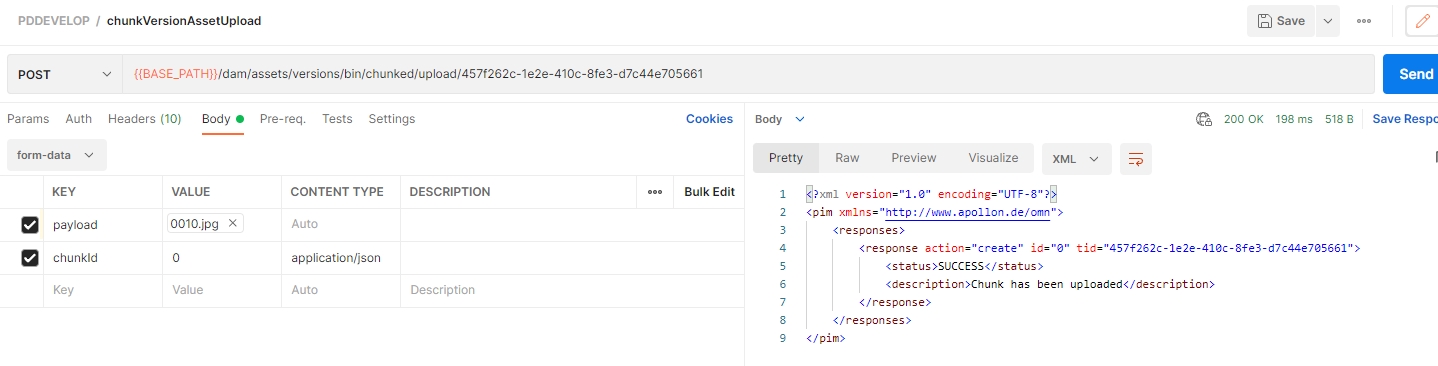
Chunked upload for versions
Tags |
XR-867 |
New API endpoint to upload version by chunks
-
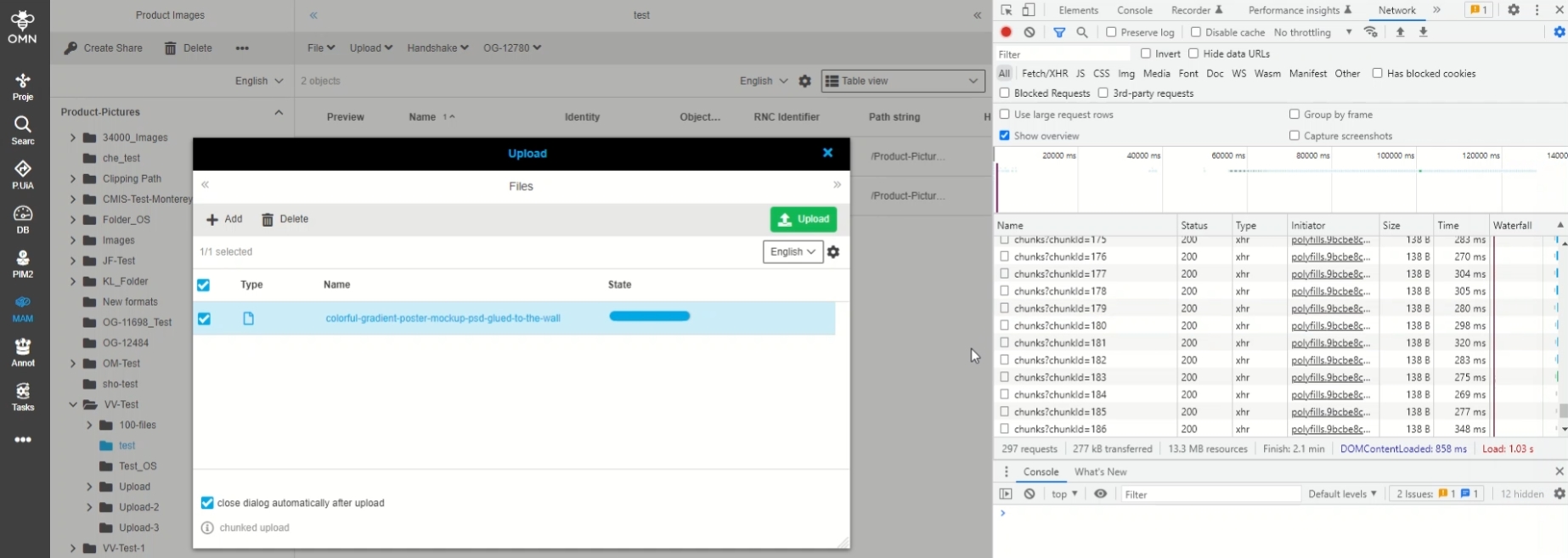
Optimize chunked upload service
Tags |
OMN-9813 |
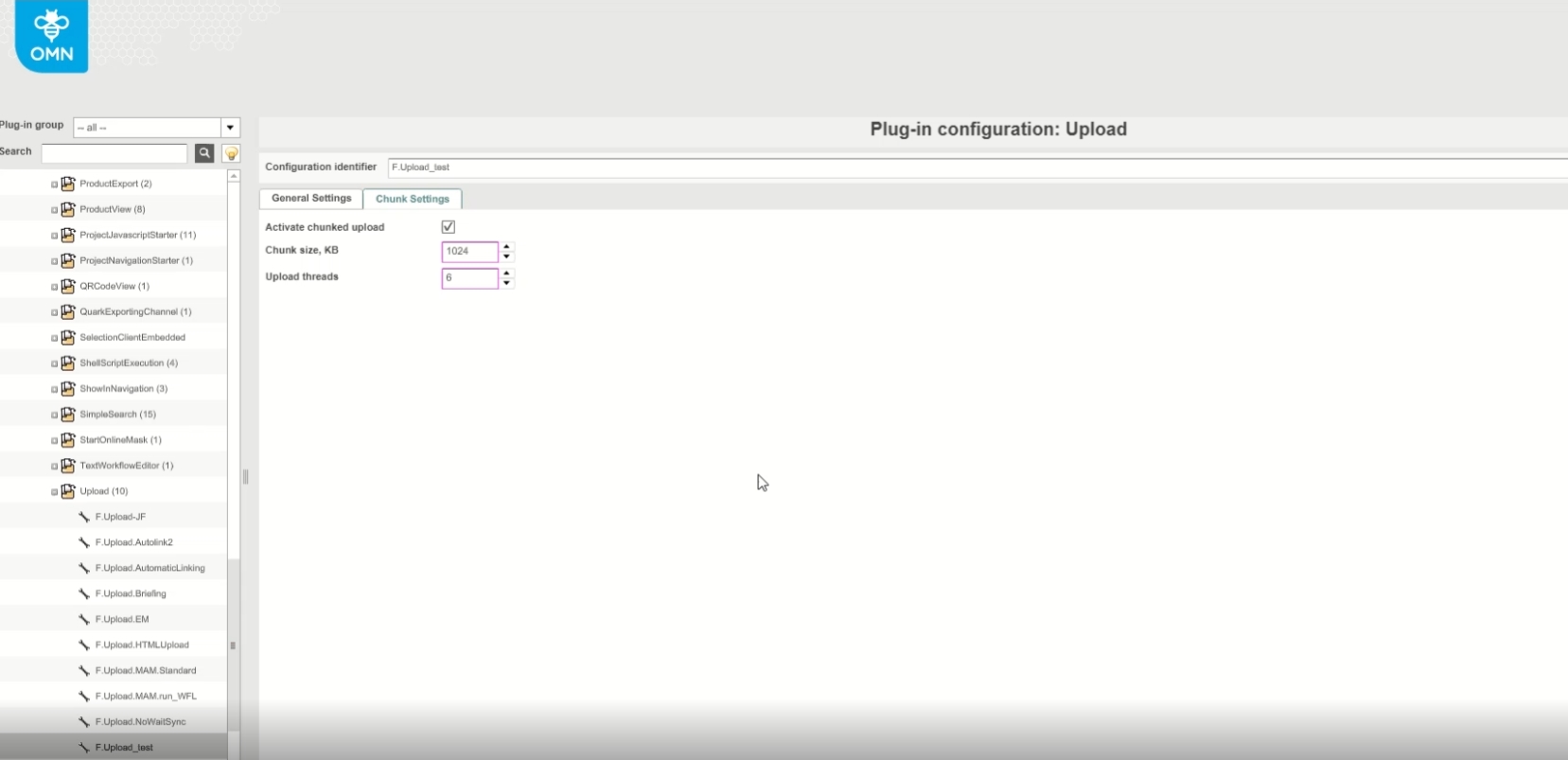
Currently chunks are written to storage and assembled to target file when upload is finished
By new improvement chunks can be appended directly
16.1.2 Move Keyword XML format
Tags |
XR-797 |
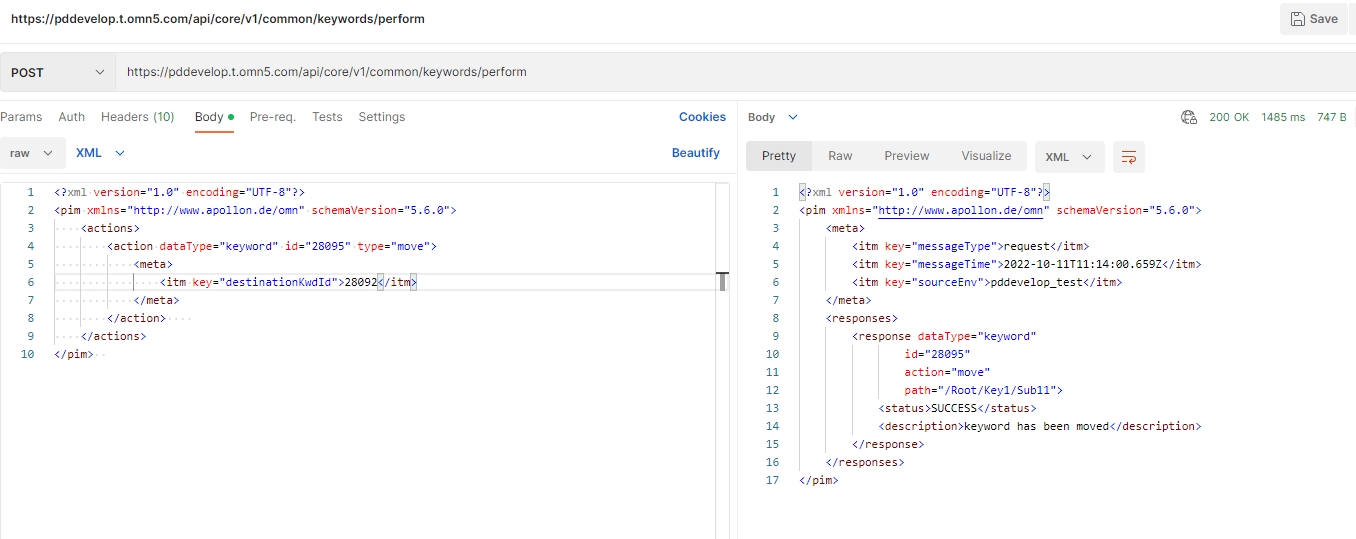
New API endpoint to move an existing OMN Keyword to an other Keyword via API
-
/common/Keywords/perform
16.1.3 Move Asset XML format
Tags |
XR-801 |
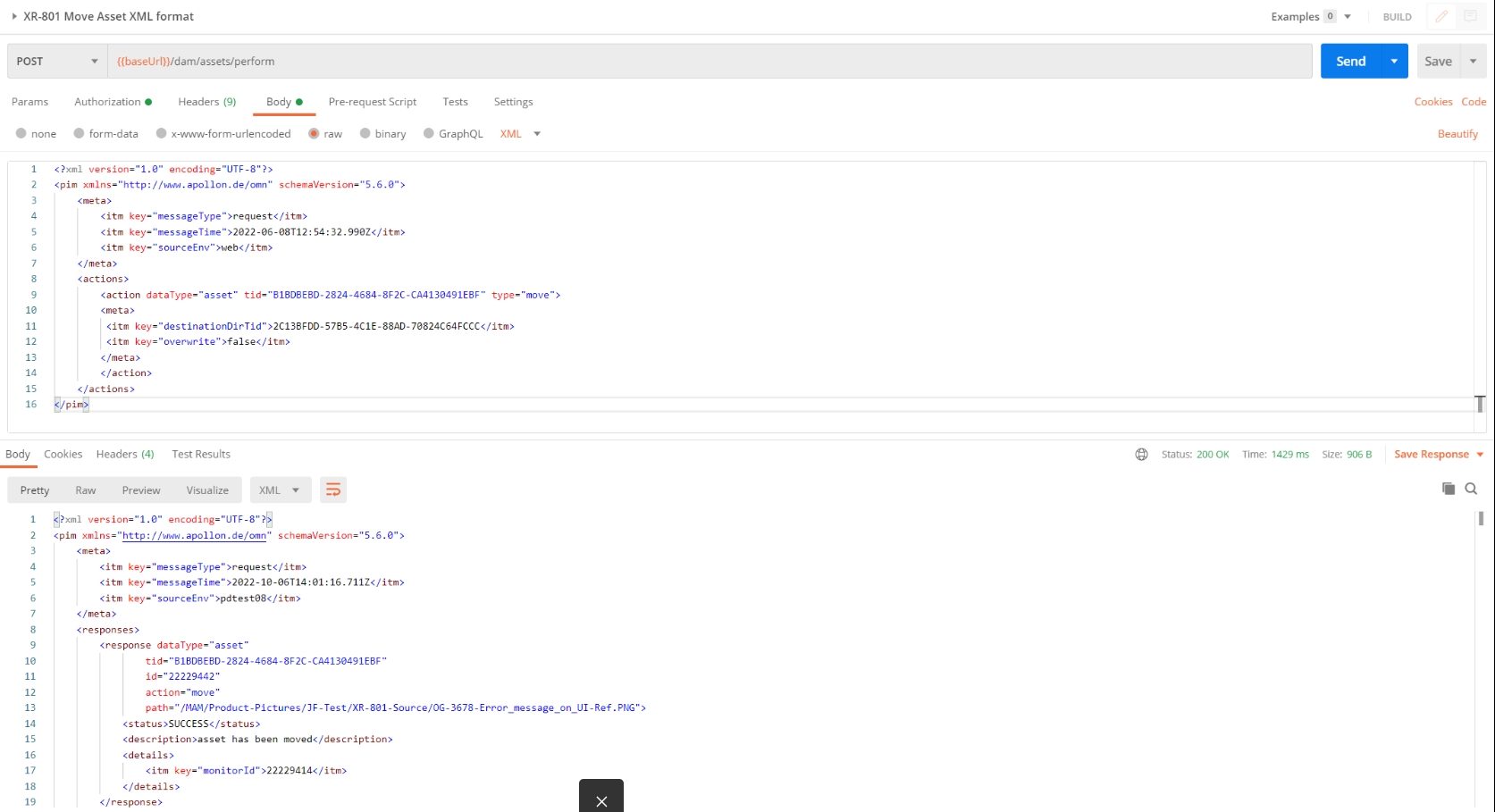
New API endpoint to move an existing OMN Asset to an another RNC or Directory via API
-
/dam/assets/perform
16.1.4 Copy Directory XML format
Tags |
XR-799 |
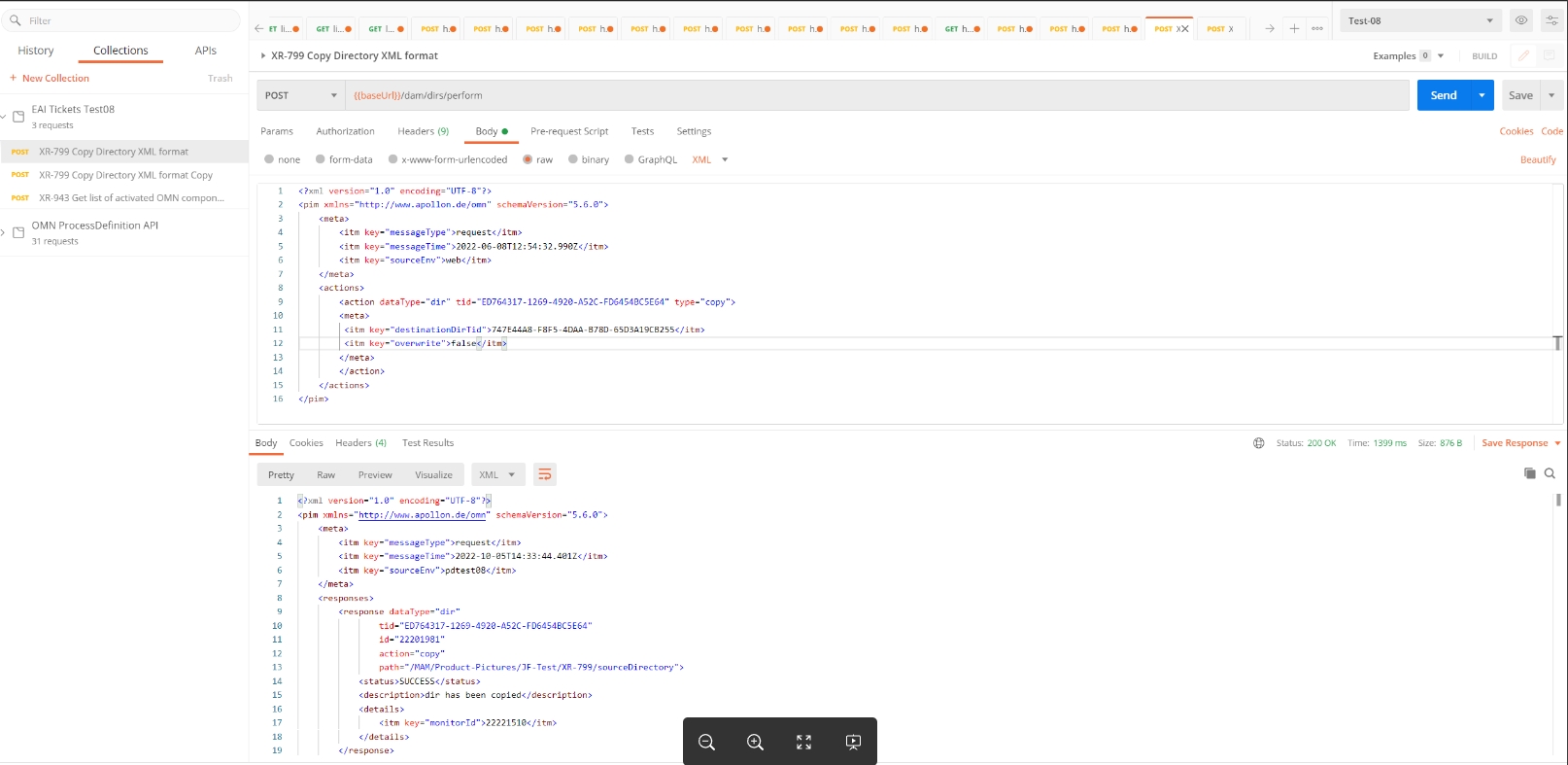
New API endpoint to copy an existing OMN Directory to an other RNC or Directory via API
-
/dam/dirs/perform
16.1.5 Copy Asset XML format
Tags |
XR-800 |
New API endpoint to copy an existing OMN Asset to an another RNC or Directory via API
-
/dam/assets/perform
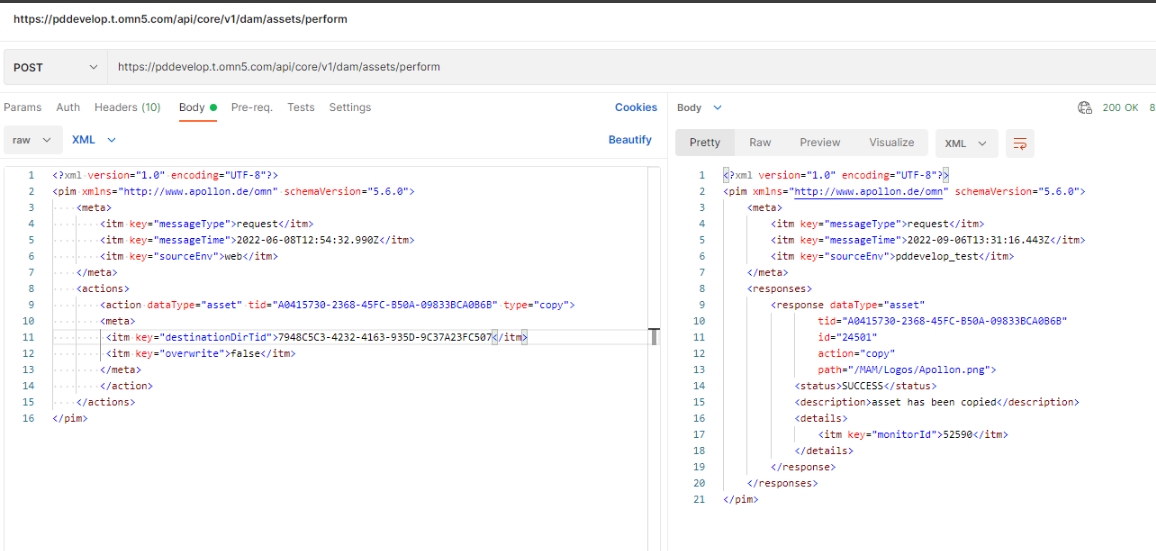
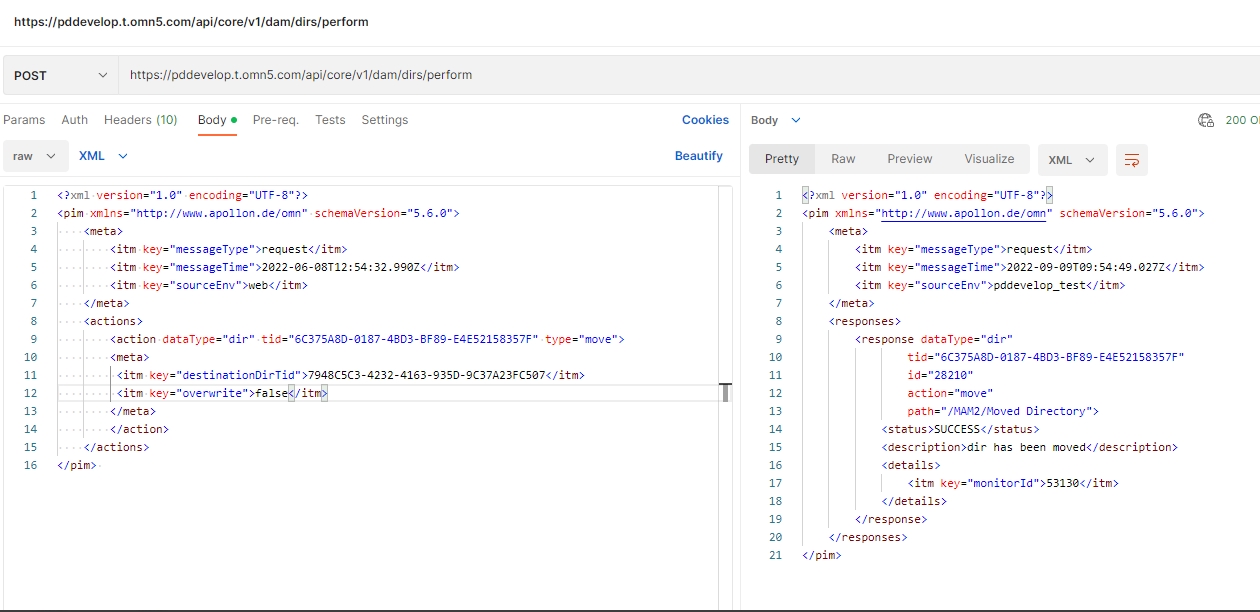
16.1.6 Move Directory via Actions request XML format
Tags |
XR-798 |
New API endpoint to move an existing OMN Directory to another Directory via API
-
/dam/dirs/perform
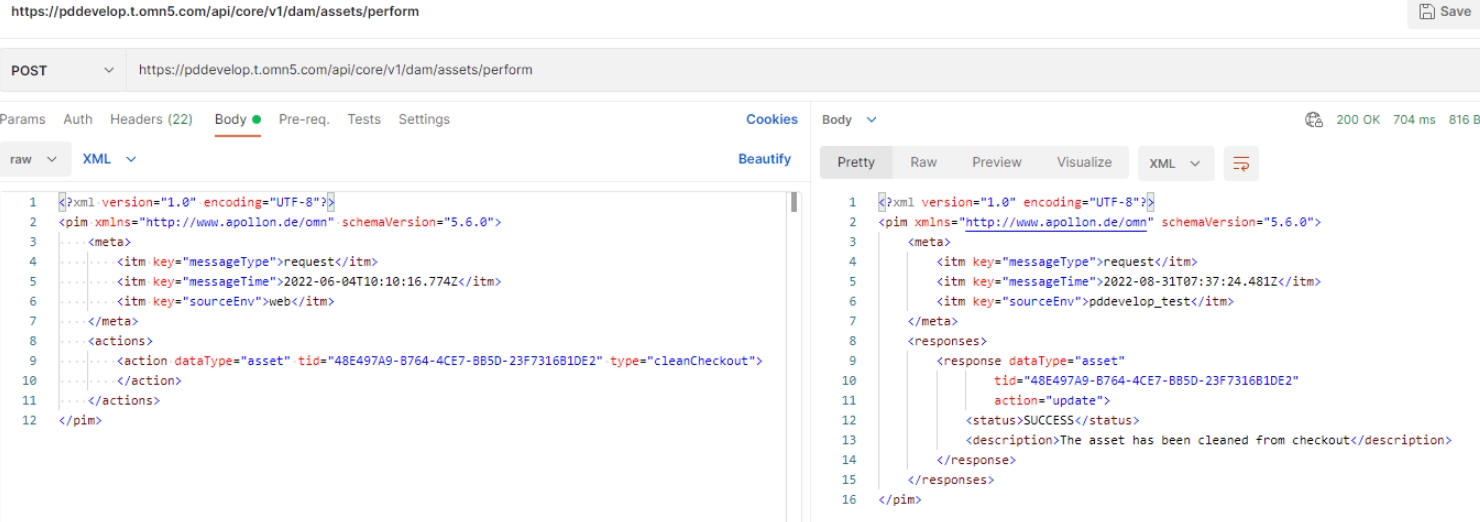
16.1.7 Clean checkout assets
Tags |
XR-795 |
New API endpoint to unlock an asset if this one is locked by another user via checkout process
-
/dam/assets/perform
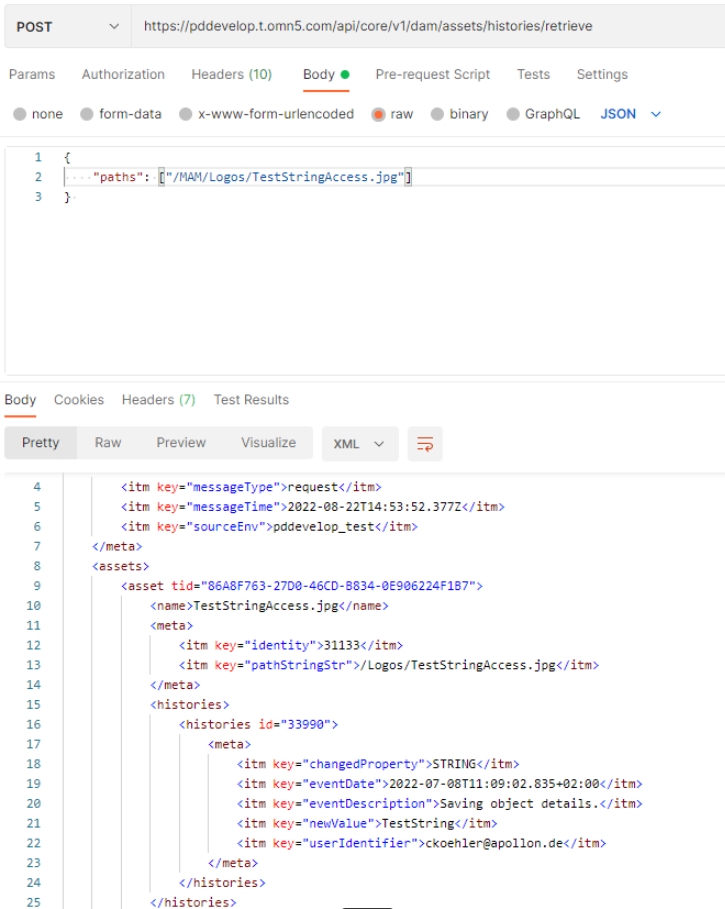
16.1.8 Show Asset History
Tags |
XR-789 |
New API endpoint to access the Asset History (changes from the History function)
-
/dam/assets/histories/retrieve
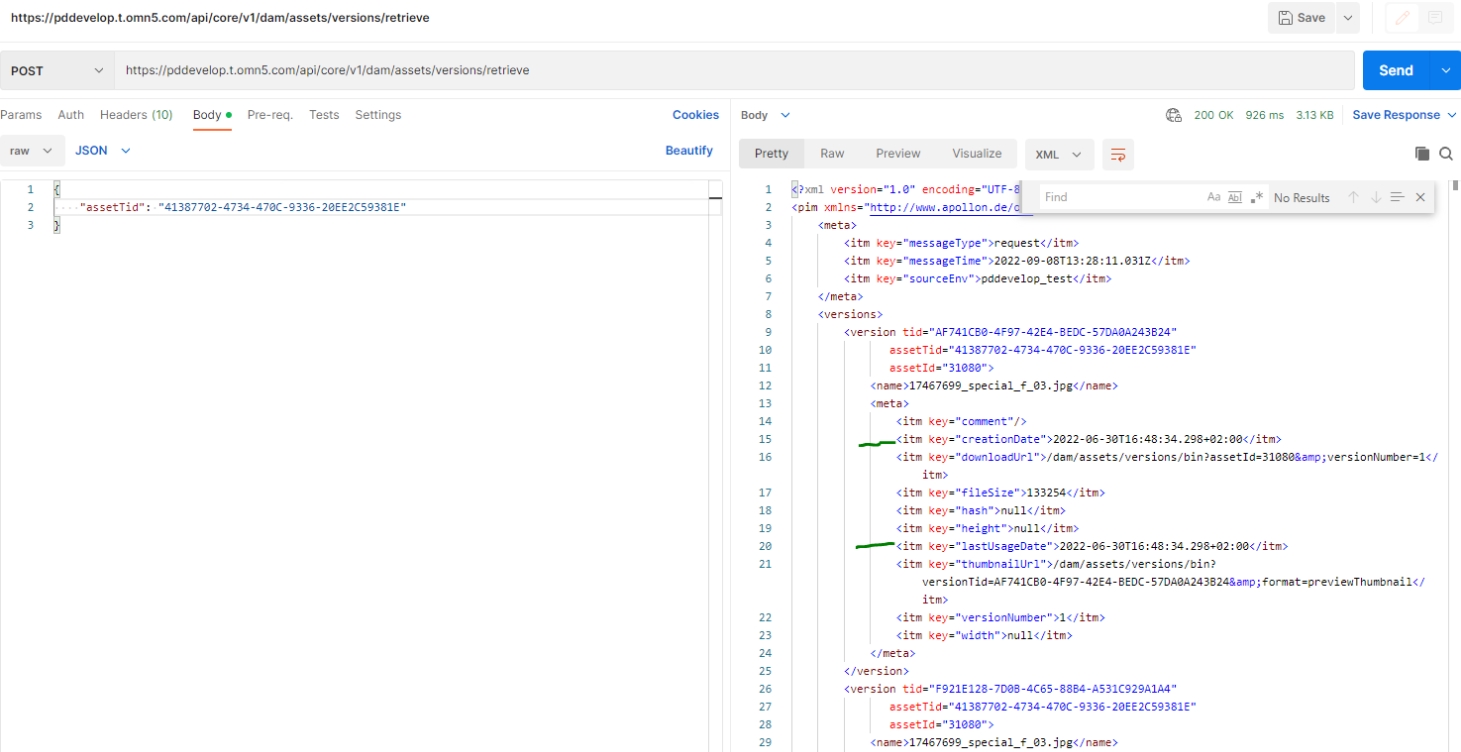
16.1.9 Retrieve Asset Versions should return creation and lastUsage date
Tags |
XR-874 |
API endpoint Retrieve Asset Versions returns now creation and lastUsage date
-
dam/assets/versions/retrieve
16.1.10 Provide additional information about plugin instance from server side
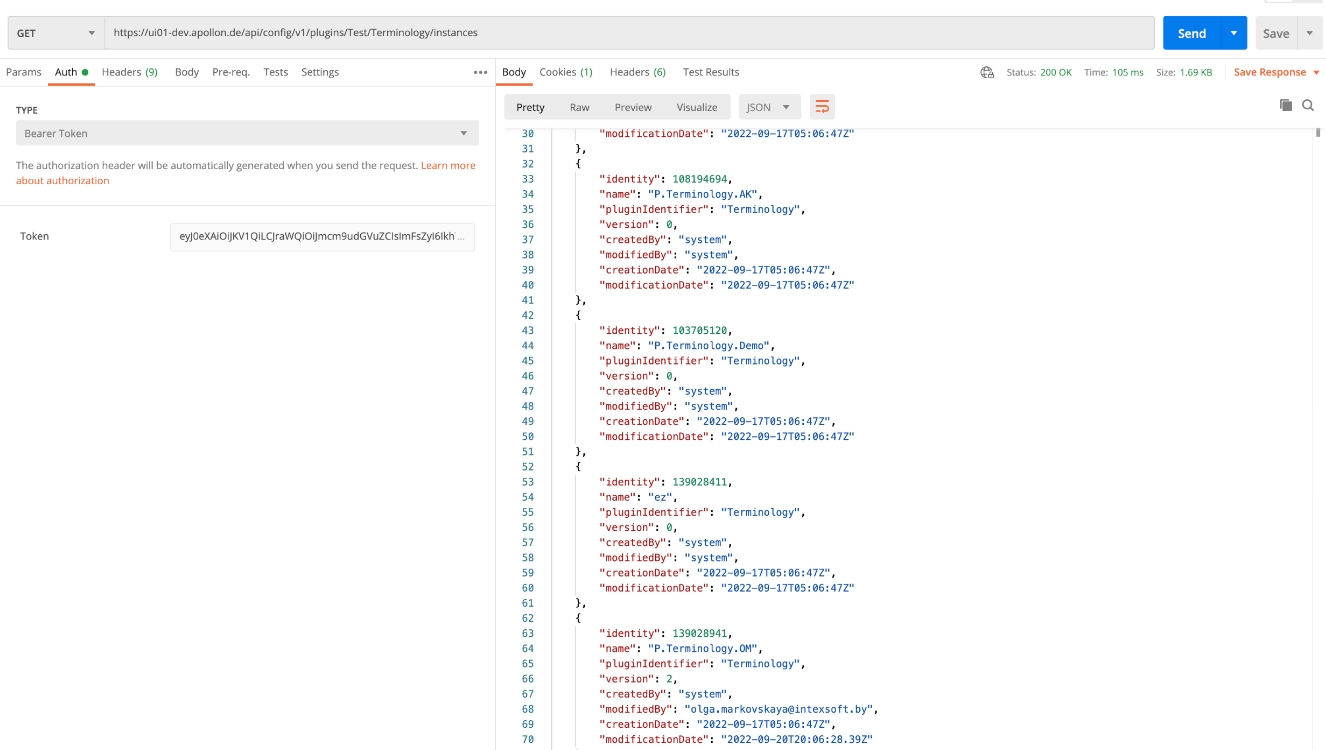
Tags |
OMN-9788 |
Each creatd Plugin instance with new config client contains additional fields
-
createdBy
-
creationDate
-
modifiedBy
-
modificationDate
| this base information will be used in later versions for history on configuration to check how has created / changed a configuration |
16.1.11 Retrieve Asset Versions should return creation and lastUsage date
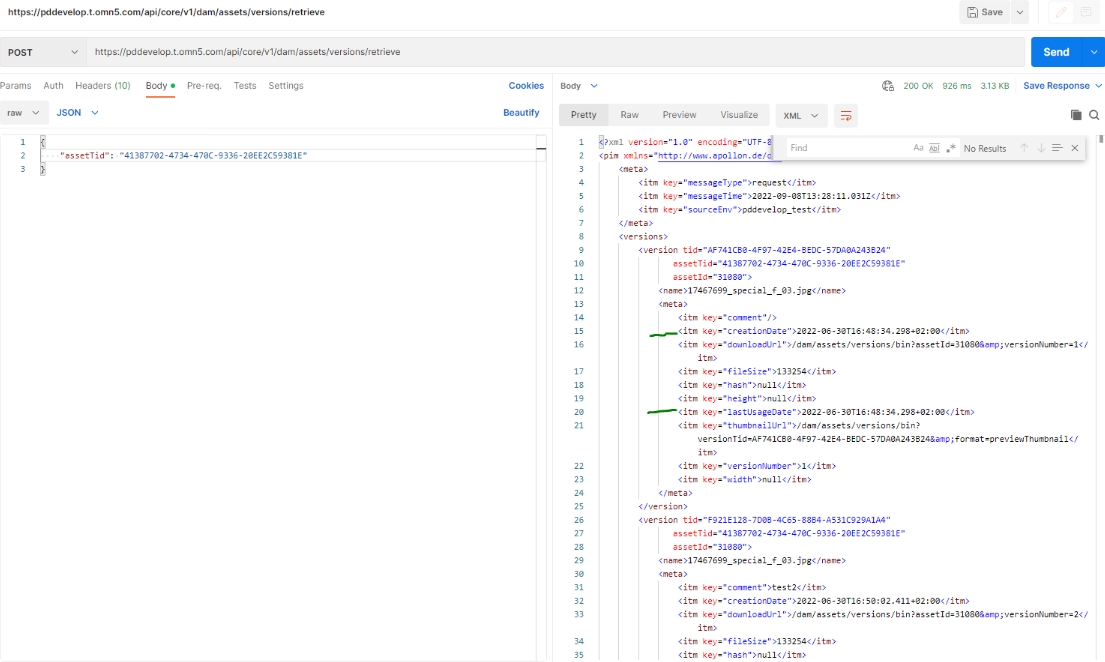
Tags |
OMN-9769 |
Change in RestAPI Retrieve Asset Versions to return creation and lastUsage date
-
/dam/assets/versions/retrieve returns creationDate (which represents OMN-UI.ISY_OBJECT_VERSION.CREATION_DATE)
-
dam/assets/versions/retrieve returns lastUsageDate (which represents OMN-UI.ISY_OBJECT_VERSION.LAST_USAGE_DATE)
-
am/assets/versions/retrieve does not return modificationDate
16.2 OMN Glossary API (Terminology)
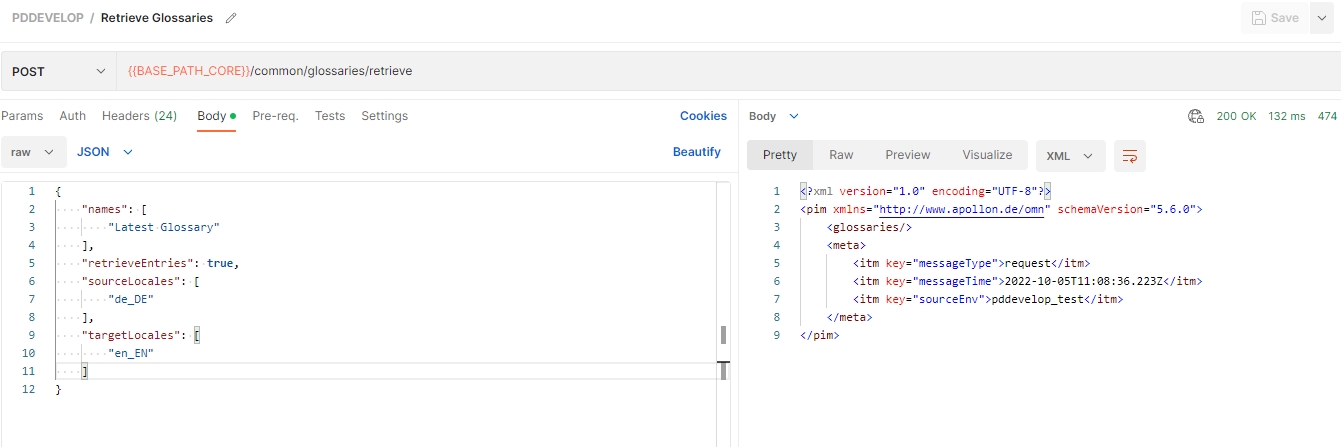
New API endpoints for Glossary Entities (OMN Terminology)
16.3 OMN Config API (non-public)
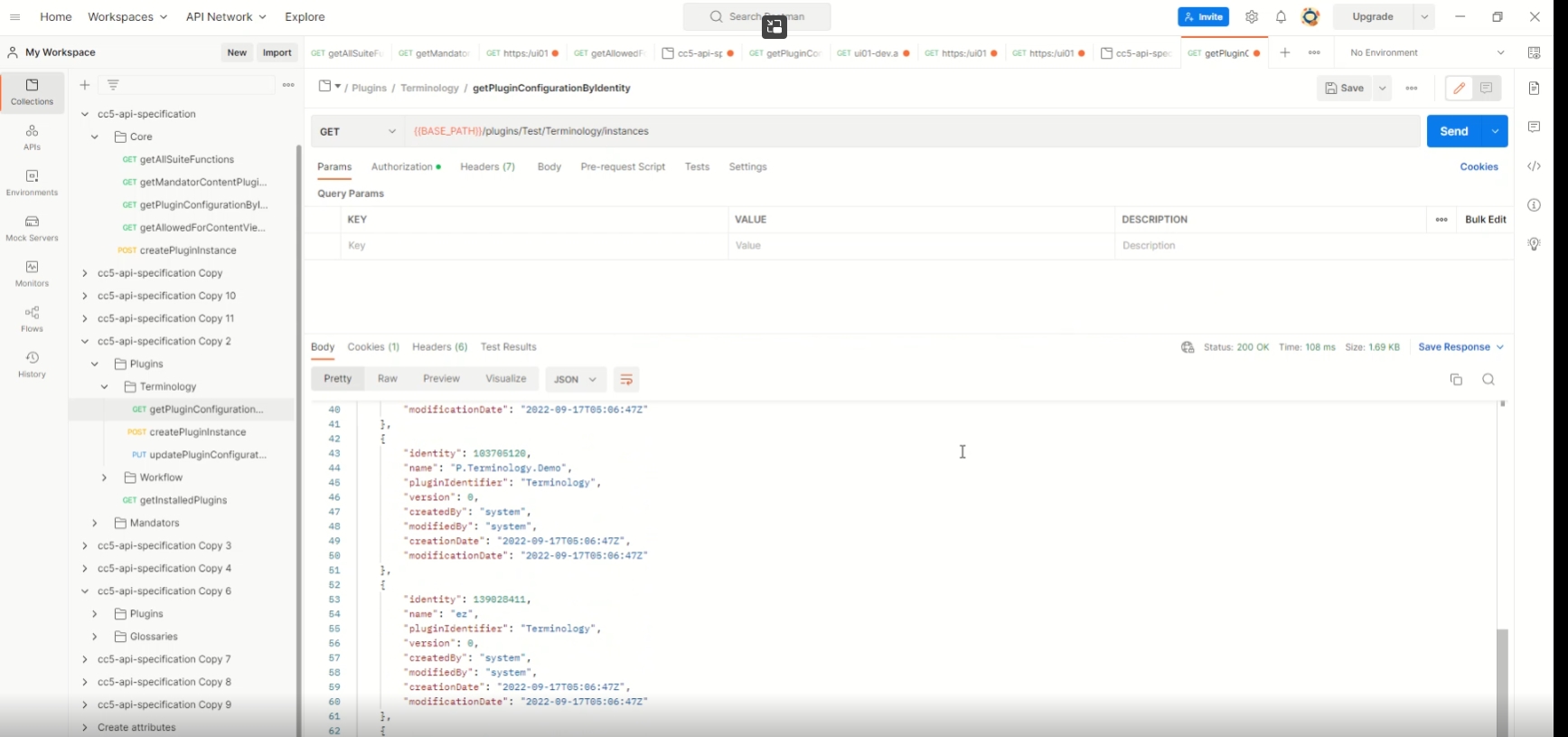
16.3.1 Common PluginAPI
Tags |
OCA-8 |
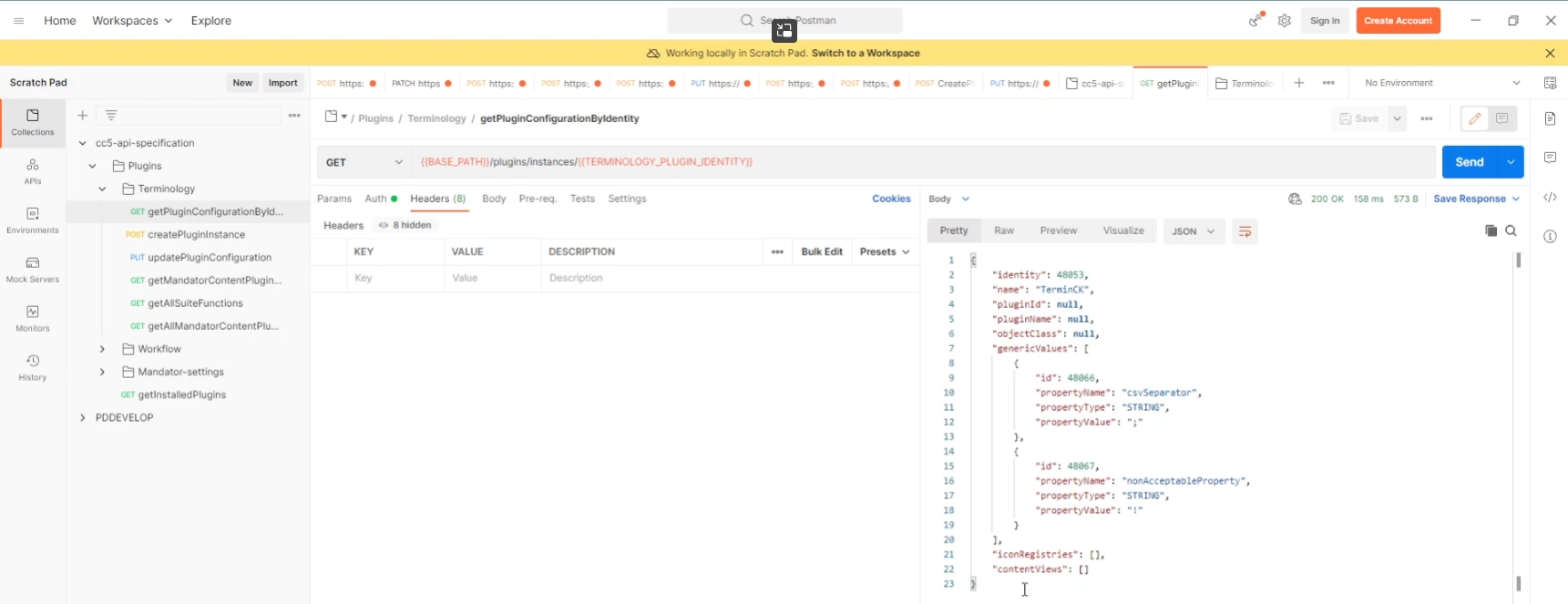
New ConfigClient API following for:
-
BackendPluginConfigurationActionFacade.getPluginConfigurationByIdentity(Long identity)
-
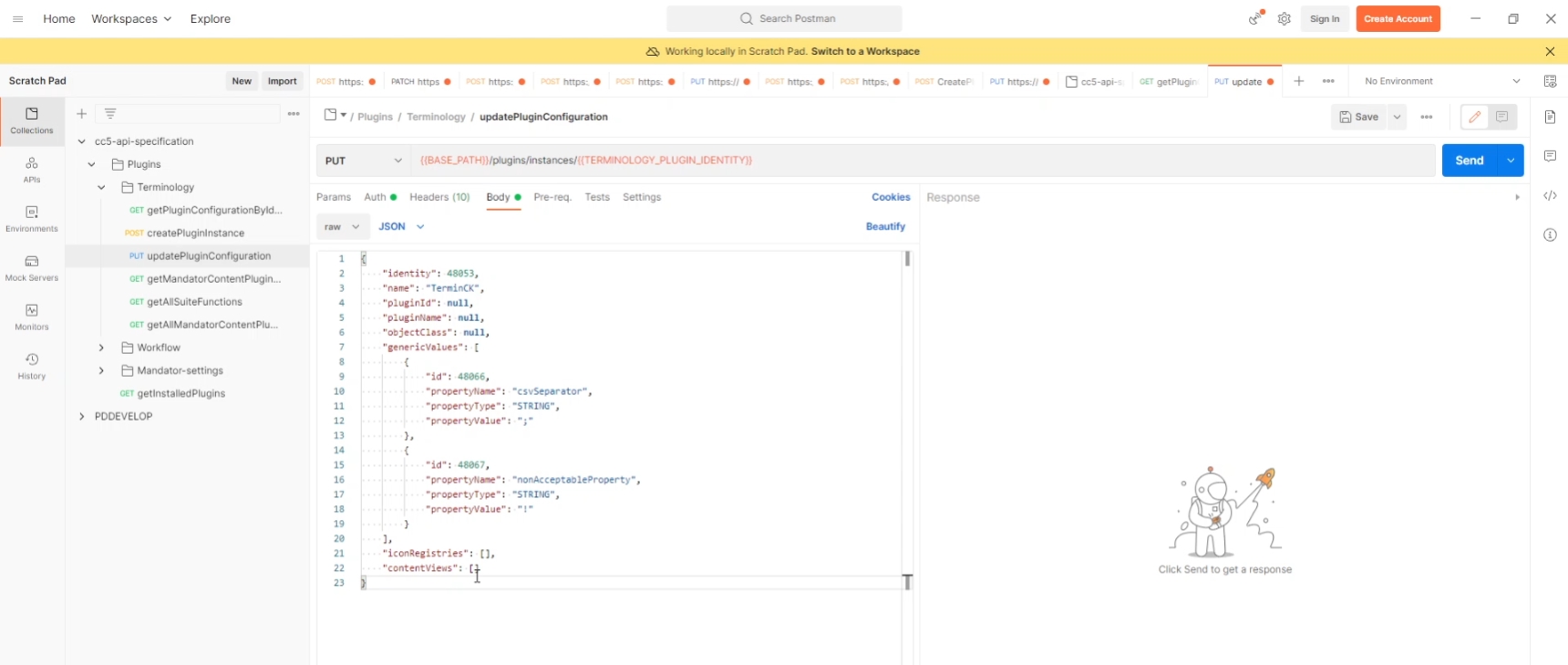
BackendPluginConfigurationActionFacade.savePluginConfiguration(Long identity, PluginConfiguration pluginConfiguration)
-
BackendPluginConfigurationActionFacade.getMandatorContentPluginConfigurations(Long mandatorIdentity, String primaryGuid)
-
BackendPluginConfigurationActionFacade.getAllSuiteFunctions(Long mandatorId, String primaryGuid)
16.3.2 Common PluginAPI - ContentViews and Functions
Tags |
OCA-9 |
New Config API endpoint to fetch and save information about configured content views and related functions for a plugin configuration
16.3.3 REST API to manage glossary attributes
Tags |
OCA-10 |
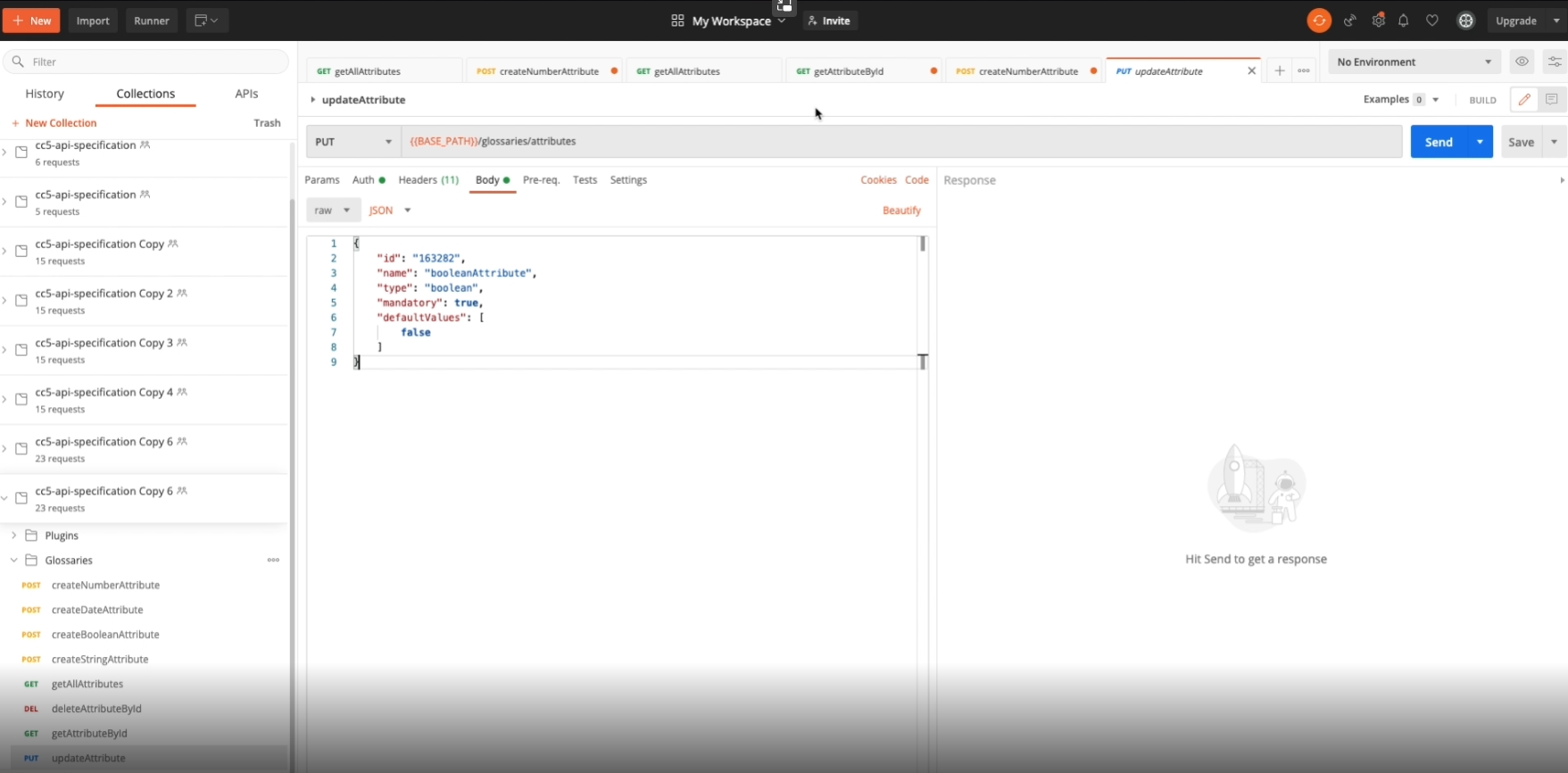
New Config REST API endpoint to manage attributes for glossary (CRUD operations)
-
Create new attribute
-
POST /api/config/v1/glossary/attribute
-
-
Get attribute
-
GET /api/config/v1/glossary/Attribute/
-
-
Delete attribute
-
DELETE /api/config/v1/glossary/Attribute/{id}
-
-
Update attribute
-
PUT /api/config/v1/glossary/attribute/
-
-
Get all attributes
-
GET /api/config/v1/glossary/Attributes
-
16.3.4 Extend Terminology endpoints
Tags |
OMN-9662 |
Get an information about configured content views for Terminology UI plugin
16.3.5 Adjust API for mandator settings
Tags |
OCA-11 |
Extension of ConfigAPI for Management of mandator Settings by the following params:
-
Get GDPR /Put GDPR
-
Get PagePlugins
-
Get language results
-
Get Licence
-
PUT (Licence) Agreement
16.3.6 Processing localized values for Glossary attributes
Tags |
OCA-14 |
The following ConfigAPI endpoints now support to work with localized values
Create new attribute
-
POST /api/config/v1/glossary/attribute
Get attribute
-
GET /api/config/v1/glossary/attribute/
Delete attribute
-
DELETE /api/config/v1/glossary/attribute/ {id}
Update attribute
-
PUT /api/config/v1/glossary/attribute/
Get all attributes
-
GET /api/config/v1/glossary/attributes
16.3.7 REST API to manage annotation attributes
Tags |
OCA-15 |
Config API endpoints to manage attributes for Annotation by CRUD operations
-
DELETE /annotationtools/Attributes
-
GET /annotationtools/attributes{ids}
-
GET /annotationtools/Attributes
-
PUT /annotationtools/attributes{id}
-
POST /annotationtools/attributes
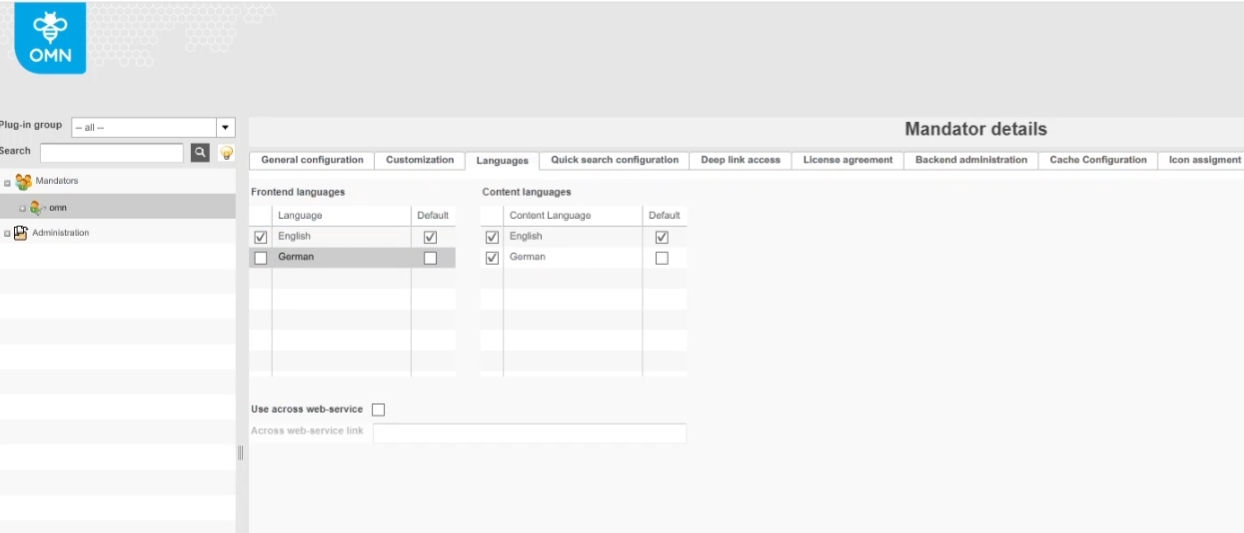
16.3.8 Endpoint to view list of active languages for mandator
Tags |
OCA-16 |
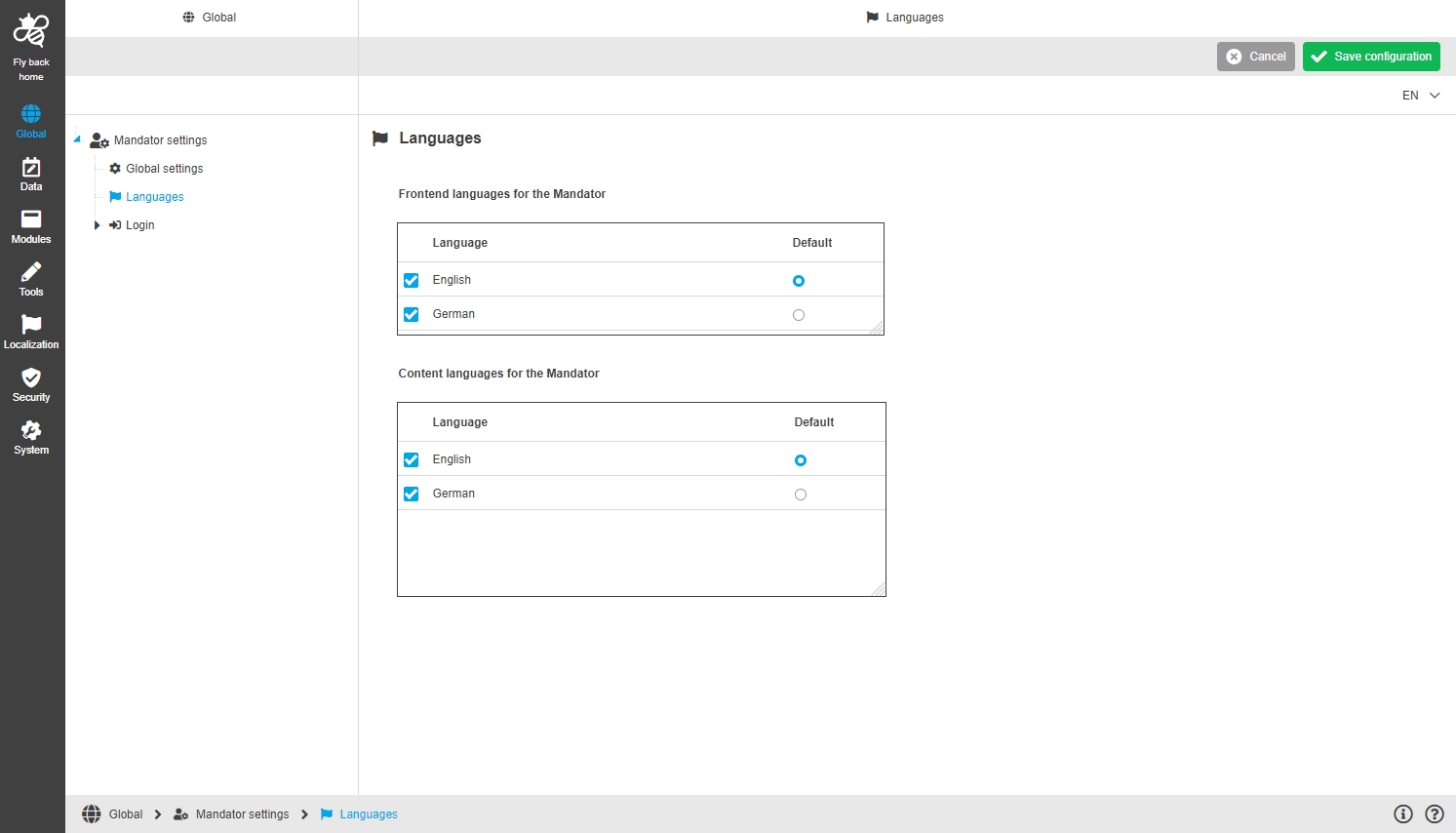
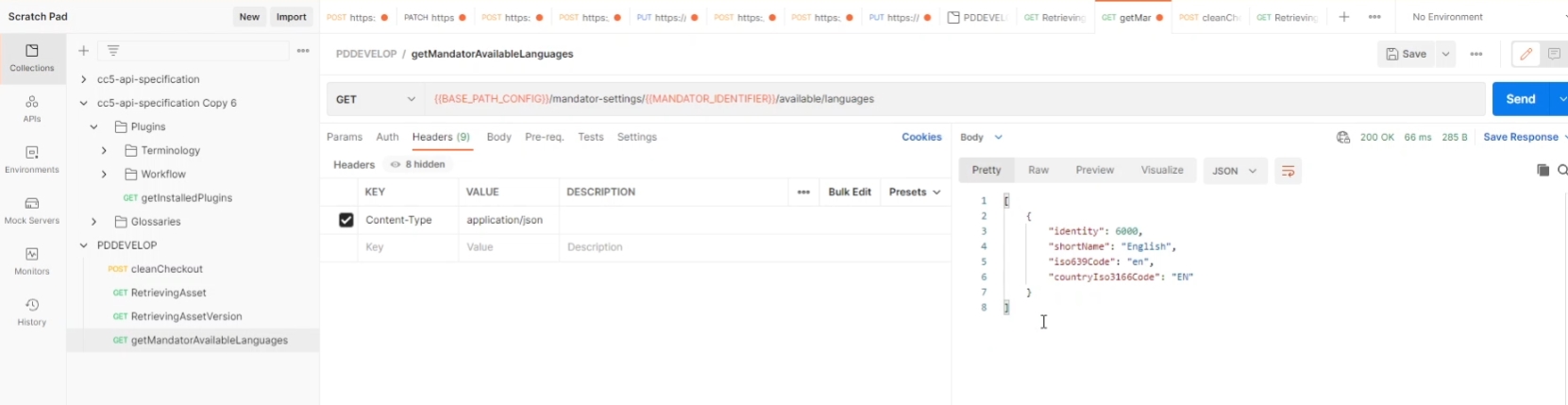
New config API endpoint get list of available languages for mandator
-
Configuration of languages
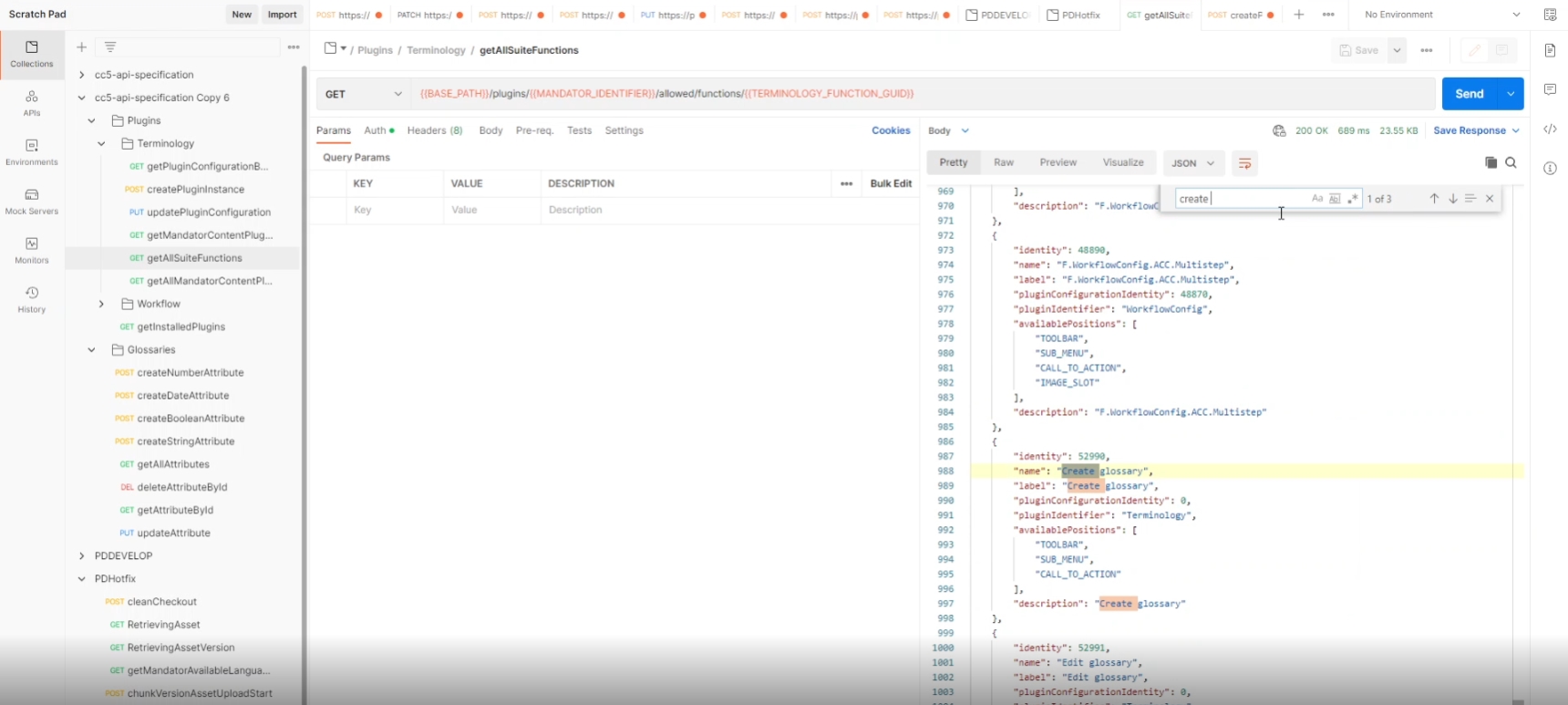
16.3.9 Adjustment of create edit remove glossary functions in terminology to global functions
Tags |
OMN-9760 |
Possibility to view, create edit and remove glossary functions in function pool only once per instance, because they are not related to plugin instance of terminology Plugin
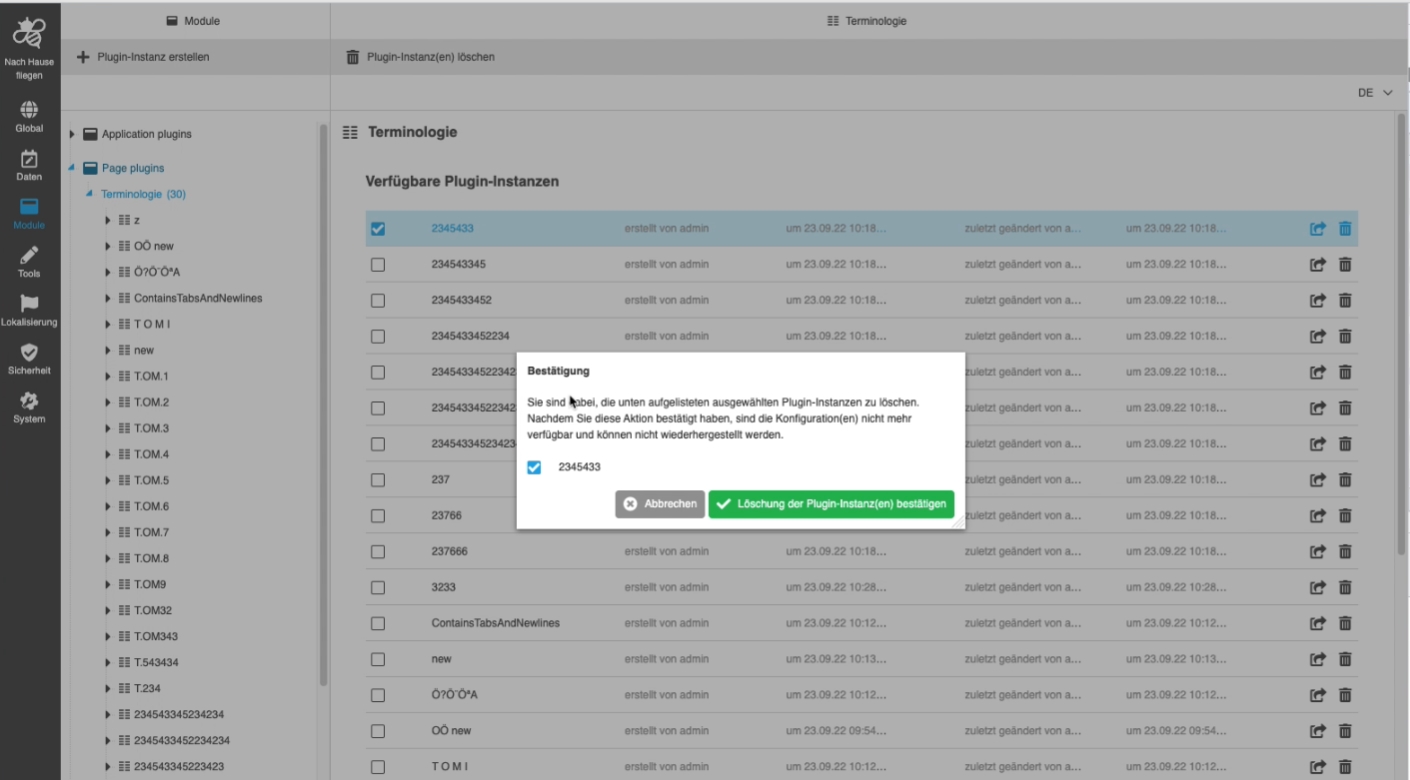
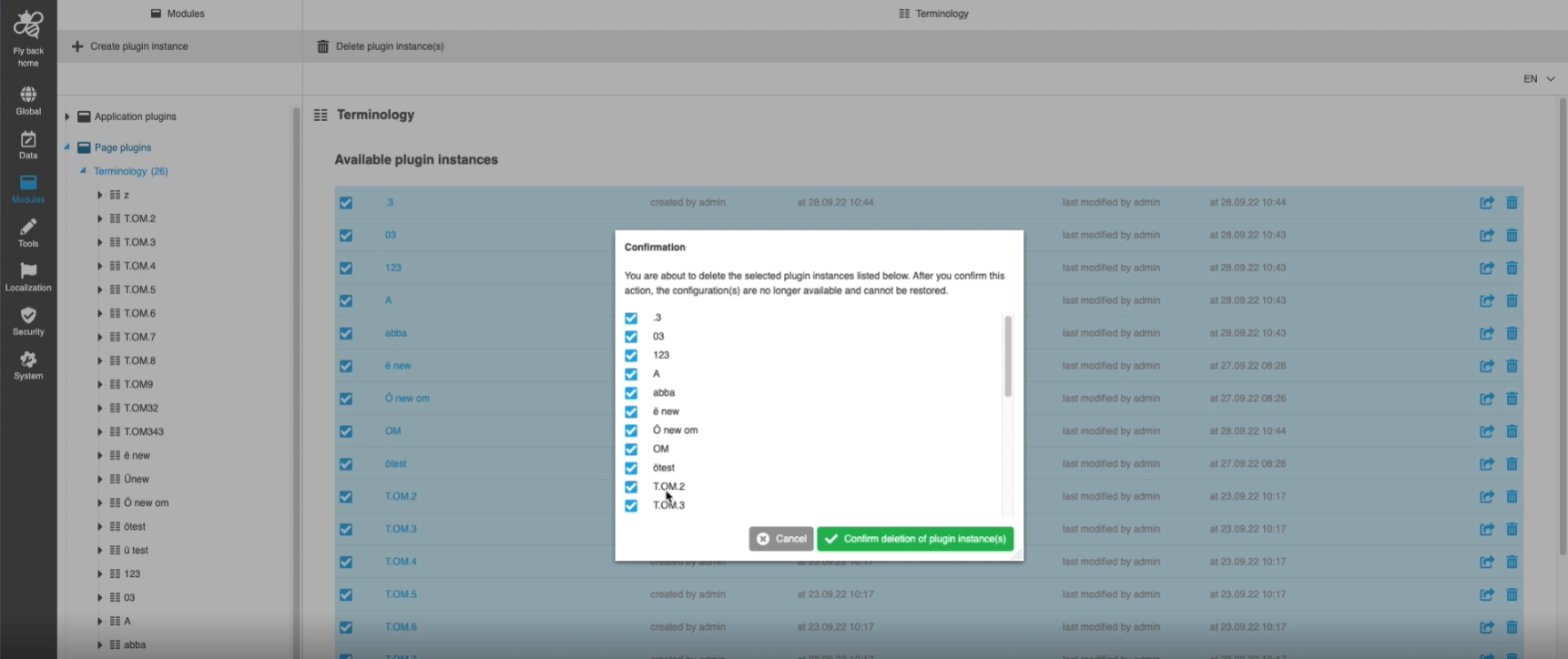
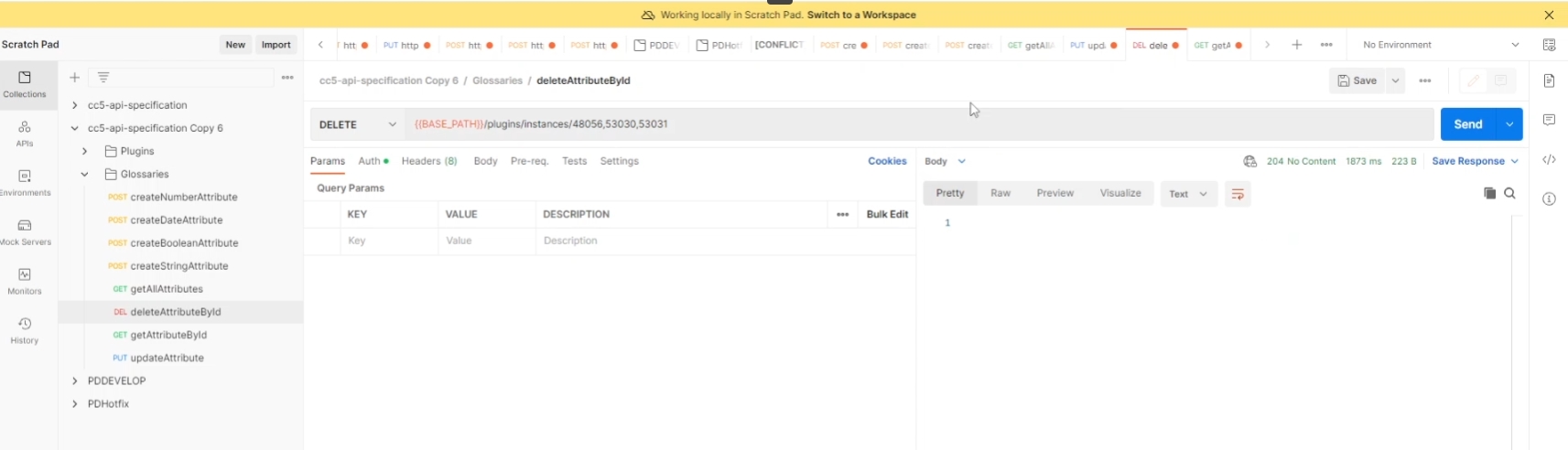
16.3.10 Adjust plugin API to delete multiple instances
Tags |
OCA-20, OMN-9795 |
Ability to delete multiple plugin instances via Config API*
-
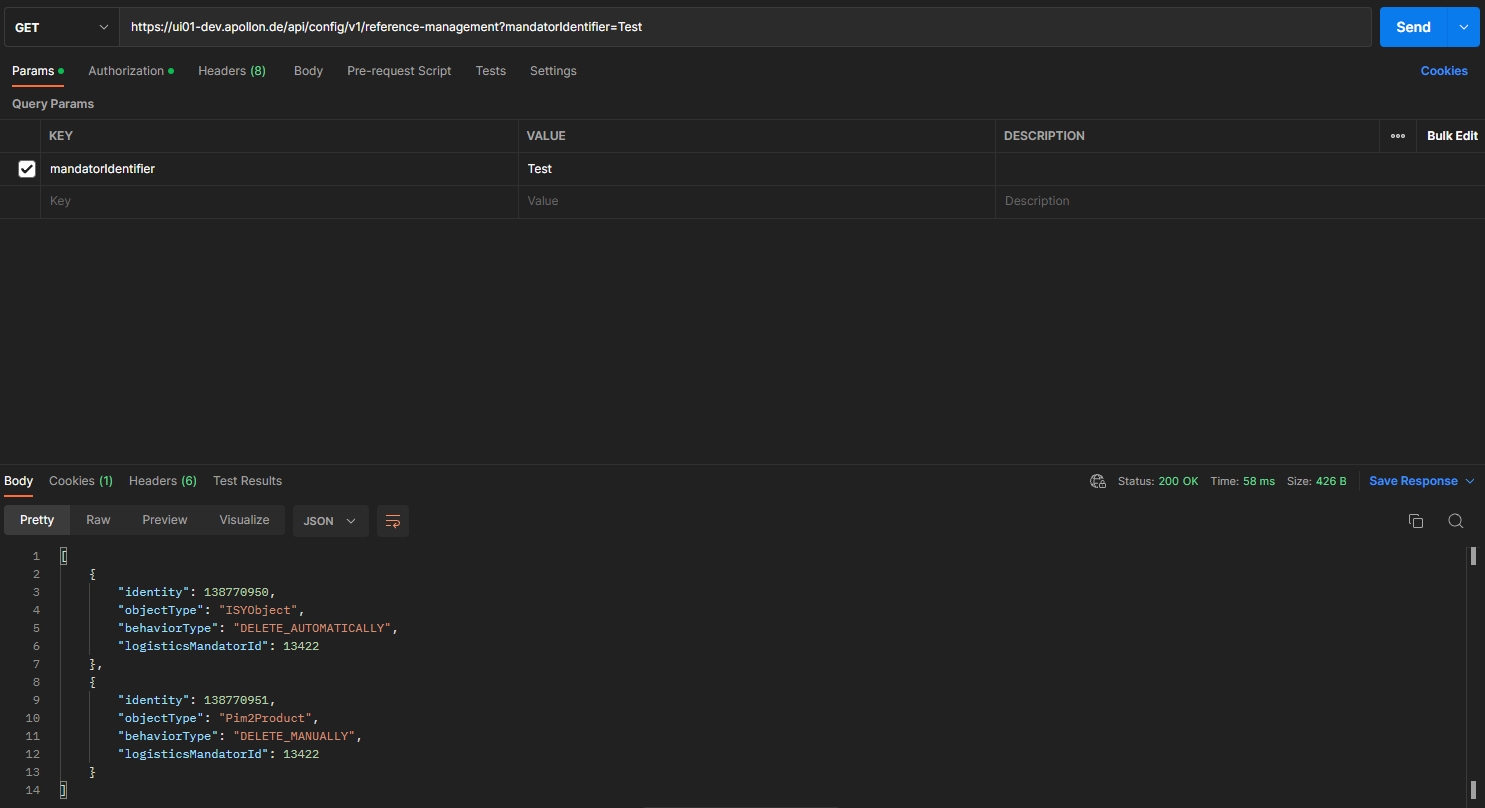
DELETE instances endpoint use array of plugin identities as path Parameter
18. Xactuell
18.1 Export information from referenced objects
Tags |
OX-138 |
A PIM item like a product can have a reference to another PIM item which holds important information being relevant for a print production. Example: a referenced product contains some master data which can be linked to a lot of other products too and thus is an important information in regard of a product
By this feature there is a possibility to access information from a referenced object via Xactuell interface and use it inside a print automation
18.2 Get localization of domain values at referenced items
Tags |
OX-139 |
Background
PIM2 has got the possibility to use domain values which can be localized.
For example, a string Attribute with a domain containing key 1, 2 and 3:
-
1 is localized in de with rot and in en with red.
-
2 is localized in de with blau and in en with blue.
-
3 is localized in de with grün and in en with green
By this feature there is a possibility to access localization values of domains at referenced items via Xactuell interface.