TIF Preview is displayed wrongly
ImageMagick has problems creating proper previews for TIFF images that have been created in Photoshop using several customized layers. In this case there is a small copy of the picture shown in the left upper corner of the picture. See:
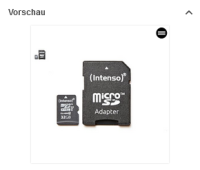
This information is saved in the picture itself, but it should not be shown in the picture, like if it is opened on windows or mac.
So it might be a solution to generate preview with "[0]", so that only the first layer will be shown.
Example:
convert example.tif[0] [...] original-pixel.png
Solution:
The changes for adding '[0]' to IM command were already done.
Please add following parameters to previewPluginRegistry.xml to node with previewPluginClassName="com.meylemueller.isy.sync.preview.impl.ImagePreviewPlugin. It’s usually first.
<Parameter name="MultiLayersFileTypes">TIFF,8BPS</Parameter>

<Parameter name="IMUseFlattenedImage">true</Parameter>
It can be used in nodes previewPluginClassName="com.meylemueller.isy.sync.preview.impl.DTSTiffPreviewPlugin" and previewPluginClassName="com.meylemueller.isy.sync.preview.impl.IMPhotoshopPreviewPlugin" So it’s better to add parameters to them too.