Annotation Repository
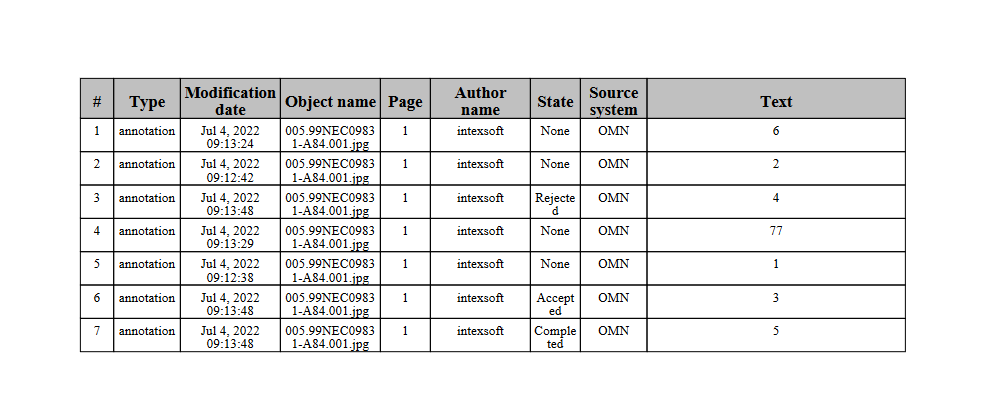
The Annotation Repository is the central data storage for annotations and comments, which were created with the help of the Annotation-Tool. These annotations are collected in the Annotation Repository within a table and can be filtered here according to various criteria.
Structure
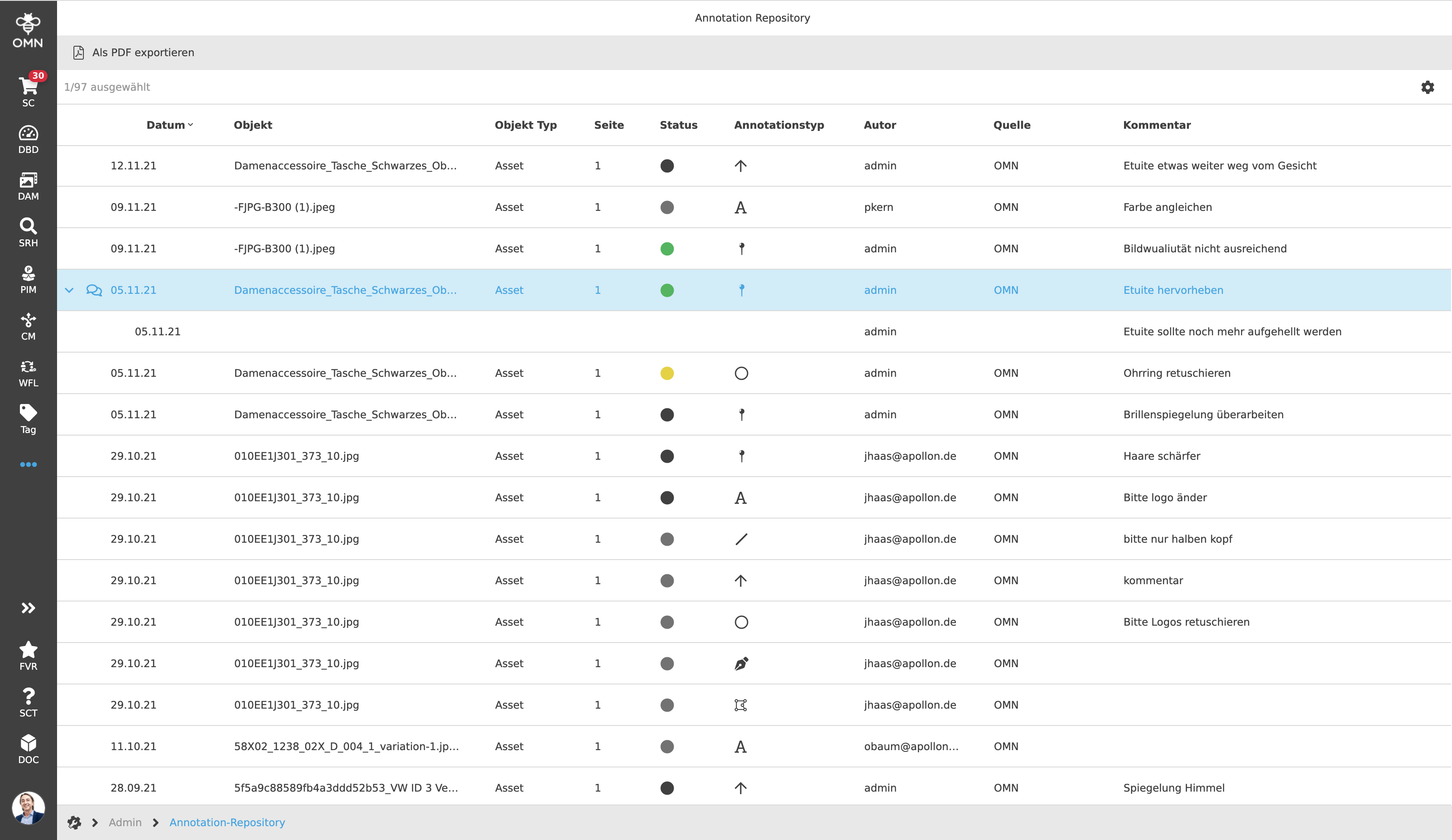
The Annotation Repository consists exclusively of one view, the center view. This consists of a table with various columns. These can contain the following attributes, among others:
-
Grouping - indicates by a conversation icon
 that the annotation contains additional replies. These are grouped with the
original annotation and are displayed by unfolding.
that the annotation contains additional replies. These are grouped with the
original annotation and are displayed by unfolding.
| Since a reply refers directly to the annotation above it, it only contains information relevant to the reply, such as the creation and modification date, the author and the comment/reply itself. |
-
Creation and modification date - the date when an annotation or reply was created or last modified.
-
Object – the asset for which the annotation was created
-
Status – uses color circles (the same as in the Annotation-Tool) to indicate the current status of the annotation.
The default colors and their meanings are listed below:-
Accepted (green circle): The annotation or task noted in the annotation has been accepted.
-
Rejected (yellow circle): The content of this annotation was rejected.
-
Cancelled (red circle): This annotation was canceled.
-
Completed/ (black circle): This annotation can be considered done. (Note: In dark mode of the Annotation-Tool the color is white).
-
No status (gray circle): The annotation has no status.
-
-
Annotation type - displays the annotation tools used with the help of their specific icons.
A detailed description of the annotation types or tools can be found in the Annotation-Tool section. -
Author - indicates the person who wrote the annotation.
-
Comment - displays the comment/annotation itself.
Important: Not all information of an annotation is displayed in the Annotation Repository. This affects the following information:
-
Geometric coordinates - e.g. bounding box (visualization only possible in the Annotation-Tool)
-
Annotation color - color of the annotation (visualization only possible in the Annotation-Tool)
-
Comment Role Information - Role informations about comments
-
Annotation language - the language of the annotation (currently there is no distinction of annotations per language)
Working with the Annotation Repository
Filtering and Sorting
The Annotation Repository table allows the user to filter and sort table
columns. Filtering and Sorting
in tables is described in detail in the UI principles.
It is allowed to combine multiple filters.
Execution of functions
Various functions are available to the user within the Annotation Repository, such as:
-
Open the asset in the appropriate navigation (e.g. show asset within the DAM structure).
-
Open the annotation or asset in the Annotation-Tool.
-
Starting or executing a workflow
-
Execute a custom function (JS or JavaFunction)
-
Execute export functions
| Currently, multi-selection is not yet supported. |
The precondition for the execution of functions is that they are configured accordingly by the administrator. If required, further functions can be added.