apollon Fashion (Pixyle)
Description
Pixyle is an AI-powered automatic tagging solution to identify product features in fashion images and generate rich tags. The OMN integration works together with Pixyle via an API.
To use Pixyle in the OMN context, a paid subscription must be purchased.
apollon Fashion (Pixyle) is specialized in fashion and recognizes objects and their properties within OMN.
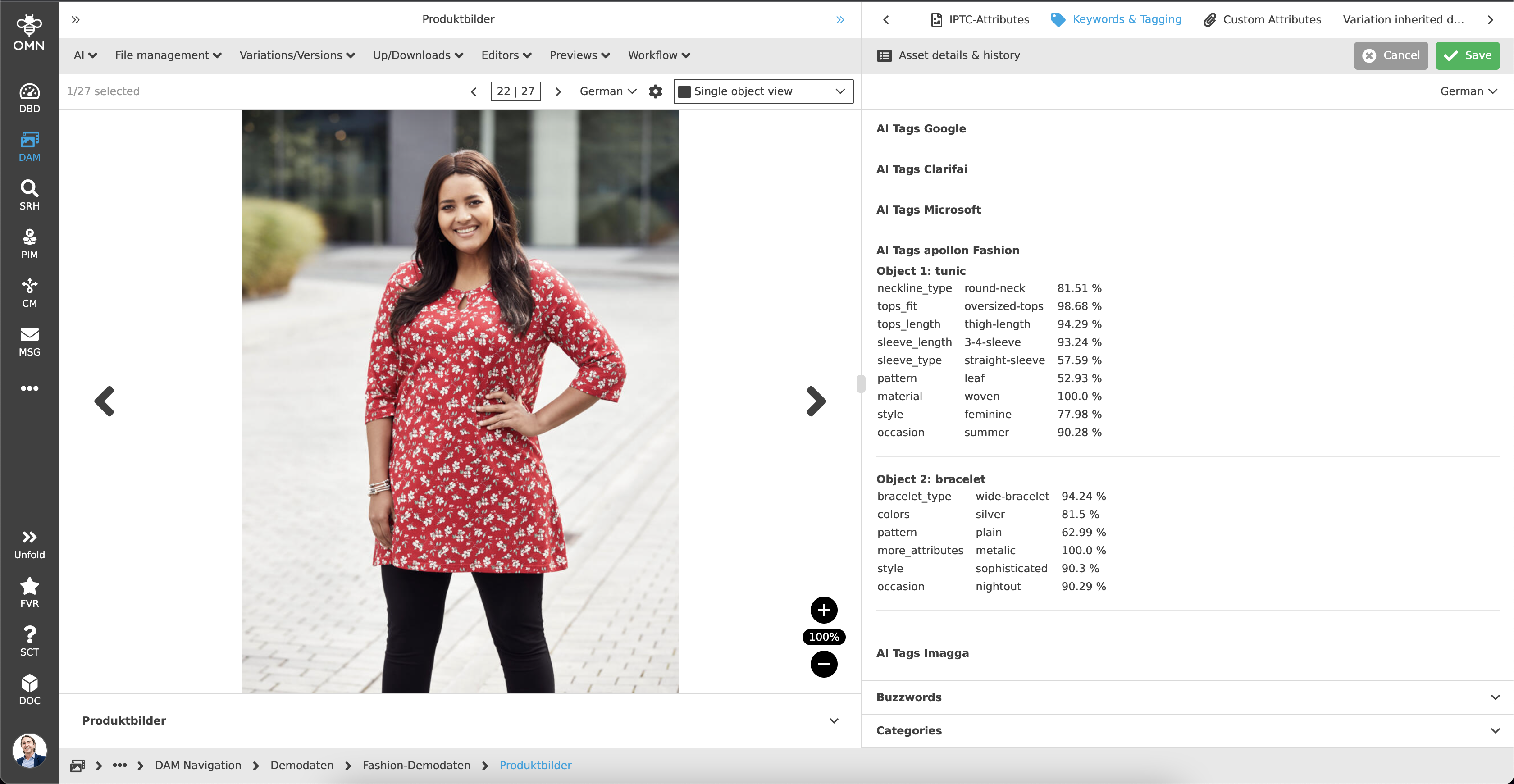
Pixyle offers a Dashboard which allows users to create collections, conduct a quick demo and automatically build a rich taxonomy.
Supported languages
The Pixyle-Taxonomy is supported in the following languages:
Danish, Dutch, English, Finnish, French, German, Italian, Norwegian, Polish, Spanish, Swedish
| The languages will be extended with version 5.12. |
Configuration Parameters
Workflow-Name: ai-imagetagging
General parameters
| Key (* = required) | Type | Default | Description | Example |
|---|---|---|---|---|
ext.ai-imagetagging.tagTargetAttribute* |
string |
Target MAM attribute identifier where to write the detected tags to. The attribute needs to be of type "string" |
||
ext.ai-imagetagging.taggingService |
string |
Tagging service to use. Can be 'google', 'clarifai', 'ms', 'pixyle', 'imagga' or 'ximilar-recognition' whereby 'google' is default |
clarifai |
|
ext.ai-imagetagging.tagThreshold |
double |
0.90 |
Threshold for tag detection. Only a score higher than this value will be considered for tags |
|
ext.ai-imagetagging.prettyPrint |
boolean |
false |
If true, prints a pretty string like a HTML rendered table. Used for demo purposes |
true |
Pixyle
| Key (* = required) | Type | Default | Description | Example |
|---|---|---|---|---|
ext.ai-imagetagging.pixyle.apiKey* |
string |
API Key for the Pixyle Tagging service |
||
ext.ai-imagetagging.pixyle.apiUrl |
string |
Base URL of the Pixyle Tagging service |
||
ext.ai-imagetagging.pixyle.mamAttributeMappings |
string |
See "Mappings" below for full mapping |
List of MAM attribute mappings. A default velocity template is used here which pretty prints if the 'prettyPrint' config value is set |
Example configuration
A detailed step-by-step guide to the configuration of the Workflow Config Function plug-in can be found on this page.