Single Object View
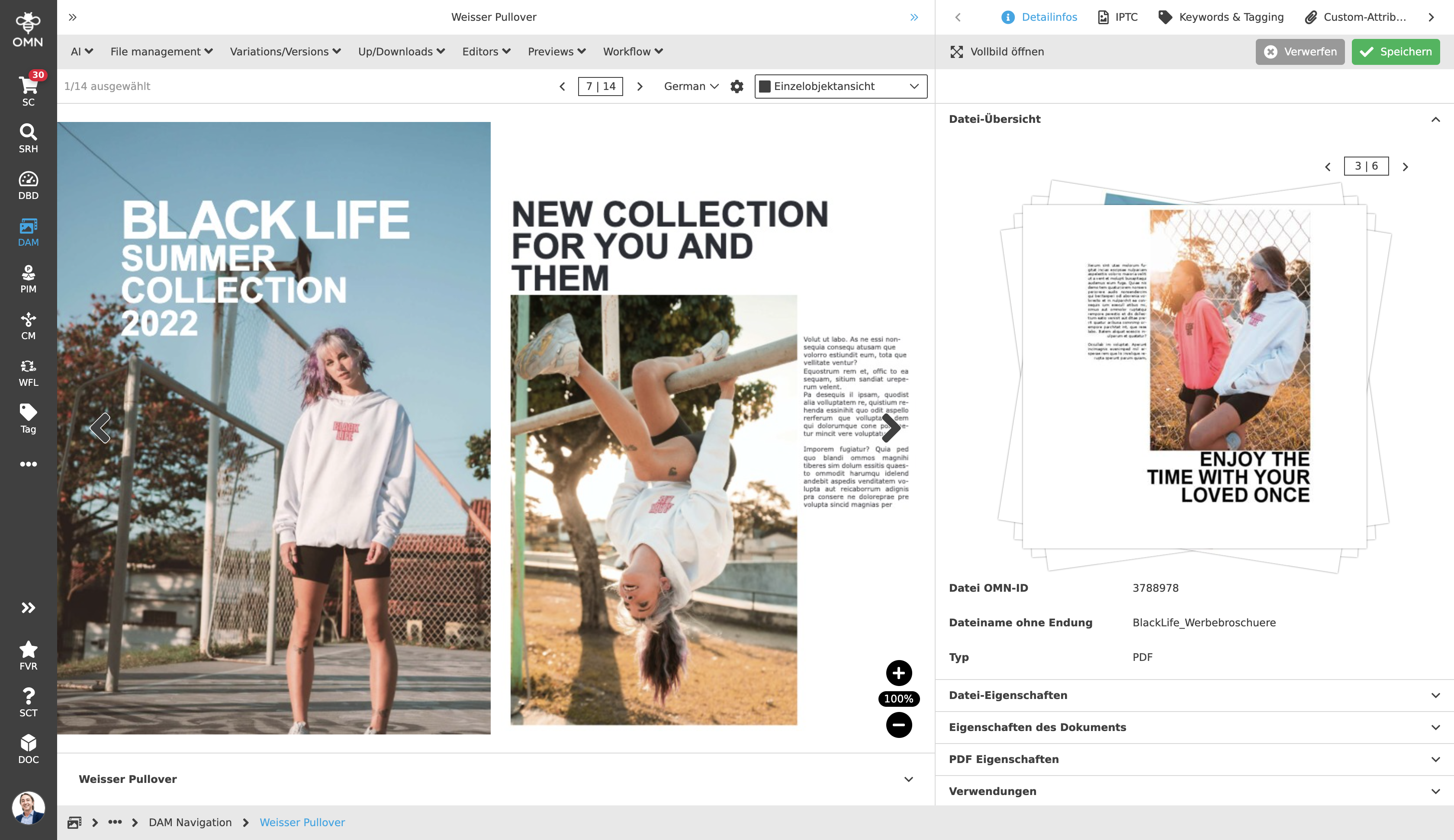
The Single Object View is a view that always displays a single file with a large image preview within the Center View, while still being able to navigate through all existing files. Compared to the other views, in which the user always sees many files with detailed information at the same time, here a user gets the possibility to focus directly on single files as an image preview in a large format without detailed information.
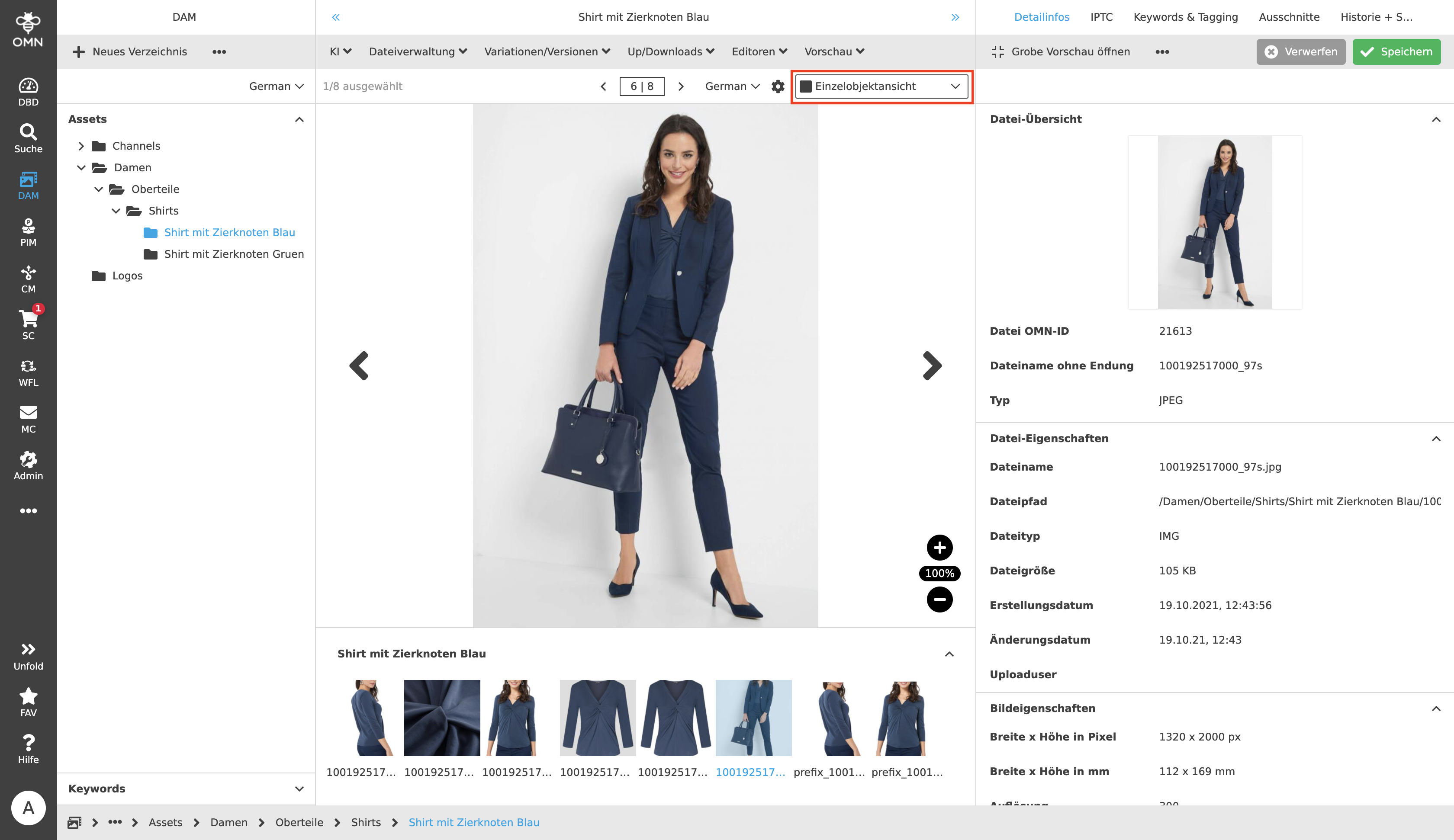
Like the Table View and the Light Table View, the Single Object View can be selected and opened via the content switcher dropdown in the statusbar. It is composed of three panels (left, center and right). On the left is the folder structure for navigation and on the right is the Detail View (general structure).
The Center View primarily contains a large preview image of the file. For example, image files as well as documents can be displayed. The user has both a zoom element to enlarge/reduce the preview to the desired size and arrows to navigate through the various files.
Below the image preview there is also a so-called "filmstrip", in which a small preview image is displayed for each file. By clicking on one of these images, the user can switch to the desired file at any time. The filmstrip can always be expanded and collapsed using the arrow icon in the upper right corner, for example, to give the selected file even more focus.
The pagination behaves differently in the Single Object View than in the Table View, for example. It navigates through the individual objects instead of individual pages (one file = one page) and only one file can be selected at a time.
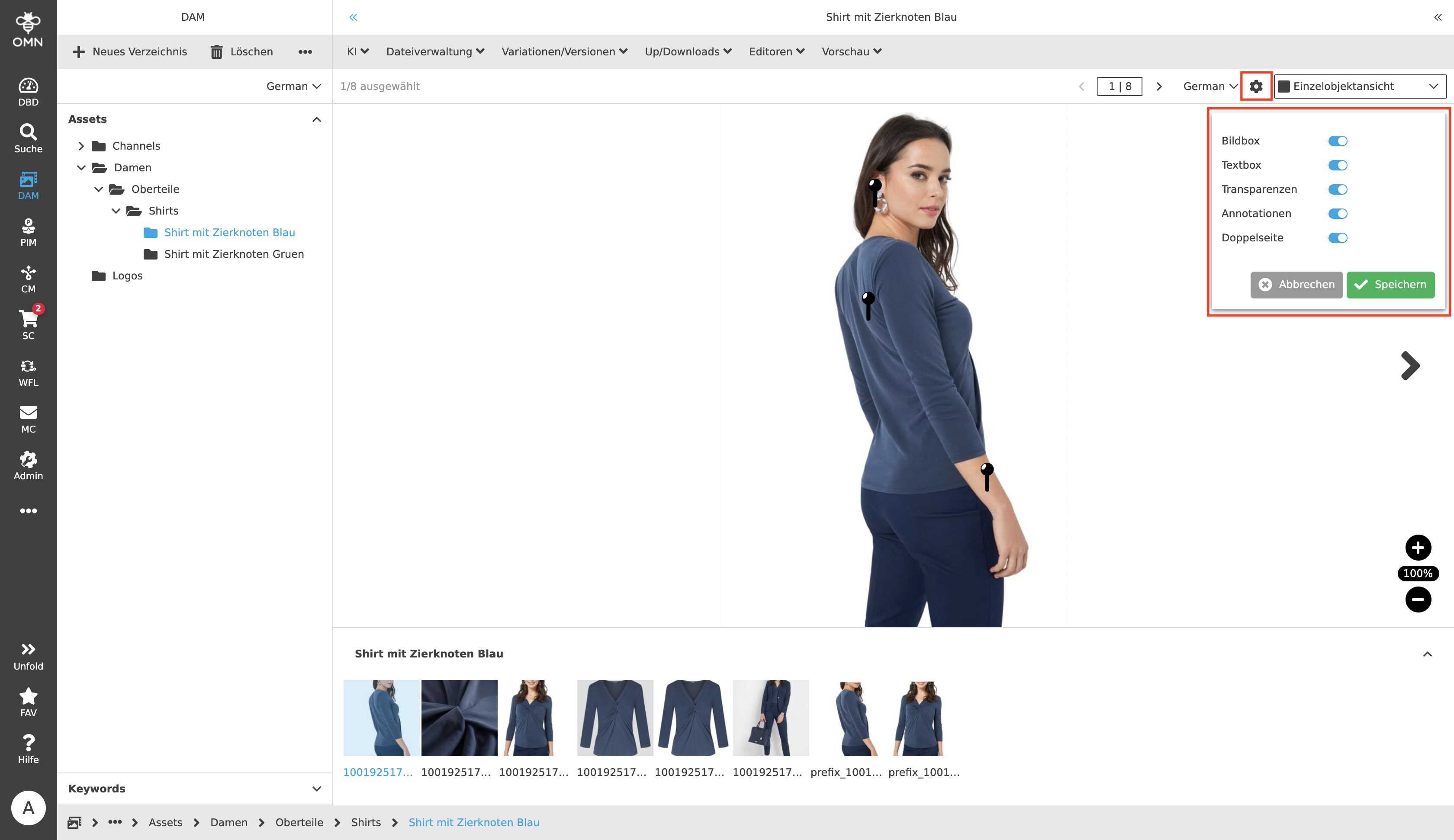
The settings in the statusbar, which can be selected by means of a toggle, offer the following additional added value:
-
Image and text boxes can be shown and hidden.
-
Files can be displayed with their transparency
-
Comments and annotations created in the Annotation-Tool can be displayed
-
For multi-page documents it is possible to switch to double-page mode