Widgets
Widgets are small graphical user interface components which can be placed inside the columns of the dashboard. Each widget visualizes the data for a single business case. There are various forms of representation such as pie charts, bar graphs, tables and single values.
Predefined widgets
| Business case | Widget type | Configurable | Sender/Receiver |
|---|---|---|---|
Count of assets |
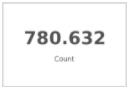
|
no |
- |
Count of assets by type |
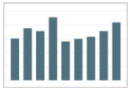
|
no |
- |
Count of channel objects by type |
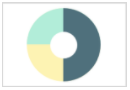
|
no |
- |
Count of assets by root node |
|
no |
- |
Last modified products |
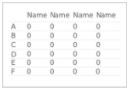
|
Sender |
|
Count of assets by size group |
|
no |
- |
Last modified assets |
|
Sender |
|
PIM objects count by type |
|
no |
- |
MAM upload activity |
|
- |
|
Statistic of asset objects by specific attribute |
|
- |
|
Statistic of channel objects by specific attribute |
|
- |
|
Statistic of product objects by specific attribute |
|
- |
|
Asset objects by specific attribute value |
|
Both |
|
Channel objects by specific attribute value |
|
Both |
|
PIM objects by specific attribute value |
|
Both |
|
Count of objects by query |
|
- |
|
Count of objects by query and grouped by specific attribute |
|
- |
|
List of objects by query |
|
Sender |
|
Count objects in index by specific attribute value |
|
Receiver |
|
Count objects in index by specific attribute value grouped by specific attribute |
|
Sender |
|
Average value of objects attribute in index by specific attribute value |
|
Receiver |
Configuration options
The title of every widget is adjustable.
Beside the title some widgets allow further customisations by editing its configuration.
Last modified products
| Option | Description |
|---|---|
Count |
Amount of products to be displayed within the table |
Preview column |
Display a preview image in the first column of the result table |
Columns |
Multiple product attributes can be added as columns to the result table |
Last modified assets
| Option | Description |
|---|---|
Count |
Amount of assets to be displayed within the table |
Root node |
Root node to which the assets should belong to |
Preview column |
Display a preview image in the first column of the result table |
Columns |
Multiple asset attributes can be added as columns to the result table |
MAM upload activity
| Option | Description |
|---|---|
Count |
Amount of days, weeks, months, quarters, years to be displayed |
Time period |
Aggregate the uploads by the specified time period (day, week, month, quarter, year) |
Statistic of asset objects by specific attribute
| Option | Description |
|---|---|
Attribute |
Asset object attribute by which the result should be aggregated |
Statistic of channel objects by specific attribute
| Option | Description |
|---|---|
Attribute |
Channel object attribute by which the result should be aggregated |
Statistic of product objects by specific attribute
| Option | Description |
|---|---|
Attribute |
Product object attribute by which the result should be aggregated |
Asset objects by specific attribute value
| Option | Description |
|---|---|
Count |
Amount of asset objects to be displayed within the table |
Sort attribute |
Asset object attribute by which the result should be sorted |
Sort direction |
Result should be sorted ascending or descending |
Attribute |
Asset object attribute by which the result should be filtered |
Attribute value |
Value of the asset object attribute by which the result should be filtered |
Preview column |
Display a preview image in the first column of the result table |
Columns |
Multiple asset attributes can be added as columns to the result table |
Channel objects by specific attribute value
| Option | Description |
|---|---|
Count |
Amount of channel objects to be displayed within the table |
Sort attribute |
Channel object attribute by which the result should be sorted |
Sort direction |
Result should be sorted ascending or descending |
Attribute |
Channel object attribute by which the result should be filtered |
Attribute value |
Value of the channel object attribute by which the result should be filtered |
Preview column |
Display a preview image in the first column of the result table |
Columns |
Multiple asset attributes can be added as columns to the result table |
PIM objects by specific attribute value
| Option | Description |
|---|---|
Count |
Amount of PIM objects to be displayed within the table |
Sort attribute |
PIM object attribute by which the result should be sorted |
Sort direction |
Result should be sorted ascending or descending |
Attribute |
PIM object attribute by which the result should be filtered |
Attribute value |
Value of the PIM object attribute by which the result should be filtered |
Preview column |
Display a preview image in the first column of the result table |
Columns |
Multiple asset attributes can be added as columns to the result table |
Count of objects by query and grouped by specific attribute
| Option | Description |
|---|---|
Information type |
TODO |
Query string |
TODO |
Group by |
TODO |
List of objects by query
| Option | Description |
|---|---|
Information type |
TODO |
Query string |
TODO |
Preview column |
Display a preview image in the first column of the result table |
Columns |
Multiple attributes can be added as columns to the result table |
Count |
Amount of objects to be displayed within the table |
Sort direction |
Result should be sorted ascending or descending |
Sort attribute |
TODO |
Count objects in index by specific attribute value
| Option | Description |
|---|---|
Information type |
TODO |
Attribute |
Object attribute by which the result should be filtered |
Attribute value |
Value of the object attribute by which the result should be filtered |