Table View
Purpose
This plugin offers a content view to show the details of one or more chosen object like an asset, product, workflow, glossary object, channel project etc. in form of a table. Tables can be added in central or in right panel.
Possible Usage of the plugin
Table View plugin can be used in:
-
Advanced Search Page plugin
-
Asset View Tool plugin
-
Channel Products View Content plugin
-
Channel Workflow View Content plugin
-
Classification View Page plugin
-
DAM Navigation Page plugin
-
Duplicate Search Page plugin
-
Formbased Search Page plugin
-
Product View Tool plugin
-
ShoppingCart Page plugin
-
Terminology Page plugin
-
Usage History Tool plugin
-
WFLStatus Page plugin
-
WFLTodoList Page plugin
Supported plugins
The Table View plugin supports the following plugins:
-
QR Code Reader Function plugin
-
AnnotationTool Function plugin
-
3D Viewer Function plugin
-
360° Viewer Function plugin
-
AssetView Function plugin
-
Preparing Function plugin
-
ProductView Function plugin
-
Show-In Navigation Function plugin
Preconditions
To configure the Table plugin, following preconditions should be given:
-
Navigation Page plugin (for DAM, CM or PIM), Search plugins or Editor that supports Table should be configured for using the Table plugin.
-
Configured attributes, which should be displayed in the table for specific type.
-
Attributes - which can be configured by customer admin (project-specific)
-
Standard expressions - provided by OMN Product without upfront configuration.
General configuration
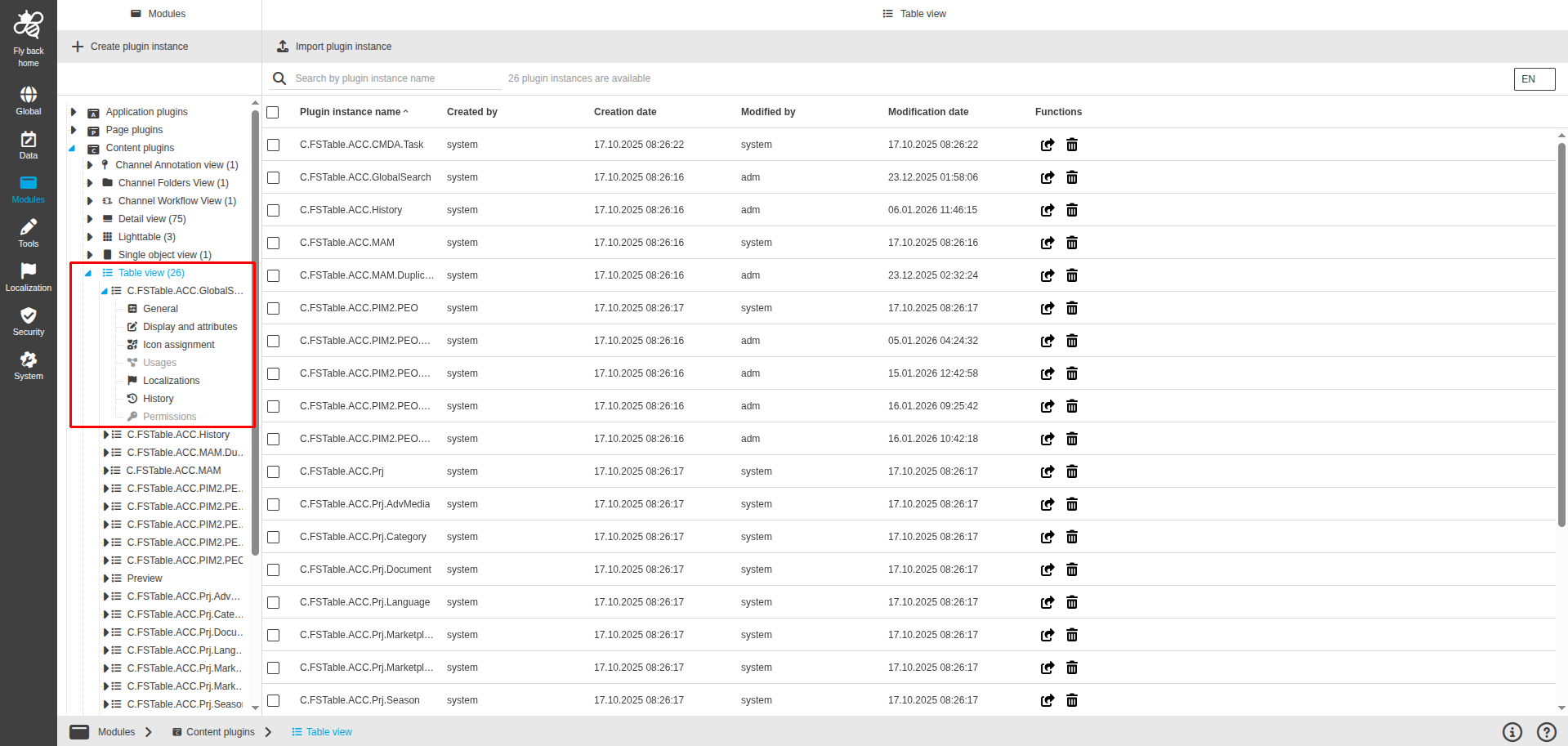
The configuration of Table View includes the following parts:
| Tab name | Description | Note |
|---|---|---|
General |
On this page the user can select the object type for viewing. |
See more details "General" |
Display and attributes |
On this page the user can configure the display options and attributes which should be available in the Table in the UI. |
See more details "Display and attributes" |
Icon assignment |
On this page the user can assign an icon for the Table View plugin to visualize the function buttons appearing in the Frontend. |
See more details "Icon assignment". |
Usages |
On this page the user can see the relations of the Table View plugin to other plugins. |
Content coming soon… |
Localizations |
On this page the user can localize their own Table View plugin to see desired terms in the UI of Table Content plugin. |
Content coming soon… |
History |
On this page the user can overview all modifications made in the Table View and have an initial state available as a file to understand who, when and what changed within the configuration. |
See more details "History" |
Permissions |
On this page the user can restrict the access to the plugin for certain roles. |
Content coming soon… |
Appearance in the frontend
All details of the Table View plugin in the frontend can be found here.