Detail View
Purpose
This plugin offers an interface to show the details of one or more chosen objects like an asset, product, project, etc. Here, the details can be viewed at a glance and edited if possible.
Possible Usage of the plugin
Detail View plugin can be used in:
-
Article Briefing Tool plugin
-
Advanced Search Page plugin
-
Asset View Tool plugin
-
Channel Products View Content plugin
-
Channel Workflow View Content plugin
-
Classification View Page plugin
-
DAM Navigation Page plugin
-
Duplicate Search Page plugin
-
Formbased Search Page plugin
-
Image Editor Tool plugin
-
Product View Tool plugin
-
PEO View Tool plugin
-
ShoppingCart Page plugin
-
Terminology Page plugin
-
Usage History Tool plugin
-
Workflow Configuration Function plugin
-
Workflow Statuslist Page plugin
-
Workflow Tasklist Page plugin
-
3D Viewer Tool plugin
-
360 Degree Viewer Tool plugin
Preconditions
Navigation Page plugin (for DAM, CM or PIM), Search plugins or Editor that supports Details should be configured for using the Detail plugin.
General configuration
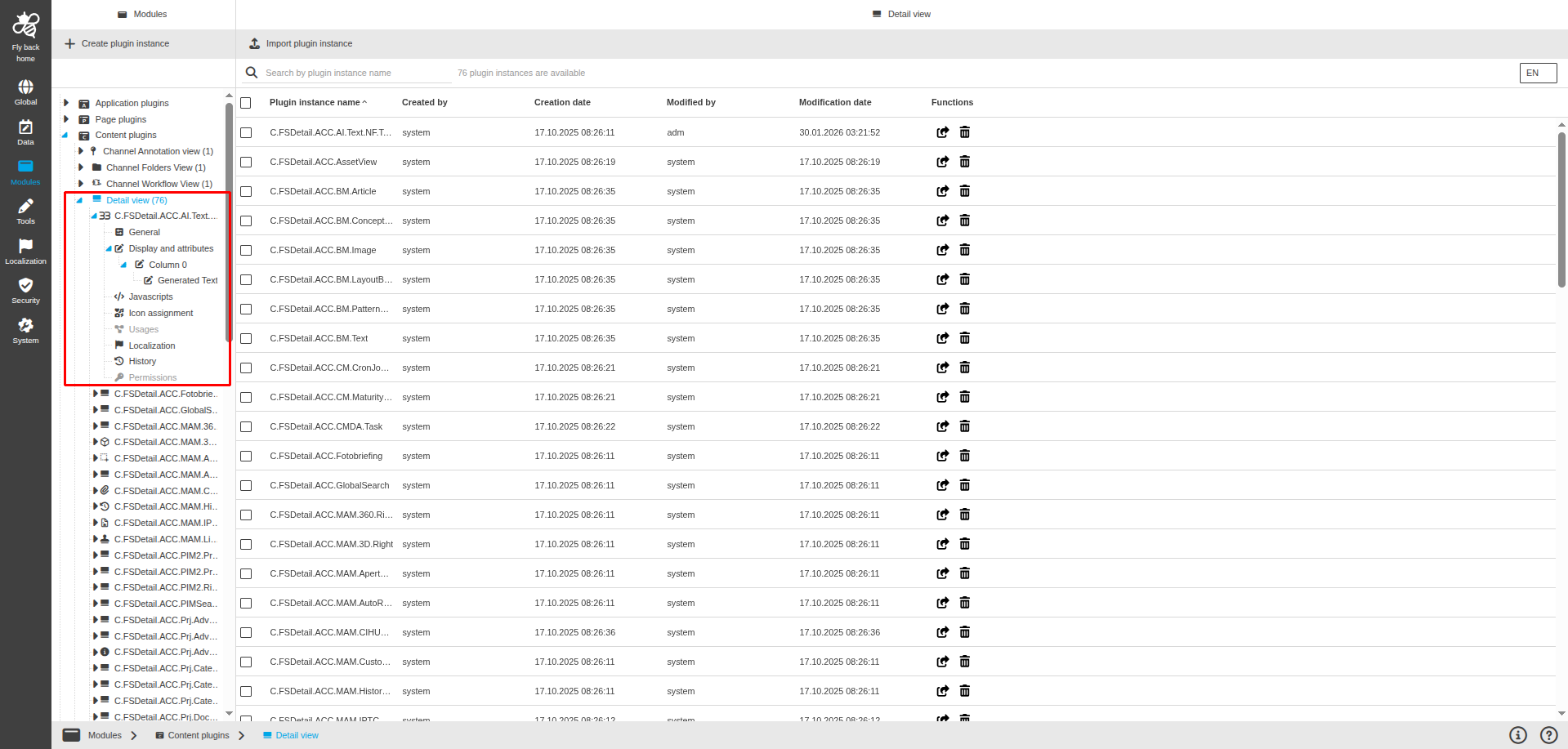
The configuration of Detail View includes the following parts:
| Tab name | Description | Note |
|---|---|---|
General |
On this page the user can select the object type and object type-related general settings. |
See more details "General" |
Display and attributes |
On this page the user can configure the display options and attributes which should be available in the Detail in the UI. |
See more details "Display and attributes" |
Javascripts |
On this page the user can enter a use case-specific JS script into the configuration to do project-specific automation. |
See more details '"Javascripts"' |
Icon assignment |
On this page the user can assign an icon for the Detail View plugin to visualize the function buttons appearing in the Frontend. |
See more details "Icon assignment". |
Usages |
On this page the user can see the relations of the Detail View plugin to other plugins. |
Content coming soon… |
Localizations |
On this page the user can localize their own Detail View plugin to see desired terms in the UI of Detail Content plugin. |
Content coming soon… |
History |
On this page the user can overview all modifications made in the Detail View and have an initial state available as a file to understand who, when and what changed within the configuration. |
See more details "History" |
Permissions |
On this page the user can restrict the access to the plugin for certain roles. |
Content coming soon… |
Appearance in the frontend
All details of the Detail View plugin in the frontend can be found here.