General

This page provides the possibility to configure the general conditions for the Detail View plugin in the UI.
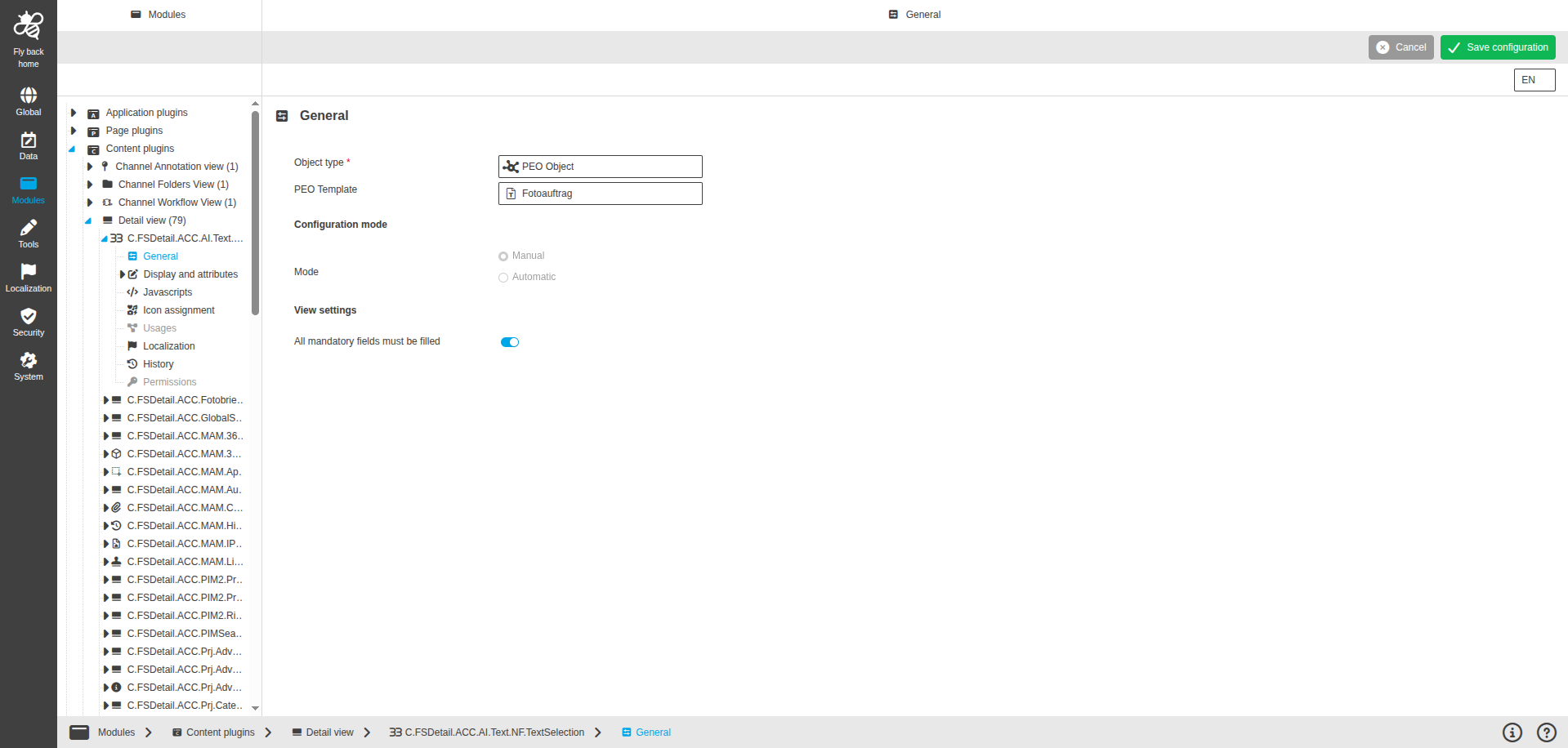
DetailView CC general configuration
Figure 1. General configuration for Detail View
Name of option Description Note

Object type

  • The object type defines which objects can be selected for viewing.
    The possible object types are:

    • Briefing Details

    • CM Object

    • DAM Object
      selected by default (when new plugin instance was created)

    • Glossary

    • PEO Object

    • PIM Object

    • Search

    • User Activity

    • Workflow

This field is mandatory.

PEO Template

  • The dropdown to select PEO Template created in the UI.
    Only custom attributes within selected PEO Template are available in the attribute configuration.

The dropdown is only available in case object type PEO is selected.
The first dropdown value is selected by default.

Configuration mode

Name of option Description Note

Mode

  • The radio button to select configuration mode.
    The possible values are:

    • Manual

    • Automatic

'Manual' radio button is selected by default. This field is read-only. The 'Automatic' mode will be available in a later version.

View settings

Name of option Description Note

All mandatory fields must be filled

  • The toggle to define if all mandatory fields should have values.

    • If turned on - the detail view cannot be saved unless all mandatory fields have been filled

    • If turned off - the detail view in the UI can be saved when one or multiple mandatory fields haven’t been filled

The toggle is turned on by default.

Lazy initialization

  • The toggle to define if lazy initialization should be enabled.

    • If turned on - the fields are created as usual

    • If turned off - only visible fields should be created on first load, other fields are created by demand, when we open details panels or select other product in ProductView

The toggle is turned on by default. This toggle is only available if PIM Object type is selected.

Welcome to the AI Chat!

Write a prompt to get started...