PEOSearch
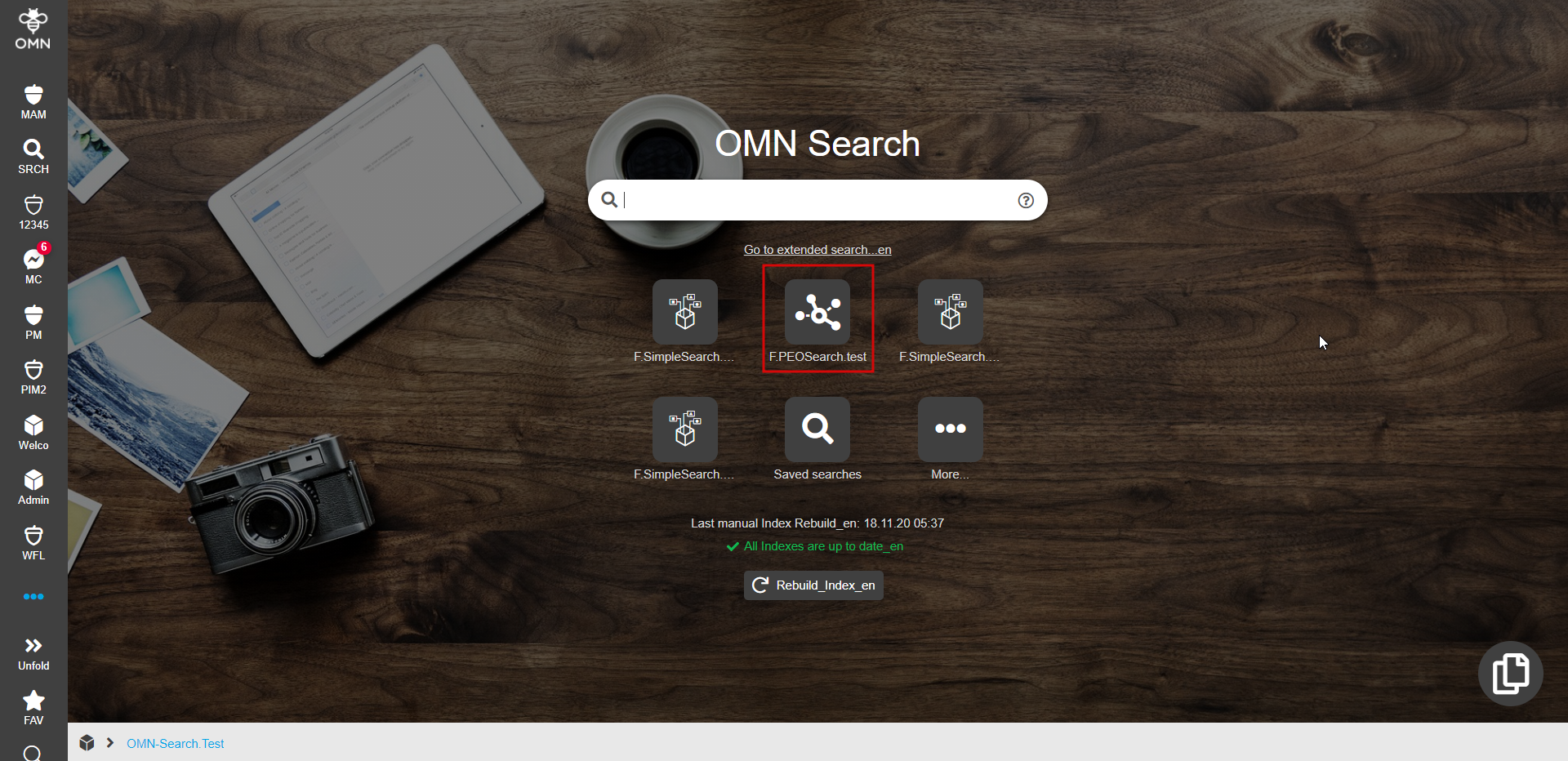
PEOSearch is essentially a two-step product search which does not imply a traditionally available search results page. At the first step, the search for products is performed by values of an attribute configured in the backend. The second step involves checking whether found products (or articles/variations) have PEOs that match the configured PEOView by the template. The described steps are actually hidden from the user who started PEOSearch and its visible result is the opening of PEOView editor with corresponding PEO(s) in case of successful search or the display of the error toast message when nothing is found.
| In old client when PEOSearch function plugin is configured it appears directly as Quicksearch item in the frontend. PEOSearch uses OpenPEOByName function and opens only single found PEO. Otherwise, an error is shown. In HTML5 implementation it is possible to open multiple PEOs in PEOView if they match the template. |
PEOSearch function plugin configuration. To configure PEOSearch for HTML5 client a user has to specify the following options in plugin backend configuration:
-
Select necessary object type.
"PIM2Product" option should be used -
Specify a configuration identifier
-
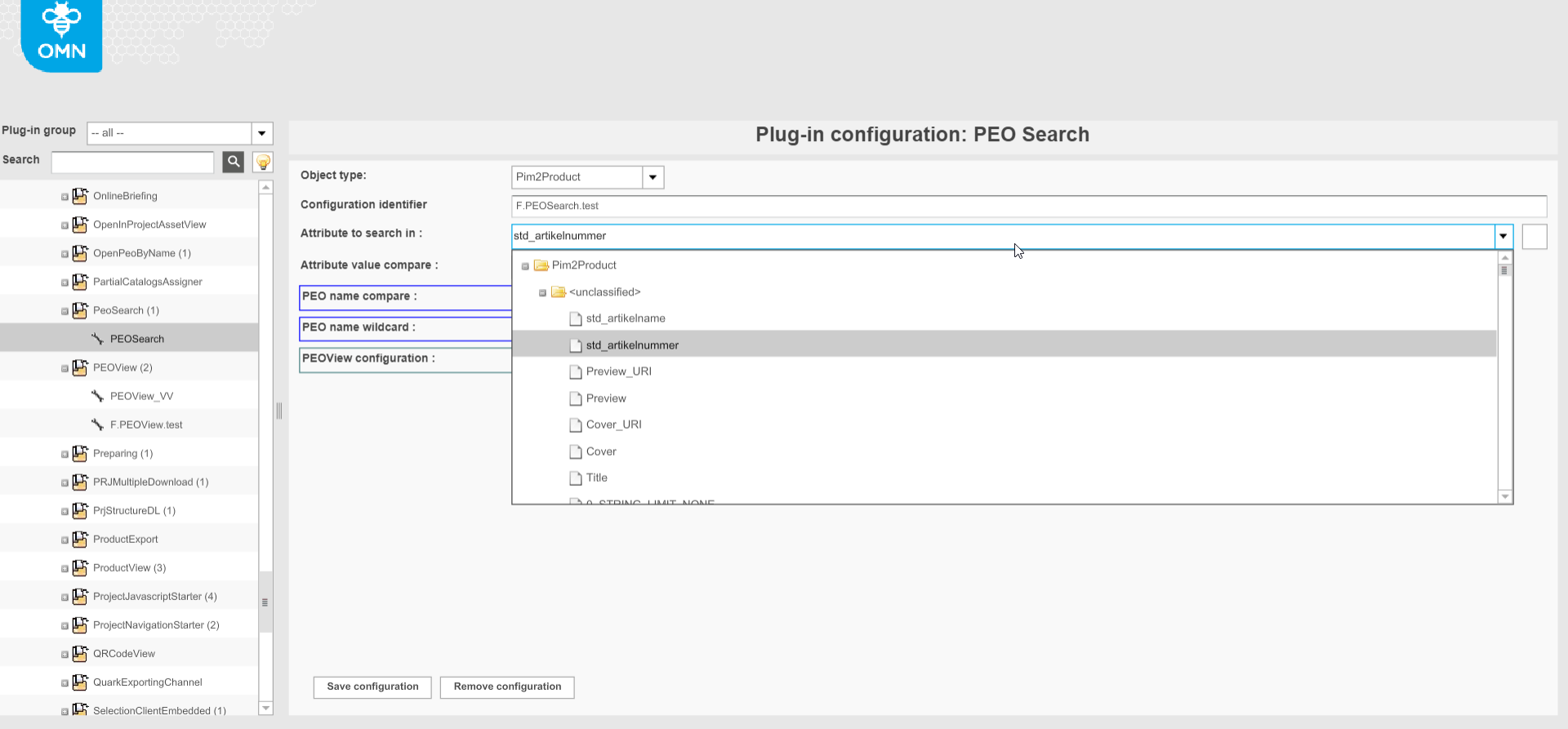
Select a PIM2Product attribute by which value the search should be done ("Attribute to search in" option)
-
Specify a necessary comparator ("Attribute value compare" option).
"Equals" option allows to get the most accurate PEOSearch result. 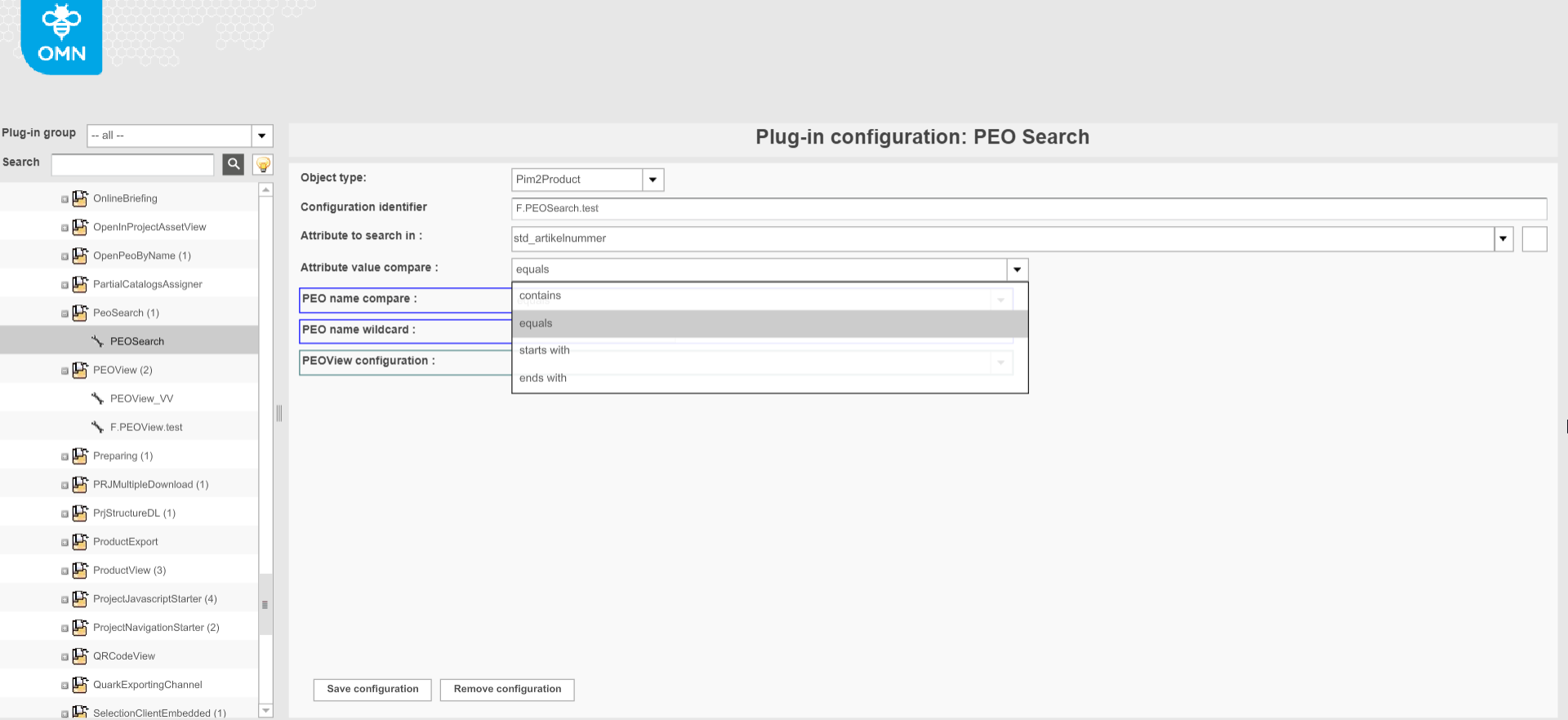
-
Set PEOView configuration (HTML specific). The template from the plugin configuration will be compared with templates of PEOs available for found products. PEOs with relevant templates will be opened in the PEO editor.
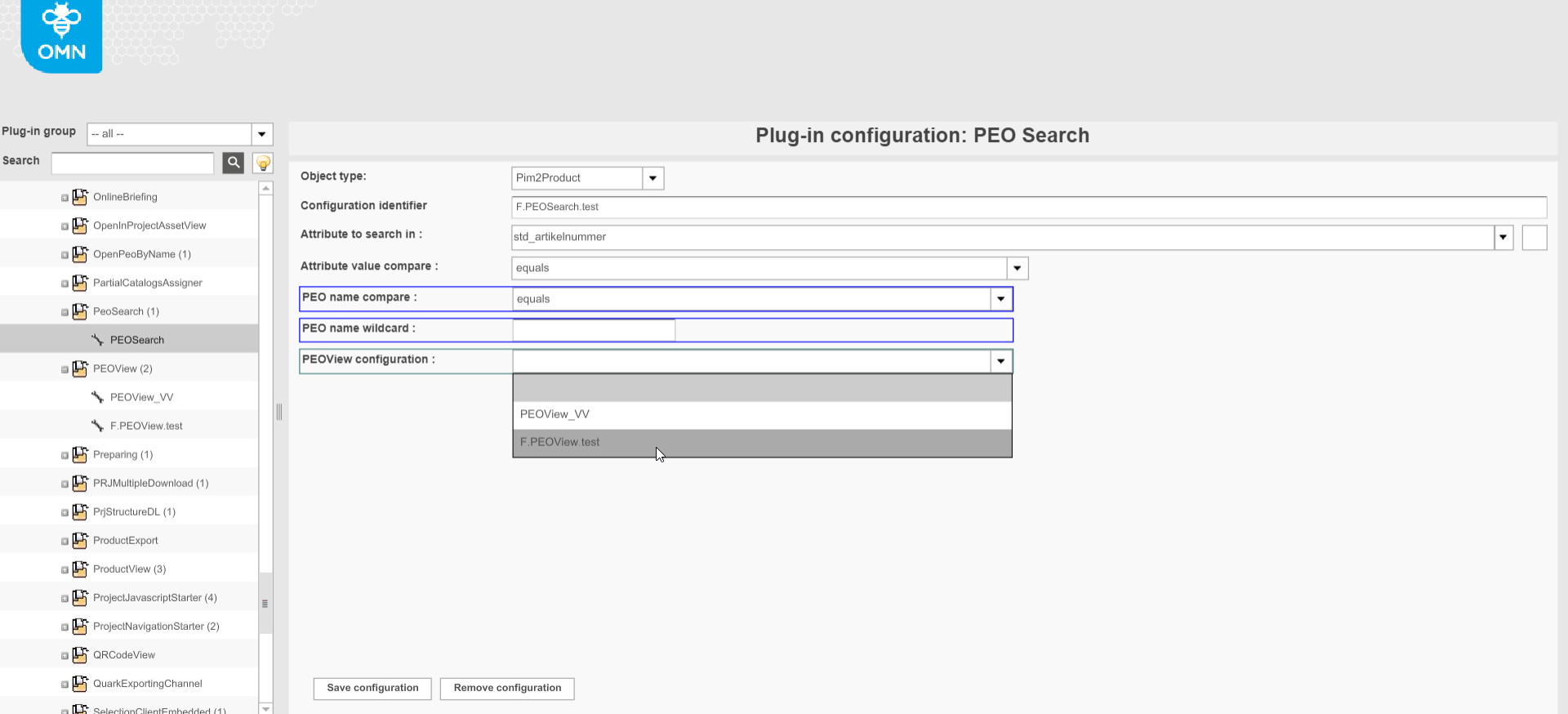
| "PEO name compare" and "PEO name wildcard" are marked with blue border and are irrelevant for HTML5 client. |
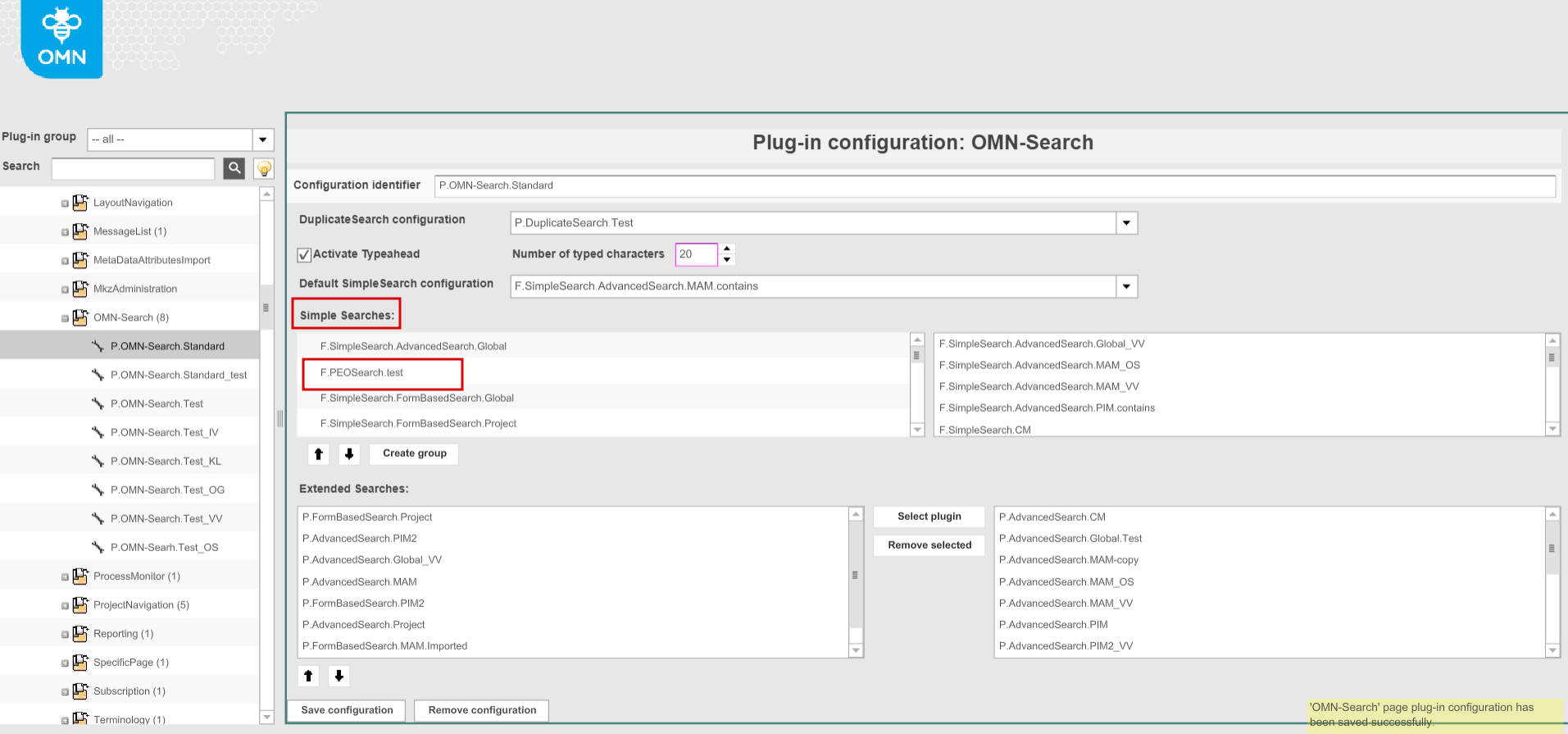
OMN-Search. Configured PEOSearch should be enabled on the OMN-Search page. For this, the user has to add a specific PEOSearch configuration to the Simple Searches in OMN-Search page plugin:
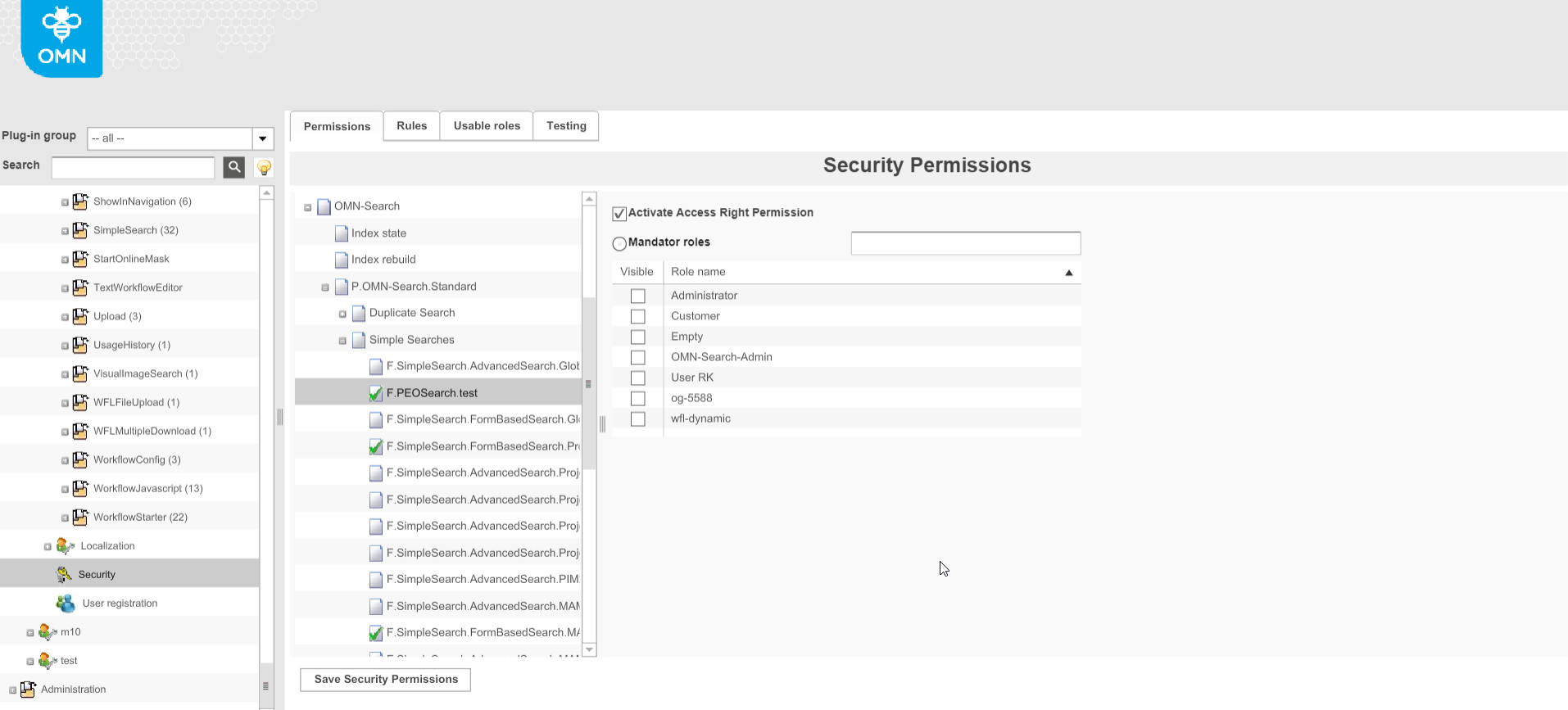
Access rights configuration. If necessary access to a specific PEOSearch can be restricted for specific roles in Security Permissions → OMN-Search → OMN-Search page plugin → Simple Searches
HTML5 Client. If configured correctly PEOSearch is shown as a tile on the OMN-Search page in the frontend (set access rights are considered).