3D File Creation
General information :
A 3D-file is a container for the following files:
-
File of a 3D-model (e.g. sneakers.gltf);
-
Textures and materials structuring. (It can be a folder or just files in a root);
-
Template .omn-compound-meta.json (this file contains metadata);
-
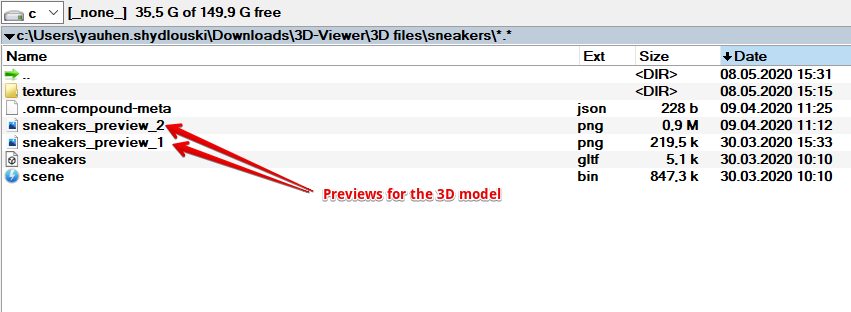
Previews of the 3D-Model (extension .png). You can add several previews from different perspectives.
How to create a 3D-file?
To create a 3D-file, a user should complete the following steps:
1) Create a new folder and name it (e.g. sneakers):
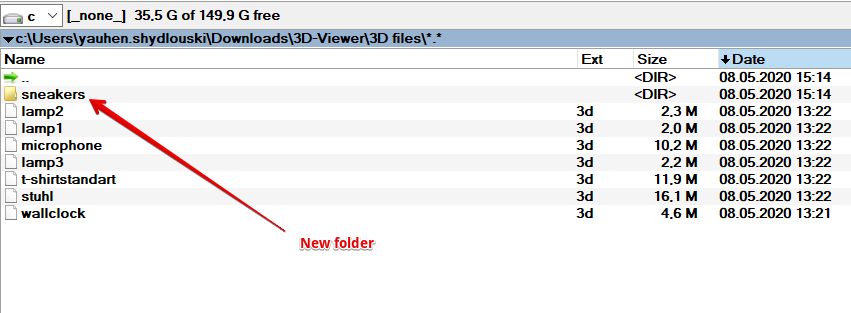
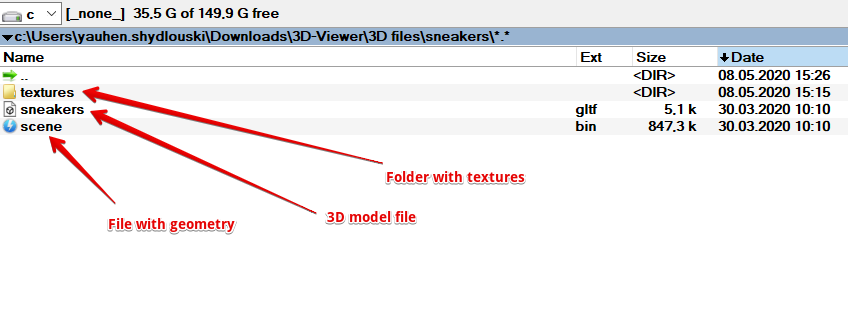
2) Copy or add to this folder a file with a 3D-model or a file with geometry (e.g. scene.bin). Also add a folder or files with textures:
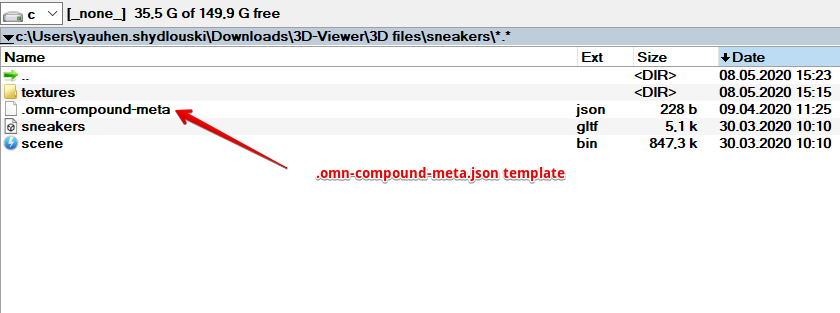
3) Copy or add to this folder a template for .omn-compound-meta.json file.
4) To this folder, copy or add image(s) with previews of a 3D-model (one or more).
5) Make amendments to the template .omn-compound-meta.json file. Add names of your 3D-model-file and preview file(s). You can edit this file e.g. with notepad or notepad ++.
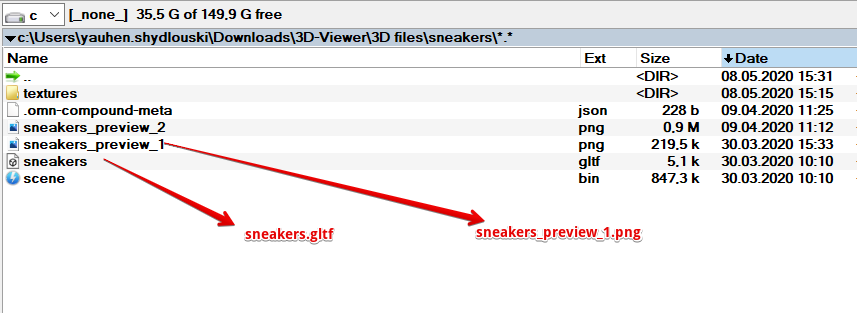
6) The following image shows the template .omn-compound-meta within the .json-file:
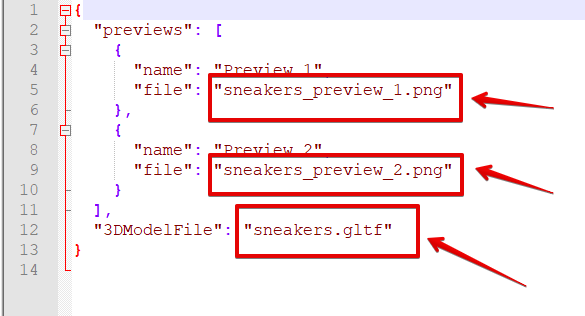
Following template can be used to create JSON files:
{
  "previews": [
    {
      "name": "Preview 1",
      "file": "example_preview_1.png"
    },
    {
      "name": "Preview 2",
      "file": "example_preview_2.png"
    }
  ],
  "3DModelFile": "example.gltf"
}
Instead of samples marked in yellow, a user will have to mention the existing file-names, add or remove previews according to what he actually has.
You can download the template .omn-compound-meta.json using this link: .omn-compound-meta.json
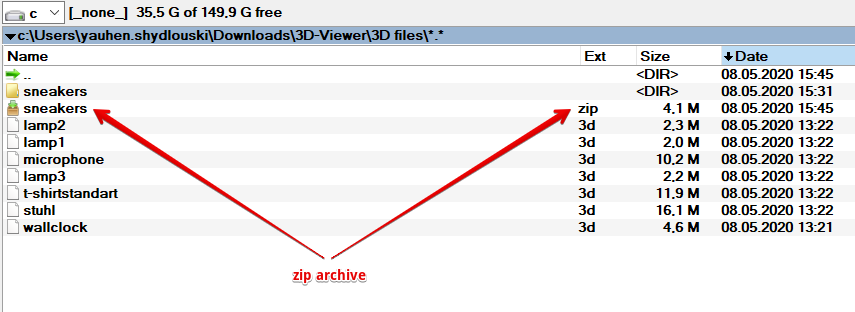
7) Convert the folder to a zip-archive with zero compression (e.g. sneakers.zip):
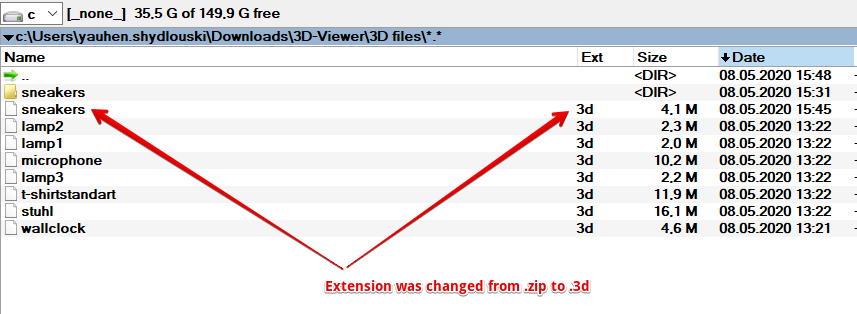
8) Change the file-extension from .zip to .3d manually:
For Mac users:
The content of the folder must be zipped, not the folder itself. You can’t use the finder-functionality to zip files, because the json-file starts with a dot. Therefore, it won’t be displayed and zipped.
In short:
Enter the directory via command-line and execute following command:
cd 3d-directory
# 0 no compression
# r add subdirectories
# x exclude etra attributes
zip -0rX ../3dfile.3d .
If you don’t pass option "X", the json-file will be added to the zipped structure. But it seems that the synchronizer unpack that file and doesn’t recognize the file as a 3D-file.