Generic Configuration to use OMN local open functions
In the normal workflow with OMN, OMN users are limited in their ability to edit files that are available in the web version of OMN but physically stored on resources on the network. To solve this problem, OMN offers a solution that allows you to use standard Windows or MacOS tools such as Explorer or Finder to open a file or directory located on a remote resource directly from the browser-based OMN web client via links of a specific type, making it possible to perform operations locally using the installed software on the current working computer.
To be able to use the function in the UI, in addition to an installer (see Installer Guide) and the function configuration (see End-User Guide), a configuration must be provided under Generic Configuration, which contains the volume identifier, the Windows path and the Mac path.
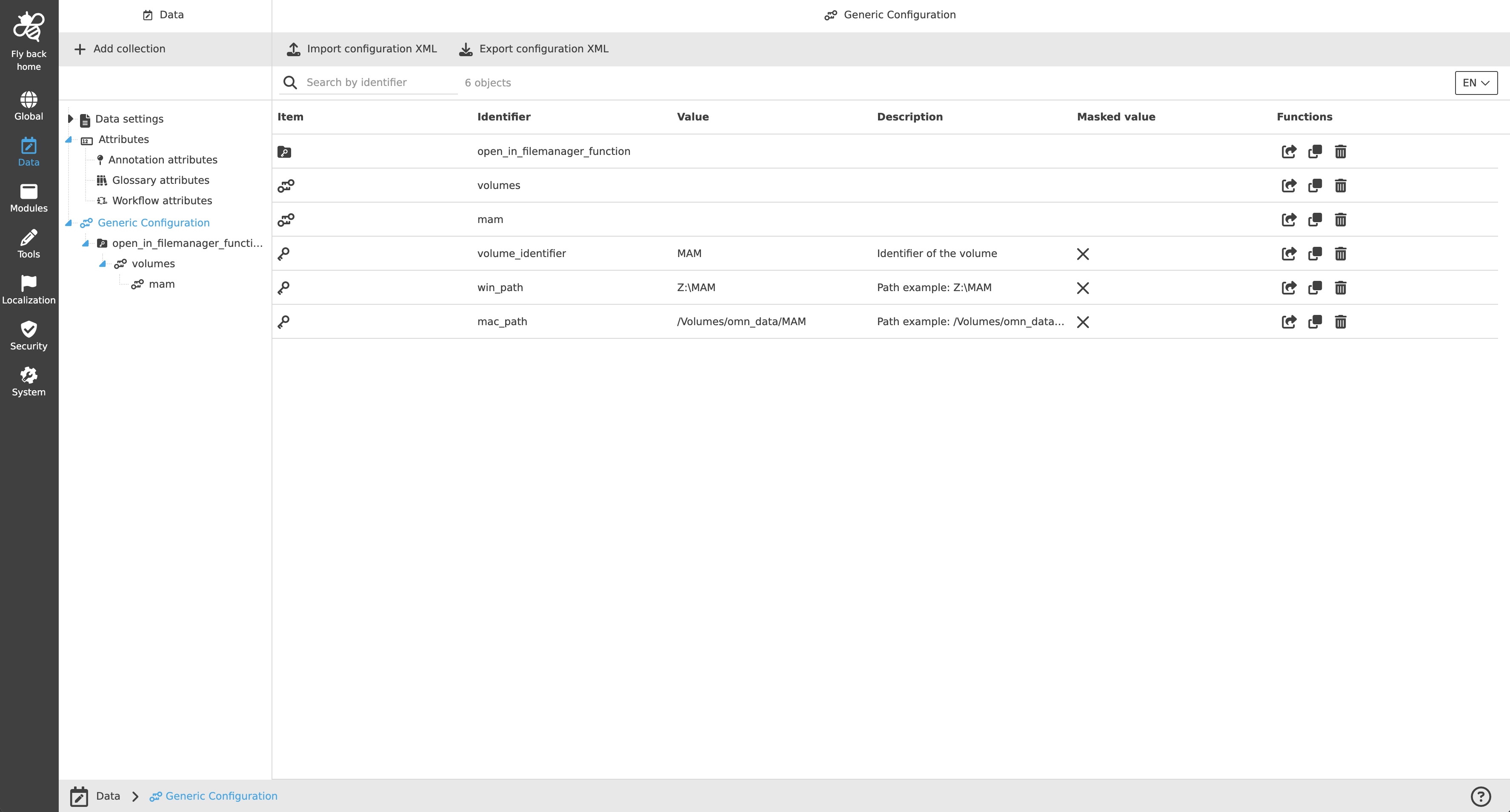
| This configuration is created automatically when the system is rolled out (structure and keys without values) if the property ‘MAM.openAssetsLocally.enabled’ is set to true. |