User-based settings
The user-based settings enable users to permanently save certain settings, such as column widths, filters, etc.
This means that each setting does not have to be readjusted when the page is visited again.
The accordion "User-based settings" contains two options, to save the settings system-wide or to reset this setting.
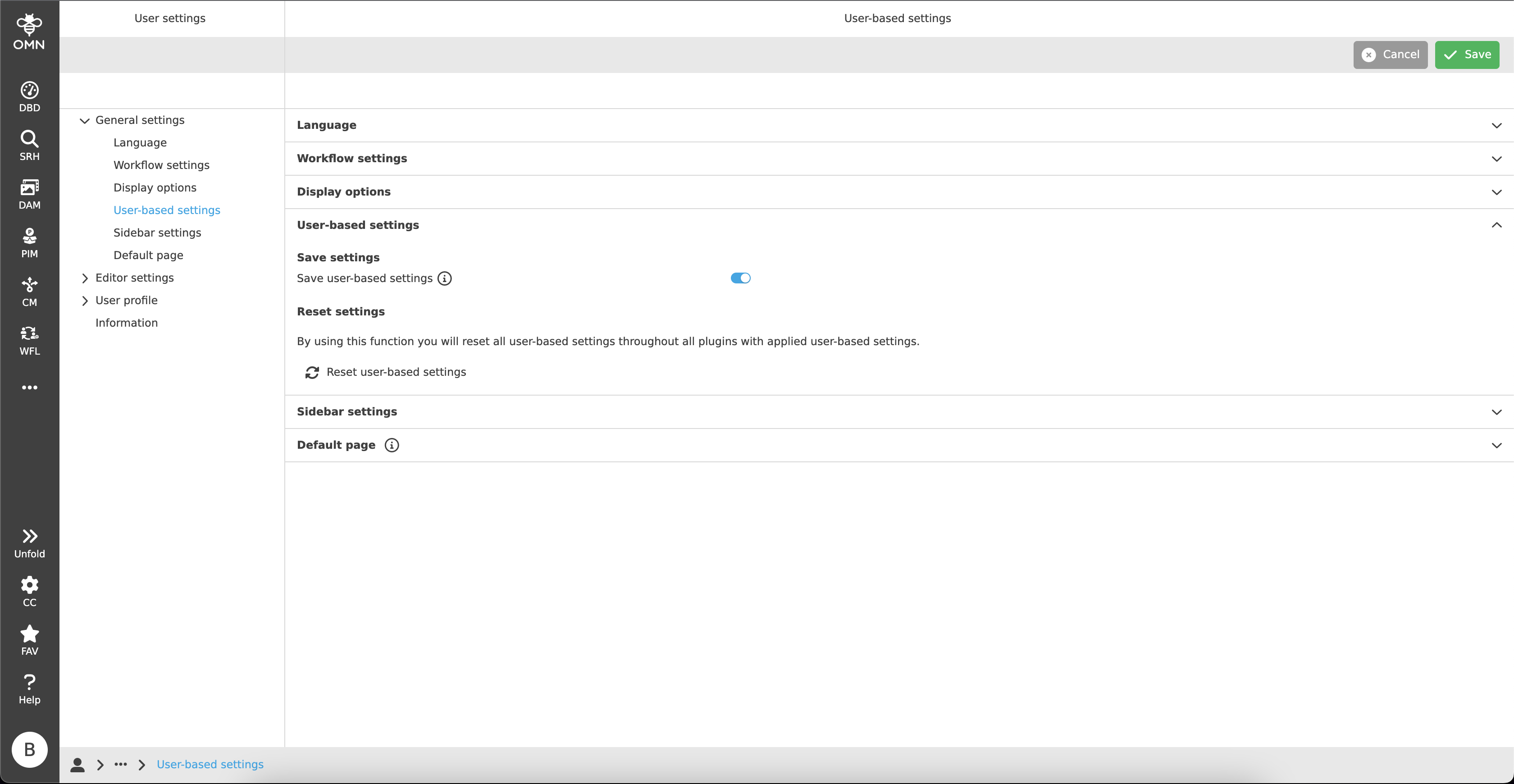
Save settings
With the help of a toggle button, the option "Save user-based settings" can be activated.
Subsequently, all settings are saved system-wide for all users, regardless of the device used.
If the function is switched off again, the settings are deactivated, but can be reactivated at any later time.
This means that the settings remain saved and the saved status can be accessed again at any time.
Reset settings
In the "Reset settings" area, in contrast to deactivating the user-based settings, all settings made across all plugins are deleted.
This means that this action is final and cannot be restored.
To carry out the action, the button "Reset user-based settings" must be clicked.
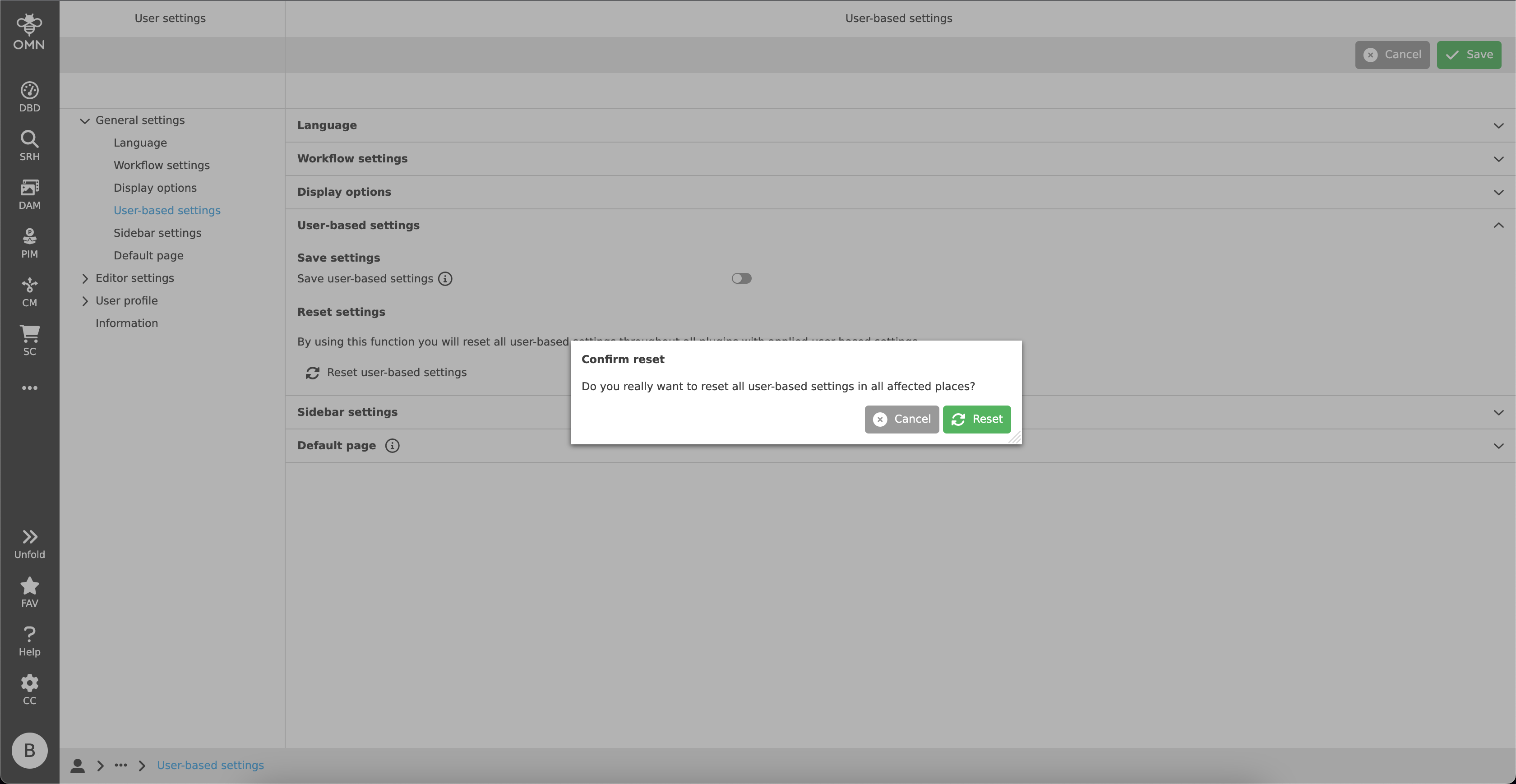
A dialogue opens asking if the action should actually be carried out.
After "Reset" has been clicked, all settings are deleted.
| Since all dashboards are saved on a custom basis, performing the reset action will also delete all dashboards and their widgets. |